





Auto Tstop EA for MetaTrader 4
Info
The Auto Tstop EA for MetaTrader 4 is a Expert Advisor for MetaTrader 4 that autotstop ea is a specialized tool designed to assist traders by providing an automated trailing stop feature. It does not open orders but focuses on managing open positions with a unique trailing stop mechanism.
Usage
This tool is typically used for automated trading on major forex pairs and gold.
Platform
This Expert Advisor works exclusively on MetaTrader 4 (both build 600+ and newer versions).
Setup
Place the downloaded file in MQL4/Experts folder via File ? Open Data Folder in MetaTrader 4.
How to Install and Use Auto Tstop EA for MetaTrader 4
1. Installation: Open the "File" menu, select "Open Data Folder," navigate to MQL/Experts, paste your file, and restart the terminal.
2. Activation: Drag the EA from the Navigator onto a chart, ensure "Allow live trading" is checked in the Common tab, and verify the AutoTrading button is green.
3. Optimization: Right-click your chart, choose "Expert List," click "Properties" to adjust inputs, and save your preferred setup as a set file for future use.
4. Maintenance: Regularly check the "Experts" tab in the terminal window to monitor trade logs and potential execution errors.
Frequently Asked Questions
Q: Why is my EA not opening trades? A: Check the "AutoTrading" button, ensure "Allow live trading" is enabled, and verify your broker allows automated trading on your account type.
Q: Can I run multiple EAs on one chart? A: No, each chart can only host one active EA; however, you can open multiple charts for different currency pairs to run several EAs.
Q: What does the "smiley face" icon mean? A: A smiley face in the top-right corner of the chart indicates the EA is successfully running; a frowny face means it is disabled.
What this tool does
AutoTstop EA is a specialized tool designed to assist traders by providing an automated trailing stop feature.
Typical Use Case
This Expert Advisor excels in automated trading and technical analysis on MetaTrader 4.
Compatible Platform & Setup
This Expert Advisor works on MetaTrader 4. Place the file in the MQL4/Experts folder and restart the terminal.
Description & Settings
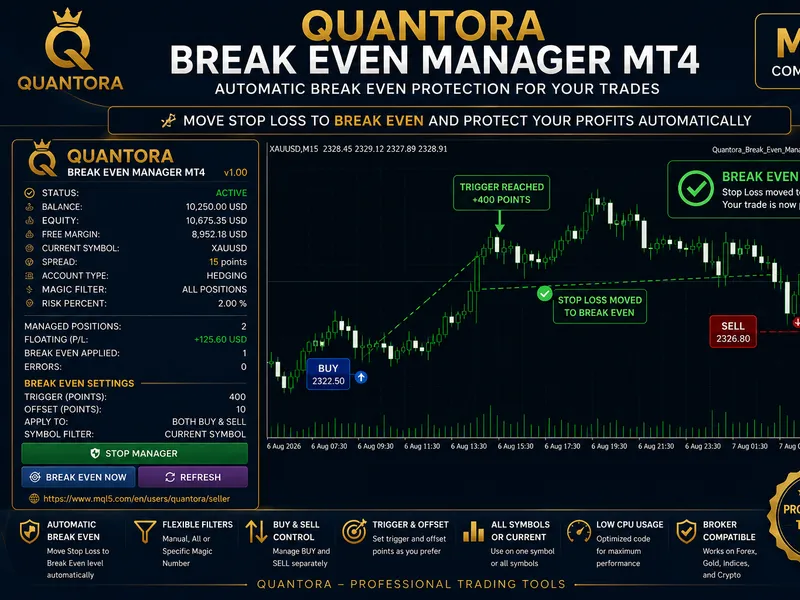
Related: Quantora Break Even Manager MT4 - Professional Automatic Break Even Utility - another powerful expert for MetaTrader 4 traders.
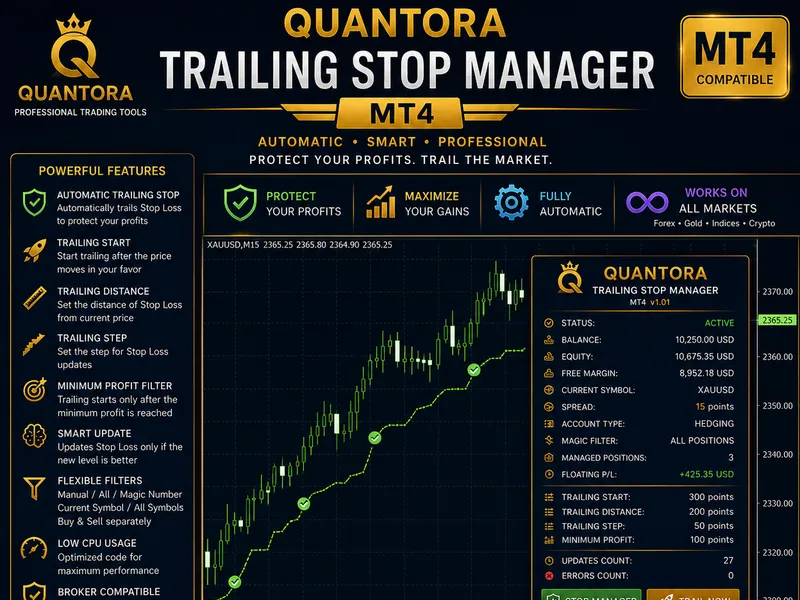
AutoTstop EA is a specialized tool designed to assist traders by providing an automated trailing stop feature. It does not open orders but focuses on managing open positions with a unique trailing stop mechanism.Also recommended: Quantora Trailing Stop Manager: Automatic Stop Loss for MT4 - similar expert with strong performance on MetaTrader 4.
The EA's functionality is triggered when the price reaches half of the specified trailing stop value. This innovative approach ensures that the trailing stop is activated at a strategic point, offering a balanced risk-reward setup.
To enhance the trading experience, the EA includes a notification sound feature. By placing the provided ping.wav sound file (ping.zip) in the Metatrader 4/sounds folder, traders will receive an audible alert whenever an order is closed or take profit is triggered.
The author's trading strategy involves using the AutoTstop_EA on the M5 timeframe with the template autots6-mma-rvi60-cs.tpl (autots6-mma-rvi60-cs.zip) for the following currency pairs: EURUSD, USDCHF, AUDUSD, EURAUD, EURJPY, GBPJPY, GBPAUD, GBPCHF, GBPUSD, NZDUSD, USDCAD, and USDJPY. This strategy has reportedly yielded satisfactory results.
Updates:
- Update 01 (2026-12-05):
- Added new options to the expert property.
- Introduced the calcstp() function.
- Implemented a system for trailing stop.
- Update 02 (2026-01-05):
- Corrected typographical errors in the code.
- Update 03 (2026-03-27):
- Modified the calculation system for take profit (TP) and stop loss (SL).
- Simplified the code to enhance EA performance.
- Update 04 (2026-06-16):
- Fixed bugs in the overall program scripts.
- Incorporated break-even price (BEP) into the trailing stop mechanism.
- Update 05 (2026-07-03):
- No changes to expert properties, consistent with Update 4.
- Minor adjustments to the void startaction() and void tpsltrls() functions.
You may also like: e-news-lucky$ - automated news trading expert advisor - excellent alternative for expert users on MetaTrader 4.
Source Code
#property copyright "robotfx"
#property link "https://robotfx.org"
#property version   "1.00"
#property description "this code is educational. feel free to use, modify and upgrade as you wish. visit robotfx.org for professional trading tools"
#property description "this code is educational. feel free to use, modify and upgrade as you wish. visit robotfx.org for professional trading tools"
#property description "this code is educational. feel free to use, modify and upgrade as you wish. visit robotfx.org for professional trading tools"
#property description "this code is educational. feel free to use, modify and upgrade as you wish. visit robotfx.org for professional trading tools"
input string             autotstop = "copyright  2014 3rj ~ created by roy philips-jacobs";
extern bool            fridaytrade = true; // if true, ea still trading at friday
extern bool        usetrailingstop = true; // use trailing stop, true (yes) or false (not)
.......
⚠ Limitations & Risk Warning
- This tool is provided for educational and testing purposes only.
- Past performance does not guarantee future results.
- Trading involves substantial risk of loss. Use on a demo account first.
- Results may vary depending on market conditions, broker, and settings.
- We recommend thorough backtesting and forward testing before using with real funds.