
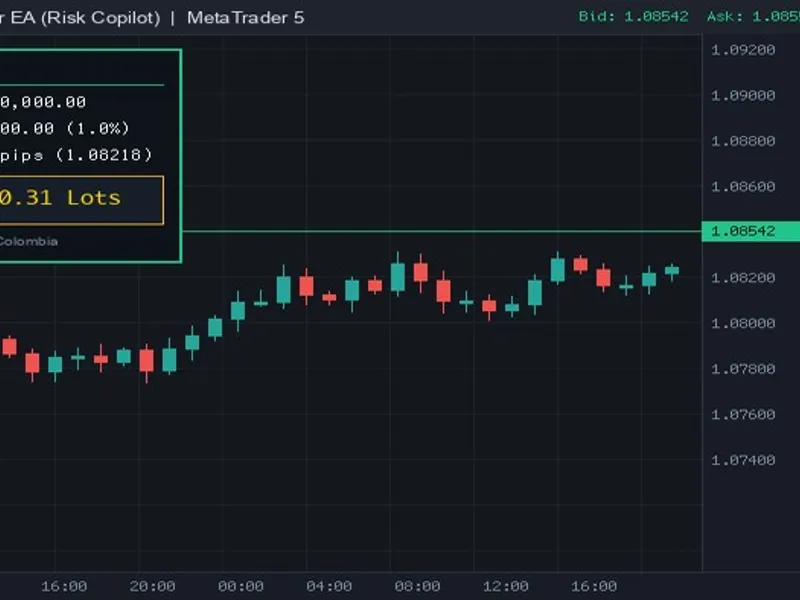
Correlation-Aware Lot Size Calculator for MT4/MT5
Info
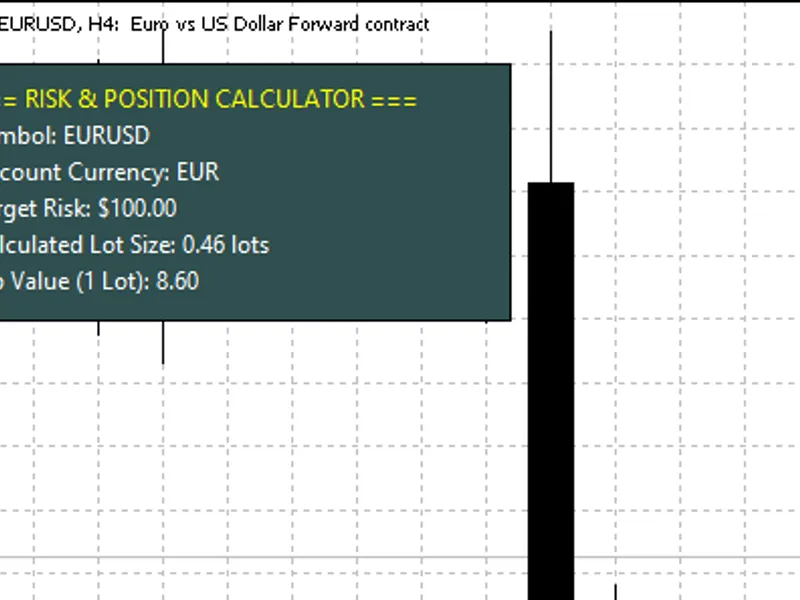
The Correlation-Aware Lot Size Calculator for MT4/MT5 is a Script for MetaTrader 5 that correlation-aware lot size calculatorthis script addresses a common limitation of standard lot size calculators by considering existing open positions and their correlations. Traditional calculators often determine lot size based solely on the new trade's parameters, neglecting the cumulative risk across related currency pairs.
Usage
This tool is typically used for enhancing chart analysis and decision making.
Platform
This Script works exclusively on MetaTrader 5 (both build 600+ and newer versions).
Setup
Place the downloaded file in MQL5/Scripts folder via File ? Open Data Folder in MetaTrader 5.
How to Install and Use Correlation-Aware Lot Size Calculator for MT4/MT5
1. Installation: Move your script file into the MQL/Scripts directory and restart the platform.
2. Execution: Drag the script onto a chart; it will perform a one-time action, such as closing all open orders or clearing chart objects.
3. Editing: Use MetaEditor (F4) to modify code, click "Compile," and verify no errors appear in the terminal before running.
4. Removing: Scripts stop automatically, but you can remove them manually by right-clicking the chart and choosing "Remove Script."
Frequently Asked Questions
Q: How are scripts different from EAs? A: Scripts execute a single action and then stop; EAs monitor the market and trade continuously.
Q: Can I assign a hotkey to a script? A: Yes, right-click the script in the Navigator, select "Set Hotkey," and define your preferred keyboard shortcut.
Q: Why did my script stop? A: Scripts are designed to stop immediately after finishing their programmed command; this is normal behavior.
What this tool does
Correlation-Aware Lot Size CalculatorThis script addresses a common limitation of standard lot size calculators by considering existing open positions and their correlations.
Typical Use Case
This Script excels in automated trading and technical analysis on MetaTrader 5.
Compatible Platform & Setup
This Script works on MetaTrader 5. Place the file in the MQL5/Scripts folder and restart the terminal.
Description & Settings
Related: Risk-Based Lot Size Calculator Script with On-Chart Panel - another powerful script for MetaTrader 5 traders.
Correlation-Aware Lot Size CalculatorAlso recommended: Contract Sizer: A Risk Management Tool with Ladder, Floor, and Breaker Protections - similar script with strong performance on MetaTrader 5.
This script addresses a common limitation of standard lot size calculators by considering existing open positions and their correlations. Traditional calculators often determine lot size based solely on the new trade's parameters, neglecting the cumulative risk across related currency pairs.
This tool enhances the lot sizing process by performing the following steps before a new trade is opened:
- Calculates the standard risk-based lot size using account balance, specified risk percentage, and stop loss distance in points.
- Analyzes all currently open positions across any trading symbols.
- Determines the real-time correlation between each open position's symbol and the symbol of the prospective new trade, utilizing recent price history for accuracy.
- Assesses trade direction: risk is amplified for same-direction trades on correlated pairs and can be offset by opposite-direction trades.
- Aggregates the risk from correlated positions and adjusts the new trade's lot size downwards if the total risk approaches or exceeds a user-defined basket risk limit.
All calculations and recommendations are logged in the Experts/Journal tab, detailing flagged positions, the reasons, and the suggested adjusted lot size.
Important Considerations:
- Positions without a stop loss set are flagged with a warning, as their precise dollar risk cannot be determined.
- Correlation is calculated based on a user-configurable number of recent bars and timeframe, reflecting current market conditions. However, this is a backward-looking metric and subject to change.
- This script operates in a read-only capacity; it does not execute, modify, or close any trades.
User Inputs:
- InpTargetSymbol: The symbol for the new trade (defaults to the current chart symbol if left blank).
- InpNewTradeIsBuy: The direction of the new trade (true for buy, false for sell).
- InpRiskPercent: The desired risk percentage for the new trade.
- InpStopLossPoints: The stop loss distance in points.
- InpMaxBasketRiskPercent: The maximum acceptable combined risk across correlated positions.
- InpCorrelationThreshold: The minimum correlation strength required to consider pairs as correlated.
- InpCorrelationBars: The number of recent bars used for correlation calculation.
- InpCorrelationTimeframe: The timeframe used for correlation measurement.
This calculator was developed to prevent unintentional over-leveraging on correlated currency pairs, a common pitfall for traders managing multiple positions. While it offers minimal benefit for single-pair traders, it provides essential risk management for those trading multiple instruments concurrently.
This tool is freely available for use, modification, and adaptation.
You may also like: Position Size Calculator for Risk-Based Lot Sizing - excellent alternative for script users on MetaTrader 5.
Source Code
#property copyright "RobotFX"
#property version   "1.00"
#property script_show_inputs
#property strict
input string          InpTargetSymbol         = "";
input bool             InpNewTradeIsBuy        = true;
input double           InpRiskPercent          = 1.0;
input int              InpStopLossPoints       = 300;
input double           InpMaxBasketRiskPercent = 3.0;
input double           InpCorrelationThreshold = 0.70;
.......
⚠ Limitations & Risk Warning
- This tool is provided for educational and testing purposes only.
- Past performance does not guarantee future results.
- Trading involves substantial risk of loss. Use on a demo account first.
- Results may vary depending on market conditions, broker, and settings.
- We recommend thorough backtesting and forward testing before using with real funds.