
risk sizer panel lite mt4: simplified lot calculation and one-click trading
Info
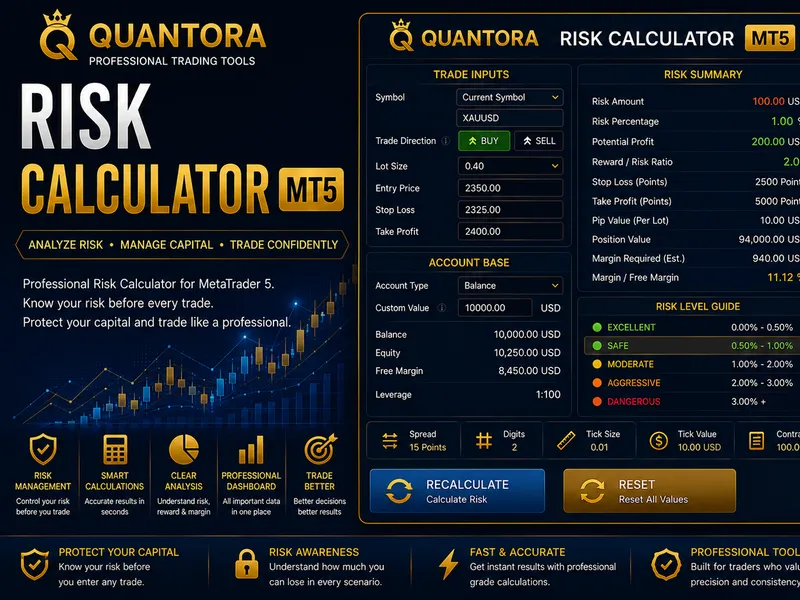
The risk sizer panel lite mt4: simplified lot calculation and one-click trading is a Expert Advisor for MetaTrader 4 that risksizer panel lite (mt4) — simplified risk percentage lot calculator with one-click buy/sellrisksizer panel lite is a user-friendly mt4 trading panel designed for efficient manual trading. it simplifies lot size calculation based on a fixed risk percentage of your account balance and allows for rapid order execution with one-click buy/sell functionality.
Usage
This tool is typically used for automated trading on major forex pairs and gold.
Platform
This Expert Advisor works exclusively on MetaTrader 4 (both build 600+ and newer versions).
Setup
Place the downloaded file in MQL4/Experts folder via File ? Open Data Folder in MetaTrader 4.
How to Install and Use risk sizer panel lite mt4: simplified lot calculation and one-click trading
1. Installation: Open the "File" menu, select "Open Data Folder," navigate to MQL/Experts, paste your file, and restart the terminal.
2. Activation: Drag the EA from the Navigator onto a chart, ensure "Allow live trading" is checked in the Common tab, and verify the AutoTrading button is green.
3. Optimization: Right-click your chart, choose "Expert List," click "Properties" to adjust inputs, and save your preferred setup as a set file for future use.
4. Maintenance: Regularly check the "Experts" tab in the terminal window to monitor trade logs and potential execution errors.
Frequently Asked Questions
Q: Why is my EA not opening trades? A: Check the "AutoTrading" button, ensure "Allow live trading" is enabled, and verify your broker allows automated trading on your account type.
Q: Can I run multiple EAs on one chart? A: No, each chart can only host one active EA; however, you can open multiple charts for different currency pairs to run several EAs.
Q: What does the "smiley face" icon mean? A: A smiley face in the top-right corner of the chart indicates the EA is successfully running; a frowny face means it is disabled.
What this tool does
risksizer panel lite (mt4) — simplified risk percentage lot calculator with one-click buy/sellrisksizer panel lite is a user-friendly mt4 trading panel designed for efficient manual trading.
Typical Use Case
This Expert Advisor excels in automated trading and technical analysis on MetaTrader 4.
Compatible Platform & Setup
This Expert Advisor works on MetaTrader 4. Place the file in the MQL4/Experts folder and restart the terminal.
Description & Settings
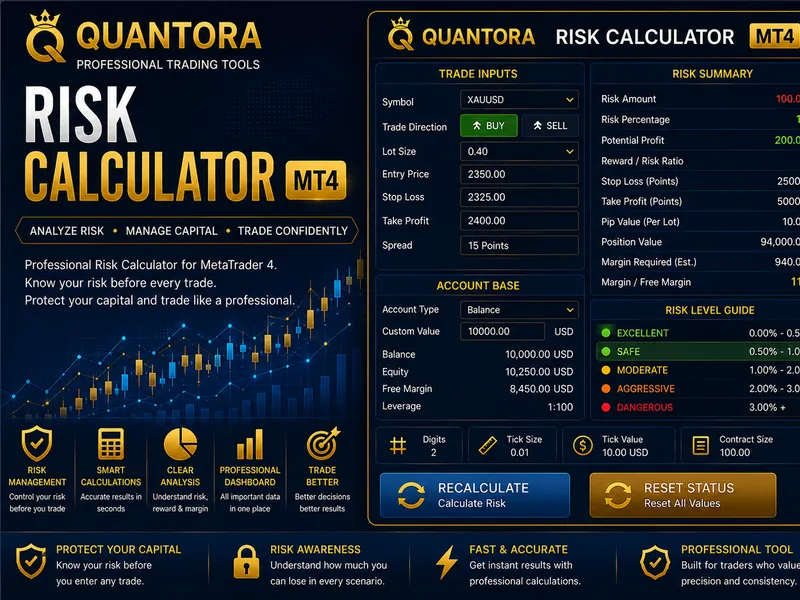
Related: Quantora Risk Calculator MT4: Professional Trade Risk and Reward Analysis - another powerful expert for MetaTrader 4 traders.
risksizer panel lite (mt4) — simplified risk percentage lot calculator with one-click buy/sellAlso recommended: heads or tails trading strategy: a high-risk approach - similar expert with strong performance on MetaTrader 4.
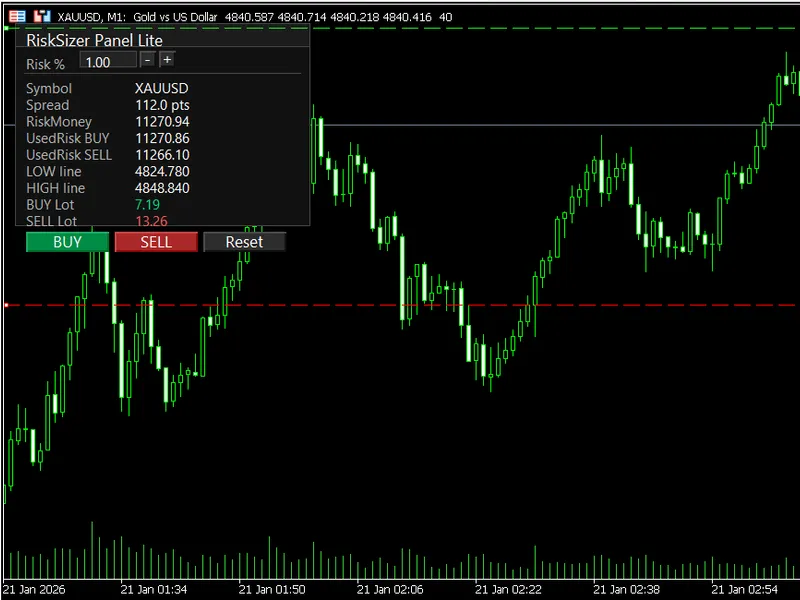
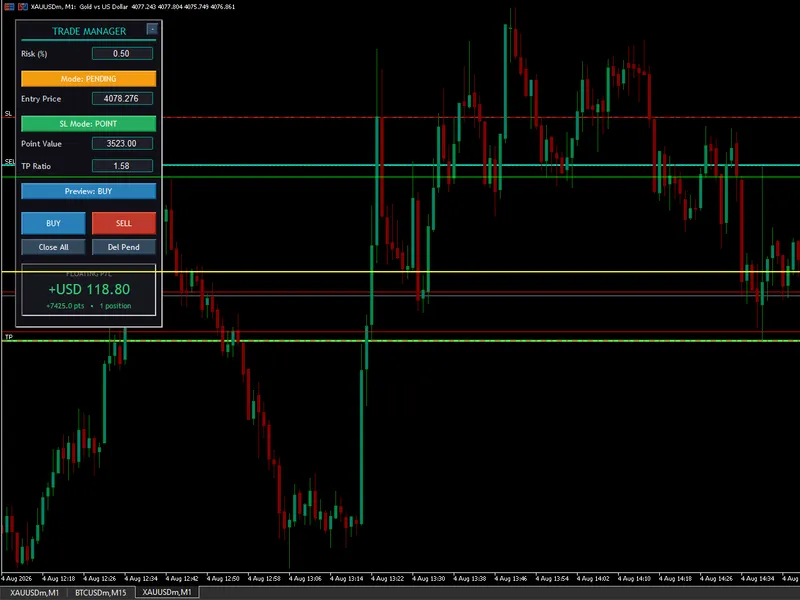
risksizer panel lite is a user-friendly mt4 trading panel designed for efficient manual trading. it simplifies lot size calculation based on a fixed risk percentage of your account balance and allows for rapid order execution with one-click buy/sell functionality. the panel utilizes two draggable horizontal lines on the chart to define your stop loss and take profit levels quickly.
key features
lot sizing based on risk percentage of account balance.
two draggable chart lines (low / high) for defining sl and tp levels.
one-click trading execution for buy and sell orders.
editable risk percentage: easily adjust the risk percentage by typing directly into the risk% box. press enter to apply changes or esc to cancel. use the '+' and '-' buttons for incremental adjustments with a configurable step size.
live panel preview displaying:
symbol
spread (in points)
risk amount in account currency
calculated buy lot size
calculated sell lot size
low line price
high line price
reset button to quickly set default sl/tp line distances relative to the current price.
optional max spread filter to prevent trades during periods of high volatility.
how it works
the panel operates using two horizontal lines on the chart:
low line: represents the lower price boundary.
high line: represents the higher price boundary.
buy order logic:
entry price: ask
stop loss: low line
take profit: high line (only if high is greater than ask price)
sell order logic:
entry price: bid
stop loss: high line
take profit: low line (only if low is less than bid price)
inputs and parameters
risk % per trade (inpriskpercent)
risk adjustment step size (inpriskstep)
default stop loss distance in points (inpdefaultsl_points)
default take profit distance in points (inpdefaulttp_points)
maximum allowed spread in points (inpmaxspread_points) — set to 0 to disable the filter.
price deviation tolerance in points (inpdeviation_points)
unique identifier for trades (inpmagic)
user interface refresh rate in milliseconds (inpuirefreshms)
notes
this is a lite version focused on simplicity and rapid manual trading.
lot size calculation is based on account balance, not equity.
the lot sizing engine uses a simplified calculation suitable for most symbols.
please thoroughly test this utility on a demo account before applying it to live trading. your feedback and suggestions are welcome.
You may also like: Input Resizer: Effortlessly Manage Indicator and EA Settings - excellent alternative for expert users on MetaTrader 4.
Source Code
#property copyright "robotfx"
#property link "https://robotfx.org"
#property version   "1.00"
#property strict
#property description "This code is provided AS IS and intended for educational purposes only. Professional trading EAs and indicators - robotfx www.robotfx.org"
#property description "This code is provided AS IS and intended for educational purposes only. Professional trading EAs and indicators - robotfx www.robotfx.org"
input double inpriskpercent        = 1.0;
input double inpriskstep           = 0.10;
input int    inpdefaultsl_points   = 3000;
input int    inpdefaulttp_points   = 6000;
.......
⚠ Limitations & Risk Warning
- This tool is provided for educational and testing purposes only.
- Past performance does not guarantee future results.
- Trading involves substantial risk of loss. Use on a demo account first.
- Results may vary depending on market conditions, broker, and settings.
- We recommend thorough backtesting and forward testing before using with real funds.