




high-performance time functions (time utils)
Info
The high-performance time functions (time utils) is a Library for MetaTrader 5 that this library contains more than 80 different functions to deal with time variables. the primary aim is to provide high-performance time functions.
Usage
This tool is typically used for enhancing chart analysis and decision making.
Platform
This Library works exclusively on MetaTrader 5 (both build 600+ and newer versions).
Setup
Place the downloaded file in MQL5/Libraries folder via File ? Open Data Folder in MetaTrader 5.
How to Install and Use high-performance time functions (time utils)
1. Storage: Place library files in the MQL/Libraries directory to ensure they are accessible to your projects.
2. Implementation: Include the library in your code using the #import directive, ensuring you match the exact function names and parameters.
3. Compilation: Ensure the library is present in the directory before you compile your main EA or script, as the compiler links them during this phase.
4. Management: Keep libraries organized in sub-folders if you manage many custom functions to maintain a clean project structure.
Frequently Asked Questions
Q: What is a library file used for? A: Libraries store reusable code modules, allowing you to centralize common logic used by multiple EAs or indicators.
Q: Is a library executable? A: No, libraries are non-executable files containing functions; they must be imported into an EA, indicator, or script to function.
Q: Can I update a library while the platform is running? A: You should compile your EA or script after updating a library to ensure the latest code changes are integrated.
What this tool does
this library contains more than 80 different functions to deal with time variables.
Typical Use Case
This Library excels in automated trading and technical analysis on MetaTrader 5.
Compatible Platform & Setup
This Library works on MetaTrader 5. Place the file in the MQL5/Libraries folder and restart the terminal.
Description & Settings
Related: session time filter library - another powerful library for MetaTrader 5 traders.
this library contains more than 80 different functions to deal with time variables. the primary aim is to provide high-performance time functions. the performance mode (which can be controlled at compile time via a #define) is disabled by default. this mode is not a requirement to include the library into your projects, as it can be included normally without it.
Also recommended: as q telegram notifier: real-time trade alerts and performance insights - similar library with strong performance on MetaTrader 5.
timeutils_performance_modeoptionally, performance-mode can be switched on at compile time via #defines before #include:
this will redirect all calls to mql's built-in and functions to more efficient alternatives.
you can compile the script "performance_mode.mq5" with and without timeutils_performance_modeto check for the difference in speed on your machine. this will be beneficial to high-performance programs performing heavy or many time-related tasks (e.g., scanning all the quotes history for h1 bars at the start of trading weeks or collecting other statistics).
listing of all functions in the library:
the function names should be self-explanatory; also, you can find a short description for a specific function in the timeutils.mqh file.
list of all available time formats:
the two attached scripts "basic.mq5" and "advanced.mq5" shows the basic and advanced usage examples.
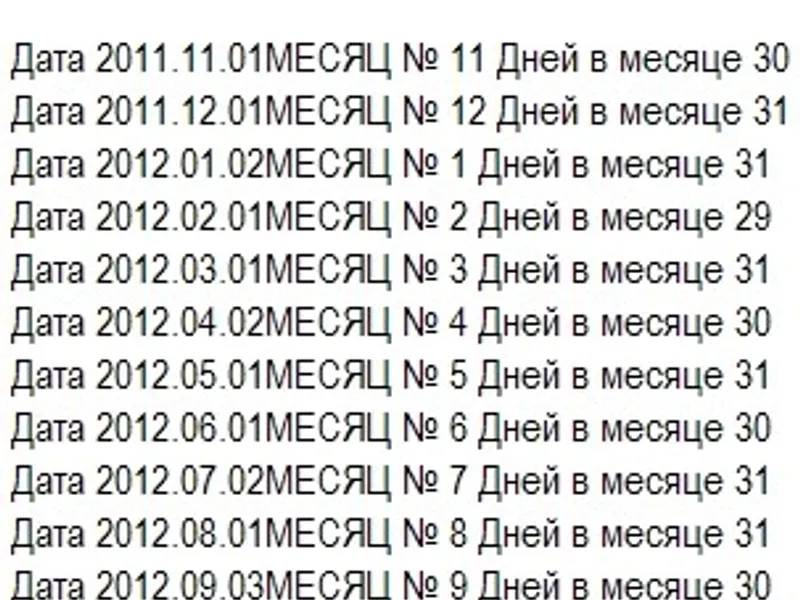
an example output from "advanced.mq5" script:
updates:
2024.12.03 - v.1.10 : initial release.
2024.12.05 - v.1.15 : added functions for business days and for nth() weekday of the month. optimized calculations in daysinmonth() function.
2024.12.09 - v.1.20 : added timeformat() function to format the time according to the passed string of tokens.
2024.12.09 - v.1.25 : optimized calculations in timetostructfast() function.
2024.12.10 - v.1.30 : optimized timeformat(), startofyear() and endofyear() functions. updated descriptions of some functions.
2024.12.15 - v.1.35 : optimized getnthweekdayinyearmonth() function.
2024.12.18 - v.1.40 : added iscurrentxxx(), istoday(), istomorrow() and isyesterday() functions.
2024.12.19 - v.1.45 : optimized addmonths() and getnthweekdayinyearmonth() functions.
2024.12.20 - v.1.50 : more code clean-up.
2024.12.21 - v.1.55 : simplified calculations in addmonths(): replaced the complex logic of adjusting months and years with a simpler total months calculation.
You may also like: high-performance json library for llms - excellent alternative for library users on MetaTrader 5.
Source Code
яю//+------------------------------------------------------------------+
#include "TimeUtils.mqh"
int counter = 0;
#define PRINT(A) Print((string)++counter + ". " + #A + " = ", (A))
void OnStart()
{
PRINT( CreateDateTime(2022, 03, 25) );
MqlDateTime st[1] = {};
TimeToStructFast(TimeCurrent(), st[0]);
ArrayPrint(st);
.......
⚠ Limitations & Risk Warning
- This tool is provided for educational and testing purposes only.
- Past performance does not guarantee future results.
- Trading involves substantial risk of loss. Use on a demo account first.
- Results may vary depending on market conditions, broker, and settings.
- We recommend thorough backtesting and forward testing before using with real funds.