



Super Trend TV: MQL5 Implementation Matching TradingView Precision
Info
The Super Trend TV: MQL5 Implementation Matching TradingView Precision is a Indicator for MetaTrader 5 that super trend tv this indicator aims to replicate tradingview's supertrend indicator precisely in mql5. It addresses the common issue where ported indicators appear similar but produce different trading signals due to subtle implementation differences.
Usage
This tool is typically used for trend following strategies across multiple currency pairs.
Platform
This Indicator works exclusively on MetaTrader 5 (both build 600+ and newer versions).
Setup
Place the downloaded file in MQL5/Indicators folder via File ? Open Data Folder in MetaTrader 5.
How to Install and Use Super Trend TV: MQL5 Implementation Matching TradingView Precision
1. Installation: Place your file in the MQL/Indicators folder via "Open Data Folder" and restart your terminal.
2. Loading: Find the indicator in the Navigator, drag it onto your chart, and configure the input parameters in the popup window.
3. Customization: Press Ctrl+I to open the indicator list, select your tool, and click "Properties" to change colors, levels, or visual styles.
4. Updating: Replace the old file in the Indicators folder with the new version and restart the platform to apply changes.
Frequently Asked Questions
Q: Why is my indicator not showing? A: Verify the file is in the MQL/Indicators folder, or try right-clicking the "Indicators" tree in the Navigator and clicking "Refresh."
Q: Do custom indicators slow down the platform? A: Too many complex indicators can impact performance; remove unused ones via the "Indicator List" (Ctrl+I).
Q: Can I use MT4 indicators on MT5? A: No, MQL4 and MQL5 are distinct languages; ensure the indicator is compiled specifically for your platform version.
What this tool does
Super Trend TV This indicator aims to replicate TradingView's SuperTrend indicator precisely in MQL5.
Typical Use Case
This Indicator excels in trend following on MetaTrader 5.
Compatible Platform & Setup
This Indicator works on MetaTrader 5. Place the file in the MQL5/Indicators folder and restart the terminal.
Description & Settings
Related: ADX Auto Range: Automated Trend Strength and Consolidation Detection - another powerful indicator for MetaTrader 5 traders.
Super Trend TVAlso recommended: Line Master: Advanced Trend Lines with Change Signals - similar indicator with strong performance on MetaTrader 5.
This indicator aims to replicate TradingView's SuperTrend indicator precisely in MQL5. It addresses the common issue where ported indicators appear similar but produce different trading signals due to subtle implementation differences. This version ensures numerical accuracy, matching TradingView's output down to the smallest significant digits.
Why Indicator Ports Can Drift
Several common pitfalls can cause discrepancies when porting indicators between platforms like Pine Script (TradingView) and MQL5:
1. ATR Smoothing Method: Pine Script's `ta.rma` uses a Wilder's smoothing method (alpha of 1/n), not a standard EMA (alpha of 2/(n+1)). Using an EMA in MQL5 for ATR calculation will lead to different signal generations.
2. ATR Calculation Initialization: MQL5's `iATR` with `handle_na` enabled initializes its warm-up one bar later than Pine Script's `ta.tr`. This offset in a recursive average can cause persistent deviations.
3. Trend Band Logic: A critical rule in some SuperTrend implementations is that the bands only tighten and a band only breaks when price closes beyond it. Ignoring this can lead to significant differences in trend identification.
Measuring the Drift:
These implementation differences can cause varying degrees of divergence depending on the instrument and timeframe. For example, errors that are negligible on EURUSD can be substantial on XAUUSD or BTCUSD.
Common Implementation Errors and Their Impact:
- ATR as EMA (alpha = 2/(n+1)): Can cause wrong trends on 5.5% to 7.3% of bars, with a worst price error of 42 on gold.
- ATR as a Plain Moving Average: Can cause wrong trends on 5.2% to 9.4% of bars, with a worst price error of 41 on gold.
- Non-Sticky Bands: Can cause wrong trends on 47.6% to 56.6% of bars, with a worst price error of 85 on gold.
TradingView's Direction Convention:
It's important to note that TradingView's `direction` value is -1 for an uptrend and +1 for a downtrend, which can read counter-intuitively. This MQL5 port maintains that convention to ensure direct comparability.
Verification Method:
This project includes a verification script that exports OHLC data and the indicator's output to a file. A separate Python script then re-calculates the indicator using this exact data, comparing each bar. This method guarantees that both calculations use identical inputs, allowing for precise identification of any discrepancies.
Verification Results (Example: XAUUSD M5):
SuperTrend period=10, factor=3.0, tolerance=1e-08
Source: supertrend_mt5.csv (17434 bars)
MQL5 port vs Pine reference:
- ATR (Wilder/RMA): bars 17434 | max 0.0000000000 | mean 0.0000000000 | PASS
- SuperTrend line: bars 17434 | max 0.0000000001 | mean 0.0000000000 | direction differs on 0 bars | PASS
Cross-Instrument Verification Results:
The verification process was conducted across multiple instruments and timeframes (EURUSD M5, USDJPY M5, XAUUSD M5, GER40 M15, BTCUSD M15). In all tests, the trend direction never disagreed on a single bar, and the maximum difference on the SuperTrend line itself was extremely small, indicating a perfect match.
Self-Testing the Verifier:
The verification tool itself is rigorously tested by feeding it both correct and deliberately incorrect data sets to ensure its reliability.
Usage:
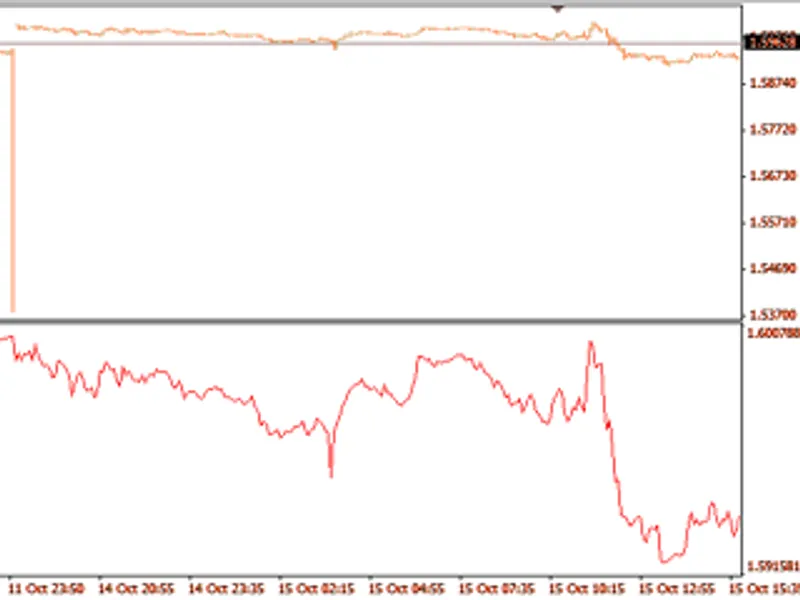
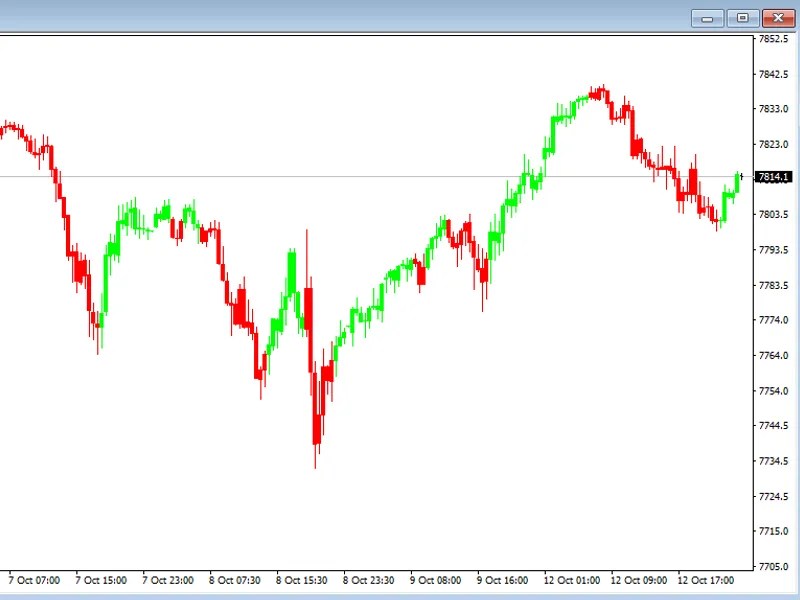
The indicator accepts the standard ATR period (default 10) and factor (default 3.0) as inputs. It displays a single line colored by trend direction.
Available Buffers:
- Buffer 0: SuperTrend value
- Buffer 2: Direction (-1 for up, +1 for down)
- Buffer 3: Wilder ATR value
Scope:
This indicator is designed for use on closed bars only, for a single symbol and timeframe, focusing on the `ta.supertrend` calculation using `hl2` as the price source. The forming bar's data is excluded from the export to avoid spurious comparison errors.
You may also like: Trend Buy/Sell Zones with Automated Lot Sizing and Risk Panel for MT5 - excellent alternative for indicator users on MetaTrader 5.
Source Code
#property copyright "RobotFX"
#property link "https://robotfx.org"
#property version     "1.00"
#property description "This code is educational. Feel free to use, modify and upgrade as you wish. Visit ROBOTFX.ORG for professional trading tools"
#property indicator_chart_window
#property indicator_buffers 7
#property indicator_plots   3
#property indicator_type1   DRAW_COLOR_LINE
#property indicator_color1  clrTeal,clrCrimson
#property indicator_style1  STYLE_SOLID
.......
⚠ Limitations & Risk Warning
- This tool is provided for educational and testing purposes only.
- Past performance does not guarantee future results.
- Trading involves substantial risk of loss. Use on a demo account first.
- Results may vary depending on market conditions, broker, and settings.
- We recommend thorough backtesting and forward testing before using with real funds.