




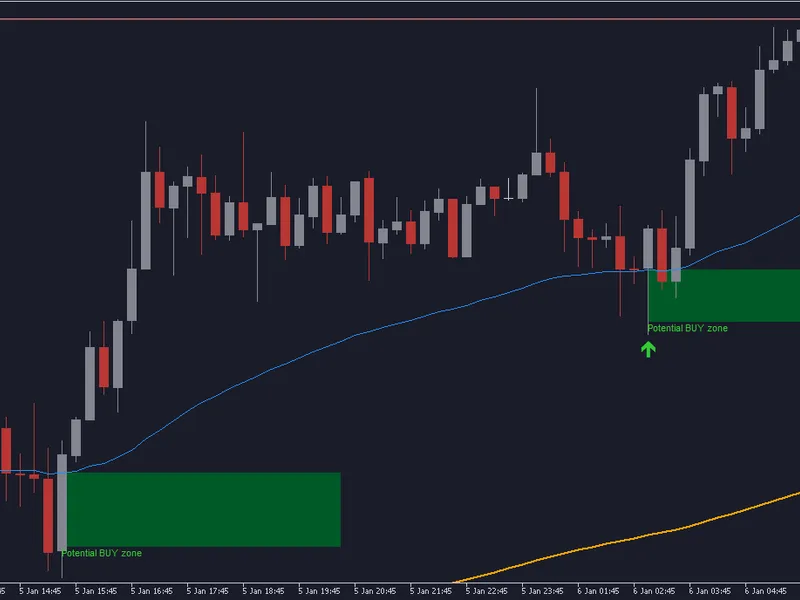
Super Trend Indicator for MetaTrader 5
Info
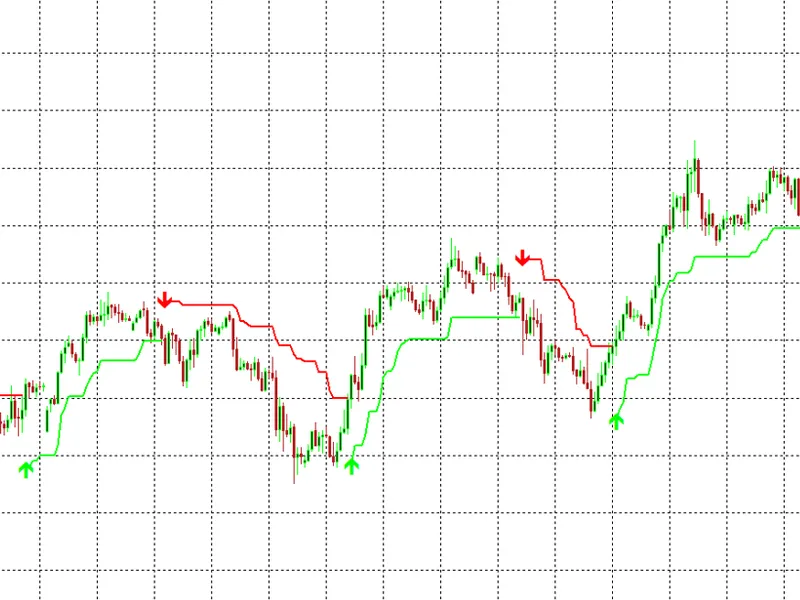
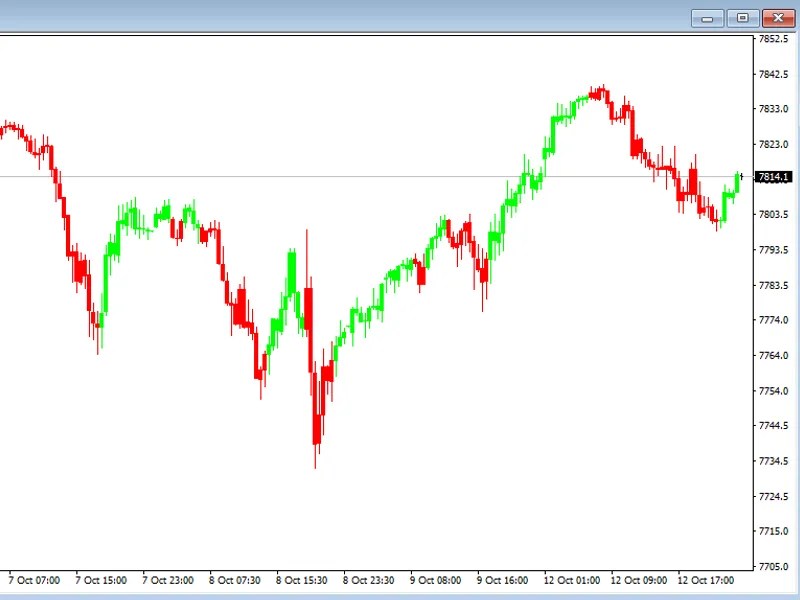
The Super Trend Indicator for MetaTrader 5 is a Indicator for MetaTrader 5 that supertrend indicator — detailed descriptiona complete supertrend indicator implementation for metatrader 5, built from first principles rather than adapted from an existing template. The indicator combines three core ideas: a volatility-scaled envelope derived from ATR (Average True Range), a ratchet mechanism that only ever tightens the band in the trend's favor rather than jumping around with every new bar, and a binary trend flag that flips only when price genuinely closes through the band on the opposite side.
Usage
This tool is typically used for trend following strategies across multiple currency pairs.
Platform
This Indicator works exclusively on MetaTrader 5 (both build 600+ and newer versions).
Setup
Place the downloaded file in MQL5/Indicators folder via File ? Open Data Folder in MetaTrader 5.
How to Install and Use Super Trend Indicator for MetaTrader 5
1. Installation: Place your file in the MQL/Indicators folder via "Open Data Folder" and restart your terminal.
2. Loading: Find the indicator in the Navigator, drag it onto your chart, and configure the input parameters in the popup window.
3. Customization: Press Ctrl+I to open the indicator list, select your tool, and click "Properties" to change colors, levels, or visual styles.
4. Updating: Replace the old file in the Indicators folder with the new version and restart the platform to apply changes.
Frequently Asked Questions
Q: Why is my indicator not showing? A: Verify the file is in the MQL/Indicators folder, or try right-clicking the "Indicators" tree in the Navigator and clicking "Refresh."
Q: Do custom indicators slow down the platform? A: Too many complex indicators can impact performance; remove unused ones via the "Indicator List" (Ctrl+I).
Q: Can I use MT4 indicators on MT5? A: No, MQL4 and MQL5 are distinct languages; ensure the indicator is compiled specifically for your platform version.
What this tool does
SuperTrend Indicator — Detailed DescriptionA complete SuperTrend indicator implementation for MetaTrader 5, built from first principles rather than adapted from an existing template.
Typical Use Case
This Indicator excels in trend following on MetaTrader 5.
Compatible Platform & Setup
This Indicator works on MetaTrader 5. Place the file in the MQL5/Indicators folder and restart the terminal.
Description & Settings
Related: ADX Auto Range: Automated Trend Strength and Consolidation Detection - another powerful indicator for MetaTrader 5 traders.
SuperTrend Indicator — Detailed DescriptionAlso recommended: Line Master: Advanced Trend Lines with Change Signals - similar indicator with strong performance on MetaTrader 5.
A complete SuperTrend indicator implementation for MetaTrader 5, built from first principles rather than adapted from an existing template. The indicator combines three core ideas: a volatility-scaled envelope derived from ATR (Average True Range), a ratchet mechanism that only ever tightens the band in the trend's favor rather than jumping around with every new bar, and a binary trend flag that flips only when price genuinely closes through the band on the opposite side.
What sets this implementation apart is how its internal recursive state is handled. Rather than storing the band's memory in plain, manually-managed arrays — a common source of subtle bugs where state can silently reset or lose continuity across bars — the internal upper-band, lower-band, and trend-flag values are registered as proper indicator calculation buffers (INDICATOR_CALCULATIONS). This hands their sizing and bar-to-bar persistence over to the terminal itself, eliminating an entire category of bug that can otherwise cause a SuperTrend line to behave erratically, particularly during backtesting.
The indicator uses consistent series indexing throughout, with a deliberate seeding process on first load that establishes the recursive state from the oldest usable bar in the available history, rather than assuming zero or default values. Buy and sell arrows are only plotted after a trend reversal is confirmed on a bar that is no longer at risk of being reprocessed — a small but important detail that prevents an arrow from appearing and then vanishing on the next tick, which is a common visual bug in less careful implementations.
This indicator was built, reviewed, and refined through multiple rounds of technical review as part of the "Making Custom Indicators for Beginners" article series. It is provided here as a clean, standalone, non-repainting SuperTrend implementation suitable for direct use or as a reference for anyone building their own custom trend indicators in MQL5.
You may also like: Trend Buy/Sell Zones with Automated Lot Sizing and Risk Panel for MT5 - excellent alternative for indicator users on MetaTrader 5.
Source Code
#property copyright "RobotFX"
#property version     "2.00"
#property strict
#property indicator_chart_window
#property indicator_buffers 7
#property indicator_plots   4
#property indicator_label1  "Up Trend"
#property indicator_type1   DRAW_LINE
#property indicator_color1  clrLime
#property indicator_style1  STYLE_SOLID
.......
⚠ Limitations & Risk Warning
- This tool is provided for educational and testing purposes only.
- Past performance does not guarantee future results.
- Trading involves substantial risk of loss. Use on a demo account first.
- Results may vary depending on market conditions, broker, and settings.
- We recommend thorough backtesting and forward testing before using with real funds.