

Pivot Super Trend Indicator for MT5
Info
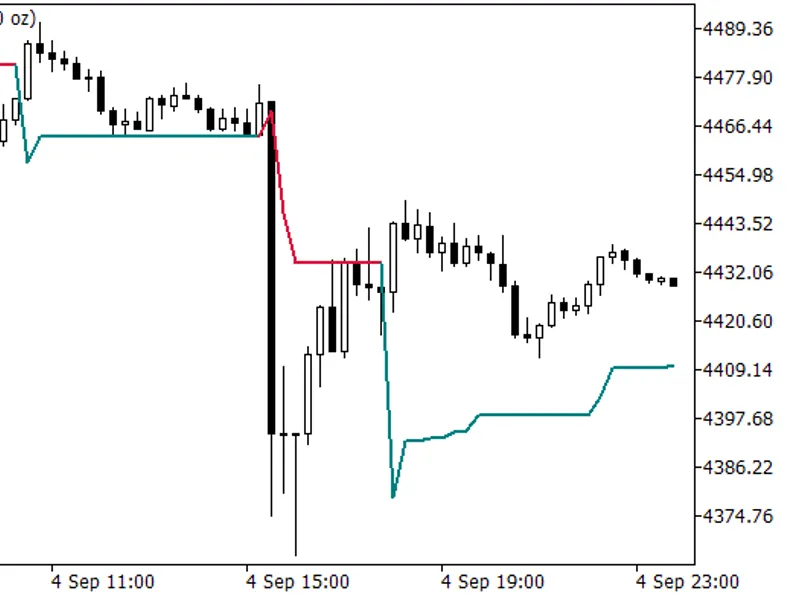
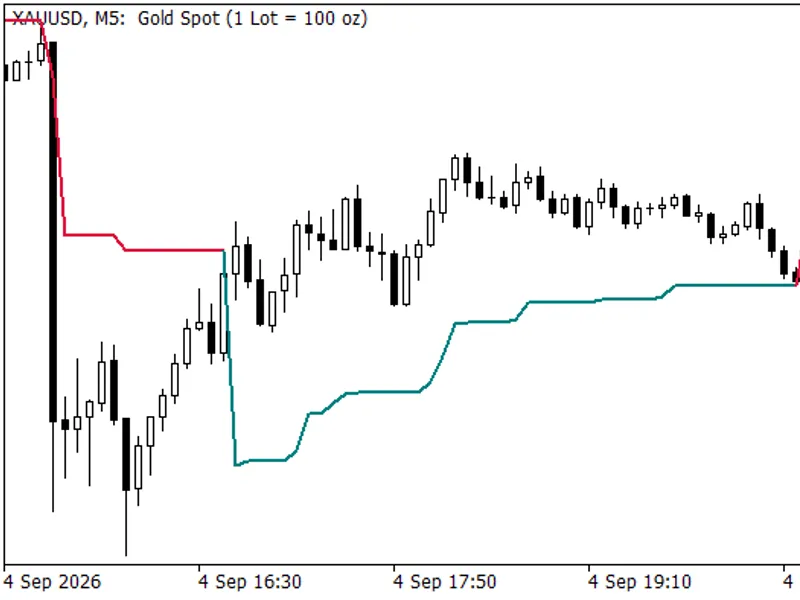
The Pivot Super Trend Indicator for MT5 is a Indicator for MetaTrader 5 that pivot super trend indicator for mt5this indicator calculates confirmed swing highs and swing lows to construct a weighted pivot center. An ATR-based adaptive trail is then calculated around this center to determine the current trend direction.
Usage
This tool is typically used for trend following strategies across multiple currency pairs.
Platform
This Indicator works exclusively on MetaTrader 5 (both build 600+ and newer versions).
Setup
Place the downloaded file in MQL5/Indicators folder via File ? Open Data Folder in MetaTrader 5.
How to Install and Use Pivot Super Trend Indicator for MT5
1. Installation: Place your file in the MQL/Indicators folder via "Open Data Folder" and restart your terminal.
2. Loading: Find the indicator in the Navigator, drag it onto your chart, and configure the input parameters in the popup window.
3. Customization: Press Ctrl+I to open the indicator list, select your tool, and click "Properties" to change colors, levels, or visual styles.
4. Updating: Replace the old file in the Indicators folder with the new version and restart the platform to apply changes.
Frequently Asked Questions
Q: Why is my indicator not showing? A: Verify the file is in the MQL/Indicators folder, or try right-clicking the "Indicators" tree in the Navigator and clicking "Refresh."
Q: Do custom indicators slow down the platform? A: Too many complex indicators can impact performance; remove unused ones via the "Indicator List" (Ctrl+I).
Q: Can I use MT4 indicators on MT5? A: No, MQL4 and MQL5 are distinct languages; ensure the indicator is compiled specifically for your platform version.
What this tool does
Pivot Super Trend Indicator for MT5This indicator calculates confirmed swing highs and swing lows to construct a weighted pivot center.
Typical Use Case
This Indicator excels in trend following on MetaTrader 5.
Compatible Platform & Setup
This Indicator works on MetaTrader 5. Place the file in the MQL5/Indicators folder and restart the terminal.
Description & Settings
Related: ICT Killzones and Session Pivots for MT5 - another powerful indicator for MetaTrader 5 traders.
Pivot Super Trend Indicator for MT5This indicator calculates confirmed swing highs and swing lows to construct a weighted pivot center. An ATR-based adaptive trail is then calculated around this center to determine the current trend direction.
Also recommended: RJO Daily Pivot Levels Indicator with Classic and Fibonacci Calculations for MT5 - similar indicator with strong performance on MetaTrader 5.
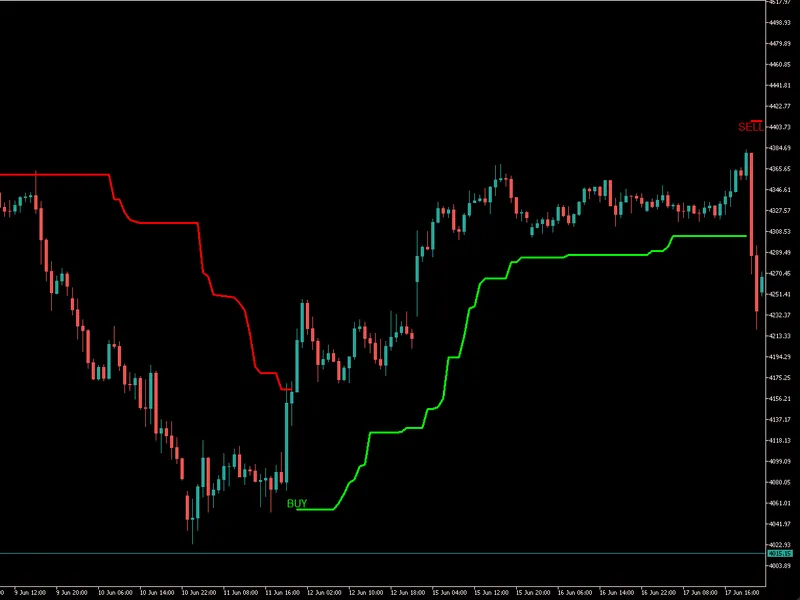
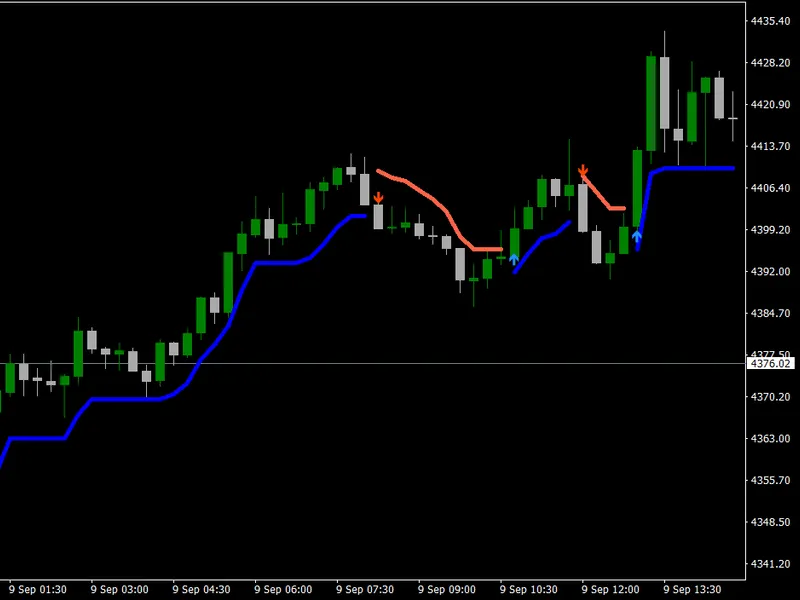
A bullish trend is indicated by the bullish trail color, and a bearish trend is shown by the bearish trail color. When the trend direction changes, the indicator can display BUY or SELL tags and generate notifications via the terminal, push notifications, or email.
Optional features include:
- Confirmed swing-high and swing-low markers
- Weighted pivot center line
- Latest confirmed support and resistance levels
- BUY and SELL signal tags
- Closed-candle or live-candle alerts
- EA-accessible signal and trend buffers
Who Is This Indicator For?
This indicator is suitable for:
- Trend-following traders
- Swing traders
- Intraday traders
- Traders looking for structured trend-reversal signals
- Traders who use pivot highs and lows for market structure analysis
- EA developers who need accessible trend and signal buffers
- Traders who want ATR-adjusted signals that respond to changing volatility
It can be used on Forex, metals, indices, cryptocurrencies, and other instruments available in MetaTrader 5.
How to Check the Signals
BUY Signal
A BUY signal appears when the indicator changes from a bearish trend to a bullish trend.
Look for:
- The trail changing to the bullish color
- A BUY tag appearing on the chart
- The Trend Direction buffer changing from -1 to 1
The BUY signal becomes more reliable when confirmed after the candle closes.
SELL Signal
A SELL signal appears when the indicator changes from a bullish trend to a bearish trend.
Look for:
- The trail changing to the bearish color
- A SELL tag appearing on the chart
- The Trend Direction buffer changing from 1 to -1
The SELL signal becomes more reliable when confirmed after the candle closes.
Recommended Signal Confirmation
For safer signal checking:
- Enable closed-bar alerts.
- Wait for the signal candle to close.
- Confirm that price remains on the correct side of the trend trail.
- Check the higher-timeframe trend.
- Avoid taking signals during low-volatility or sideways market conditions.
- Use proper stop-loss and risk-management rules.
The indicator should not be used as a complete trading system by itself. Signals should be confirmed with market structure, support and resistance, volatility, or another suitable trading method.
Recommended Timeframes
The indicator can be used on all MetaTrader 5 timeframes, but it generally performs better on:
- M15 and M30 for intraday trading
- H1 and H4 for swing trading and more stable trend signals
- D1 for long-term trend analysis
For most users, H1 is the best balanced timeframe because it provides clearer trend changes with less market noise.
Lower timeframes such as M1 and M5 may produce more frequent signals, but they can also generate more false reversals during sideways or highly volatile market conditions.
A practical approach is to check the main signal on M15 or H1 and confirm the broader trend using H1 or H4.
Copyright 2026
You may also like: Super Trend TV: MQL5 Implementation Matching TradingView Precision - excellent alternative for indicator users on MetaTrader 5.
Source Code
#property copyright "RobotFX"
#property version   "1.00"
#property description "This code is educational. Feel free to use, modify and upgrade as you wish. Visit ROBOTFX.ORG for professional trading tools"
#property indicator_chart_window
#property indicator_buffers 15
#property indicator_plots   7
#property indicator_label1  "Pivot Trend Trail"
#property indicator_type1   DRAW_COLOR_LINE
#property indicator_color1  clrLime,clrRed,clrNONE
#property indicator_style1  STYLE_SOLID
.......
⚠ Limitations & Risk Warning
- This tool is provided for educational and testing purposes only.
- Past performance does not guarantee future results.
- Trading involves substantial risk of loss. Use on a demo account first.
- Results may vary depending on market conditions, broker, and settings.
- We recommend thorough backtesting and forward testing before using with real funds.