




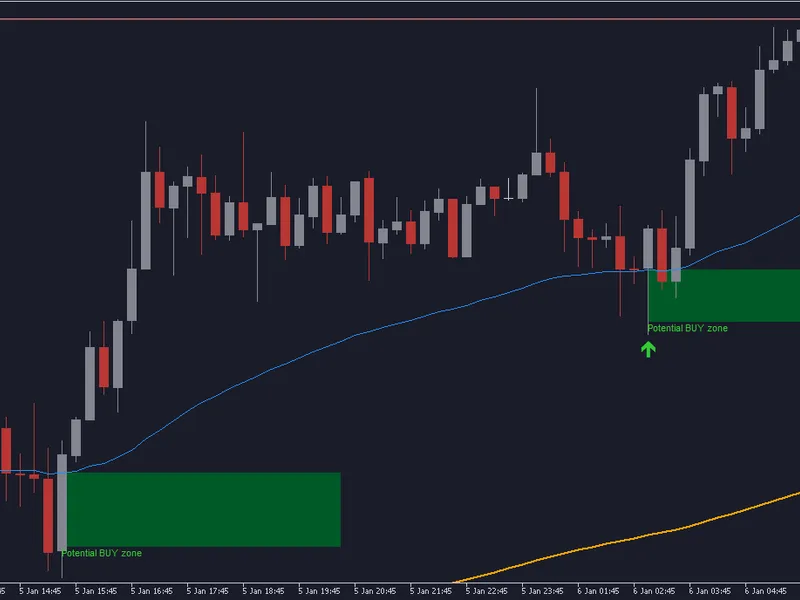
Super Trend TV EA: Robust Signal Handling for MetaTrader
Info
The Super Trend TV EA: Robust Signal Handling for MetaTrader is a Expert Advisor for MetaTrader 5 that this is the expert advisor component of a supertrend system. The trading indicator it utilizes is published separately as SuperTrend TV, designed to match TradingView's value-for-value output.
Usage
This tool is typically used for trend following strategies across multiple currency pairs.
Platform
This Expert Advisor works exclusively on MetaTrader 5 (both build 600+ and newer versions).
Setup
Place the downloaded file in MQL5/Experts folder via File ? Open Data Folder in MetaTrader 5.
How to Install and Use Super Trend TV EA: Robust Signal Handling for MetaTrader
1. Installation: Open the "File" menu, select "Open Data Folder," navigate to MQL/Experts, paste your file, and restart the terminal.
2. Activation: Drag the EA from the Navigator onto a chart, ensure "Allow live trading" is checked in the Common tab, and verify the AutoTrading button is green.
3. Optimization: Right-click your chart, choose "Expert List," click "Properties" to adjust inputs, and save your preferred setup as a set file for future use.
4. Maintenance: Regularly check the "Experts" tab in the terminal window to monitor trade logs and potential execution errors.
Frequently Asked Questions
Q: Why is my EA not opening trades? A: Check the "AutoTrading" button, ensure "Allow live trading" is enabled, and verify your broker allows automated trading on your account type.
Q: Can I run multiple EAs on one chart? A: No, each chart can only host one active EA; however, you can open multiple charts for different currency pairs to run several EAs.
Q: What does the "smiley face" icon mean? A: A smiley face in the top-right corner of the chart indicates the EA is successfully running; a frowny face means it is disabled.
What this tool does
This is the Expert Advisor component of a SuperTrend system.
Typical Use Case
This Expert Advisor excels in trend following on MetaTrader 5.
Compatible Platform & Setup
This Expert Advisor works on MetaTrader 5. Place the file in the MQL5/Experts folder and restart the terminal.
Description & Settings
Related: Supertrend Scalper with Breakeven Win Rate Panel - another powerful expert for MetaTrader 5 traders.
This is the Expert Advisor component of a SuperTrend system.Also recommended: Stormbreaker ADX - Supertrend and DMI Trend EA for MT5 - similar expert with strong performance on MetaTrader 5.
The trading indicator it utilizes is published separately as SuperTrend TV, designed to match TradingView's value-for-value output.The strategy within this EA is intentionally straightforward: it buys when the SuperTrend line turns upward and sells when it turns downward.
The primary focus of integrating an indicator into an Expert Advisor is not the strategy itself, but the reliable execution of its signals.
A common issue with Expert Advisors is signal timing. An EA that reads an indicator on a bar that is still forming may capture signals that appear briefly and then vanish before the bar closes.
While this can make backtests look promising, the actual trades executed may not correspond to the observed signals.
This EA exclusively processes closed bars, and an audit is provided to verify this behavior.
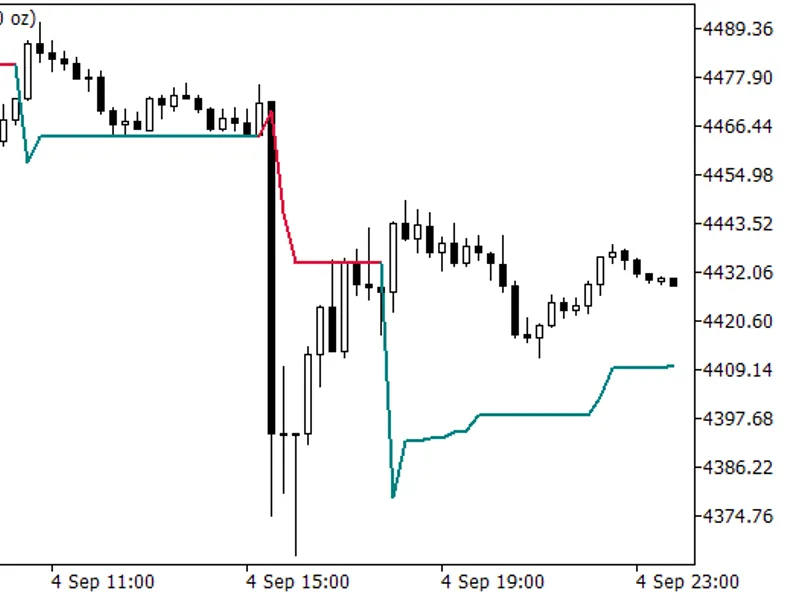
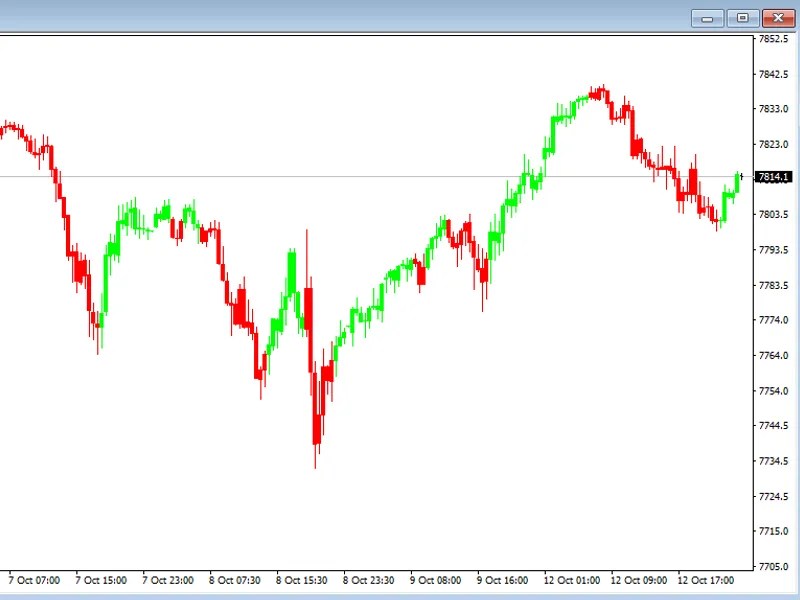
SuperTrend TV on XAUUSD M15. The EA enters on each SuperTrend line flip and maintains a single open position.
Functionality
The EA reads the direction buffer of the SuperTrend TV indicator using iCustom.
It acts only on completed bars, managing a single open position at a time.
Each order is assigned a unique magic number to prevent interference with manually placed trades.
The stop loss is set at the SuperTrend line level, with an optional buffer in points.
The position is closed and reversed when the SuperTrend line flips in the opposite direction.
A specific scenario is handled to prevent order rejection by the server.
The SuperTrend line is calculated based on the close of a completed bar, but the entry occurs at the next available price.
If the price has moved significantly past the line by the time the order is placed, the stop loss might be on the wrong side of the entry.
In such cases, instead of adjusting the stop loss, the signal is dropped to maintain trade integrity, and this event is logged.
This occurred once in a hundred and seventeen signals on EURUSD H1 over an eight-month period.
The SuperTrend TV indicator is compiled directly into the Expert Advisor as a resource.
This means the EA can operate independently without requiring the indicator to be present in the terminal.
However, the SuperTrend TV indicator must be compiled first, as its .ex5 file is accessed during the EA's build process.
Trade Verification
The EA logs the SuperTrend indicator value for every closed bar, not just during signal flips.
A supplementary Python script analyzes this log to validate trades against the indicator signals.
This process confirms that each SuperTrend flip resulted in exactly one correctly sided order, and no orders were placed without a corresponding SuperTrend flip.
bars: 6616 (2026.07.31 .. 2026.09.03)
flips: 185 entries: 185
signal with no trade : 0
trade with no signal : 0
two trades on one bar : 0
wrong side : 0
RESULT: one trade per flip
Rationale for Logging Every Bar
The initial audit method compared trades against an indicator file exported from a live terminal.
This method reported ninety-three trades without a corresponding signal.
The issue was not with the EA, but with discrepancies in historical data.
The live terminal was missing a significant number of M5 bars that the strategy tester uses, causing many signals to lack a corresponding bar for comparison.
Comparing data from different sources, especially when those sources have data integrity issues, is a common way to generate false bug reports.
To eliminate this problem, the series data is recorded internally during the EA's run.
An optional second check using an external export is still supported, and on shared bars, the direction agreed upon was consistent.
Inputs
ATR period and factor: These are passed directly to the indicator.
Lot size: Fixed lot size.
Stop loss buffer: Additional points beyond the SuperTrend line for the stop loss, defaulting to zero.
Magic number and slippage: Standard EA parameters.
Decision logging: Option to enable or disable logging and specify the log file name.
Impact on Account
A key question for any published Expert Advisor is its profitability.
The following results are provided based on real history using the strategy tester.
Both runs begin with an initial balance of ten thousand, use default inputs, and a fixed lot size of one-tenth.
The 'Total trades' count reflects the number of positions opened, while 'Total Deals' shows entries and exits separately.
Run
Period
Total trades
Final balance
XAUUSD M5
one month
185
10 662
EURUSD H1
eight months
116
9 736
The performance on XAUUSD M5 during a trending month reflects the trend's influence more than the system's inherent edge.
The loss on EURUSD H1 is comparable to the cost of reversals due to the spread, as the EA is always in the market and incurs spread costs twice per SuperTrend flip.
A simple trend-following strategy often has minimal profit remaining after these costs, which is an expected outcome, not a defect.
This publication focuses on the reliable handling of trading signals rather than claiming profitability.
The core verifiable aspect is that the Expert Advisor accurately replicates the original indicator's signals and that the trades correspond to these signals.
Profit is not guaranteed, and users expecting guaranteed profits may be disappointed by the fundamental arithmetic presented.
Exclusions
This EA does not include money management features.
The lot size is fixed, and there are no risk percentage calculations, daily loss limits, or drawdown shutdown mechanisms.
These omissions are intentional to keep the focus on signal handling demonstration.
Users planning to deploy this on a live account should implement appropriate money management strategies.
Additionally, on a hedging account, the magic number prevents the EA from interfering with manual trades.
On a netting account, the terminal consolidates all trades for a symbol into a single position.
If manual trades are placed on the same symbol while the EA is running on a netting account, the separation of trades becomes impossible due to the netting account's inherent behavior, not a fault of this code.
You may also like: ATR Trend Guard MT5: Dynamic EMA Crossover Expert Advisor with Integrated Risk Management - excellent alternative for expert users on MetaTrader 5.
Source Code
#property copyright "RobotFX"
#property link "https://robotfx.org"
#property version     "1.00"
#property description "This code is educational. Feel free to use, modify and upgrade as you wish. Visit ROBOTFX.ORG for professional trading tools"
#include <Trade\Trade.mqh>
#resource "\\Indicators\\SuperTrendTV.ex5"
#define INDICATOR_PATH "::Indicators\\SuperTrendTV.ex5"
input int    InpPeriod=10;
input double InpFactor=3.0;
input double InpLots=0.10;
.......
⚠ Limitations & Risk Warning
- This tool is provided for educational and testing purposes only.
- Past performance does not guarantee future results.
- Trading involves substantial risk of loss. Use on a demo account first.
- Results may vary depending on market conditions, broker, and settings.
- We recommend thorough backtesting and forward testing before using with real funds.