


MT5 Trade Report Table: Comprehensive Account Statistics
Info
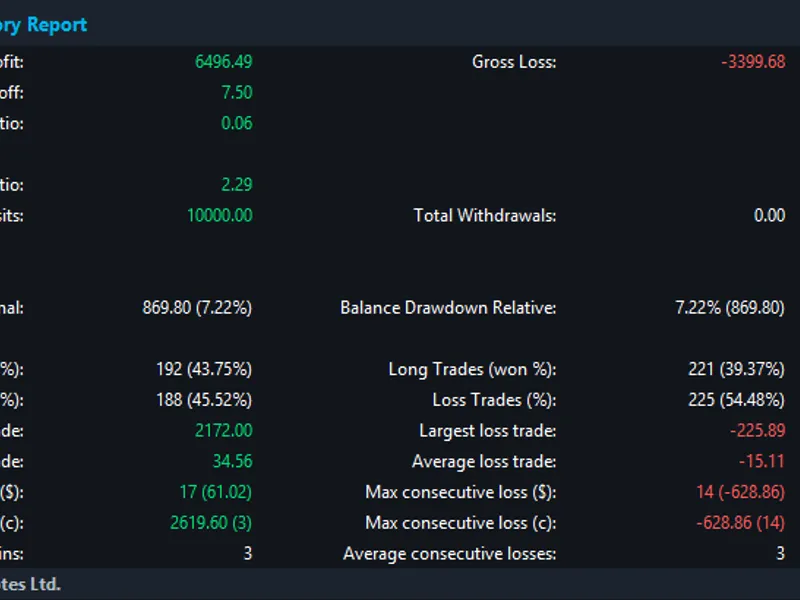
The MT5 Trade Report Table: Comprehensive Account Statistics is a Indicator for MetaTrader 5 that mt5 trade report table - a standalone indicator displaying a comprehensive trading report directly on your chart. This indicator is inspired by the detailed reports generated when exporting trading history from MT5 to XML or HTML.
Usage
This tool is typically used for enhancing chart analysis and decision making.
Platform
This Indicator works exclusively on MetaTrader 5 (both build 600+ and newer versions).
Setup
Place the downloaded file in MQL5/Indicators folder via File ? Open Data Folder in MetaTrader 5.
How to Install and Use MT5 Trade Report Table: Comprehensive Account Statistics
1. Installation: Place your file in the MQL/Indicators folder via "Open Data Folder" and restart your terminal.
2. Loading: Find the indicator in the Navigator, drag it onto your chart, and configure the input parameters in the popup window.
3. Customization: Press Ctrl+I to open the indicator list, select your tool, and click "Properties" to change colors, levels, or visual styles.
4. Updating: Replace the old file in the Indicators folder with the new version and restart the platform to apply changes.
Frequently Asked Questions
Q: Why is my indicator not showing? A: Verify the file is in the MQL/Indicators folder, or try right-clicking the "Indicators" tree in the Navigator and clicking "Refresh."
Q: Do custom indicators slow down the platform? A: Too many complex indicators can impact performance; remove unused ones via the "Indicator List" (Ctrl+I).
Q: Can I use MT4 indicators on MT5? A: No, MQL4 and MQL5 are distinct languages; ensure the indicator is compiled specifically for your platform version.
What this tool does
MT5 Trade Report Table - A standalone indicator displaying a comprehensive trading report directly on your chart.
Typical Use Case
This Indicator excels in automated trading and technical analysis on MetaTrader 5.
Compatible Platform & Setup
This Indicator works on MetaTrader 5. Place the file in the MQL5/Indicators folder and restart the terminal.
Description & Settings
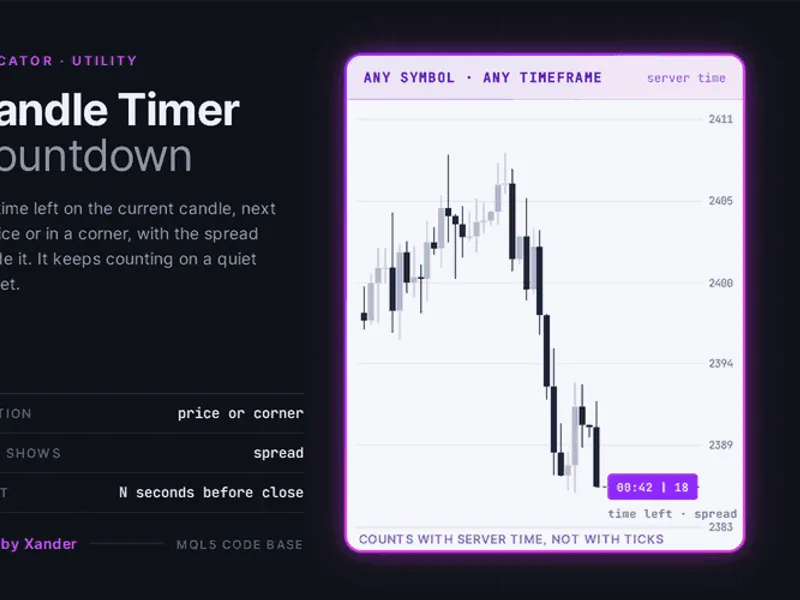
Related: Candle Timer Countdown for MetaTrader 5 - another powerful indicator for MetaTrader 5 traders.
MT5 Trade Report Table - A standalone indicator displaying a comprehensive trading report directly on your chart. This indicator is inspired by the detailed reports generated when exporting trading history from MT5 to XML or HTML.Also recommended: Failed Breakout Detector: Identifying Trapped Traders - similar indicator with strong performance on MetaTrader 5.
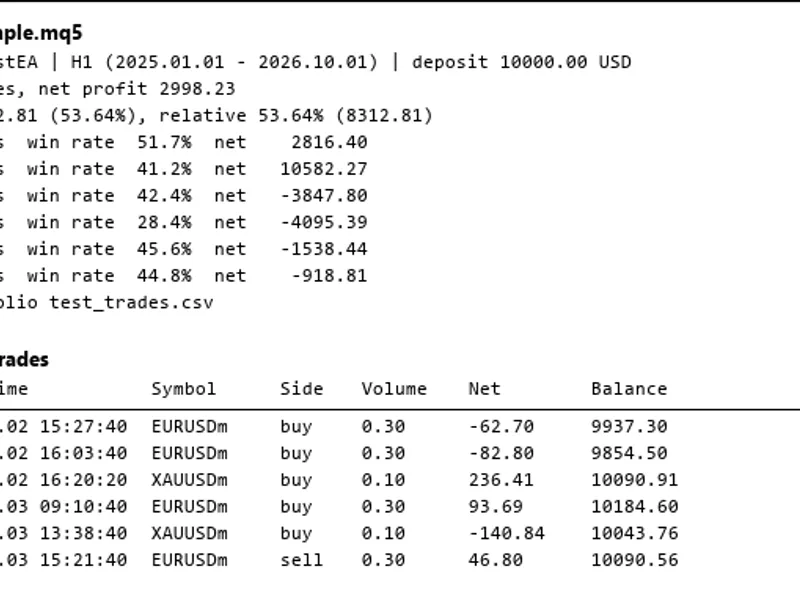
PURELY INFORMATIONAL - This indicator does not execute trades. It analyzes your account's complete deal history across all symbols and timeframes to present performance statistics in a clear and readable table.
Statistics Displayed:
Profitability:
- Total Net Profit / Gross Profit / Gross Loss
- Profit Factor / Expected Payoff
- Recovery Factor / Sharpe Ratio
Drawdown:
- Balance Drawdown (Absolute / Maximal / Relative)
Trades:
- Total Trades, Short & Long Trades (with win percentage)
- Profit Trades (%) / Loss Trades (%) - Largest / Average profit and loss trade
Streaks:
- Maximum consecutive wins/losses (count and monetary value)
- Maximum consecutive profit/loss (count and monetary value)
- Average consecutive wins/losses
Additional Metrics:
- Win Rate (%) - Payoff Ratio (Average Win / Average Loss)
- Total Commission + Swap
- Total Deposits / Withdrawals
Key Features:
- All symbols, full account history: No filters are required as it analyzes all available data.
- Auto-refresh: Updates automatically when new deals close and periodically.
- Color-coded values: Profit is displayed in green and loss in red; this feature can be toggled off.
- Flexible positioning: Can be placed in any of the four corners with X/Y offset adjustment. It also auto-repositions when the chart is resized.
- Dark theme support: Matches the aesthetic of the classic MetaTrader terminal.
- Fully configurable: Adjust font size, colors, and refresh interval to your preference.
- Lightweight design: Optimizes performance by only redrawing text elements upon refresh, avoiding excessive redraws.
Configurable Inputs:
- Display: Controls X/Y offset, corner positioning, font size, visibility of header/footer, and color coding.
- Refresh: Sets the auto-refresh interval (defaults to 30 seconds).
- Colors: Allows customization of background, header, accent, label, value, positive, and negative color schemes.
How to Use:
- Attach the "Trade Report Table" indicator to any chart.
- The table will appear immediately, typically in the top-left corner by default.
- Statistics are calculated based on your ENTIRE account history, not limited to the current chart's symbol.
This indicator functions on any symbol, timeframe, and account type. It is available for general use without charge. Last updated 2026.
You may also like: Spread Monitor Indicator for MetaTrader 5 - excellent alternative for indicator users on MetaTrader 5.
Source Code
#property copyright "RobotFX"
#property link "https://robotfx.org"
#property version   "1.03"
#property description "This code is educational. Feel free to use, modify and upgrade as you wish. Visit ROBOTFX.ORG for professional trading tools"
#property indicator_chart_window
#property indicator_buffers 1
#property indicator_plots   1
#property indicator_type1   DRAW_NONE
#define RT_BG_DEFAULT        C'18,22,28'
#define RT_HEADER_BG         C'28,35,45'
.......
⚠ Limitations & Risk Warning
- This tool is provided for educational and testing purposes only.
- Past performance does not guarantee future results.
- Trading involves substantial risk of loss. Use on a demo account first.
- Results may vary depending on market conditions, broker, and settings.
- We recommend thorough backtesting and forward testing before using with real funds.