




High Precision Tick Spread Monitor for MT4/MT5 with Real-Time Max and Average Curves
Info
The High Precision Tick Spread Monitor for MT4/MT5 with Real-Time Max and Average Curves is a Indicator for MetaTrader 5 that spread is a critical execution factor in trading, especially for scalpers, algorithmic systems, and news traders. Standard MetaTrader charts only show the spread at a single moment, not reflecting the significant widenings that occur during server rollovers, session transitions, and high-impact news events.
Usage
This tool is typically used for enhancing chart analysis and decision making.
Platform
This Indicator works exclusively on MetaTrader 5 (both build 600+ and newer versions).
Setup
Place the downloaded file in MQL5/Indicators folder via File ? Open Data Folder in MetaTrader 5.
How to Install and Use High Precision Tick Spread Monitor for MT4/MT5 with Real-Time Max and Average Curves
1. Installation: Place your file in the MQL/Indicators folder via "Open Data Folder" and restart your terminal.
2. Loading: Find the indicator in the Navigator, drag it onto your chart, and configure the input parameters in the popup window.
3. Customization: Press Ctrl+I to open the indicator list, select your tool, and click "Properties" to change colors, levels, or visual styles.
4. Updating: Replace the old file in the Indicators folder with the new version and restart the platform to apply changes.
Frequently Asked Questions
Q: Why is my indicator not showing? A: Verify the file is in the MQL/Indicators folder, or try right-clicking the "Indicators" tree in the Navigator and clicking "Refresh."
Q: Do custom indicators slow down the platform? A: Too many complex indicators can impact performance; remove unused ones via the "Indicator List" (Ctrl+I).
Q: Can I use MT4 indicators on MT5? A: No, MQL4 and MQL5 are distinct languages; ensure the indicator is compiled specifically for your platform version.
What this tool does
Spread is a critical execution factor in trading, especially for scalpers, algorithmic systems, and news traders.
Typical Use Case
This Indicator excels in automated trading and technical analysis on MetaTrader 5.
Compatible Platform & Setup
This Indicator works on MetaTrader 5. Place the file in the MQL5/Indicators folder and restart the terminal.
Description & Settings
Related: Session High Low Alerts: Track and React to Trading Session Extremes - another powerful indicator for MetaTrader 5 traders.
Spread is a critical execution factor in trading, especially for scalpers, algorithmic systems, and news traders. Standard MetaTrader charts only show the spread at a single moment, not reflecting the significant widenings that occur during server rollovers, session transitions, and high-impact news events.Also recommended: Session Time Highlighter for MT4/MT5 - similar indicator with strong performance on MetaTrader 5.
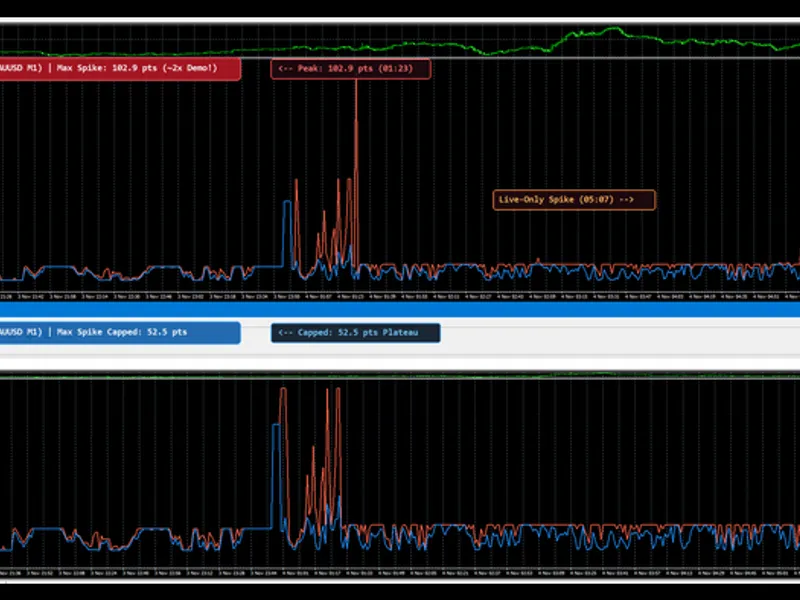
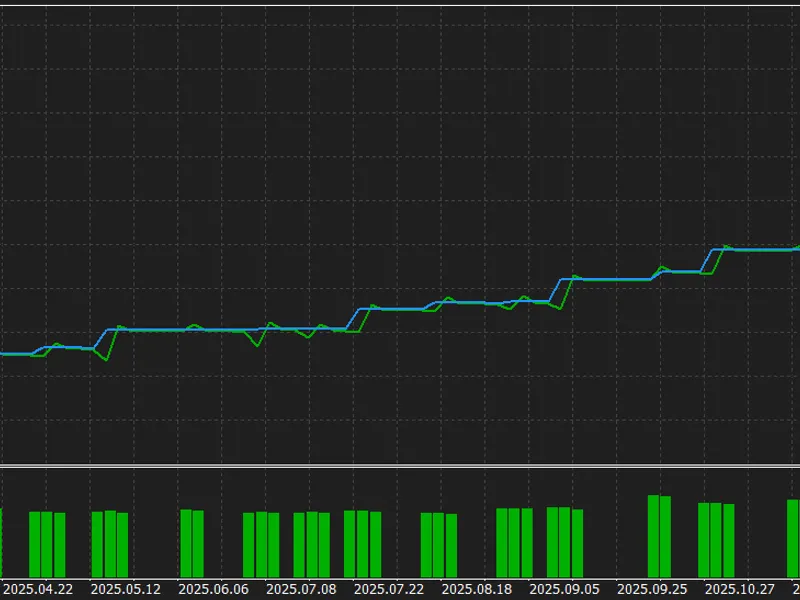
The Spread Monitor indicator is an analytical tool for both MetaTrader 4 and MetaTrader 5. It tracks live ticks and displays two curves per bar: the Maximum Spread and the Average Spread. This data helps traders assess broker execution quality and adjust risk parameters.Maximum Spread Curve (Tomato Line)
: Shows the peak spread within each candlestick. Essential for algorithmic traders to set 'Max Spread Allowed' filters, preventing order execution during liquidity gaps.
Average Spread Curve (Dodger Blue Line)
: Represents the volume-weighted mean spread over the bar's duration. Provides manual scalpers and day traders with an objective measure of transaction costs.
Live Subwindow Dashboard
: Displays current live spread, active bar average, active bar maximum, and tick count in the top-left corner of the indicator window in real time.
Recommended Symbols and Timeframes
This indicator works on any financial instrument, including Forex, Gold, equity indices, and crypto CFDs. It is most useful on lower timeframes like M1, M5, and M15, where intra-bar spread widening is most noticeable during rollovers and news events.
Description of Input Parameters
Parameter
Default Value
Description
InpUsePips
false
Display measurement unit. Set to true to display in Pips (e.g., 1.5 pips), or false for raw Points (e.g., 15 points).
InpTickHistoryBars
(MT5 only)
500
Number of historical bars to reconstruct using MT5 tick history. Set to 0 to disable historical backfill.
InpSaveToFile
true
Enables local CSV history caching. Preserves spread statistics across terminal restarts and chart timeframe changes.
InpShowDashboard
true
Toggles the real-time subwindow text dashboard showing Current, Avg, Max spreads and Tick count.
InpTextColor
clrSilver
Color of the dashboard text overlay in the subwindow.
InpFontSize
9
Font size used for the subwindow real-time dashboard.
Note: On MetaTrader 4, the indicator records live ticks while connected as legacy history files do not store historical tick spreads. On MetaTrader 5, the indicator uses native local tick storage to reconstruct past bar spreads upon loading.
You may also like: HTF Candles (ICT Power of Three): Higher Timeframe Candles Displayed - excellent alternative for indicator users on MetaTrader 5.
Source Code
#property copyright "RobotFX"
#property link "https://robotfx.org"
#property version     "1.10"
#property description "This code is educational. Feel free to use, modify and upgrade as you wish. Visit ROBOTFX.ORG for professional trading tools"
#property strict
#property indicator_separate_window
#property indicator_buffers 2
#property indicator_minimum 0
#property indicator_label1  "Max Spread"
#property indicator_type1   DRAW_LINE
.......
⚠ Limitations & Risk Warning
- This tool is provided for educational and testing purposes only.
- Past performance does not guarantee future results.
- Trading involves substantial risk of loss. Use on a demo account first.
- Results may vary depending on market conditions, broker, and settings.
- We recommend thorough backtesting and forward testing before using with real funds.