
HTF Candles (ICT Power of Three): Higher Timeframe Candles Displayed
Info
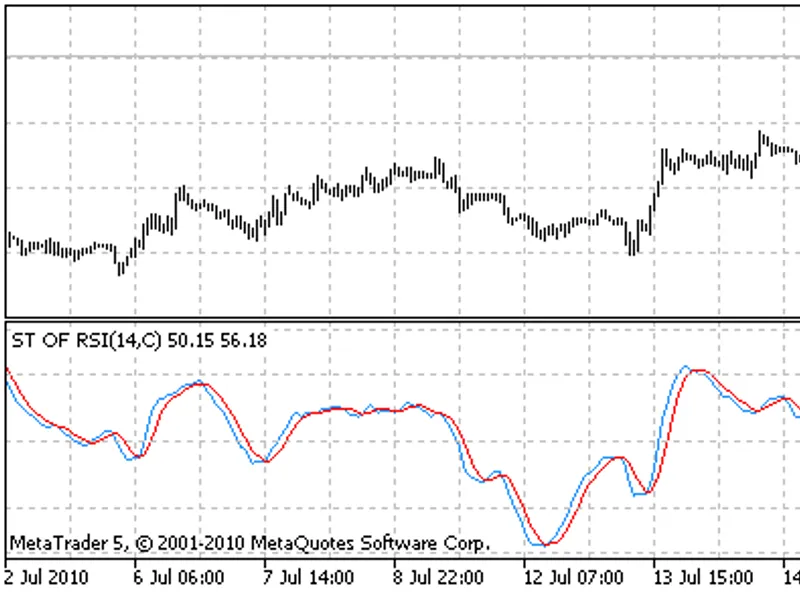
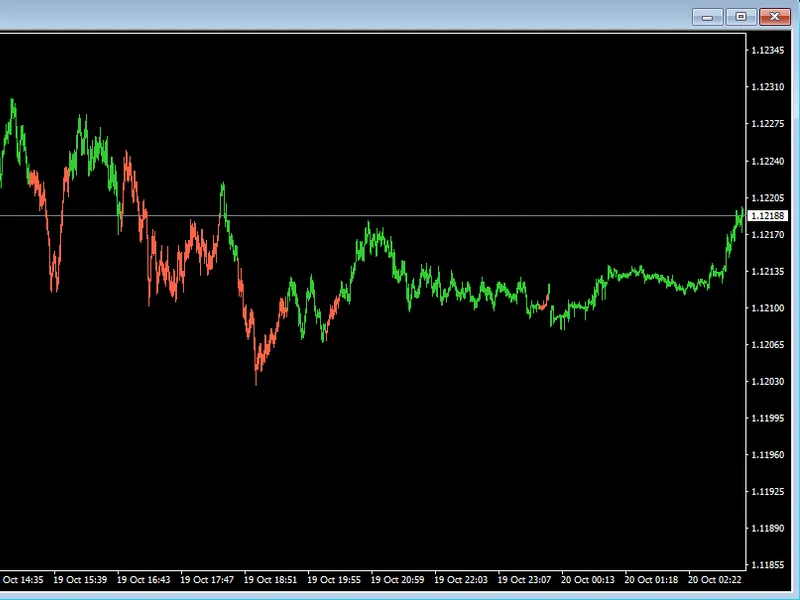
The HTF Candles (ICT Power of Three): Higher Timeframe Candles Displayed is a Indicator for MetaTrader 5 that ict's power of three concept interprets each candle as accumulation near the open, manipulation away from it, and distribution in the true direction. To apply this, you need to observe the higher timeframe candle while trading on a lower one.
Usage
This tool is typically used for enhancing chart analysis and decision making.
Platform
This Indicator works exclusively on MetaTrader 5 (both build 600+ and newer versions).
Setup
Place the downloaded file in MQL5/Indicators folder via File ? Open Data Folder in MetaTrader 5.
How to Install and Use HTF Candles (ICT Power of Three): Higher Timeframe Candles Displayed
1. Installation: Place your file in the MQL/Indicators folder via "Open Data Folder" and restart your terminal.
2. Loading: Find the indicator in the Navigator, drag it onto your chart, and configure the input parameters in the popup window.
3. Customization: Press Ctrl+I to open the indicator list, select your tool, and click "Properties" to change colors, levels, or visual styles.
4. Updating: Replace the old file in the Indicators folder with the new version and restart the platform to apply changes.
Frequently Asked Questions
Q: Why is my indicator not showing? A: Verify the file is in the MQL/Indicators folder, or try right-clicking the "Indicators" tree in the Navigator and clicking "Refresh."
Q: Do custom indicators slow down the platform? A: Too many complex indicators can impact performance; remove unused ones via the "Indicator List" (Ctrl+I).
Q: Can I use MT4 indicators on MT5? A: No, MQL4 and MQL5 are distinct languages; ensure the indicator is compiled specifically for your platform version.
What this tool does
ICT's Power of Three concept interprets each candle as accumulation near the open, manipulation away from it, and distribution in the true direction.
Typical Use Case
This Indicator excels in automated trading and technical analysis on MetaTrader 5.
Compatible Platform & Setup
This Indicator works on MetaTrader 5. Place the file in the MQL5/Indicators folder and restart the terminal.
Description & Settings
Related: Heikin Ashi Candlesticks - another powerful indicator for MetaTrader 5 traders.
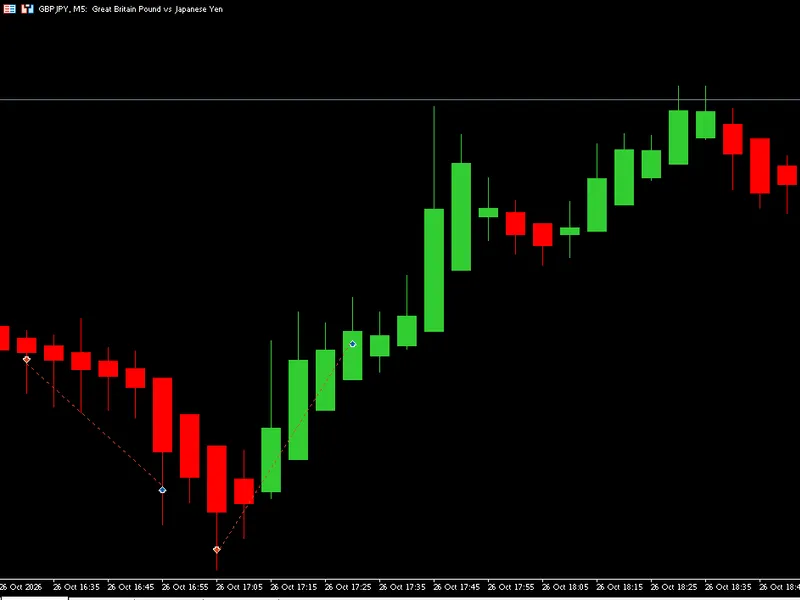
ICT's Power of Three concept interprets each candle as accumulation near the open, manipulation away from it, and distribution in the true direction. To apply this, you need to observe the higher timeframe candle while trading on a lower one. This indicator displays these higher timeframe candles next to your chart at their actual price levels, allowing you to monitor the formation of a 4-hour or daily candle on a 5- or 15-minute chart.Also recommended: Heiken Ashi ATR Blend: Smoothed Candles and Early Entry Signals - similar indicator with strong performance on MetaTrader 5.
Features:
- Displays the last finished candles and the live candle of one or two higher timeframes, positioned to the right of the last bar on your chart.
- Offers auto-pairing of timeframes (e.g., M1 -> M15 + H1, M5 -> H1 + H4, M15/M30 -> H4 + D1, H1 -> D1 + W1, H4 -> W1 + MN, D1 -> MN) or allows custom selection.
- Above each set of higher timeframe candles, it shows the timeframe, the remaining time until the live candle closes, and whether the price is currently above or below its open.
- For the live candle, dashed lines connect its open, high, and low back to the corresponding candle on your main chart where these prices occurred.
- Displays the time below each candle (e.g., 08:00, Mon, 18 Oct, Oct). Labels are omitted if they would overlap.
- Hovering over a candle reveals its open, high, low, and close prices.
- Optional display of the previous higher timeframe candle's high and low on the main chart.
Indicator Operation:
- The indicator constructs the higher timeframe candles using data from your chart's own candles: the open of the first candle, the close of the last candle, the highest high, and the lowest low within the period.
- No external data for other timeframes needs to be loaded. The displayed candles are identical to your broker's own H4, D1, W1, and MN candles.
- Server time is used for H1 - H12 (from the start of the hour), D1 (from 00:00), W1 (from Sunday), and MN (from the 1st of the month).
- Candle width and gap are adjustable in pixels, maintaining their size when zooming.
- Chart shift is enabled and extended when the indicator candles require space (configurable in settings). Your previous chart shift setting is restored upon removing the indicator.
Alerts:
- Generate alerts for a new candle on the first higher timeframe.
- Trigger alerts when a candle closes across the open of that higher timeframe candle.
- Supports popup, push notification, and email alerts.
Indicator Buffers for Expert Advisors (Higher Timeframe Data, Not Drawn):
- Buffers 0, 1, 2: Provide the open, high, and low of the current higher timeframe candle so far (includes data up to the current chart candle, no look-ahead).
- Buffers 3, 4, 5: Provide the high, low, and close of the previous higher timeframe candle.
- EMPTY_VALUE is used when data is unavailable.
Example Usage: Checking if the last close is above buffer 0 indicates the price is above the daily open, serving as a common ICT bias filter.
Important Notes:
- The chart timeframe must be D1 or lower and must be a divisor of the higher timeframe being displayed.
- This indicator solely draws and calculates data; it does not perform trading operations.
You may also like: xander pulse candles - excellent alternative for indicator users on MetaTrader 5.
Source Code
#property copyright "RobotFX"
#property link "https://robotfx.org"
#property version     "1.00"
#property description "This code is educational. Feel free to use, modify and upgrade as you wish. Visit ROBOTFX.ORG for professional trading tools"
#property indicator_chart_window
#property indicator_buffers 6
#property indicator_plots   6
#property indicator_type1   DRAW_NONE
#property indicator_label1  "HTF open"
#property indicator_type2   DRAW_NONE
.......
⚠ Limitations & Risk Warning
- This tool is provided for educational and testing purposes only.
- Past performance does not guarantee future results.
- Trading involves substantial risk of loss. Use on a demo account first.
- Results may vary depending on market conditions, broker, and settings.
- We recommend thorough backtesting and forward testing before using with real funds.