


Gold Session Liquidity Free MT5 - XAUUSD Sessions, Sweeps, and Risk Planner
Info
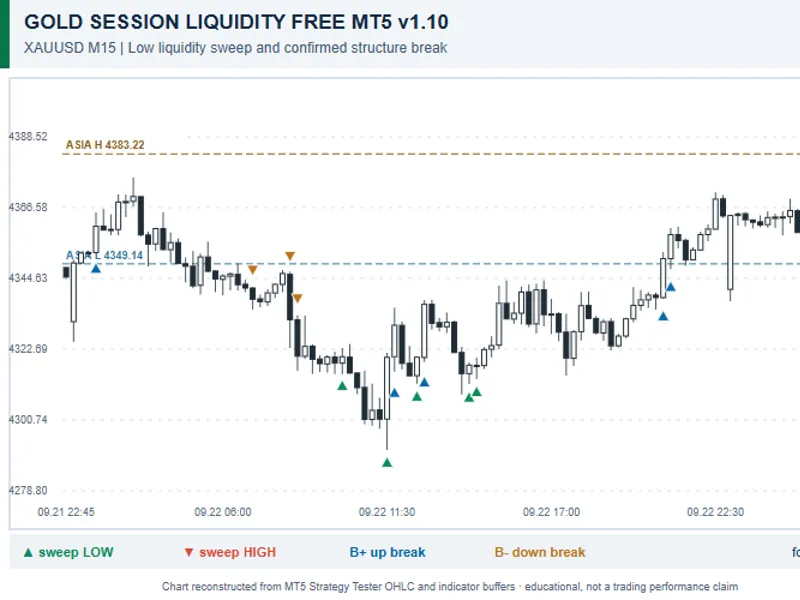
The Gold Session Liquidity Free MT5 - XAUUSD Sessions, Sweeps, and Risk Planner is a Indicator for MetaTrader 5 that gold session liquidity free mt5 - xauusd session, sweep and risk analysisgold session liquidity free mt5 is a free, open-source indicator for studying gold (xauusd) with session context, completed asian high/low levels, price-based liquidity sweeps, confirmed swing structure breaks, and a manual position-size planner. The indicator is designed for market analysis and education; it is not an Expert Advisor and does not place orders.
Usage
This tool is typically used for enhancing chart analysis and decision making.
Platform
This Indicator works exclusively on MetaTrader 5 (both build 600+ and newer versions).
Setup
Place the downloaded file in MQL5/Indicators folder via File ? Open Data Folder in MetaTrader 5.
How to Install and Use Gold Session Liquidity Free MT5 - XAUUSD Sessions, Sweeps, and Risk Planner
1. Installation: Place your file in the MQL/Indicators folder via "Open Data Folder" and restart your terminal.
2. Loading: Find the indicator in the Navigator, drag it onto your chart, and configure the input parameters in the popup window.
3. Customization: Press Ctrl+I to open the indicator list, select your tool, and click "Properties" to change colors, levels, or visual styles.
4. Updating: Replace the old file in the Indicators folder with the new version and restart the platform to apply changes.
Frequently Asked Questions
Q: Why is my indicator not showing? A: Verify the file is in the MQL/Indicators folder, or try right-clicking the "Indicators" tree in the Navigator and clicking "Refresh."
Q: Do custom indicators slow down the platform? A: Too many complex indicators can impact performance; remove unused ones via the "Indicator List" (Ctrl+I).
Q: Can I use MT4 indicators on MT5? A: No, MQL4 and MQL5 are distinct languages; ensure the indicator is compiled specifically for your platform version.
What this tool does
Gold Session Liquidity Free MT5 - XAUUSD Session, Sweep and Risk AnalysisGold Session Liquidity Free MT5 is a free, open-source indicator for studying gold (XAUUSD) with session context, completed Asian High/Low levels, price-based liquidity sweeps, confirmed swing structure breaks, and a manual position-size planner.
Typical Use Case
This Indicator excels in automated trading and technical analysis on MetaTrader 5.
Compatible Platform & Setup
This Indicator works on MetaTrader 5. Place the file in the MQL5/Indicators folder and restart the terminal.
Description & Settings
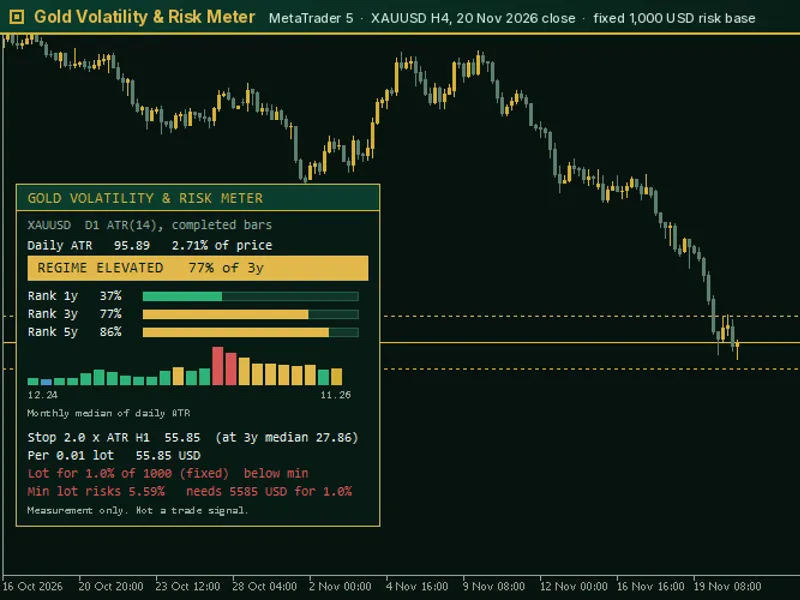
Related: Gold Volatility and Risk Meter: ATR Regimes and Stop Cost Analysis for XAUUSD - another powerful indicator for MetaTrader 5 traders.
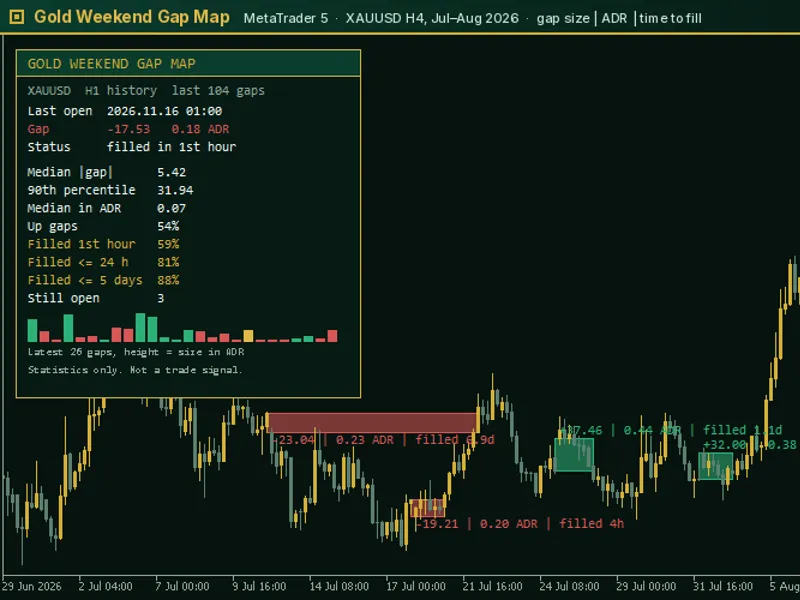
Gold Session Liquidity Free MT5 - XAUUSD Session, Sweep and Risk AnalysisAlso recommended: Gold Weekend Gap Analysis: Size, Fill Time, and ADR Context - similar indicator with strong performance on MetaTrader 5.
Gold Session Liquidity Free MT5 is a free, open-source indicator for studying gold (XAUUSD) with session context, completed Asian High/Low levels, price-based liquidity sweeps, confirmed swing structure breaks, and a manual position-size planner. The indicator is designed for market analysis and education; it is not an Expert Advisor and does not place orders.
Features
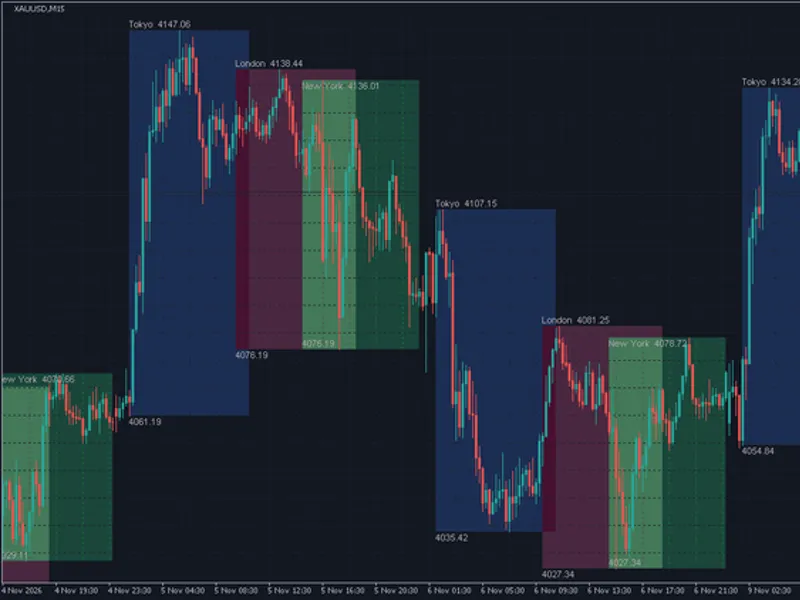
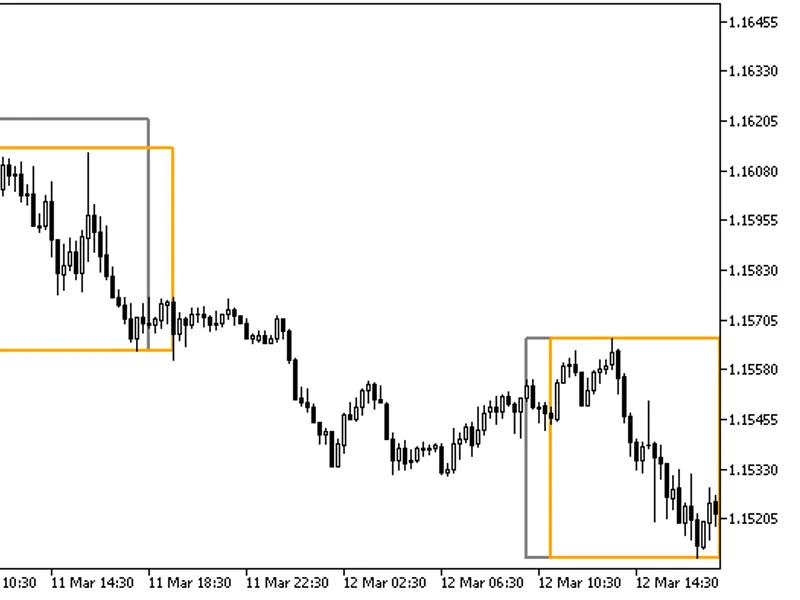
- Session intelligence: Asia, London, New York, overlapping sessions and configurable historical broker UTC offset, with EU/US daylight-saving adjustments.
- Completed Asian range: Asian High and Low become available after the configured Asian session has finished; the code does not use future candles to construct a completed historical range.
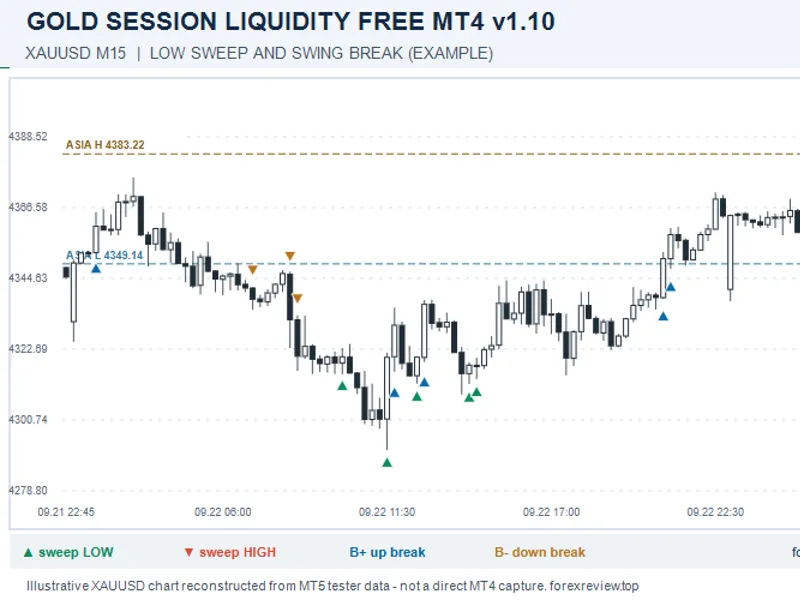
- Liquidity sweep markers: highlights closed-bar sweeps below prior swing lows that reclaim the reference level, and sweeps above prior swing highs that close back below it. These are OHLC-based patterns, not direct observations of resting institutional orders.
- Market structure: confirmed break-up and break-down markers using older swing pivots and closed candle prices.
- Trend and costs: an informational EMA 20/50 higher-timeframe context, current broker spread in points and spread relative to average true range.
- Manual risk planner: enter an assumed entry, stop-loss and optionally a target in indicator Inputs. The dashboard estimates a lot size from account equity, the chosen risk percentage, broker volume minimum/step, OrderCalcProfit and the estimated round-trip commission. Volume is rounded down; if the broker's minimum lot is too large, a warning is displayed instead.
- Research mode is optional: historic BUY/SELL research arrows and their heuristic score are disabled by default. Previous strategy tests did not show consistently profitable results; the score must not be interpreted as a win probability.
Getting started
- Attach the indicator to an XAUUSD chart in MetaTrader 5. M5 and M15 were used during technical checks.
- Verify BrokerClock and BrokerWinterUTCOffsetHours against your broker. The common UTC+2 winter / UTC+3 summer setting is not universal.
- Use the completed Asian range, sweep events and swing-break markers to study market context. Signals are not trades.
- To use the manual planner, set ManualEntryPrice, ManualStopPrice, optionally ManualTargetPrice, RiskBudgetPercent and your broker's round-trip commission per lot.
- Leave ShowExperimentalSignals=false unless you are deliberately studying unvalidated historical research signals.
Important parameters
- AsianStartUTCHour / AsianEndUTCHour: define the Asian range window.
- ShowLiquiditySweeps / ShowStructureBreaks: enable chart event markers.
- TrendTimeframe, TrendFastEMA, TrendSlowEMA: informational trend context (H1 20/50 by default).
- MaxBarsToScan: chart history scan window, 900 bars by default; old drawings leave the window as history advances.
- RiskBudgetPercent: planned stop-loss budget as a percentage of account equity (default 0.50).
- CommissionPerLotRoundTrip: estimated total commission for opening and closing one lot, in the account currency.
Testing, limitations and license
The MT5 source compiled with 0 errors and 0 warnings. A non-trading Strategy Tester QA program checked the closed-bar sweep and swing-break buffers on XAUUSD M5 and M15 with 1,145,655 bounded historical comparisons and no observed marker mutations or CopyBuffer errors in the monitored window. This is a technical consistency test, not a profitability backtest or a guarantee of permanent non-repainting across brokers.
Risk warning: spreads, contract specifications, commissions, funding charges, price gaps and slippage can make actual losses greater than the estimated initial stop-loss budget. Past outcomes never guarantee future returns. The indicator does not trade automatically.
Attribution: this open-source work contains MIT-licensed portions derived from Smart Liquidity Hunter v1.11, credited to FOREXREVIEW.TOP. The source is provided with the original copyright attribution and the accompanying MIT notice.
Project homepage: A dedicated usage article may be linked here in a later update.
Created for the MetaTrader community by fxliner.
Full illustrated MT4 and MT5 user guide:
Gold Session Liquidity Free features, installation, detection rules and risk planner documentation on ForexReview.top.
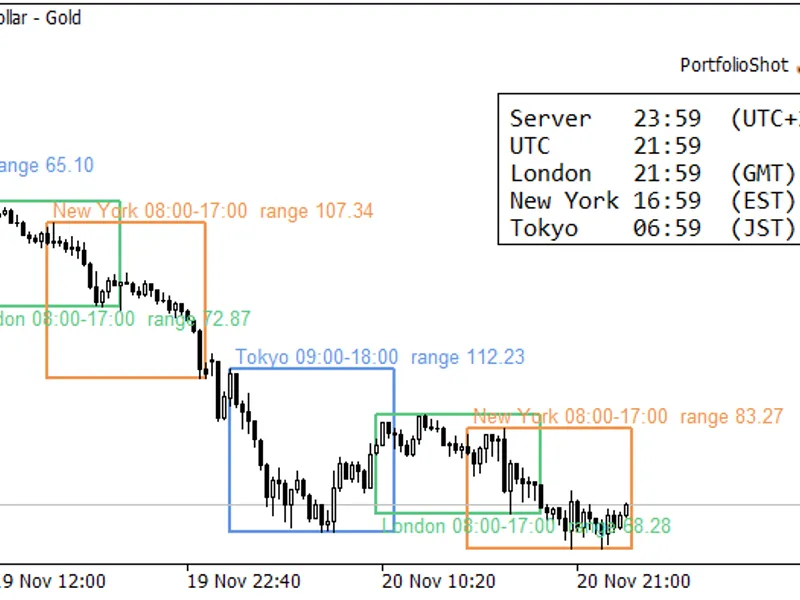
You may also like: DST-Correct Session Boxes with Accurate Clocks - excellent alternative for indicator users on MetaTrader 5.
Source Code
#property strict
#property copyright "RobotFX"
#property link "https://robotfx.org"
#property version   "1.100"
#property description "This code is educational. Feel free to use, modify and upgrade as you wish. Visit ROBOTFX.ORG for professional trading tools"
#property indicator_chart_window
#property indicator_buffers 17
#property indicator_plots 17
#property indicator_label1  "Confirmed BUY"
#property indicator_type1   DRAW_ARROW
.......
⚠ Limitations & Risk Warning
- This tool is provided for educational and testing purposes only.
- Past performance does not guarantee future results.
- Trading involves substantial risk of loss. Use on a demo account first.
- Results may vary depending on market conditions, broker, and settings.
- We recommend thorough backtesting and forward testing before using with real funds.