



Dynamic Session Range Sweep Detector with Liquidity Zone Marking
Info
The Dynamic Session Range Sweep Detector with Liquidity Zone Marking is a Indicator for MetaTrader 5 that dynamic session range sweep detectorthe indicator identifies and marks sweeps of session ranges, which are considered areas of liquidity. Session ranges are defined by the high and low of each trading session (Asian, London, New York).
Usage
This tool is typically used for enhancing chart analysis and decision making.
Platform
This Indicator works exclusively on MetaTrader 5 (both build 600+ and newer versions).
Setup
Place the downloaded file in MQL5/Indicators folder via File ? Open Data Folder in MetaTrader 5.
How to Install and Use Dynamic Session Range Sweep Detector with Liquidity Zone Marking
1. Installation: Place your file in the MQL/Indicators folder via "Open Data Folder" and restart your terminal.
2. Loading: Find the indicator in the Navigator, drag it onto your chart, and configure the input parameters in the popup window.
3. Customization: Press Ctrl+I to open the indicator list, select your tool, and click "Properties" to change colors, levels, or visual styles.
4. Updating: Replace the old file in the Indicators folder with the new version and restart the platform to apply changes.
Frequently Asked Questions
Q: Why is my indicator not showing? A: Verify the file is in the MQL/Indicators folder, or try right-clicking the "Indicators" tree in the Navigator and clicking "Refresh."
Q: Do custom indicators slow down the platform? A: Too many complex indicators can impact performance; remove unused ones via the "Indicator List" (Ctrl+I).
Q: Can I use MT4 indicators on MT5? A: No, MQL4 and MQL5 are distinct languages; ensure the indicator is compiled specifically for your platform version.
What this tool does
Dynamic Session Range Sweep DetectorThe indicator identifies and marks sweeps of session ranges, which are considered areas of liquidity.
Typical Use Case
This Indicator excels in automated trading and technical analysis on MetaTrader 5.
Compatible Platform & Setup
This Indicator works on MetaTrader 5. Place the file in the MQL5/Indicators folder and restart the terminal.
Description & Settings
Related: Trading Session Boxes Indicator for MT4/MT5 - another powerful indicator for MetaTrader 5 traders.
Dynamic Session Range Sweep DetectorAlso recommended: Accurate Broker Time Zones and Session Lines for MT4/MT5 - similar indicator with strong performance on MetaTrader 5.
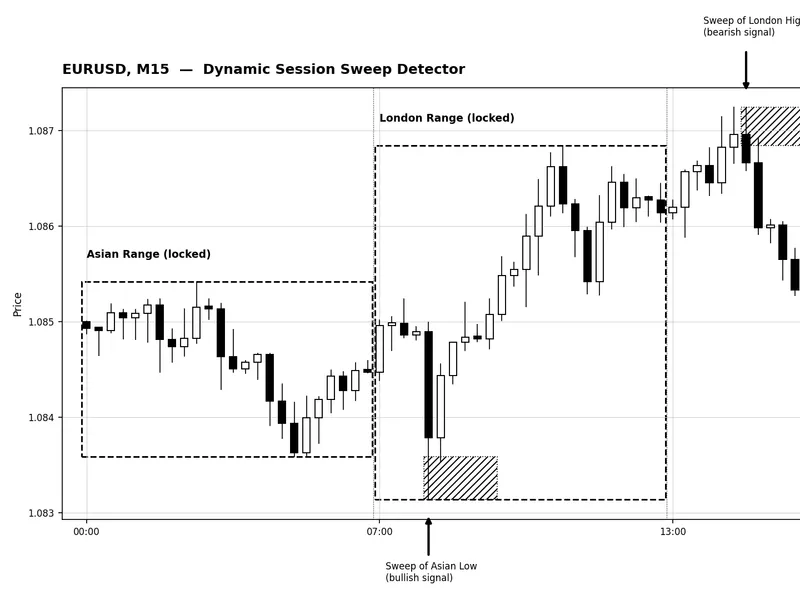
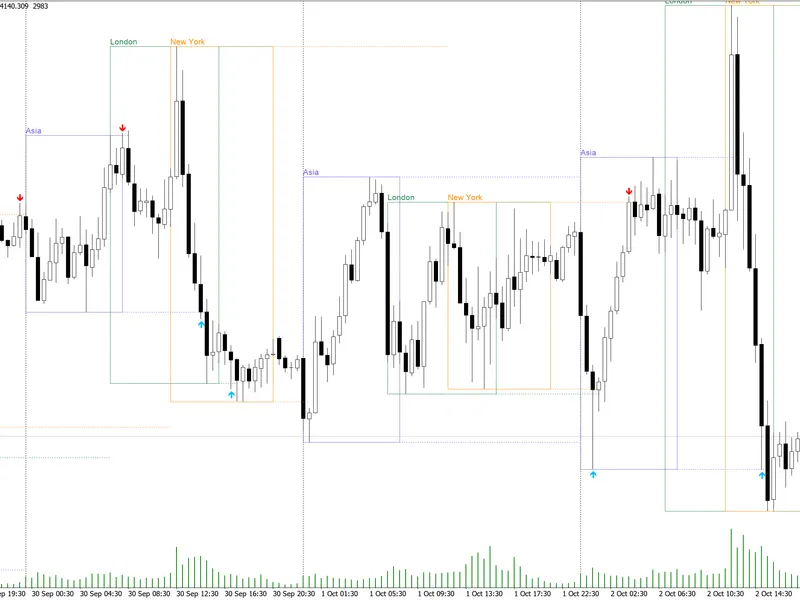
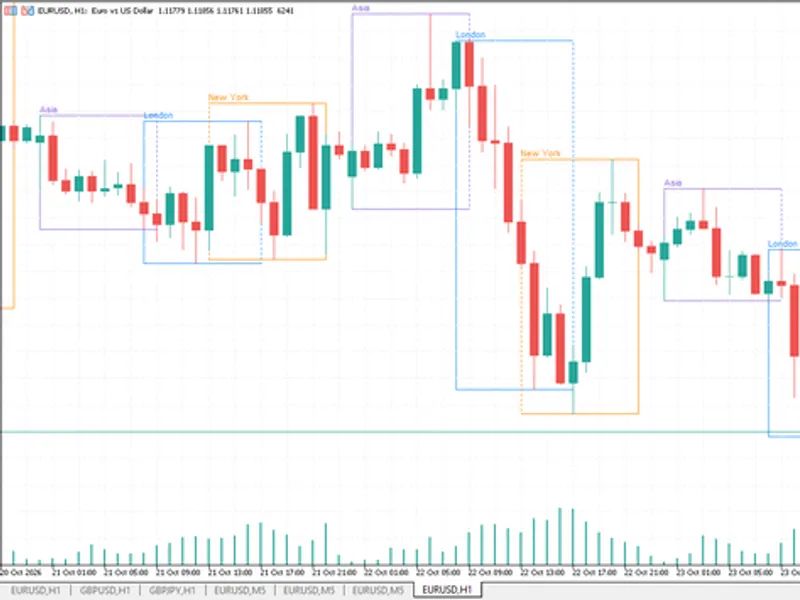
The indicator identifies and marks sweeps of session ranges, which are considered areas of liquidity.Session ranges are defined by the high and low of each trading session (Asian, London, New York). Price often moves beyond these ranges, triggering stop losses, before reversing. This indicator captures this behavior by measuring each session's range, locking it at the session close, and then detecting when price pierces this locked level and closes back within it. This close-back-inside condition is the confirmation of a genuine sweep, a feature often missed by other tools.
The indicator is versatile and functions on any symbol and timeframe, as session hours are configurable server-time inputs. It is recommended for intraday charts (M5 to M30) for clearer resolution of session boundaries.
How to Interpret:
Session Windows
- The indicator uses input parameters for the start and end hours of the Asian, London, and New York sessions (server time) to define the active trading periods.
Locked Range
- Once a session's end time passes, its high and low are fixed and displayed as rectangles on the chart. Subsequent price action is compared against these static levels.
Sweep Confirmation
- A sweep occurs when a trading bar penetrates a locked level by at least the specified minimum pip amount (`InpMinSweepPips`) and then closes back on the opposite side. A down-arrow indicates a swept high (bearish signal), and an up-arrow indicates a swept low (bullish signal). A breakout that closes beyond the level is not considered a sweep and is left unmarked.
Reaction Zone
- A shaded rectangle is drawn for a specified width (`InpSweepZoneBars`) from the sweep confirmation point. This zone highlights areas where traders often place entries or stops following a confirmed sweep.
External Variables (Inputs):
Input
Default
Purpose
InpAsianStartHour / InpAsianEndHour
0 / 7
Defines the Asian session window for range measurement (broker/server time).
InpLondonStartHour / InpLondonEndHour
7 / 13
Defines the London session window.
InpNewYorkStartHour / InpNewYorkEndHour
13 / 21
Defines the New York session window.
InpLookbackDays
5
Number of past days for which session history is drawn and scanned. Limited to prevent clutter.
InpMinSweepPips
2.0
Minimum pip penetration required for a wick to be considered a sweep.
InpSweepZoneBars
6
Width of the shaded reaction zone in bars.
InpShowSessionBoxes / InpShowSweepZones
true / true
Toggles to display session range rectangles and reaction zones.
InpAlertOnSweep
false
Enables terminal alerts upon confirmation of a new sweep.
InpAsianBoxColor / InpLondonBoxColor / InpNewYorkBoxColor
Silver / Gray / DimGray
Colors for the session range rectangles to distinguish overlapping sessions.
InpZoneColor
Gainsboro
Fill color for the reaction zone.
InpSweepUpArrowCode / InpSweepDownArrowCode
233 / 234
Wingdings codes for bullish (swept low) and bearish (swept high) signal arrows.
Recommended Use:
This indicator is most effective on symbols exhibiting session-based liquidity behavior, such as major FX pairs and gold. It is crucial to verify your broker's server time against actual session hours, adjusting the default inputs as needed due to potential offsets and daylight saving time changes.
Signals are non-repainting, meaning they are confirmed only after the signal bar has closed. On lower timeframes (M1–M5), consider increasing `InpMinSweepPips` slightly to filter out noise caused by spread fluctuations at session edges.
Example: Figure 1 displays locked Asian and London session ranges, with confirmed bullish and bearish sweeps marked by their respective reaction zones. The rendering is in grayscale as per guidelines.
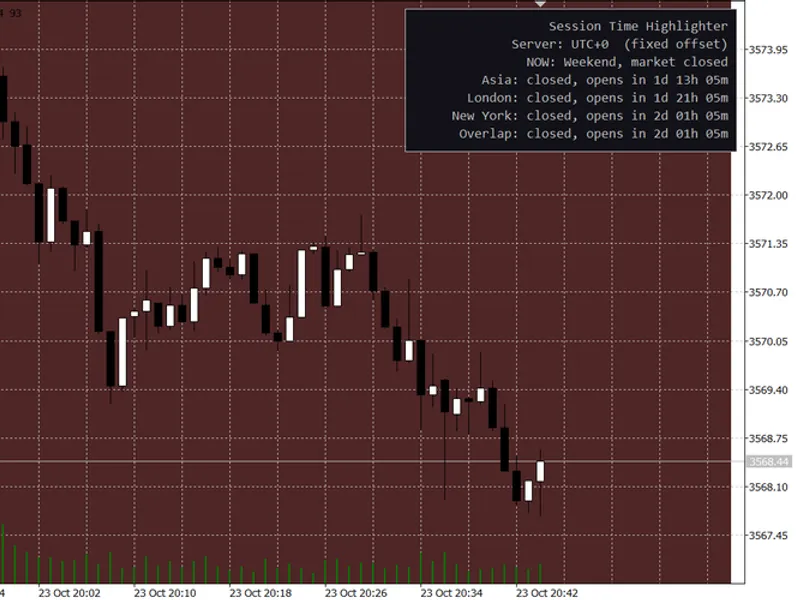
You may also like: Session Time Highlighter for MT4/MT5 - excellent alternative for indicator users on MetaTrader 5.
Source Code
#property copyright "RobotFX"
#property version   "1.00"
#property indicator_chart_window
#property indicator_buffers 2
#property indicator_plots   2
#property indicator_type1   DRAW_ARROW
#property indicator_color1  clrDimGray
#property indicator_width1  2
#property indicator_label1  "Sweep Down (bearish)"
#property indicator_type2   DRAW_ARROW
.......
⚠ Limitations & Risk Warning
- This tool is provided for educational and testing purposes only.
- Past performance does not guarantee future results.
- Trading involves substantial risk of loss. Use on a demo account first.
- Results may vary depending on market conditions, broker, and settings.
- We recommend thorough backtesting and forward testing before using with real funds.