



Currency Strength Ranking Panel
Info
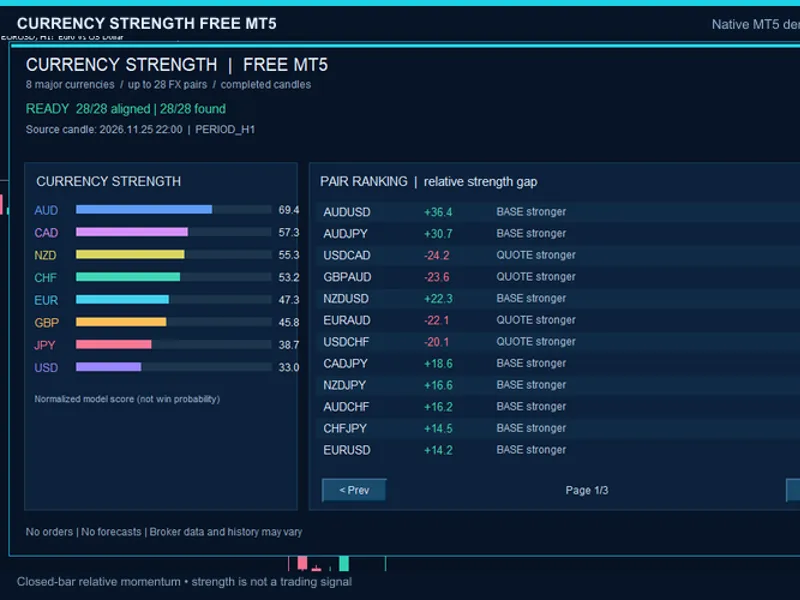
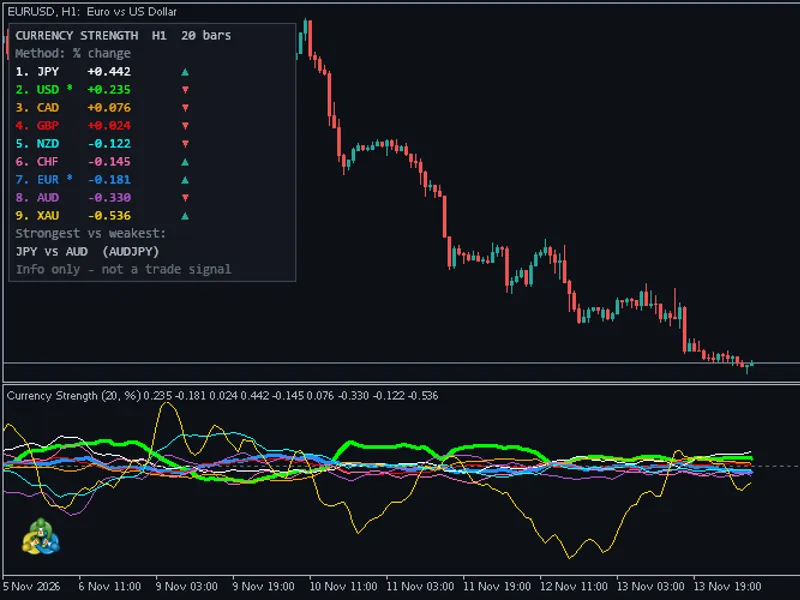
The Currency Strength Ranking Panel is a Indicator for MetaTrader 5 that currency strength ranking panelthis indicator displays a panel that ranks the eight major currencies: usd, eur, gbp, jpy, aud, nzd, cad, and chf. For each currency, it calculates the average rate of change against the other seven currencies over a specified number of past bars (InpLookback) on a chosen timeframe (InpTimeframe).
Usage
This tool is typically used for enhancing chart analysis and decision making.
Platform
This Indicator works exclusively on MetaTrader 5 (both build 600+ and newer versions).
Setup
Place the downloaded file in MQL5/Indicators folder via File ? Open Data Folder in MetaTrader 5.
How to Install and Use Currency Strength Ranking Panel
1. Installation: Place your file in the MQL/Indicators folder via "Open Data Folder" and restart your terminal.
2. Loading: Find the indicator in the Navigator, drag it onto your chart, and configure the input parameters in the popup window.
3. Customization: Press Ctrl+I to open the indicator list, select your tool, and click "Properties" to change colors, levels, or visual styles.
4. Updating: Replace the old file in the Indicators folder with the new version and restart the platform to apply changes.
Frequently Asked Questions
Q: Why is my indicator not showing? A: Verify the file is in the MQL/Indicators folder, or try right-clicking the "Indicators" tree in the Navigator and clicking "Refresh."
Q: Do custom indicators slow down the platform? A: Too many complex indicators can impact performance; remove unused ones via the "Indicator List" (Ctrl+I).
Q: Can I use MT4 indicators on MT5? A: No, MQL4 and MQL5 are distinct languages; ensure the indicator is compiled specifically for your platform version.
What this tool does
Currency Strength Ranking PanelThis indicator displays a panel that ranks the eight major currencies: USD, EUR, GBP, JPY, AUD, NZD, CAD, and CHF.
Typical Use Case
This Indicator excels in automated trading and technical analysis on MetaTrader 5.
Compatible Platform & Setup
This Indicator works on MetaTrader 5. Place the file in the MQL5/Indicators folder and restart the terminal.
Description & Settings
Related: Currency Strength Scanner MT5 - Free Analysis Tool - another powerful indicator for MetaTrader 5 traders.
Currency Strength Ranking PanelAlso recommended: Currency Strength Meter - Analyze Major Currency Movements - similar indicator with strong performance on MetaTrader 5.
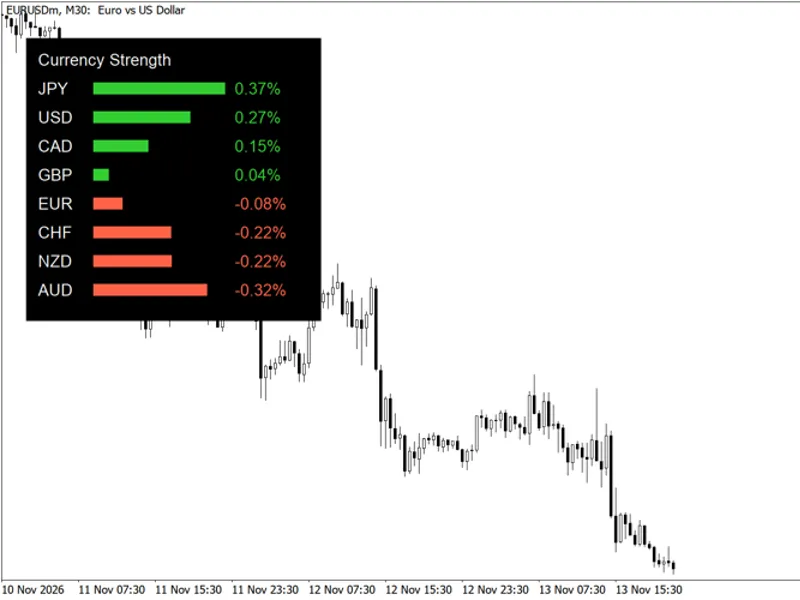
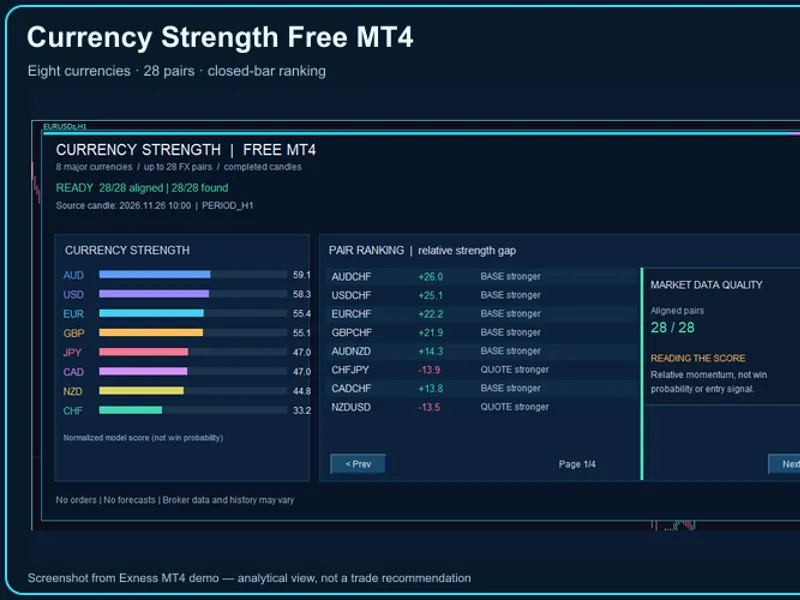
This indicator displays a panel that ranks the eight major currencies: USD, EUR, GBP, JPY, AUD, NZD, CAD, and CHF. For each currency, it calculates the average rate of change against the other seven currencies over a specified number of past bars (InpLookback) on a chosen timeframe (InpTimeframe). Currencies that have increased in value against most others will appear at the top of the list, while those that have decreased will be at the bottom.
The ranking is continuously updated as the current bar forms by comparing the latest price to the closing price from InpLookback bars ago. Positive changes are displayed in a strong color, and negative changes in a weak color. The length of the bar is proportional to the largest value shown on the panel. A common trading strategy involves identifying pairs that combine a strong currency from the top of the list with a weak currency from the bottom.
The indicator analyzes all 28 possible pairs formed by these eight currencies. Pairs not offered by your broker will be automatically skipped. If your broker appends a suffix to currency symbol names (e.g., 'm' or '.ecn'), you can specify it in the InpSuffix parameter. Upon initial attachment to a chart, the indicator may require a few moments to load historical data for all pairs, during which time the displayed values will remain at zero.
Input Parameters
InpLookback: The number of bars to use for the rate-of-change calculation. Default is 24.
InpTimeframe: The timeframe for the calculation. Default is H1.
InpSuffix: The symbol suffix used by your broker. Leave empty if none is used.
InpCorner: Specifies which corner of the chart the panel will be attached to.
InpX, InpY: The pixel distance from the selected corner. These values are scaled according to the screen's DPI.
InpFontSize: The font size for the text displayed in the panel.
InpUpColor, InpDownColor: Colors used to indicate strong and weak currency movements, respectively.
InpTextColor, InpBgColor: Colors for the panel's text and background.
The panel is designed to scale with screen DPI and can be positioned in any chart corner. This indicator solely provides information and does not execute or manage trades.
Example: Currency strength panel displayed on EURUSD M30 chart.
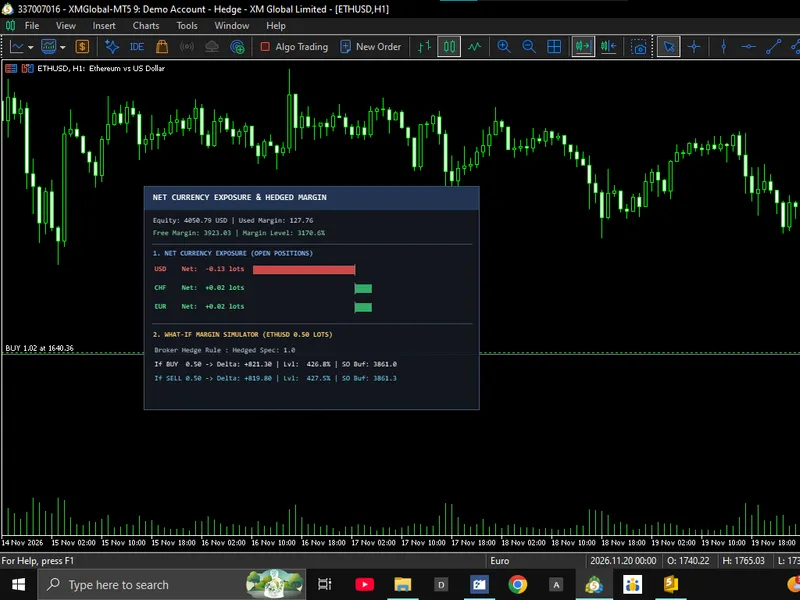
You may also like: Net Currency Exposure and Hedged Margin Simulator Panel MT5 - excellent alternative for indicator users on MetaTrader 5.
Source Code
#property copyright "RobotFX"
#property link "https://robotfx.org"
#property version   "1.00"
#property description "This code is educational. Feel free to use, modify and upgrade as you wish. Visit ROBOTFX.ORG for professional trading tools"
#property indicator_chart_window
#property indicator_plots   0
#property indicator_buffers 0
input int               InpLookback  = 24;
input ENUM_TIMEFRAMES   InpTimeframe = PERIOD_H1;
input string            InpSuffix    = "";
.......
⚠ Limitations & Risk Warning
- This tool is provided for educational and testing purposes only.
- Past performance does not guarantee future results.
- Trading involves substantial risk of loss. Use on a demo account first.
- Results may vary depending on market conditions, broker, and settings.
- We recommend thorough backtesting and forward testing before using with real funds.