




Currency Strength Meter - Analyze Major Currency Movements
Info
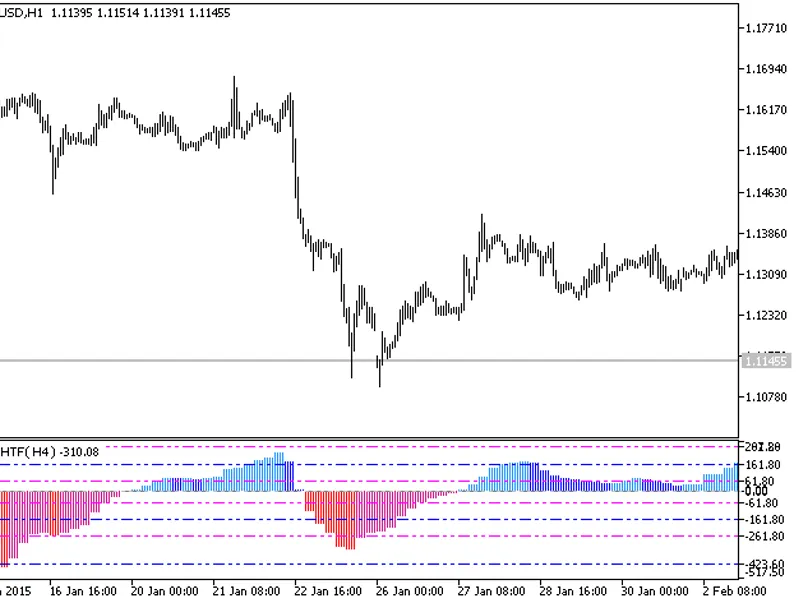
The Currency Strength Meter - Analyze Major Currency Movements is a Indicator for MetaTrader 5 that currency strength meter dissects the forex market by analyzing the 8 major currencies and displaying their relative strength and weakness in a separate window below the chart. An optional ninth line tracks Gold (XAU) against the same currency basket.
Usage
This tool is typically used for enhancing chart analysis and decision making.
Platform
This Indicator works exclusively on MetaTrader 5 (both build 600+ and newer versions).
Setup
Place the downloaded file in MQL5/Indicators folder via File ? Open Data Folder in MetaTrader 5.
How to Install and Use Currency Strength Meter - Analyze Major Currency Movements
1. Installation: Place your file in the MQL/Indicators folder via "Open Data Folder" and restart your terminal.
2. Loading: Find the indicator in the Navigator, drag it onto your chart, and configure the input parameters in the popup window.
3. Customization: Press Ctrl+I to open the indicator list, select your tool, and click "Properties" to change colors, levels, or visual styles.
4. Updating: Replace the old file in the Indicators folder with the new version and restart the platform to apply changes.
Frequently Asked Questions
Q: Why is my indicator not showing? A: Verify the file is in the MQL/Indicators folder, or try right-clicking the "Indicators" tree in the Navigator and clicking "Refresh."
Q: Do custom indicators slow down the platform? A: Too many complex indicators can impact performance; remove unused ones via the "Indicator List" (Ctrl+I).
Q: Can I use MT4 indicators on MT5? A: No, MQL4 and MQL5 are distinct languages; ensure the indicator is compiled specifically for your platform version.
What this tool does
Currency Strength Meter dissects the forex market by analyzing the 8 major currencies and displaying their relative strength and weakness in a separate window below the chart.
Typical Use Case
This Indicator excels in automated trading and technical analysis on MetaTrader 5.
Compatible Platform & Setup
This Indicator works on MetaTrader 5. Place the file in the MQL5/Indicators folder and restart the terminal.
Description & Settings
Related: Currency Strength Scanner MT5 - Free Analysis Tool - another powerful indicator for MetaTrader 5 traders.
Currency Strength Meter dissects the forex market by analyzing the 8 major currencies and displaying their relative strength and weakness in a separate window below the chart. An optional ninth line tracks Gold (XAU) against the same currency basket.Also recommended: Net Currency Exposure and Hedged Margin Simulator Panel MT5 - similar indicator with strong performance on MetaTrader 5.
How it Works
- For each bar, the indicator calculates the change in each of the 28 major pairs over a specified lookback period (default 20 bars) on the chart's timeframe.
- Each pair contributes to the strength of both its base and quote currencies. A rising pair increases the base currency's strength and decreases the quote currency's strength.
- A currency's strength is determined by averaging its contributions from all pairs it is part of. The strength lines are centered around the zero level.
- Two calculation methods are available: percentage change or change in Average True Range (ATR) units. The ATR method scales changes by the pair's volatility, providing a more comparable scale between less and more volatile pairs.
- Gold (XAU) strength is calculated as the XAUUSD change plus the USD strength, effectively measuring gold's value against the entire currency basket, not just the US dollar.
- Optional smoothing using a simple moving average can be applied to the strength values.
Indicator Lines
- Each currency is represented by a distinct colored line, with a zero level line for reference.
- The two currencies that form the chart's trading symbol are displayed with thicker lines for easy identification (e.g., EUR and USD on EURUSD, or XAU and USD on XAUUSD).
Ranking Panel
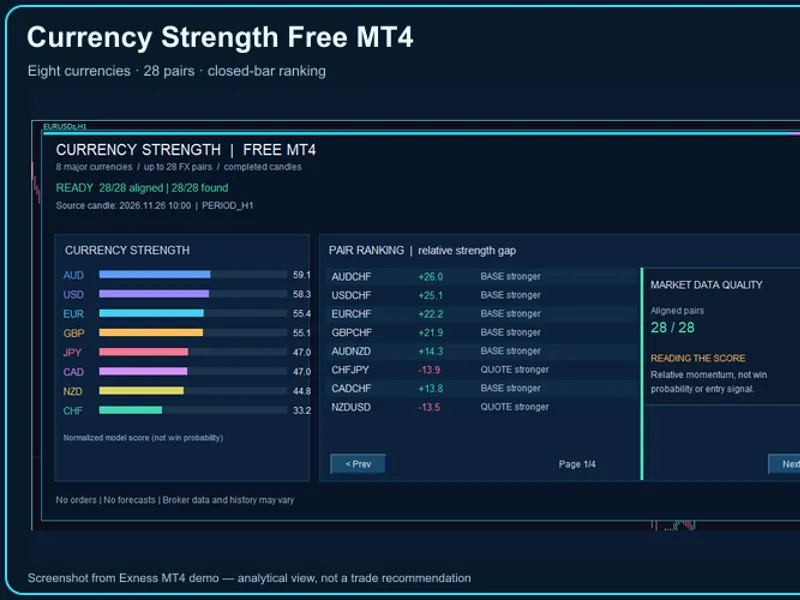
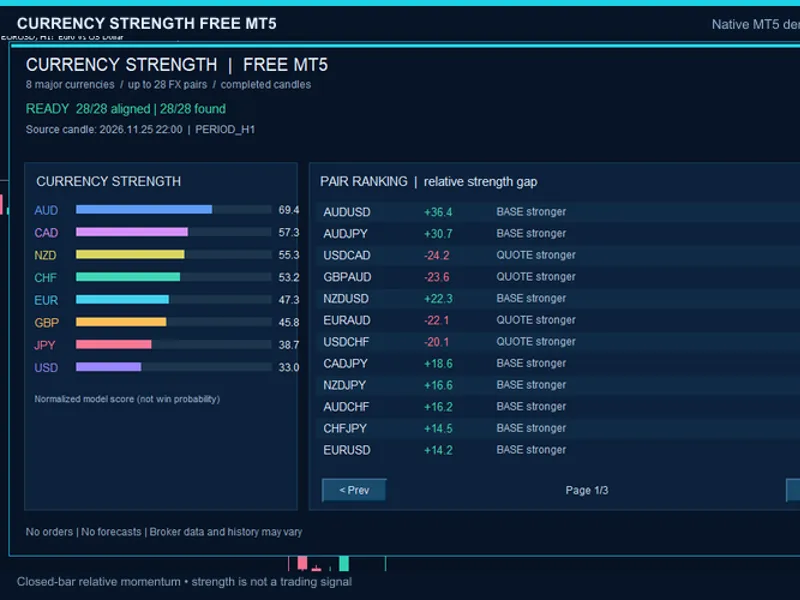
- Displays a ranked list of currencies from strongest to weakest, along with their current strength values.
- An arrow indicates whether each currency is currently rising or falling compared to the previous bar.
- Currencies belonging to the chart's trading symbol are marked with an asterisk (*).
- The panel also shows the strongest versus the weakest currency and the specific currency pair that combines them. Please note this is informational and not a trade signal.
Important Notes
- The indicator supports brokers that add prefixes or suffixes to symbol names (e.g., EURUSD.pro or EURUSDm) by allowing you to specify these in the input settings.
- If a currency pair is not available from your broker, it will be skipped and listed in the panel. The indicator will continue to function using the available pairs.
- During the initial download of historical data for other symbols, the panel will display 'Loading history...'. The indicator automatically recalculates once the data is available. Pairs whose history does not load after approximately one minute will be skipped and noted in the panel.
- The first calculation on a new timeframe may take a few seconds as MetaTrader loads the necessary historical data for all symbols.
- The indicator is compatible with any chart symbol and timeframe. Strength values are calculated based on the chart's current timeframe.
This indicator exclusively reads price data and displays information on the chart. It does not perform any trading operations (opening, modifying, or closing trades) and does not guarantee any trading results.
Inputs
Input — Default — Description
Symbol prefix — (empty) — Text your broker adds before symbol names
Symbol suffix — (empty) — Text your broker adds after symbol names
Show gold (XAU) line from XAUUSD — true — Enables/disables the Gold line
Gold symbol name — XAUUSD — The symbol name for Gold, excluding any prefix or suffix
Method — Percent change — Select between 'Percent change' or 'Change in ATR units'
Lookback (bars) — 20 — The number of bars over which each pair's change is measured
Smoothing period — 3 — Applies a moving average to the strength values. Set to 1 to disable smoothing.
Bars to calculate — 500 — The number of recent bars to use for calculations
Currency colours — lime / blue / red / white / pink / orange / orchid / aqua / gold — Assign specific colors to USD, EUR, GBP, JPY, CHF, CAD, AUD, NZD, and XAU
Thicker lines for the chart symbol's currencies — true — Highlights the lines for the currencies of the main chart symbol
Normal / highlighted line width — 1 / 3 — Sets the line widths for normal and highlighted currency lines
Show ranking panel — true — Enables/disables the currency ranking panel
Panel on main chart — true — false = displays the panel inside the indicator window
Panel X / Y offset, font size — 10 / 20 / 8 — Adjusts the layout, position, and font size of the panel
Panel background / text colour — dark / grey — Sets the background and text colors for the panel
You may also like: Compact ADX Trend Strength Dashboard - excellent alternative for indicator users on MetaTrader 5.
Source Code
#property copyright "RobotFX"
#property version   "1.00"
#property description "This code is educational. Feel free to use, modify and upgrade as you wish. Visit ROBOTFX.ORG for professional trading tools"
#property indicator_separate_window
#property indicator_buffers 18
#property indicator_plots   9
#property indicator_level1  0.0
#property indicator_levelcolor clrDimGray
#property indicator_levelstyle STYLE_DOT
enum ENUM_CSM_METHOD
.......
⚠ Limitations & Risk Warning
- This tool is provided for educational and testing purposes only.
- Past performance does not guarantee future results.
- Trading involves substantial risk of loss. Use on a demo account first.
- Results may vary depending on market conditions, broker, and settings.
- We recommend thorough backtesting and forward testing before using with real funds.