




Currency Strength Scanner - Free MT4 Indicator
Info
The Currency Strength Scanner - Free MT4 Indicator is a Indicator for MetaTrader 4 that currency strength scanner free mt4 - a standalone mql4 indicatorthe currency strength scanner free mt4 offers a compact on-chart display of the relative strength for eur, usd, gbp, jpy, chf, aud, cad, and nzd. It also provides a ranked list of up to 28 supported forex crosses.
Usage
This tool is typically used for enhancing chart analysis and decision making.
Platform
This Indicator works exclusively on MetaTrader 4 (both build 600+ and newer versions).
Setup
Place the downloaded file in MQL4/Indicators folder via File ? Open Data Folder in MetaTrader 4.
How to Install and Use Currency Strength Scanner - Free MT4 Indicator
1. Installation: Place your file in the MQL/Indicators folder via "Open Data Folder" and restart your terminal.
2. Loading: Find the indicator in the Navigator, drag it onto your chart, and configure the input parameters in the popup window.
3. Customization: Press Ctrl+I to open the indicator list, select your tool, and click "Properties" to change colors, levels, or visual styles.
4. Updating: Replace the old file in the Indicators folder with the new version and restart the platform to apply changes.
Frequently Asked Questions
Q: Why is my indicator not showing? A: Verify the file is in the MQL/Indicators folder, or try right-clicking the "Indicators" tree in the Navigator and clicking "Refresh."
Q: Do custom indicators slow down the platform? A: Too many complex indicators can impact performance; remove unused ones via the "Indicator List" (Ctrl+I).
Q: Can I use MT4 indicators on MT5? A: No, MQL4 and MQL5 are distinct languages; ensure the indicator is compiled specifically for your platform version.
What this tool does
Currency Strength Scanner Free MT4 - a standalone MQL4 indicatorThe Currency Strength Scanner Free MT4 offers a compact on-chart display of the relative strength for EUR, USD, GBP, JPY, CHF, AUD, CAD, and NZD.
Typical Use Case
This Indicator excels in automated trading and technical analysis on MetaTrader 4.
Compatible Platform & Setup
This Indicator works on MetaTrader 4. Place the file in the MQL4/Indicators folder and restart the terminal.
Description & Settings
Related: ATR Candle Strength MT4 - another powerful indicator for MetaTrader 4 traders.
Currency Strength Scanner Free MT4 - a standalone MQL4 indicatorThe Currency Strength Scanner Free MT4 offers a compact on-chart display of the relative strength for EUR, USD, GBP, JPY, CHF, AUD, CAD, and NZD. It also provides a ranked list of up to 28 supported forex crosses. This tool is designed for discretionary market analysis and educational purposes, not for automated trading.
Also recommended: absolute strength indicator suite - similar indicator with strong performance on MetaTrader 4.
Dashboard Features
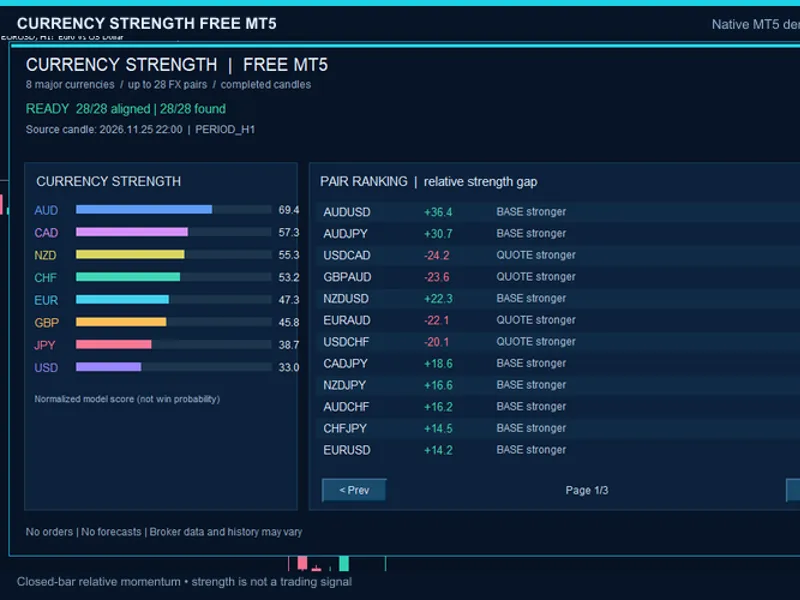
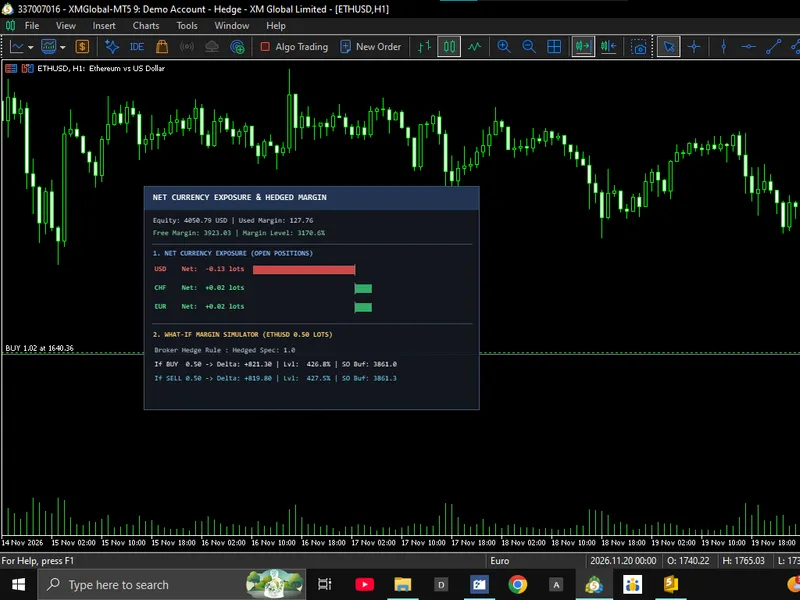
Eight currency strength bars displayed on an Exness MetaTrader 4 demo chart.
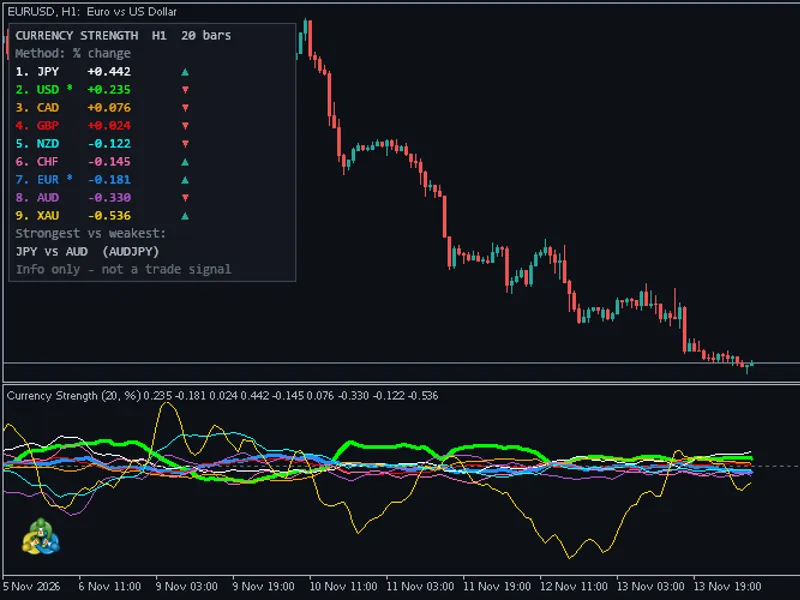
Eight individually colored currency strength bars, ordered by current relative momentum.
A ranked list of up to 28 major currency forex crosses based on their base/quote strength difference.
Configurable analysis timeframe and closed-bar lookback period, with H1 and 12 bars as default settings.
Broker symbol discovery, including common prefixes and suffixes, with an option to set a preferred suffix.
Clear Market Data Quality information indicating available and synchronized pairs.
Notifications for Data Gaps, partial history, and stale quotes, along with previous/next navigation controls.
Eight output buffers for accessing the current relative strength snapshot directly from MQL4. These buffers are not populated with historical synthetic values.
Calculation Methodology
Pair ranking and data readiness status. Screenshots are based on completed bars, not real-time trade signals.
The indicator analyzes completed historical candles for available broker pairs. It measures recent logarithmic changes, scales these movements by the observed variability of corresponding returns, and then assigns signed contributions to the base and quote currencies. The combined reading is normalized to a relative scale of 0–100. The strength difference between two currencies determines the descriptive pair ranking.
A value like 65 represents relative model strength, not a 65% win probability. The ranking should be considered in conjunction with price structure, prevailing market conditions, trading costs, and personal risk tolerance before making any trading decisions.
Installation in MetaTrader 4
Download the single file Currency_Strength_Free_MT4.mq4 from CodeBase. Place it in the MT4 Indicators directory, or open the source code in MetaEditor 4 and compile.
Attach the compiled indicator to a forex chart and allow the platform to load the necessary major pair histories.
Adjust the InpTimeframe and InpLookbackBars parameters to suit your observation timeframe.
Confirm the number of available and aligned pairs before interpreting the rankings. The display adjusts to fit smaller chart windows.
Notes and Limitations
Symbol naming conventions, time zones, and historical data lengths can vary between brokers. Certain currency pairs may not be available, or their completed candle timestamps might not align. The indicator will flag these conditions rather than displaying incomplete data as accurate. Quote freshness can also fluctuate when a market is closed.
This free version includes an independent, MIT-licensed MQ4 source file. It does not incorporate proprietary Currency Matrix Pro modules. It does not execute orders, make WebRequest calls, or require DLLs. No guarantee of profit or execution outcome is provided. This tool was last updated in 2026.
You may also like: currency indicator: a comprehensive trading tool - excellent alternative for indicator users on MetaTrader 4.
Source Code
#property copyright "RobotFX"
#property version "1.00"
#property description "This code is educational. Feel free to use, modify and upgrade as you wish. Visit ROBOTFX.ORG for professional trading tools"
#property indicator_chart_window
#property indicator_buffers 8
#property strict
input group "Free currency strength scanner"
input ENUM_TIMEFRAMES InpTimeframe=PERIOD_H1;
input int InpLookbackBars=12;
input int InpMinimumPairs=20;
.......
⚠ Limitations & Risk Warning
- This tool is provided for educational and testing purposes only.
- Past performance does not guarantee future results.
- Trading involves substantial risk of loss. Use on a demo account first.
- Results may vary depending on market conditions, broker, and settings.
- We recommend thorough backtesting and forward testing before using with real funds.