




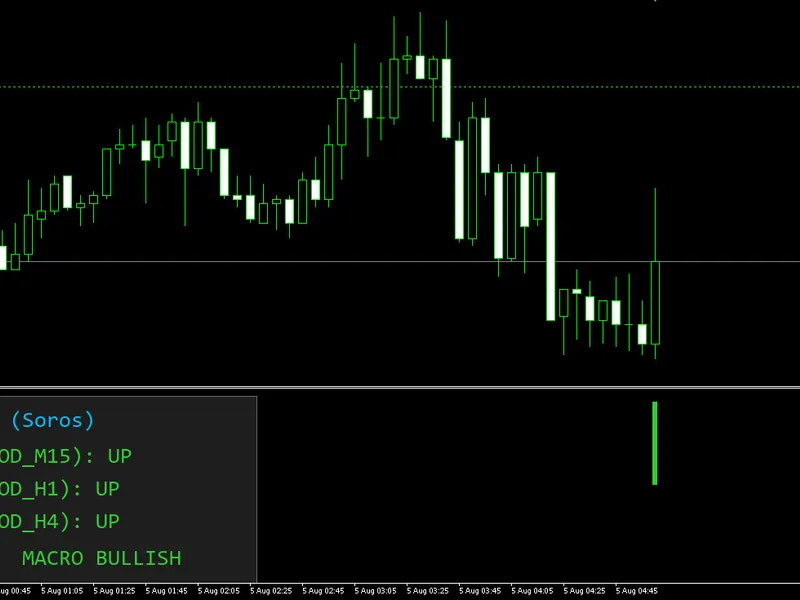
adx trend pullback ea: trend strength and volatility-based trading
Info
The adx trend pullback ea: trend strength and volatility-based trading is a Expert Advisor for MetaTrader 5 that brief descriptionthis expert advisor combines an adx-based trend strength filter with an ema pullback entry technique. it utilizes atr for dynamic stop loss and take profit sizing and is designed for trading a single symbol with one position open at a time.
Usage
This tool is typically used for trend following strategies across multiple currency pairs.
Platform
This Expert Advisor works exclusively on MetaTrader 5 (both build 600+ and newer versions).
Setup
Place the downloaded file in MQL5/Experts folder via File ? Open Data Folder in MetaTrader 5.
How to Install and Use adx trend pullback ea: trend strength and volatility-based trading
1. Installation: Open the "File" menu, select "Open Data Folder," navigate to MQL/Experts, paste your file, and restart the terminal.
2. Activation: Drag the EA from the Navigator onto a chart, ensure "Allow live trading" is checked in the Common tab, and verify the AutoTrading button is green.
3. Optimization: Right-click your chart, choose "Expert List," click "Properties" to adjust inputs, and save your preferred setup as a set file for future use.
4. Maintenance: Regularly check the "Experts" tab in the terminal window to monitor trade logs and potential execution errors.
Frequently Asked Questions
Q: Why is my EA not opening trades? A: Check the "AutoTrading" button, ensure "Allow live trading" is enabled, and verify your broker allows automated trading on your account type.
Q: Can I run multiple EAs on one chart? A: No, each chart can only host one active EA; however, you can open multiple charts for different currency pairs to run several EAs.
Q: What does the "smiley face" icon mean? A: A smiley face in the top-right corner of the chart indicates the EA is successfully running; a frowny face means it is disabled.
What this tool does
brief descriptionthis expert advisor combines an adx-based trend strength filter with an ema pullback entry technique.
Typical Use Case
This Expert Advisor excels in trend following on MetaTrader 5.
Compatible Platform & Setup
This Expert Advisor works on MetaTrader 5. Place the file in the MQL5/Experts folder and restart the terminal.
Description & Settings
Related: Steep MA Trend EA - another powerful expert for MetaTrader 5 traders.
brief descriptionthis expert advisor combines an adx-based trend strength filter with an ema pullback entry technique. it utilizes atr for dynamic stop loss and take profit sizing and is designed for trading a single symbol with one position open at a time.
Also recommended: Super Trend Trading EA - similar expert with strong performance on MetaTrader 5.
core strategy concepts
the strategy is built on three established concepts:
1. trend strength: the average directional index (adx) measures trend strength. a rising adx above a defined threshold indicates a developing or strengthening trend. a flat or falling adx suggests a weak or ranging market.
2. pullback entry: an exponential moving average (ema) serves as a dynamic reference level. price moving close to the ema and then away from it is treated as a pullback within the prevailing trend.
3. volatility-based risk management: the average true range (atr) expresses stop loss and take profit distances in terms of current market volatility, not fixed pip values. the plus/minus directional indicators (+di / -di) from the adx indicator determine trade direction.
signal interpretation
all calculations are performed on closed bars of the timeframe selected in the input settings, and signals are evaluated once per new bar. the entry logic requires two conditions to be satisfied simultaneously:
1. trend filter: the adx on the previous bar must be above the adx threshold and higher than the adx on the bar before that, indicating increasing trend strength.
2. pullback event: the distance between price and the ema, expressed as a multiple of atr, must have been at or above the pullback ratio on an earlier bar and dropped below it on the previous bar. this signifies price approaching the ema and then moving away.
when both conditions are met, the trade direction is determined by comparing +di and -di on the previous bar. if +di is greater than -di, a buy signal is generated. if -di is greater than +di, a sell signal is generated. the trade direction input can restrict the ea to buy-only, sell-only, or both directions.
stop loss distance is calculated as atr multiplied by the sl multiplier input. take profit distance is the stop loss distance multiplied by the risk-reward ratio input. only one position per symbol is allowed at a time, and a new position is only considered when no position is currently open.
suitable symbols and timeframes
the ea is configured by default for the h1 timeframe, but the timeframe used for indicator calculations can be changed independently of the chart timeframe through the input settings. because the logic relies on adx, ema, and atr values that adapt to current volatility, it can in principle be applied to a range of liquid symbols and timeframes. testing on the target symbol and timeframe in the strategy tester is recommended before live use.
included files
this code does not use external #include files. all logic is contained within a single source file.
main external variables
variable
default
description
inptradedirection
trade_both
restricts trading to both directions, buy only, or sell only.
inpmagicnumber
270601
magic number used to identify orders placed by this ea.
inplotsize
0.01
fixed lot size used for every trade.
inpatr_sl_multiplier
1.5
stop loss distance, expressed as a multiple of atr(14) on the previous bar.
inprr_ratio
2.0
take profit distance, expressed as a multiple of the stop loss distance.
inpindicatortf
period_h1
timeframe used for adx, ema, and atr calculations.
inpadxperiod
14
period used for the adx indicator.
inpemaperiod
20
period of the ema applied to the close price.
inpatrperiod
14
period used for the atr indicator.
inpadxthreshold
25.0
minimum adx value required, combined with a rising adx, to allow an entry.
inppullbackatrratio
0.5
distance from the ema, as a multiple of atr, used to define a pullback event.
You may also like: long-only trend breakout ea with advanced risk management - excellent alternative for expert users on MetaTrader 5.
Source Code
#property copyright "robotfx"
#property link "https://robotfx.org"
#property version   "1.00"
#property description "This code is provided AS IS and intended for educational purposes only. Professional trading EAs and indicators - robotfx www.robotfx.org"
#property strict
enum enum_trade_dir {
trade_both = 0,  // buy and sell (default)
trade_buy  = 1,  // buy only
trade_sell = 2   // sell only
};
.......
⚠ Limitations & Risk Warning
- This tool is provided for educational and testing purposes only.
- Past performance does not guarantee future results.
- Trading involves substantial risk of loss. Use on a demo account first.
- Results may vary depending on market conditions, broker, and settings.
- We recommend thorough backtesting and forward testing before using with real funds.