

Global Macro Trend Agreement Indicator
Info
The Global Macro Trend Agreement Indicator is a Indicator for MetaTrader 5 that indicator descriptiona multi-timeframe trend-agreement indicator inspired by george soros's macro trading style. Soros ran Quantum Fund on a longer-term directional view formed by weighing evidence across multiple time horizons before committing capital.
Usage
This tool is typically used for trend following strategies across multiple currency pairs.
Platform
This Indicator works exclusively on MetaTrader 5 (both build 600+ and newer versions).
Setup
Place the downloaded file in MQL5/Indicators folder via File ? Open Data Folder in MetaTrader 5.
How to Install and Use Global Macro Trend Agreement Indicator
1. Installation: Place your file in the MQL/Indicators folder via "Open Data Folder" and restart your terminal.
2. Loading: Find the indicator in the Navigator, drag it onto your chart, and configure the input parameters in the popup window.
3. Customization: Press Ctrl+I to open the indicator list, select your tool, and click "Properties" to change colors, levels, or visual styles.
4. Updating: Replace the old file in the Indicators folder with the new version and restart the platform to apply changes.
Frequently Asked Questions
Q: Why is my indicator not showing? A: Verify the file is in the MQL/Indicators folder, or try right-clicking the "Indicators" tree in the Navigator and clicking "Refresh."
Q: Do custom indicators slow down the platform? A: Too many complex indicators can impact performance; remove unused ones via the "Indicator List" (Ctrl+I).
Q: Can I use MT4 indicators on MT5? A: No, MQL4 and MQL5 are distinct languages; ensure the indicator is compiled specifically for your platform version.
What this tool does
Indicator descriptionA multi-timeframe trend-agreement indicator inspired by George Soros's macro trading style.
Typical Use Case
This Indicator excels in trend following on MetaTrader 5.
Compatible Platform & Setup
This Indicator works on MetaTrader 5. Place the file in the MQL5/Indicators folder and restart the terminal.
Description & Settings
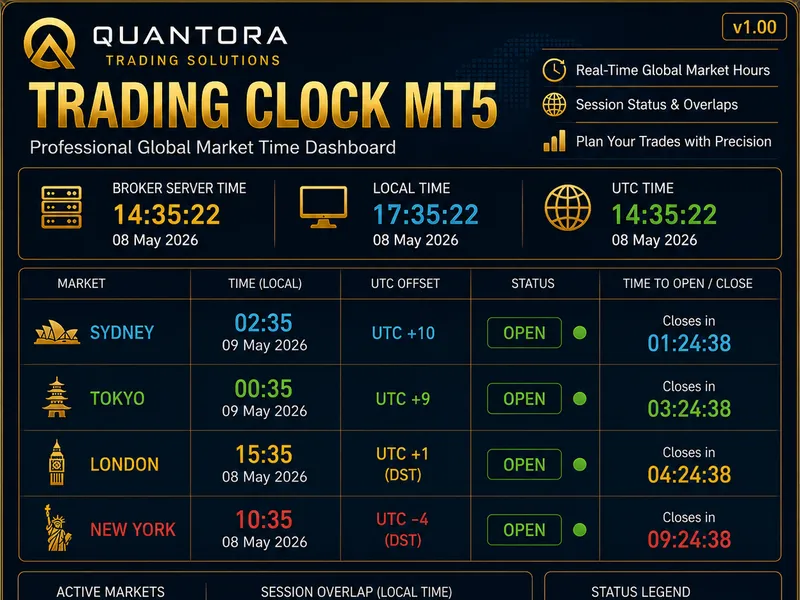
Related: Quantora Trading Clock MT5: Professional Global Market Time Dashboard - another powerful indicator for MetaTrader 5 traders.
Indicator descriptionAlso recommended: ict silver bullet and macro imbalance filter - similar indicator with strong performance on MetaTrader 5.
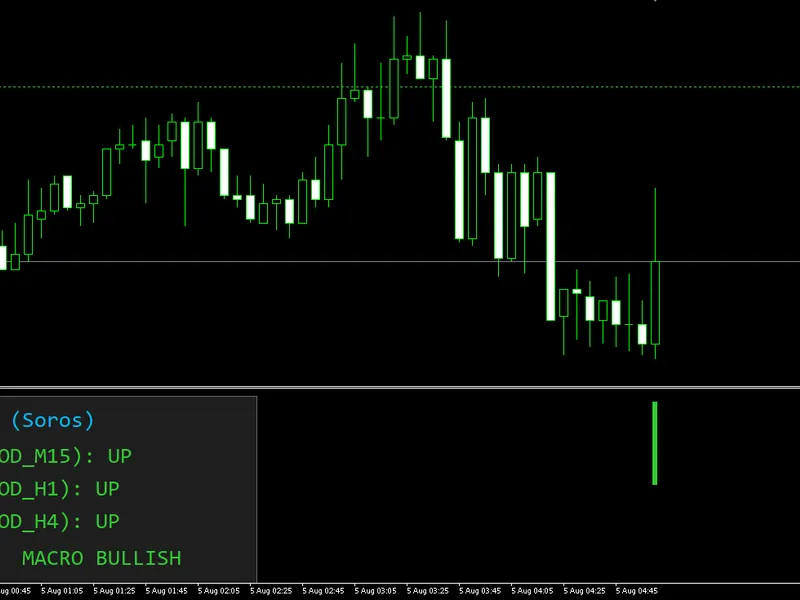
A multi-timeframe trend-agreement indicator inspired by George Soros's macro trading style. Soros ran Quantum Fund on a longer-term directional view formed by weighing evidence across multiple time horizons before committing capital. This indicator approximates that idea for a single instrument: it checks whether a fast/slow moving-average trend is pointing the same way on three different timeframes (short, medium, long — H4/D1/W1 by default) and condenses that into one score from -3 (strong bearish agreement) to +3 (strong bullish agreement), shown as a color histogram plus a live on-chart dashboard.
Features:
Three-timeframe trend agreement score
— combines the fast-vs-slow MA relationship on a short, medium, and long timeframe (fully configurable) into a single -3…+3 bias score.
Configurable MA method
— choose SMA, EMA, SMMA, or LWMA for the trend detection, applied consistently across all three timeframes.
Live gauge, not a fake history
— the histogram shows only the current, live reading; it never back-paints historical bars with today's score, so the chart can't misleadingly look uniformly bullish or bearish.
Resilient data handling
— if a higher-timeframe read momentarily fails (e.g. history for that timeframe still syncing in the terminal), the indicator keeps the last known good value instead of snapping to neutral, avoiding false flickers.
Dedicated, throttled dashboard panel
— a small on-chart panel (drawn inside the indicator's own subwindow) shows the direction per timeframe, the total score, and a plain-language bias label (MACRO BULLISH / MACRO BEARISH / NEUTRAL-MIXED). Labels are only redrawn when their text actually changes, keeping CPU usage minimal.
Resource-safe
— every indicator handle created on init is properly released on deinit; no handle leaks even after repeated attach/detach or parameter changes.
Full input validation on startup
— invalid parameter combinations are rejected with a clear message in the Experts log instead of silently misbehaving.
DPI/font-aware panel scaling
— panel size and font scale together with a single font-size input and the screen's DPI, staying readable on any monitor.
Input explanations
=== Trend Detection ===
InpFastMA
(default 50) — the period of the fast moving average used to detect trend direction on each of the three timeframes.
InpSlowMA
(default 200) — the period of the slow moving average. When the fast MA sits above the slow MA, that timeframe is scored bullish (+1); below, bearish (-1); exactly equal, flat (0).
InpMAMethod
(default MODE_EMA) — the moving-average method applied to both the fast and slow MA, on all three timeframes (options: SMA, EMA, SMMA, LWMA).
=== Macro Timeframes ===
InpTF_Short
(default PERIOD_H4) — the short-term timeframe used for one of the three trend readings.
InpTF_Medium
(default PERIOD_D1) — the medium-term timeframe for the second trend reading.
InpTF_Long
(default PERIOD_W1) — the long-term timeframe for the third trend reading. The total score is the sum of the three individual readings (+1/0/-1 each), so it ranges from -3 to +3.
=== Dashboard ===
InpShowDashboard
(default true) — shows/hides the on-chart panel that displays per-timeframe direction, the score, and the bias label.
InpPanelX
(default 10) — horizontal offset of the panel from the left edge of the indicator's subwindow, in pixels (before scaling).
InpPanelY
(default 10) — vertical offset of the panel from the top edge of the subwindow, in pixels (before scaling).
InpFontSize
(default 9, range 6-24) — text size used in the panel; panel geometry scales automatically with this value and with screen DPI.
Trading methods with this indicator
a) Full-alignment confirmation (highest conviction)
Only trade in the direction of the trend when the score is exactly +3 (all three timeframes bullish) or -3 (all bearish). This is the strictest filter — fewer signals, but each one represents genuine agreement across short, medium, and long horizons, similar to how Soros would only commit large size when the macro picture was unambiguous.
b) Majority-agreement entries
Trade with the sign of the score whenever it's non-zero (+1, +2, +3 for long bias; -1, -2, -3 for short bias), using it as a directional filter for entries taken from another system (e.g. only take long setups from your entry strategy while the score is positive). More signals than method (a), less conviction per trade.
c) Combine with the Trend Following Henry indicator
Use this indicator as a higher-level macro filter and only act on Trend Following Henry's BUY/SELL arrows when the macro score agrees with that direction (score > 0 for BUY, score < 0 for SELL). This layers a longer-horizon macro bias filter on top of a shorter-horizon mechanical trend system.
d) Score-flip exits
If already in a position, treat a flip in the score's sign (e.g. from +2 to -1) as an early warning that the macro backdrop is turning against the trade — a cue to tighten stops or scale out, even before your primary system's exit signal triggers.
e) Timeframe-weighted discretionary bias
Rather than trading the aggregate score mechanically, use the dashboard's per-timeframe breakdown (Short/Medium/Long shown individually) to build a discretionary macro view — e.g. weighting the Long-term (W1) reading more heavily for position-trading decisions, while using Short (H4) only to time entries within that established bias.
f) Multi-symbol macro scan
Attach the indicator to several charts (majors, indices, commodities you follow) and use the dashboard's score/bias label on each as a quick cross-market scan — favoring instruments where the score strongly agrees with a broader thesis you already hold, rather than relying on a single chart's reading in isolation.
You may also like: the hodrick-prescott filter: a macroeconomic tool - excellent alternative for indicator users on MetaTrader 5.
Source Code
#property copyright "RobotFX"
#property link "https://robotfx.org"
#property version   "2.10"
#property indicator_separate_window
#property indicator_buffers 2
#property indicator_plots   1
#property indicator_minimum -3.5
#property indicator_maximum  3.5
#property strict
#property indicator_label1  "Macro Bias Score"
.......
⚠ Limitations & Risk Warning
- This tool is provided for educational and testing purposes only.
- Past performance does not guarantee future results.
- Trading involves substantial risk of loss. Use on a demo account first.
- Results may vary depending on market conditions, broker, and settings.
- We recommend thorough backtesting and forward testing before using with real funds.