
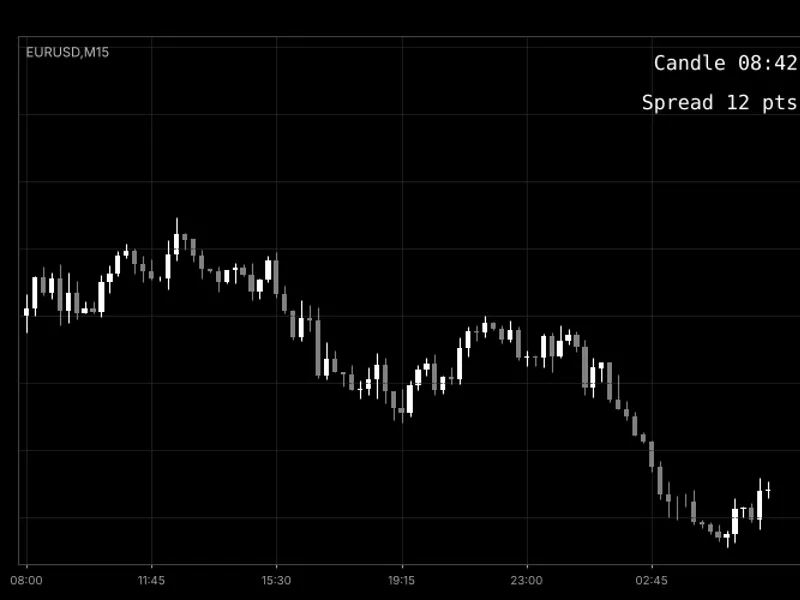
NY Open Candle Strategy: Fundamentals
Info
The NY Open Candle Strategy: Fundamentals is a Expert Advisor for MetaTrader 5 that this is a brief educational example of an opening-candle strategy. Each day, the Expert Advisor (EA) identifies the M5 candle that marks the start of the New York session (9:30 AM New York time, which is 4:30 PM on most broker servers that close at New York time).
Usage
This tool is typically used for automated trading on major forex pairs and gold.
Platform
This Expert Advisor works exclusively on MetaTrader 5 (both build 600+ and newer versions).
Setup
Place the downloaded file in MQL5/Experts folder via File ? Open Data Folder in MetaTrader 5.
How to Install and Use NY Open Candle Strategy: Fundamentals
1. Installation: Open the "File" menu, select "Open Data Folder," navigate to MQL/Experts, paste your file, and restart the terminal.
2. Activation: Drag the EA from the Navigator onto a chart, ensure "Allow live trading" is checked in the Common tab, and verify the AutoTrading button is green.
3. Optimization: Right-click your chart, choose "Expert List," click "Properties" to adjust inputs, and save your preferred setup as a set file for future use.
4. Maintenance: Regularly check the "Experts" tab in the terminal window to monitor trade logs and potential execution errors.
Frequently Asked Questions
Q: Why is my EA not opening trades? A: Check the "AutoTrading" button, ensure "Allow live trading" is enabled, and verify your broker allows automated trading on your account type.
Q: Can I run multiple EAs on one chart? A: No, each chart can only host one active EA; however, you can open multiple charts for different currency pairs to run several EAs.
Q: What does the "smiley face" icon mean? A: A smiley face in the top-right corner of the chart indicates the EA is successfully running; a frowny face means it is disabled.
What this tool does
This is a brief educational example of an opening-candle strategy.
Typical Use Case
This Expert Advisor excels in automated trading and technical analysis on MetaTrader 5.
Compatible Platform & Setup
This Expert Advisor works on MetaTrader 5. Place the file in the MQL5/Experts folder and restart the terminal.
Description & Settings
Related: Opening Range Breakout with NR4 / NR7 Contraction Filters (2026 Update) - another powerful expert for MetaTrader 5 traders.
This is a brief educational example of an opening-candle strategy.Also recommended: Grid Pro Panel: Open-Source Grid Trading EA with On-Chart Control - similar expert with strong performance on MetaTrader 5.
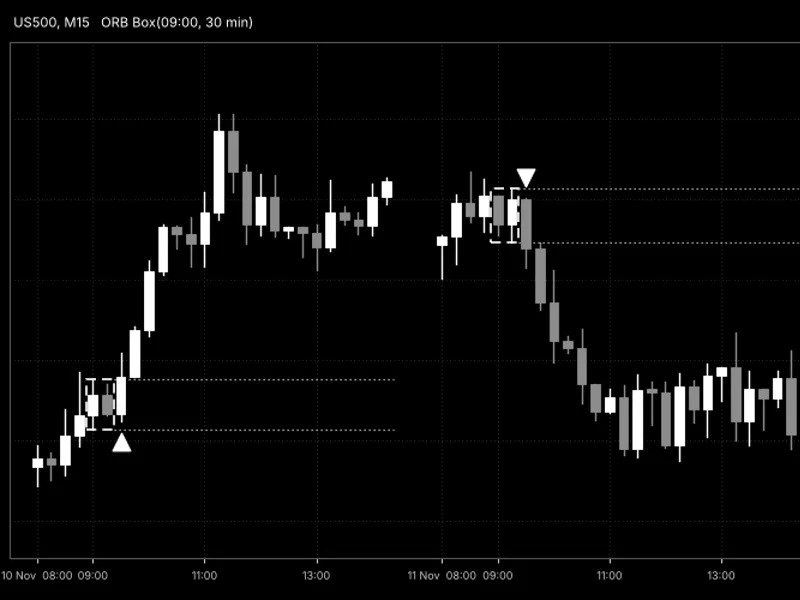
Each day, the Expert Advisor (EA) identifies the M5 candle that marks the start of the New York session (9:30 AM New York time, which is 4:30 PM on most broker servers that close at New York time).If this candle's body is larger than the combined length of its wicks, and its tick volume exceeds 1.5 times the average tick volume of the preceding 20 bars, the EA executes a single trade in the direction of the candle.
A fixed stop loss and take profit are applied, and the position is closed by a predetermined hour at the latest.
Functionality
- One trade is executed per day, with a maximum of one open position at any given time.
- A fixed stop loss and take profit are set in price units (default values are 30 for stop loss and 120 for take profit, suitable for index prices around 20,000. For other symbols, these distances are adjusted proportionally to the price).
- The lot size is calculated based on the risk capital and the stop distance, or a fixed lot size can be used. The lot size is reduced if the free margin is insufficient.
- Positions are automatically closed at a selected time.
- The strategy does not employ martingale, grid, averaging, or hedging techniques.
Inputs
- InpRiskMoney, InpUseFixedLot, InpFixedLot: Parameters for determining position size.
- InpSlPoints, InpTpPoints: Parameters for setting stop loss and take profit levels.
- InpCandleHour, InpCandleMinute: These inputs specify the broker server time for the 9:30 AM New York candle. It is recommended to verify this with your broker, as it corresponds to the M5 candle exhibiting a volume spike at the New York open.
- InpUseVolFilter, InpVolMaLen, InpVolMult: Parameters for the tick-volume filter.
- InpCloseHour: Parameter for setting the forced closure time.
Performance Insights
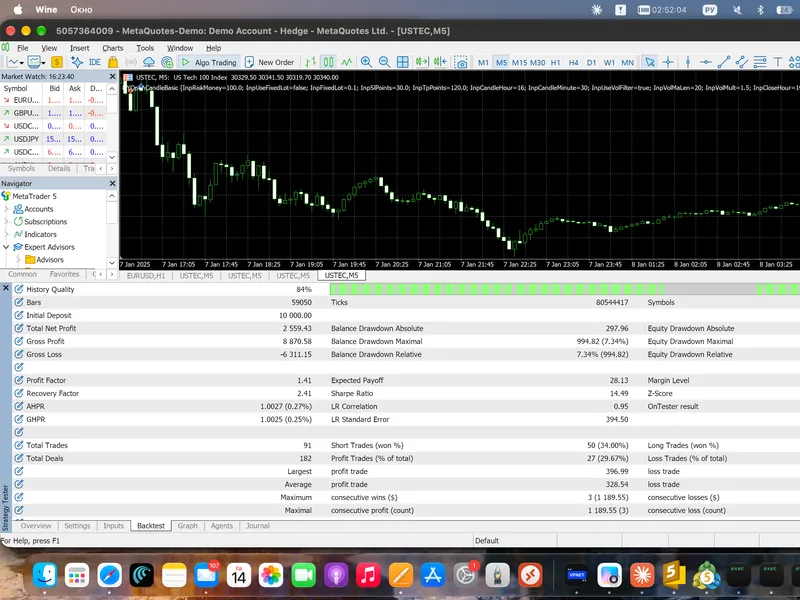
Using the MetaTrader 5 Strategy Tester with USTEC M5 data, every tick, for the period of 2026, with default settings, a starting deposit of 10,000, and a risk of 100 per trade, the results were as follows: 91 trades, net profit of +2,559, profit factor of 1.41, a winning trade percentage of 29.7%, a maximum balance drawdown of 7.3%, and the longest losing streak was 10 trades.
An independent test using M1 data from 2023–2026 also indicated a profit factor of approximately 1.4, though the performance in 2023 was near zero.
Please note that spreads, slippage, and variations in broker data can influence these results. This tool is provided as an educational example and does not constitute a trading recommendation. No profit is guaranteed.
A more advanced version, incorporating break-even and profit lock functions, monthly loss and profit limits, and optional trend and volatility filters, is available on the MQL5 Market.
You may also like: ORB Risk Managed: Opening Range Breakout with Account Protection - excellent alternative for expert users on MetaTrader 5.
Source Code
#property copyright "RobotFX"
#property version     "1.00"
#property description "This code is educational. Feel free to use, modify and upgrade as you wish. Visit ROBOTFX.ORG for professional trading tools"
#include <Trade/Trade.mqh>
input double InpRiskMoney    = 100.0;
input bool   InpUseFixedLot  = false;
input double InpFixedLot     = 0.10;
input double InpSlPoints     = 30.0;
input double InpTpPoints     = 120.0;
input int    InpCandleHour   = 16;
.......
⚠ Limitations & Risk Warning
- This tool is provided for educational and testing purposes only.
- Past performance does not guarantee future results.
- Trading involves substantial risk of loss. Use on a demo account first.
- Results may vary depending on market conditions, broker, and settings.
- We recommend thorough backtesting and forward testing before using with real funds.