


Automated Trading with Advanced Order Management and Trailing Stops
Info
The Automated Trading with Advanced Order Management and Trailing Stops is a Expert Advisor for MetaTrader 5 that this expert advisor manages buy and sell positions with trailing stop capabilities and can set pending buy stop and sell stop orders. ParametersFixed Lot- When this option is selected, the pending order lot is manually specified.
Usage
This tool is typically used for automated trading on major forex pairs and gold.
Platform
This Expert Advisor works exclusively on MetaTrader 5 (both build 600+ and newer versions).
Setup
Place the downloaded file in MQL5/Experts folder via File ? Open Data Folder in MetaTrader 5.
How to Install and Use Automated Trading with Advanced Order Management and Trailing Stops
1. Installation: Open the "File" menu, select "Open Data Folder," navigate to MQL/Experts, paste your file, and restart the terminal.
2. Activation: Drag the EA from the Navigator onto a chart, ensure "Allow live trading" is checked in the Common tab, and verify the AutoTrading button is green.
3. Optimization: Right-click your chart, choose "Expert List," click "Properties" to adjust inputs, and save your preferred setup as a set file for future use.
4. Maintenance: Regularly check the "Experts" tab in the terminal window to monitor trade logs and potential execution errors.
Frequently Asked Questions
Q: Why is my EA not opening trades? A: Check the "AutoTrading" button, ensure "Allow live trading" is enabled, and verify your broker allows automated trading on your account type.
Q: Can I run multiple EAs on one chart? A: No, each chart can only host one active EA; however, you can open multiple charts for different currency pairs to run several EAs.
Q: What does the "smiley face" icon mean? A: A smiley face in the top-right corner of the chart indicates the EA is successfully running; a frowny face means it is disabled.
What this tool does
This expert advisor manages buy and sell positions with trailing stop capabilities and can set pending buy stop and sell stop orders.
Typical Use Case
This Expert Advisor excels in automated trading and technical analysis on MetaTrader 5.
Compatible Platform & Setup
This Expert Advisor works on MetaTrader 5. Place the file in the MQL5/Experts folder and restart the terminal.
Description & Settings
Related: Tick Scalper Helper: Tick Chart and One-Click Trading Panel for MT5 - another powerful expert for MetaTrader 5 traders.
This expert advisor manages buy and sell positions with trailing stop capabilities and can set pending buy stop and sell stop orders.Also recommended: Basket Pair Closer: Efficiently Close Trading Positions - similar expert with strong performance on MetaTrader 5.
Parameters
Fixed Lot
- When this option is selected, the pending order lot is manually specified. The Money Management parameter should be set to Fixed Lot.
Max Total Lots
- Defines the maximum total volume for all positions and pending orders.
Max Total Position
- Sets the maximum count of simultaneous positions and pending orders.
Net Step
- Specifies the distance in price points for placing pending orders from the current price. This value cannot be zero.
Take Profit
- If set to "0", the take profit for any position will be disabled.
Stop Loss
- If set to "0", the stop loss for a position can be managed by one of the trailing stop methods. Note: Stop Loss cannot be zero if Money Management is not set to Fixed Lot. When Stop Loss is zero (and Money Management is Fixed Lot) and only one trailing stop method is active, the trailing stop functions as a breakeven mechanism, moving the initial stop loss to a profitable zone.
Lot Increase Rate
- This is a multiplier for the lot size of subsequent positions. Each new position's volume is calculated as the Lot Increase Rate multiplied by the previous position's volume.
Position Trailing
- Multiple methods are available for adjusting the stop loss. Trailing Stop can function independently (when Trailing Stop is not zero, and Trailing at High and Low and Trailing at Moving Average are false) or as a parameter within another trailing method (Trailing at High and Low or Trailing at Moving Average). Therefore, Trailing Stop cannot be set to zero. Selecting two or more trailing types simultaneously will trigger a warning message, and the EA will unload from the chart.
Trailing at High and Low Prices
- At each iteration, the EA checks if the position is profitable. For a buy position, it checks if setting the stop loss at the bar #1 low is possible; if profitable, the stop loss is set at bar #1 low. For a sell position, it checks if setting the stop loss at the bar #1 high is possible; if profitable, the stop loss is set at bar #1 high.
Trailing at Moving Average
- At each iteration, the EA checks if the position is profitable. Once the profit distance from the Moving Average value at bar #0 equals or exceeds Trailing Stop + Trailing Step (where Trailing Step is automatically calculated as half of Trailing Stop), a command is issued to adjust the stop loss to the Moving Average value at bar #0.
Trailing Stop
- This is a classic trailing stop mechanism. At each iteration, the EA checks if the position is profitable. Once the profit in points equals or exceeds Trailing Stop + Trailing Step (where Trailing Step is automatically calculated as half of Trailing Stop), a command is generated to move the stop loss to a distance of Trailing Stop from the current price. If the price moves to increase the position's profit, the stop loss automatically follows. Otherwise, the position remains unmodified, effectively locking in the profit.
Money Management
- The volume of a position or pending order can be determined in three ways:
Fixed Lot
- A manually set value (defined in the Fixed Lot parameter).
Fixed Margin
- Calculated based on risk percentage (Risk in % for a Deal) relative to the free margin.
Fixed Risk
- Calculated based on the risk percentage (Risk in % for a Deal) per deal.
Risk in % for a Deal
- The percentage of risk per deal, applicable only for Fixed Margin and Fixed Risk.
Min Free Margin
- The minimum required free margin. If free margin falls below this amount, the EA will cease placing new pending orders and stop managing existing positions.
Moving Average
- Parameters for the Moving Average indicator used in the Trailing at Moving Average method.
Hour Start, Hour End
- Defines the EA's active trading hours. The EA operates only between Hour Start and Hour End when no positions or pending orders are open.
Period in Bars
- The number of past bars used to calculate the range for placing initial pending orders when no positions are open. The EA considers the high-low range over this specified number of bars. Two trading types are available for this range: Type of Trade set to "1" or "2", which are functionally identical.
Type of Trade
- This parameter applies only when there are no open positions or pending orders. Two options are available:
Trade from edges of range
- Initiates trades from the calculated range boundaries.
Trade from the centre of range
- Initiates trades from the center of the range, calculated as (high + low) / 2.0 plus or minus 1 point (for four-digit quotes).
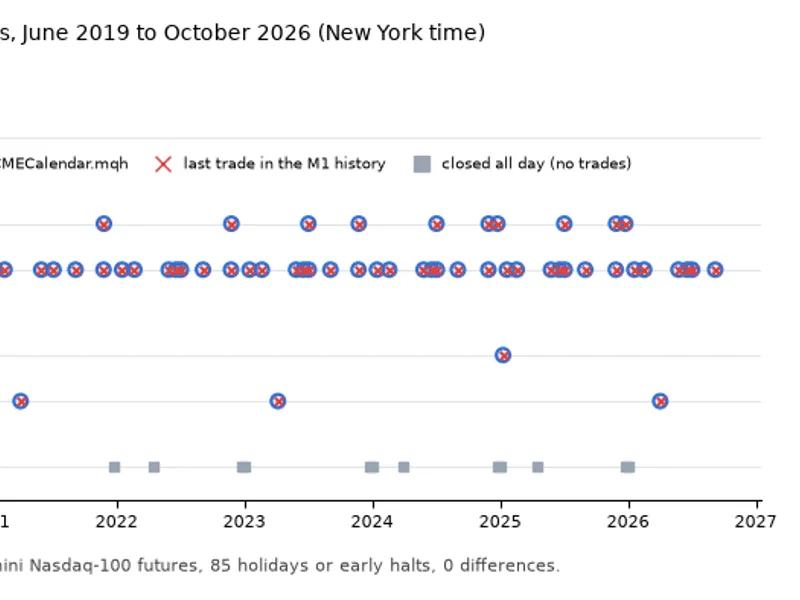
You may also like: CME Equity Index Futures Holiday Calendar and Trading Halt Automation - excellent alternative for expert users on MetaTrader 5.
Source Code
/.......
⚠ Limitations & Risk Warning
- This tool is provided for educational and testing purposes only.
- Past performance does not guarantee future results.
- Trading involves substantial risk of loss. Use on a demo account first.
- Results may vary depending on market conditions, broker, and settings.
- We recommend thorough backtesting and forward testing before using with real funds.