
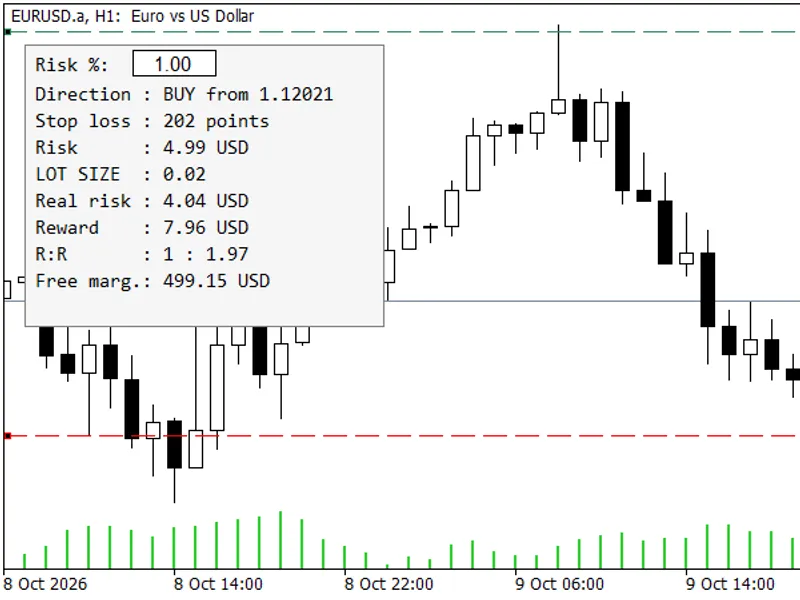
Stop Loss and Take Profit Scripts for MT4/MT5
Info
The Stop Loss and Take Profit Scripts for MT4/MT5 is a Script for MetaTrader 4 that a collection of predefined scripts designed to save you time by providing immediate access to required settings without manual input. Script List:- SL (SL-20, SL-100, SL-500, SL-3000, etc.
Usage
This tool is typically used for enhancing chart analysis and decision making.
Platform
This Script works exclusively on MetaTrader 4 (both build 600+ and newer versions).
Setup
Place the downloaded file in MQL4/Scripts folder via File ? Open Data Folder in MetaTrader 4.
How to Install and Use Stop Loss and Take Profit Scripts for MT4/MT5
1. Installation: Move your script file into the MQL/Scripts directory and restart the platform.
2. Execution: Drag the script onto a chart; it will perform a one-time action, such as closing all open orders or clearing chart objects.
3. Editing: Use MetaEditor (F4) to modify code, click "Compile," and verify no errors appear in the terminal before running.
4. Removing: Scripts stop automatically, but you can remove them manually by right-clicking the chart and choosing "Remove Script."
Frequently Asked Questions
Q: How are scripts different from EAs? A: Scripts execute a single action and then stop; EAs monitor the market and trade continuously.
Q: Can I assign a hotkey to a script? A: Yes, right-click the script in the Navigator, select "Set Hotkey," and define your preferred keyboard shortcut.
Q: Why did my script stop? A: Scripts are designed to stop immediately after finishing their programmed command; this is normal behavior.
What this tool does
A collection of predefined scripts designed to save you time by providing immediate access to required settings without manual input.
Typical Use Case
This Script excels in automated trading and technical analysis on MetaTrader 4.
Compatible Platform & Setup
This Script works on MetaTrader 4. Place the file in the MQL4/Scripts folder and restart the terminal.
Description & Settings
Related: e-move slt pby mouse: intuitive stop loss and take profit management - another powerful script for MetaTrader 4 traders.
A collection of predefined scripts designed to save you time by providing immediate access to required settings without manual input.Also recommended: close loss positions by deposit currency amount - similar script with strong performance on MetaTrader 4.
Script List:
- SL (SL-20, SL-100, SL-500, SL-3000, etc.)
- SL Modify
- SL Delete
- SL Break Even
- TP (TP-20, TP-100, TP-500, TP-3000, etc.)
- TP Modify
- TP Delete
- Market Buy
- Market Sell
- Buy Limit
- Buy Stop
- Sell Limit
- Sell Stop
- Close All Open and Pending Orders
- Close All Open Orders
- Close All Pending Orders
- Close First This Symbol
- Close Open This Symbol
Installation:
Unzip the files and place them in your MetaTrader Experts/Scripts folder.
Testing Instructions:
1. Drag an SL script onto your chart.
2. Dragging another SL script onto the chart will adjust the stop loss to the new value. The same applies to Take Profit scripts.
Customization:
You can create your own scripts by modifying the downloaded ones. This process is straightforward once you understand the steps.
Why Customize?
Avoid repeatedly setting default parameters for scripts, indicators, or EAs. Permanently change default settings or create copies with specific defaults.
Steps for Customization:
1. Ensure downloaded scripts are in the Experts/Scripts folder.
2. Test a script to confirm it works correctly with your MT4/MT5 terminal.
3. Press Ctrl+N to open the Navigator pane.
4. Close any unnecessary panes by clicking the 'x' in the top-right corner.
5. Locate the tested script under the Scripts folder.
6. Right-click on the script and select 'Modify' to open its source code in MetaEditor.
7. If multiple code windows are open, close all but the one for the script you are editing to minimize errors.
8. Identify and note the numerical values you need to change (usually highlighted in red and blue in the source code).
9. IMPORTANT: Before editing, save the script under a new name to preserve the original. Use 'File' -> 'Save As'.
10. Rename the file to reflect the new numerical value (e.g., change '0-a-sl-500.mq4' to '0-a-sl-0800.mq4'). Use a consistent naming convention (e.g., four digits with leading zeros and prefixes like 'a' for SL, 'b' for TP) to ensure proper sorting.
11. Click 'Save'.
12. Edit only the designated numerical values in the source code, ensuring you include the semicolon (;) where required.
13. The 'extern' keyword indicates inputs that can be modified. 'int' defines integer values (whole numbers), and 'double' defines real numbers (including decimals).
14. Text following '//' are comments and are ignored by the program.
15. Click the 'Compile' button. Errors will be shown in the MetaEditor's toolbox at the bottom left. If errors occur, undo changes (Ctrl+Z) and try again. The code must compile without errors or warnings for the script to function.
16. After successful compilation, the new script will be available in the Scripts folder.
Testing Custom Scripts:
1. Open a trade in your MT4/MT5 demo account.
2. Attach the original script (e.g., '0-a-sl-500.mq4') to the chart. Verify the stop loss line appears at the correct distance from the entry price.
3. Attach your newly created script (e.g., '0-a-sl-0800.mq4') to the chart. Confirm the stop loss line adjusts to the new value.
4. To remove the stop loss, attach the 'SL-Delete' script to the chart.
Conclusion:
Apply the same modification procedure to other scripts as needed.
Example Code Snippet Comparison:
Before: 0-2 buy limit.mq4
// default inputs: start
extern double buy_lots = 0.01; // one micro-lot
extern double buy_limit_price = 0.0;
extern int slippage = 3;
extern int stoploss = 0;
extern int takeprofit = 0;
// default inputs: end
After: 0-2 buy limit 0200-0600.mq4
// default inputs: start
extern double buy_lots = 0.10; // one mini-lot
extern double buy_limit_price = 0.0;
extern int slippage = 4;
extern int stoploss = 200; // 200 points (20 pips)
extern int takeprofit = 600; // 600 points (60 pips)
// default inputs: end
After: 0-2 buy limit 0300-2000.mq4
// default inputs: start
extern double buy_lots = 10.00; // ten lots
extern double buy_limit_price = 0.0;
extern int slippage = 5;
extern int stoploss = 300;
extern int takeprofit = 2000;
// default inputs: end
You may also like: close all positions by total profit or loss - excellent alternative for script users on MetaTrader 4.
⚠ Limitations & Risk Warning
- This tool is provided for educational and testing purposes only.
- Past performance does not guarantee future results.
- Trading involves substantial risk of loss. Use on a demo account first.
- Results may vary depending on market conditions, broker, and settings.
- We recommend thorough backtesting and forward testing before using with real funds.