
all tf
Info
The all tf is a Script for MetaTrader 4 that Описание:Индикатор для одновременного отслеживания ценовых движений на нескольких символах и таймфреймах. Полезно для выявления свечных фигур разворота или сравнения ценовых движений на разных символах.
Usage
This tool is typically used for enhancing chart analysis and decision making.
Platform
This Script works exclusively on MetaTrader 4 (both build 600+ and newer versions).
Setup
Place the downloaded file in MQL4/Scripts folder via File ? Open Data Folder in MetaTrader 4.
How to Install and Use all tf
1. Installation: Move your script file into the MQL/Scripts directory and restart the platform.
2. Execution: Drag the script onto a chart; it will perform a one-time action, such as closing all open orders or clearing chart objects.
3. Editing: Use MetaEditor (F4) to modify code, click "Compile," and verify no errors appear in the terminal before running.
4. Removing: Scripts stop automatically, but you can remove them manually by right-clicking the chart and choosing "Remove Script."
Frequently Asked Questions
Q: How are scripts different from EAs? A: Scripts execute a single action and then stop; EAs monitor the market and trade continuously.
Q: Can I assign a hotkey to a script? A: Yes, right-click the script in the Navigator, select "Set Hotkey," and define your preferred keyboard shortcut.
Q: Why did my script stop? A: Scripts are designed to stop immediately after finishing their programmed command; this is normal behavior.
What this tool does
Описание:Индикатор для одновременного отслеживания ценовых движений на нескольких символах и таймфреймах.
Typical Use Case
This Script excels in automated trading and technical analysis on MetaTrader 4.
Compatible Platform & Setup
This Script works on MetaTrader 4. Place the file in the MQL4/Scripts folder and restart the terminal.
Description & Settings
Related: Watchlist Chart Opener MT4 - another powerful script for MetaTrader 4 traders.
Описание:Индикатор для одновременного отслеживания ценовых движений на нескольких символах и таймфреймах.
Also recommended: Closed Trades Exporter: MAE & MFE Analysis for MT4 - similar script with strong performance on MetaTrader 4.
Полезно для выявления свечных фигур разворота или сравнения ценовых движений на разных символах.
Внешние параметры:
sym = eurusd - символ графика;
nom_bar = 15 - количество баров в ячейке;
color_up = red - цвет бара вверх;
color_dw = black - цвет бара вниз;
color_0 = royalblue - цвет звезды;
color_txt = green - цвет tf;
color_activ = red - цвет активного tf;
color_line = gray - цвет разделительной линии.
-------------------------------------------------------------------
Вторая версия включает переменную:
int order_tf = 23456789
Позволяет выводить на экран выборочные таймфреймы.
Цифры представляют номера таймфреймов: 1 - М1, 2 - М5, 3 - М15, 4 - m30, 5 - h1, 6 - h4, 7 - d1, 8 - w1, 9 - mn1
Например, для 23456789 будут выведены все таймфреймы, кроме М1.
Порядок цифр может быть любым (например, 534 выведет графики Н1, М15, М30).
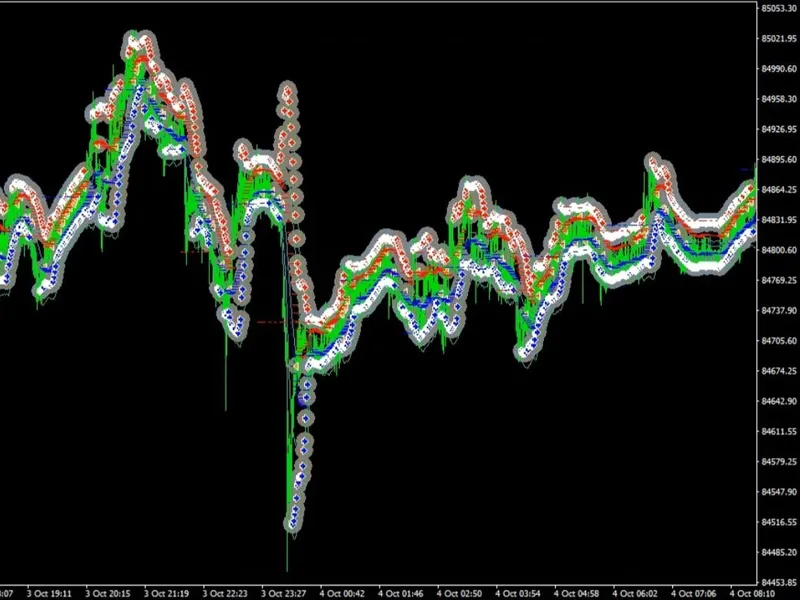
Картинка:
=======================================================
В третьей версии добавлены объемы и две внешние переменные:
color_volum_up = green;
color_volum_dw = red;
Объемы могут указывать на вероятные точки разворота при увеличении или появлении супер-объема во время "Звезды" или "Перекрытия".
========================================================
В четвертой версии по запросам пользователей добавлена возможность вывода ma.
Внешние переменные:
ind_ma = true; - выводить МА
color_ma = blue; - цвет МА
width_ma = 1; - толщина линии МА
period = 40; - период МА
ma_shift = 0; - сдвиг МА
ma_method = 0; //0...3 - метод МА
applied_price = 0; //0...6 - ценовая константа МА
You may also like: notches indicator - excellent alternative for script users on MetaTrader 4.
Source Code
#property copyright "robotfx"
#property link "https://robotfx.org"
#define        gran_up         1.3
#define        gran_dw        -0.4
#property indicator_separate_window
#property indicator_minimum gran_dw
#property indicator_maximum gran_up
extern string  sym               = "eurusd";
extern int     nom_bar           = 25;
extern int     order_tf          = 234567;
.......
⚠ Limitations & Risk Warning
- This tool is provided for educational and testing purposes only.
- Past performance does not guarantee future results.
- Trading involves substantial risk of loss. Use on a demo account first.
- Results may vary depending on market conditions, broker, and settings.
- We recommend thorough backtesting and forward testing before using with real funds.