

Change Point: Bayesian online change point detection
Info
The Change Point: Bayesian online change point detection is a Expert Advisor for MetaTrader 5 that changepoint. mqh detects changes in the mean or the volatility of a series as they happen, with the Bayesian online change point detection of Adams and MacKay (2007).
Usage
This tool is typically used for automated trading on major forex pairs and gold.
Platform
This Expert Advisor works exclusively on MetaTrader 5 (both build 600+ and newer versions).
Setup
Place the downloaded file in MQL5/Experts folder via File ? Open Data Folder in MetaTrader 5.
How to Install and Use Change Point: Bayesian online change point detection
1. Installation: Open the "File" menu, select "Open Data Folder," navigate to MQL/Experts, paste your file, and restart the terminal.
2. Activation: Drag the EA from the Navigator onto a chart, ensure "Allow live trading" is checked in the Common tab, and verify the AutoTrading button is green.
3. Optimization: Right-click your chart, choose "Expert List," click "Properties" to adjust inputs, and save your preferred setup as a set file for future use.
4. Maintenance: Regularly check the "Experts" tab in the terminal window to monitor trade logs and potential execution errors.
Frequently Asked Questions
Q: Why is my EA not opening trades? A: Check the "AutoTrading" button, ensure "Allow live trading" is enabled, and verify your broker allows automated trading on your account type.
Q: Can I run multiple EAs on one chart? A: No, each chart can only host one active EA; however, you can open multiple charts for different currency pairs to run several EAs.
Q: What does the "smiley face" icon mean? A: A smiley face in the top-right corner of the chart indicates the EA is successfully running; a frowny face means it is disabled.
What this tool does
ChangePoint.
Typical Use Case
This Expert Advisor excels in automated trading and technical analysis on MetaTrader 5.
Compatible Platform & Setup
This Expert Advisor works on MetaTrader 5. Place the file in the MQL5/Experts folder and restart the terminal.
Description & Settings
Related: Positions Change Informer - another powerful expert for MetaTrader 5 traders.
ChangePoint.mqh detects changes in the mean or the volatility of a series as they happen, with the Bayesian online change point detection of Adams and MacKay (2007). The series is seen as segments, each with its own mean and variance, and a new segment can start at any bar. After each value the class gives the probability of every run length (the bars since the last change), so the probability that a change happened in the last k bars, the most likely start of the current segment, and the forecast of the next value. It works bar by bar (Update), so an Expert Advisor or an indicator can call it on each new bar. No DLL.
Also recommended: EXP Exchange Price - similar expert with strong performance on MetaTrader 5.
Usage
#include <ChangePoint\ChangePoint.mqh> CChangePoint cp; cp.Prior(0.0, 0.1, 2.0, 1.0); // segment mean around 0, variance around 1 (beta / (alpha - 1)) cp.Hazard(250.0, 1e-12); // a change every 250 bars on average; drop run lengths below 1e-12 // at each new closed bar: double ret = 0.0; // for example 100 * log(close[1] / close[2]) cp.Update(ret); double p = cp.ChangeWithin(10); // probability that the current segment is younger than 10 bars int run = cp.MostLikelyRun(); // bars since the most likely last change double next = cp.PredictiveStd(); // standard deviation of the next value
How it works
Each segment has a normal-inverse-gamma prior on its mean and variance, so the forecast of a value given a run length is a Student t, and the posterior of each run length is updated in closed form.
At each bar every run length grows by one, with probability 1 - 1/lambda, or a new segment starts; the run length probabilities are normalized by the forecast density of the value.
The exact recursion keeps every run length (the work grows with the bars); Hazard(lambda, prune) drops the run lengths whose probability falls below prune: with 1e-12 the results move by less than 1e-6 and the work stays small.
Also: ExpectedRun(), RunLength(r), PredictiveMean(), LogLikelihood() of the data (to compare priors or lambdas), and SegmentLogLikelihood() of any segment.
Examples
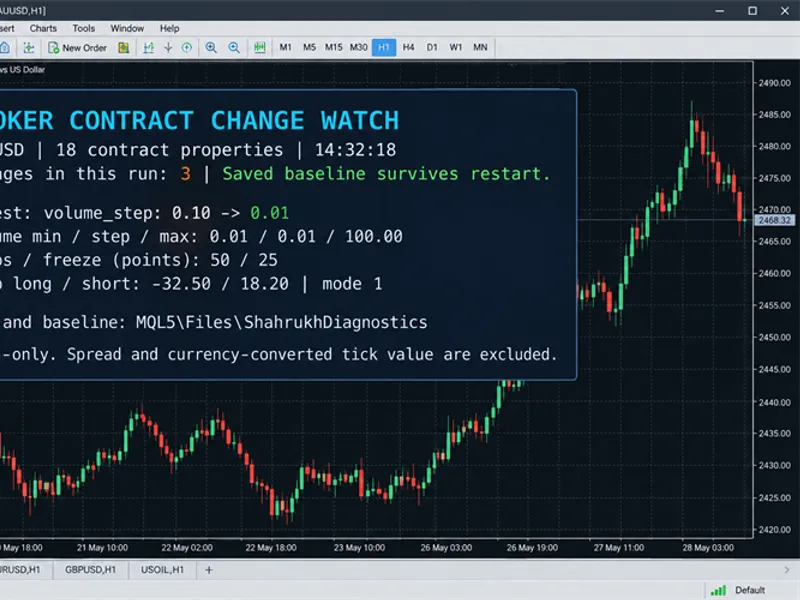
The indicator ChangePointProbability.mq5 draws, in a separate window, the probability of a change within the last k bars, computed once per closed bar from the returns up to that bar. The script ChangePointExample.mq5 runs the detector on the returns of a symbol and lists the changes it found (a change is reported once the new segment has lasted a few bars), with the volatility before and after, and the state now (picture 1). On gold D1 it finds the jump of volatility of April 2025 and the swings of early 2026 (picture 2).
Checked
on a series of 9 values, after each value, the whole run length distribution and the likelihood against the enumeration of every segmentation (up to 512) with the closed-form likelihood of each segment: within 9e-16;
on a simulated series of 3 segments (600 values) and on 2 454 daily returns of BTCUSDT, against an independent Python version computed in logarithms: the same most likely run length at every bar, every other output within 3e-13. On the simulated series the changes at 200 and 350 were found at 205 and 351;
2 454 values take 0.2 s exact, 0.09 s with pruning at 1e-12.
Files
ChangePoint.mqh goes to MQL5\Include\ChangePoint, ChangePointExample.mq5 to MQL5\Scripts\ChangePoint, ChangePointProbability.mq5 to MQL5\Indicators\ChangePoint.
You may also like: Expert Advisor for Moving Average Color Change - excellent alternative for expert users on MetaTrader 5.
Source Code
#property copyright "RobotFX"
#property version     "1.00"
#property script_show_inputs
#include <ChangePoint\ChangePoint.mqh>
input string          InpSymbol = "";
input ENUM_TIMEFRAMES InpPeriod = PERIOD_D1;
input int             InpBars   = 1500;
input double          InpLambda = 250;
input int             InpConfirm = 10;
input string          InpCsv    = "";
.......
⚠ Limitations & Risk Warning
- This tool is provided for educational and testing purposes only.
- Past performance does not guarantee future results.
- Trading involves substantial risk of loss. Use on a demo account first.
- Results may vary depending on market conditions, broker, and settings.
- We recommend thorough backtesting and forward testing before using with real funds.