





VR Steals 3: Enhanced Order Management for MT4
Info
The VR Steals 3: Enhanced Order Management for MT4 is a Expert Advisor for MetaTrader 4 that advisor invisible. This advisor ensures your broker cannot see your stop loss, take profit, breakeven, trailing stop, order close, or order delete actions.
Usage
This tool is typically used for automated trading on major forex pairs and gold.
Platform
This Expert Advisor works exclusively on MetaTrader 4 (both build 600+ and newer versions).
Setup
Place the downloaded file in MQL4/Experts folder via File ? Open Data Folder in MetaTrader 4.
How to Install and Use VR Steals 3: Enhanced Order Management for MT4
1. Installation: Open the "File" menu, select "Open Data Folder," navigate to MQL/Experts, paste your file, and restart the terminal.
2. Activation: Drag the EA from the Navigator onto a chart, ensure "Allow live trading" is checked in the Common tab, and verify the AutoTrading button is green.
3. Optimization: Right-click your chart, choose "Expert List," click "Properties" to adjust inputs, and save your preferred setup as a set file for future use.
4. Maintenance: Regularly check the "Experts" tab in the terminal window to monitor trade logs and potential execution errors.
Frequently Asked Questions
Q: Why is my EA not opening trades? A: Check the "AutoTrading" button, ensure "Allow live trading" is enabled, and verify your broker allows automated trading on your account type.
Q: Can I run multiple EAs on one chart? A: No, each chart can only host one active EA; however, you can open multiple charts for different currency pairs to run several EAs.
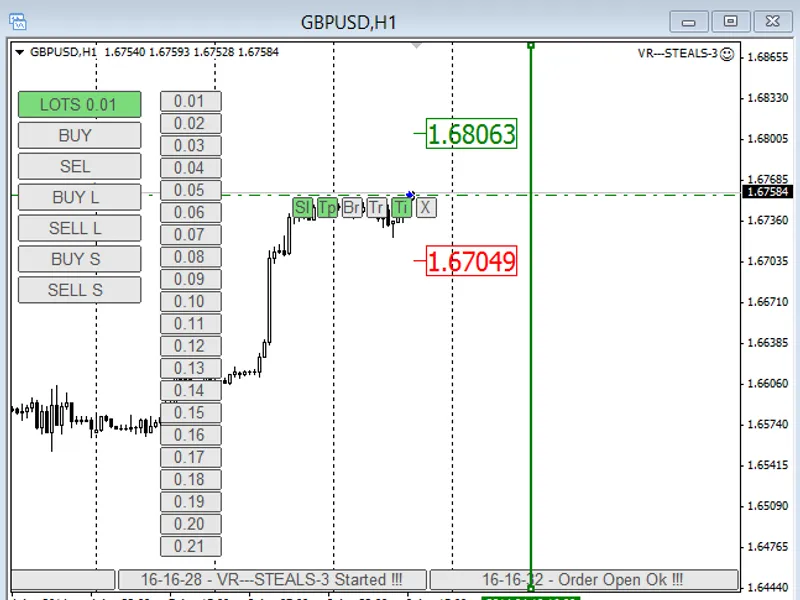
Q: What does the "smiley face" icon mean? A: A smiley face in the top-right corner of the chart indicates the EA is successfully running; a frowny face means it is disabled.
What this tool does
Advisor Invisible.
Typical Use Case
This Expert Advisor excels in automated trading and technical analysis on MetaTrader 4.
Compatible Platform & Setup
This Expert Advisor works on MetaTrader 4. Place the file in the MQL4/Experts folder and restart the terminal.
Description & Settings
Related: e-trailing2: enhanced trailing stop expert advisor - another powerful expert for MetaTrader 4 traders.
Advisor Invisible. This advisor ensures your broker cannot see your stop loss, take profit, breakeven, trailing stop, order close, or order delete actions.Also recommended: Personal Assistant EA: Enhanced Trading Automation - similar expert with strong performance on MetaTrader 4.
While it may seem unusual to conceal trading data from a broker, previous versions, VR Steals 2 and VR Steals, have demonstrated the effectiveness and demand for this functionality.
The prior two versions achieved over 20,000 downloads, confirming the popularity of this Expert Advisor.
System Requirements: MT4 build 610 or higher.
Advisor Features:
- Virtual Take Profit
- Virtual Stop Loss
- Virtual Breakeven
- Virtual Trailing Stop
- Time-based order management (deferred and market orders)
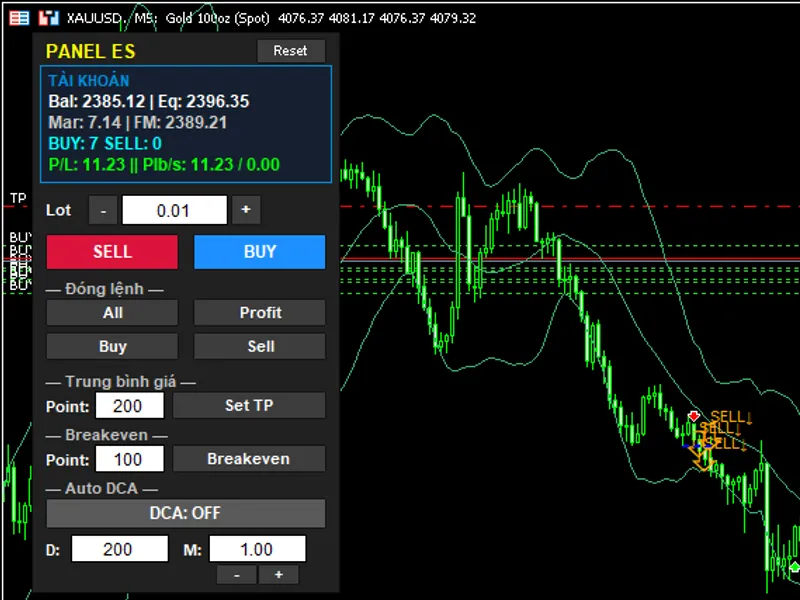
- Manage orders directly from the chart
- One-click order execution
- Trading emulation option
Expert Inputs:
startlot = 0.01; Initial lot size for trades.
takeprofit = 500; Initial virtual take profit in points.
stoploss = 500; Initial virtual stop loss in points.
tralingstop = 300; Initial virtual trailing stop in points.
breakeven = 300; Initial virtual breakeven in points.
prefix = "vr"; Prefix added to graphical object names.
magic = 0; Unique order number for the advisor.
slip = 30; Maximum slippage allowed in points.
milsec = 100; Cycle delay in milliseconds. Recommended: 500+ for weaker PCs, 50+ for high-end PCs.
Example of EA usage can be found separately.
You may also like: 204060 Program - excellent alternative for expert users on MetaTrader 4.
Source Code
/.......
⚠ Limitations & Risk Warning
- This tool is provided for educational and testing purposes only.
- Past performance does not guarantee future results.
- Trading involves substantial risk of loss. Use on a demo account first.
- Results may vary depending on market conditions, broker, and settings.
- We recommend thorough backtesting and forward testing before using with real funds.