


Visual Order Processing
Info
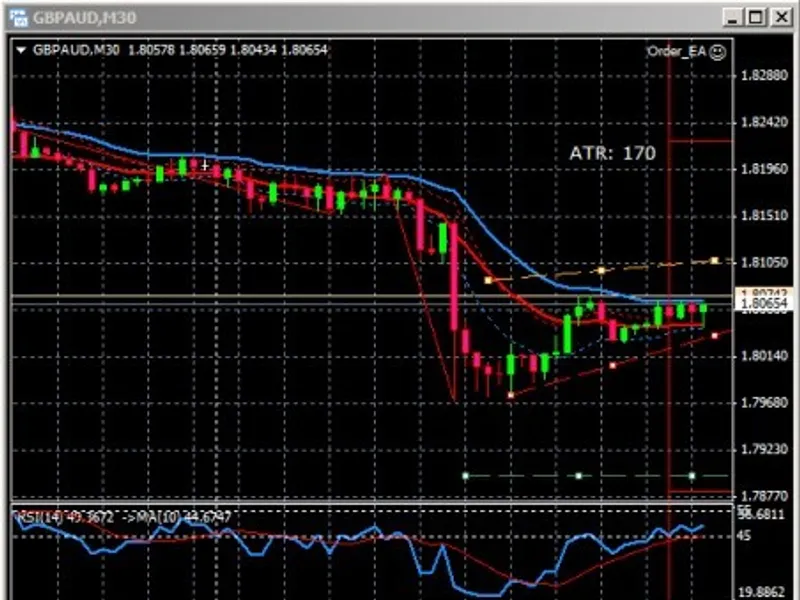
The Visual Order Processing is a Expert Advisor for MetaTrader 4 that order_ea is a visual, drag & drop script-based program for order processing. Take profit and stop loss trend lines are controlled by the local computer, enabling features like 'one cancels other' and automatic closing of the oldest trade without closing all open trades.
Usage
This tool is typically used for automated trading on major forex pairs and gold.
Platform
This Expert Advisor works exclusively on MetaTrader 4 (both build 600+ and newer versions).
Setup
Place the downloaded file in MQL4/Experts folder via File ? Open Data Folder in MetaTrader 4.
How to Install and Use Visual Order Processing
1. Installation: Open the "File" menu, select "Open Data Folder," navigate to MQL/Experts, paste your file, and restart the terminal.
2. Activation: Drag the EA from the Navigator onto a chart, ensure "Allow live trading" is checked in the Common tab, and verify the AutoTrading button is green.
3. Optimization: Right-click your chart, choose "Expert List," click "Properties" to adjust inputs, and save your preferred setup as a set file for future use.
4. Maintenance: Regularly check the "Experts" tab in the terminal window to monitor trade logs and potential execution errors.
Frequently Asked Questions
Q: Why is my EA not opening trades? A: Check the "AutoTrading" button, ensure "Allow live trading" is enabled, and verify your broker allows automated trading on your account type.
Q: Can I run multiple EAs on one chart? A: No, each chart can only host one active EA; however, you can open multiple charts for different currency pairs to run several EAs.
Q: What does the "smiley face" icon mean? A: A smiley face in the top-right corner of the chart indicates the EA is successfully running; a frowny face means it is disabled.
What this tool does
order_ea is a visual, drag & drop script-based program for order processing.
Typical Use Case
This Expert Advisor excels in automated trading and technical analysis on MetaTrader 4.
Compatible Platform & Setup
This Expert Advisor works on MetaTrader 4. Place the file in the MQL4/Experts folder and restart the terminal.
Description & Settings
Related: E-Close by Time: Automated Position and Order Management - another powerful expert for MetaTrader 4 traders.
order_ea is a visual, drag & drop script-based program for order processing.Also recommended: exaccount: visualize order activity on chart - similar expert with strong performance on MetaTrader 4.
Take profit and stop loss trend lines are controlled by the local computer, enabling features like 'one cancels other' and automatic closing of the oldest trade without closing all open trades.
Traditional MT4 Orders
Order Placement
MT4 supports instant execution or pending orders. Stop loss and take profit can be set with either order type and adjusted graphically during the order's life. For pending orders, the broker's computer monitors the order price and executes when hit.
Stop Loss
Stop loss can be set as a fixed stop or a trailing stop. A trailing stop often generates less income, and a fixed stop requires constant monitoring to follow market movements. A moving average or indicator can be manually followed to keep the order active, and mathematical points along the trend line can mark optimal fixed stop loss positions.
Take Profit
Setting a take profit is challenging without constant monitoring. Trailing stops aim to prevent runaway losses, but pull-backs can lead to early trade closures. There is no easy solution without constant price action monitoring.
Advantages
The broker's computer ensures constant availability with minimal delay and precise price execution.
Disadvantages
The broker's computer can see pending orders, stop loss, and take profit values, potentially causing issues like hitting stop loss when the actual price is distant. While rare, this has been a concern for traders.
The broker's system requires constant monitoring to account for market conditions, pull-backs, flags, and fundamental announcements. Foreknown events cannot be programmed and must be manually entered.
Software Controlled Orders
Fully automatic trading systems for home computers rarely match human brain performance. They often enter at the wrong time, provide small profits with large stop losses, and rely on moving average crossovers, which can be late in identifying entry and exit points.
This document describes a system for placing and maintaining orders based on human reasoning and mathematical points derived from current price action. While some indicators can count waves or display trends, software implementations often fail to generate accurate waves or draw correct trend lines.
The human brain, guided by experience, training, rules, and proper charting software, can identify entry points, waypoints, and targets for successful pip & profit generation. These strategies, taught by Scott Barkley, require proper training in trade planning, including entry points, targets, and stop loss movement.
Order Processing Software
This package consists of an expert advisor (EA) and scripts:
Expert Advisor: order_ea
This EA monitors trades and is driven by lines placed on the chart by the scripts. It can run in the background for each traded currency pair, and parameters can be customized per pair. The EA responds when the current price touches a line, but this process is slower than broker-tracked order entry, stop loss, or take profit, and may result in slippage. The computer must be running with active charts for the EA to function.
The EA enhances trading by allowing trigger lines to slope (follow a trend) and enabling 'one cancels other' scenarios. For instance, placing an order above and below the current price creates a situation where the first line hit cancels all orders, take profit, and stop loss lines in the opposite direction.
Stop Loss Processing for EA
The stop loss line remains manually placed unless waypoints or order_fill_21 lines are set. When the current price reaches a waypoint, the stop loss line moves to the previous waypoint or order entry minus 4 pips. When the current price passes a waypoint by 4 pips, a new order is entered with an additional stop loss. For order_fill_21 lines, the first stop loss is advanced by 21 pips, and a new order with a stop loss is entered. Stop loss lines trail at 4-pip intervals behind the lead stop loss. Without waypoints or order fill lines, the stop loss is not moved automatically, but a fixed stop loss can follow a moving average or trend line, creating a 'trailing stop'.
The first stop loss encountered by the pair's price action closes the oldest order entry, and this continues until the last stop loss is hit, closing all remaining orders. If there is only one stop loss line, all orders are closed when hit. The MT4 stop loss line is horizontal and closes all open trades when hit.
Take Profit Processing for EA
The take profit line is not a hard stop like in MT4. With enablets set to 'true' (default), the EA lets profit run until a 4-pip pull-back, then closes the oldest order first, followed by subsequent orders respecting their take profit and/or stop loss lines. Orders are closed in the order entered, not necessarily simultaneously. The last take profit line hit closes all remaining orders. When the current price is 10 pips from the take profit line, it is converted to a trailing stop line, advancing to within 20 pips of the current price. The trailing stop line advances 2 pips for every pip price action advances, until within 4 pips of the current price. It remains within 4 pips even as the price advances beyond the old take profit line. There is only one trailing stop line, and all remaining stop loss and take profit lines remain active until the current trailing stop line is hit by price action. Then, the next take profit line can create a new trailing stop. When the last take profit line is processed, all orders are closed.
Scripts
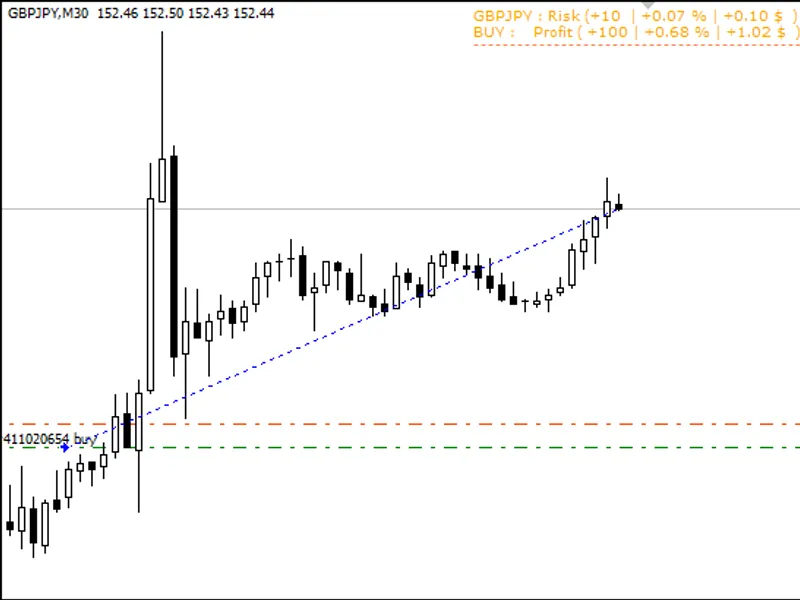
Each script is dragged from the navigator pane to the chart window and dropped at the desired location. A drop above the current price indicates a 'buy', and below indicates a 'sell'. Buys are based on the ask price, and sells on the bid price.
order_immediate
Drop above or below the current price to create a buy or sell order at the current market price. A 60-pip take profit line and a 60-pip stop loss line are also created. These lines can be moved to reflect market conditions and are 'trend lines', not horizontal. Grabbing an endpoint allows creating a diagonal single-line trend line. Deleting the stop loss or take profit line may prevent proper action. Deleting the order entry line without deleting both stop loss and take profit lines may cause issues. The order_fill_21 script requires the take profit line. If the stop loss line is deleted, the trade risks a huge loss as no trailing stop is created. If the immediate order is rejected, check the 'journal' tab in the terminal window for the reason.
order_pending
Drop above or below the current price to create a buy or sell pending order at the script drop price. A 60-pip take profit line and a 60-pip stop loss line are also created and can be moved. These are 'trend lines' that can be adjusted diagonally. When the order entry line is hit, an order is created. Deleting the stop loss or take profit line prevents associated actions. Deleting the order entry line without deleting both stop loss and take profit lines leaves unnecessary lines on the chart. The order_fill_21 script requires both order entry and take profit lines. If all stop loss lines are deleted, the trade risks a huge loss.
order_waypoint
order_waypoints are dropped between the current order entry line and the take profit line. (Not implemented as of 2026)
order_close_old
This script can be dropped anywhere on the chart to close the oldest order.
order_close_all
This script can be dropped anywhere on the chart to close all open orders and delete all stop loss, take profit, and buy/sell lines.
order_sl
Creates a horizontal stop loss line at the mouse release price. The line can be moved and rotated to adjust the stop loss condition. Caution: Placing on the wrong side of the current price will immediately close the order.
order_tp
Creates a horizontal take profit line at the mouse release price. The line can be moved and rotated to adjust the take profit condition. Caution: Placing on the wrong side of the current price will immediately close the order.
order_fill_21
This script can be dropped anywhere on the chart to create an order entry line every 21 pips from the latest order price or order pending line up to the take profit line. These lines can be moved or deleted. If the take profit line is accurate, the last order entry line should be deleted. Keep in mind the potential margin account impact. Each order fill line creates a new order when hit, along with a horizontal stop loss line 4 pips back from the previous stop loss line. All stop loss lines then advance by 21 pips. (Not implemented as of 2026).
You may also like: e skoch order sell and buy - excellent alternative for expert users on MetaTrader 4.
⚠ Limitations & Risk Warning
- This tool is provided for educational and testing purposes only.
- Past performance does not guarantee future results.
- Trading involves substantial risk of loss. Use on a demo account first.
- Results may vary depending on market conditions, broker, and settings.
- We recommend thorough backtesting and forward testing before using with real funds.