
Third-Party Tick History for MetaTrader 4
Info
The Third-Party Tick History for MetaTrader 4 is a Script for MetaTrader 5 that third-party applications for metatrader 4 that provide tick history from various sources have gained popularity. This tick data is commonly utilized in the strategy tester to evaluate Expert Advisors and conduct research, including machine learning.
Usage
This tool is typically used for enhancing chart analysis and decision making.
Platform
This Script works exclusively on MetaTrader 5 (both build 600+ and newer versions).
Setup
Place the downloaded file in MQL5/Scripts folder via File ? Open Data Folder in MetaTrader 5.
How to Install and Use Third-Party Tick History for MetaTrader 4
1. Installation: Move your script file into the MQL/Scripts directory and restart the platform.
2. Execution: Drag the script onto a chart; it will perform a one-time action, such as closing all open orders or clearing chart objects.
3. Editing: Use MetaEditor (F4) to modify code, click "Compile," and verify no errors appear in the terminal before running.
4. Removing: Scripts stop automatically, but you can remove them manually by right-clicking the chart and choosing "Remove Script."
Frequently Asked Questions
Q: How are scripts different from EAs? A: Scripts execute a single action and then stop; EAs monitor the market and trade continuously.
Q: Can I assign a hotkey to a script? A: Yes, right-click the script in the Navigator, select "Set Hotkey," and define your preferred keyboard shortcut.
Q: Why did my script stop? A: Scripts are designed to stop immediately after finishing their programmed command; this is normal behavior.
What this tool does
Third-party applications for MetaTrader 4 that provide tick history from various sources have gained popularity.
Typical Use Case
This Script excels in automated trading and technical analysis on MetaTrader 5.
Compatible Platform & Setup
This Script works on MetaTrader 5. Place the file in the MQL5/Scripts folder and restart the terminal.
Description & Settings
Related: Tick Audit: Verify Real Tick History and Backtest Quality - another powerful script for MetaTrader 5 traders.
Third-party applications for MetaTrader 4 that provide tick history from various sources have gained popularity. This tick data is commonly utilized in the strategy tester to evaluate Expert Advisors and conduct research, including machine learning.Also recommended: tick value compare - similar script with strong performance on MetaTrader 5.
Some quote sources have become standard in the quest for optimal trading strategies.
The given MQL5 library lacks a tick comparison criterion, and the reasons for selecting the tick archive source are not specified. However, being a recent addition, it warrants further exploration.
To establish your own evaluation criteria, follow this simple process: run your Expert Advisor in the 'On Every Tick' mode on any built-in MetaTrader 5 symbol and a custom symbol created by the script using third-party real tick history. Then, compare the results.
The script accesses tick history from the built-in source and generates custom symbols accordingly. Comments in the source code provide some explanation.
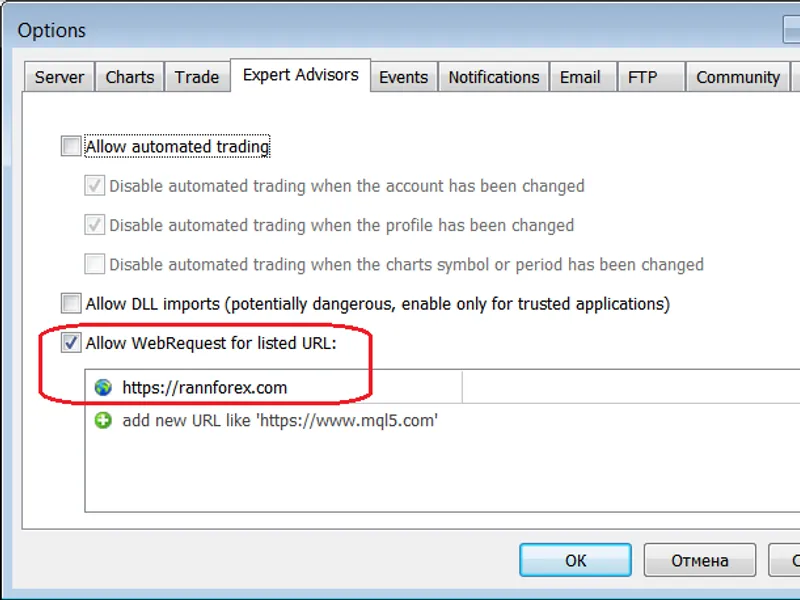
For the script to function correctly, specify the quote source address in the 'Common' tab of the script properties. Detailed actions are logged during script execution.
Features:
- Utilizes standard MQL5 features, making it suitable for the Market without the need for DLLs.
- Quote archives are stored locally as ZIP files containing CSV files.
- Synchronizes the local archive with the source, downloading only missing data.
- Includes libraries: and .
- Capable of working with a local archive without an internet connection.
- Allows manual editing and addition of data in the local archive.
- File storage operation is independent of directory structure, enabling flexible data organization.
- Bar history is created with minimal quality loss when switching from 'Every Tick' to 'Open Prices Only' testing mode, catering to trading systems using limit orders.
- The core of the script is the library, enabling the creation of diverse scenarios.
- Provided as-is for educational purposes, the source has not been optimized.
- To make the core library universally applicable, modifications are required to accommodate various quote sources and formats.
You may also like: Candlestick Statistics Calculation Tool - excellent alternative for script users on MetaTrader 5.
Source Code
#property script_show_inputs
#include <fxsaber\thirdpartyticks\thirdpartyticks.mqh>
sinput bool   sync = true; // synchronization
sinput string symbol = ""; // symbol (null - current, "allsymbols" - all)
thirdpartyticks thirdpartyticks; //
void createsymbol()
{
  const string symb = (symbol == "") ? stringsubstr(_symbol, 0, 6) : symbol;
  if (sync)
    thirdpartyticks.refresh();                      //
.......
⚠ Limitations & Risk Warning
- This tool is provided for educational and testing purposes only.
- Past performance does not guarantee future results.
- Trading involves substantial risk of loss. Use on a demo account first.
- Results may vary depending on market conditions, broker, and settings.
- We recommend thorough backtesting and forward testing before using with real funds.