
Volume Profile with Naked POC Indicator for MT5
Info
The Volume Profile with Naked POC Indicator for MT5 is a Indicator for MetaTrader 5 that volume profile with naked poca volume profile visualizes the price levels where the most trading activity occurred over a specified period (day, week, or month). The Point of Control (POC) represents the price level with the highest volume.
Usage
This tool is typically used for enhancing chart analysis and decision making.
Platform
This Indicator works exclusively on MetaTrader 5 (both build 600+ and newer versions).
Setup
Place the downloaded file in MQL5/Indicators folder via File ? Open Data Folder in MetaTrader 5.
How to Install and Use Volume Profile with Naked POC Indicator for MT5
1. Installation: Place your file in the MQL/Indicators folder via "Open Data Folder" and restart your terminal.
2. Loading: Find the indicator in the Navigator, drag it onto your chart, and configure the input parameters in the popup window.
3. Customization: Press Ctrl+I to open the indicator list, select your tool, and click "Properties" to change colors, levels, or visual styles.
4. Updating: Replace the old file in the Indicators folder with the new version and restart the platform to apply changes.
Frequently Asked Questions
Q: Why is my indicator not showing? A: Verify the file is in the MQL/Indicators folder, or try right-clicking the "Indicators" tree in the Navigator and clicking "Refresh."
Q: Do custom indicators slow down the platform? A: Too many complex indicators can impact performance; remove unused ones via the "Indicator List" (Ctrl+I).
Q: Can I use MT4 indicators on MT5? A: No, MQL4 and MQL5 are distinct languages; ensure the indicator is compiled specifically for your platform version.
What this tool does
Volume Profile with Naked POCA volume profile visualizes the price levels where the most trading activity occurred over a specified period (day, week, or month).
Typical Use Case
This Indicator excels in automated trading and technical analysis on MetaTrader 5.
Compatible Platform & Setup
This Indicator works on MetaTrader 5. Place the file in the MQL5/Indicators folder and restart the terminal.
Description & Settings
Related: Spread and Liquidity Clock: Time-of-Day Cost-to-Range Profile - another powerful indicator for MetaTrader 5 traders.
Volume Profile with Naked POCAlso recommended: Intraday Volatility Profile: Understanding Market Activity - similar indicator with strong performance on MetaTrader 5.
A volume profile visualizes the price levels where the most trading activity occurred over a specified period (day, week, or month). The Point of Control (POC) represents the price level with the highest volume. The Value Area is the price range containing 70 percent of the volume, defined by the Value Area High (VAH) and Value Area Low (VAL). A 'naked POC' is a POC that price has not retested since its formation. Many traders consider naked POCs significant potential price reversal or revisit levels.
Files
VolumeProfileNakedPOC.mq5 - The indicator file.
BrokerTime.mqh - A timezone class file, required for accurate broker time calculation. Place both files in the same indicator folder and compile.
Indicator Visualization
Histograms for recent profiles (default of 5): Grey bars indicate volume outside the Value Area, blue bars within it, and the POC bar is highlighted in gold.
Lines for POC, VAH, and VAL are drawn across each profile. Current profile values and prices are displayed to the right.
Naked POCs are shown as dashed lines extending to the right edge of the chart, along with their price and date. These lines are removed once price trades through them. The indicator displays up to the 10 nearest naked POCs to the current price.
A developing POC line (dotted) tracks the POC's evolution bar by bar. Developing VAH and VAL lines can also be enabled.
Calculation Methodology
M1 Bar Volume: The indicator reconstructs higher timeframe bars using M1 data for enhanced detail. If M1 history is unavailable, it defaults to using the chart's existing bars. It intelligently waits for M1 data loading to complete before calculating if the terminal has just started.
Volume Distribution: Volume for each bar is distributed across price rows proportionally to the segment of each row touched by the bar's range.
Rows: By default, 30 price rows are generated per profile, spanning from its lowest to highest price.
POC Calculation: The row with the highest volume is the POC. In case of ties, the row closer to the profile's midpoint is chosen, followed by the lower row.
Value Area Calculation: The standard method is used, starting from the POC and comparing adjacent rows above and below to determine the 70 percent value area. An alternative one-row-at-a-time method is available. Due to the pairing of rows, the Value Area may slightly exceed 70 percent.
Volume Type: Tick volume is used for Forex and CFD symbols. Real volume can be selected for exchange-traded symbols.
Profile Periodicity (Day, Week, Month, Year)
Automatic Period: The indicator automatically selects the profile period based on the chart timeframe: Day for M1-H1, Week for H2-H4, Month for H6-D1, and Year for higher timeframes.
Day Start Time: The trading day can begin at server midnight or 17:00 New York time. The BrokerTime class accurately determines the broker's clock, including summer time adjustments, based on historical Friday closes. Manual setting is also an option.
Server Midnight Adjustment: When using server midnight, the short Sunday session from some brokers is appended to Monday to avoid a separate small profile.
Expert Advisor Compatibility (8 Buffers)
The indicator provides 8 buffers for integration with Expert Advisors:
- Buffer 0: Developing POC
- Buffer 1: Developing VAH
- Buffer 2: Developing VAL
- Buffer 3: Previous profile's POC
- Buffer 4: Previous profile's VAH
- Buffer 5: Previous profile's VAL
- Buffer 6: Nearest naked POC above current price
- Buffer 7: Nearest naked POC below current price
Note: Values for closed bars are static. The current bar's values are recalculated dynamically.
When using iCustom, each input group is treated as a single string parameter. Example: iCustom(_Symbol, _Period, "VolumeProfileNakedPOC", "Profile", 0, 0, ...).
Alerts
Optional alerts and push notifications can be configured to trigger when price reaches a naked POC, with alerts firing once per level.
Customizable Inputs:
Profile Period, Day Start Time, Broker Clock Setting, Volume Source (M1 or chart bars), Volume Type, Number of Rows, Value Area Percentage and Method, Profiles to Calculate, Profiles to Draw, Histogram Width, Developing Lines visibility, Naked POCs count, four Color options, and Alert settings.
Performance
The indicator calculates only the last 30 profiles (configurable). Drawn objects are updated upon new bar start and every 2 seconds. In Strategy Tester runs without visualization, calculations are performed but no objects are drawn.
Testing and Validation
Independent verification in Python confirmed the accuracy of all 8 buffers across multiple setups on a live demo account. Testing included EURUSD H1, XAUUSD M15, and GBPUSD H4 with various settings. A total of 33,207 comparisons showed no discrepancies.
Two issues identified during testing were resolved: precision errors in volume ties and incorrect bar usage during initial M1 data loading. Subsequent Strategy Tester runs (EURUSD H1, XAUUSD D1, GBPUSD M30, EURUSD M1) covering 663,241 bars showed no errors.
The provided screenshot is from a live demo account chart.
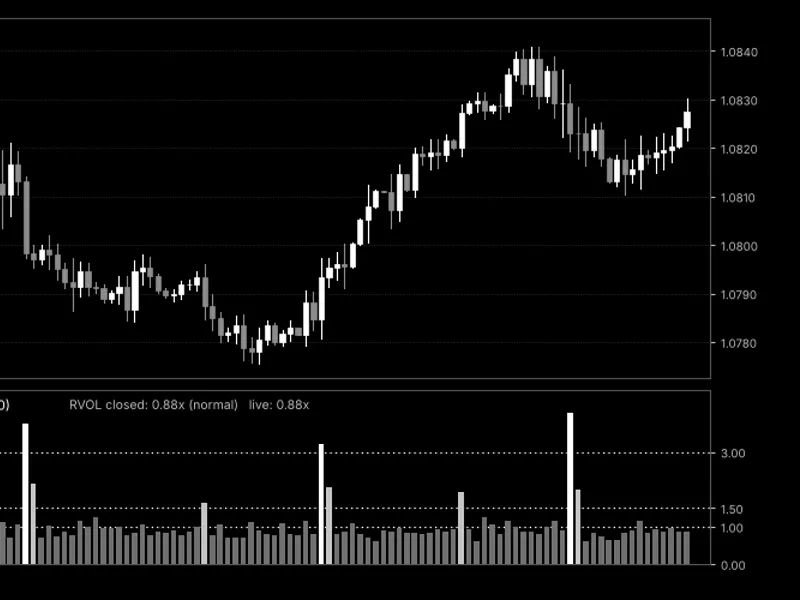
You may also like: Relative Volume (RVOL) Indicator in a Subwindow - excellent alternative for indicator users on MetaTrader 5.
Source Code
#property copyright "RobotFX"
#property version   "1.00"
#property description "This code is educational. Feel free to use, modify and upgrade as you wish. Visit ROBOTFX.ORG for professional trading tools"
#property indicator_chart_window
#property indicator_buffers 8
#property indicator_plots   8
#property indicator_label1  "Developing POC"
#property indicator_type1   DRAW_LINE
#property indicator_color1  clrGoldenrod
#property indicator_style1  STYLE_DOT
.......
⚠ Limitations & Risk Warning
- This tool is provided for educational and testing purposes only.
- Past performance does not guarantee future results.
- Trading involves substantial risk of loss. Use on a demo account first.
- Results may vary depending on market conditions, broker, and settings.
- We recommend thorough backtesting and forward testing before using with real funds.