

Trend Filtered Donchian Breakout Channel
Info
The Trend Filtered Donchian Breakout Channel is a Indicator for MetaTrader 5 that donchian channel with trend filterthis indicator displays a donchian channel along with a long-period simple moving average (sma). It highlights channel breakouts that align with the trend indicated by the SMA.
Usage
This tool is typically used for breakout trading when price moves beyond key support/resistance levels.
Platform
This Indicator works exclusively on MetaTrader 5 (both build 600+ and newer versions).
Setup
Place the downloaded file in MQL5/Indicators folder via File ? Open Data Folder in MetaTrader 5.
How to Install and Use Trend Filtered Donchian Breakout Channel
1. Installation: Place your file in the MQL/Indicators folder via "Open Data Folder" and restart your terminal.
2. Loading: Find the indicator in the Navigator, drag it onto your chart, and configure the input parameters in the popup window.
3. Customization: Press Ctrl+I to open the indicator list, select your tool, and click "Properties" to change colors, levels, or visual styles.
4. Updating: Replace the old file in the Indicators folder with the new version and restart the platform to apply changes.
Frequently Asked Questions
Q: Why is my indicator not showing? A: Verify the file is in the MQL/Indicators folder, or try right-clicking the "Indicators" tree in the Navigator and clicking "Refresh."
Q: Do custom indicators slow down the platform? A: Too many complex indicators can impact performance; remove unused ones via the "Indicator List" (Ctrl+I).
Q: Can I use MT4 indicators on MT5? A: No, MQL4 and MQL5 are distinct languages; ensure the indicator is compiled specifically for your platform version.
What this tool does
Donchian Channel with Trend FilterThis indicator displays a Donchian channel along with a long-period Simple Moving Average (SMA).
Typical Use Case
This Indicator excels in trend following on MetaTrader 5.
Compatible Platform & Setup
This Indicator works on MetaTrader 5. Place the file in the MQL5/Indicators folder and restart the terminal.
Description & Settings
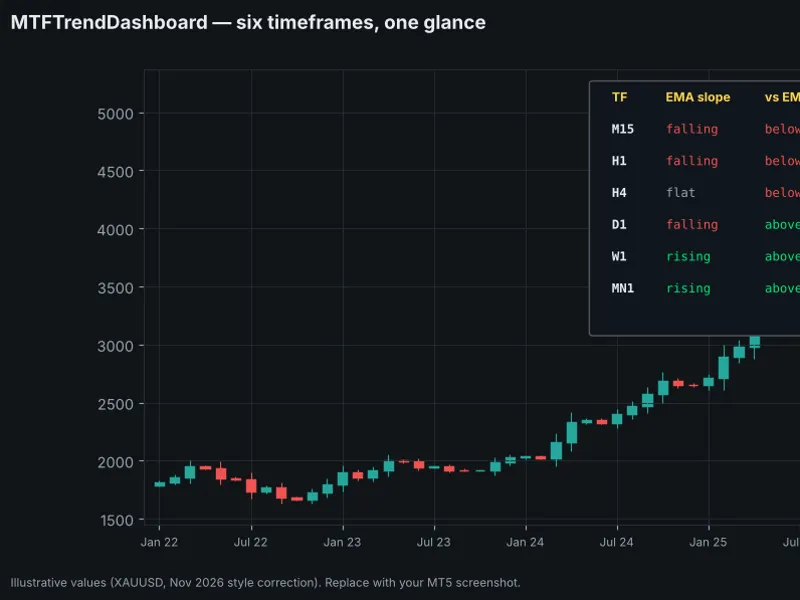
Related: MTF Trend Dashboard — trend, position and volatility on six timeframes at a glance - another powerful indicator for MetaTrader 5 traders.
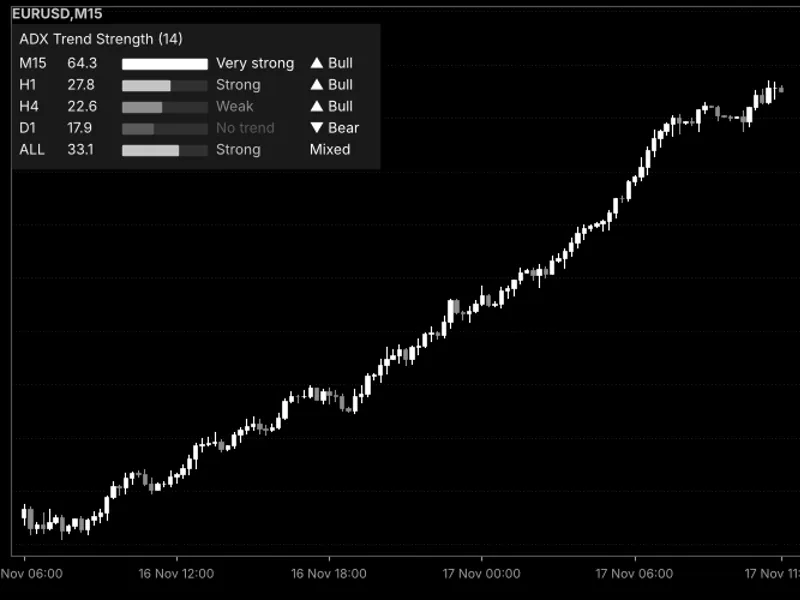
Donchian Channel with Trend FilterAlso recommended: Trend Strength Meter Using ADX in a Compact Dashboard - similar indicator with strong performance on MetaTrader 5.
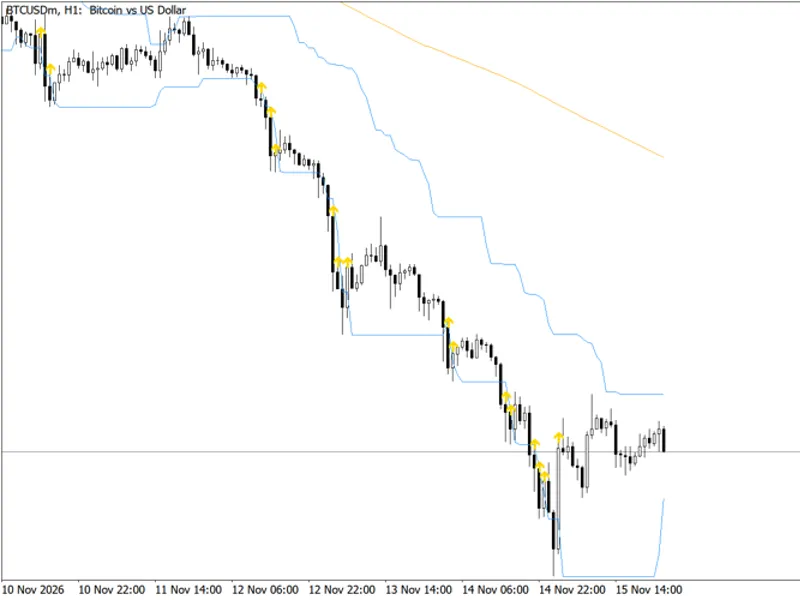
This indicator displays a Donchian channel along with a long-period Simple Moving Average (SMA). It highlights channel breakouts that align with the trend indicated by the SMA.
The Donchian channel for each bar is calculated using the highest high and lowest low over the preceding EntryChannel bars, excluding the current bar being tested for a breakout. This ensures that the bar being analyzed is not part of the channel it is breaking.
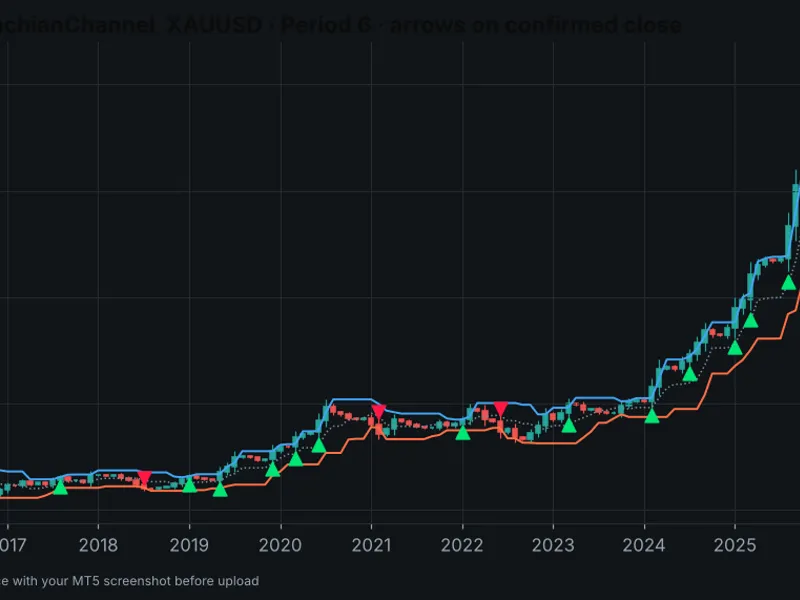
An upward breakout is signaled when the previous bar closed above the upper channel line and also above the SMA. Conversely, a downward breakout occurs when the previous bar closed below the lower channel line and below the SMA. Breakouts that move against the SMA trend are disregarded.
When the LongOnly option is enabled, only upward breakouts are marked.
The breakout arrow appears on the bar following the breakout bar. For upward breakouts, the arrow is positioned 0.1 percent below the low of the breakout bar. For downward breakouts, it is placed 0.1 percent above the high of the breakout bar. The same arrow symbol is used for both directions; the direction is discernible from its position relative to the bar. All breakout conditions are based on closed bars only.
This indicator is versatile and functions on any symbol and timeframe. It requires a minimum of EntryChannel + TrendSMA + 2 bars of historical data to operate.
Input Parameters
EntryChannel
- The lookback period for the Donchian channel calculation in bars (default: 20).
TrendSMA
- The period for the trend filter Simple Moving Average (default: 200).
LongOnly
- A boolean setting to exclusively mark upward breakouts (default: false).
Data Buffers:
- Buffer 0: Upper channel line.
- Buffer 1: Lower channel line.
- Buffer 2: Trend SMA line.
- Buffer 3: Breakout arrows (value is 0 where no arrow is present).
Please note: This indicator does not place or manage trades.
Example visualization: Donchian channel, trend SMA, and filtered breakout arrows on BTCUSD H1 chart.
You may also like: Gold Donchian Breakout Channel (Non-Repainting with HTF Trend Filter) - excellent alternative for indicator users on MetaTrader 5.
Source Code
#property copyright "RobotFX"
#property link "https://robotfx.org"
#property version   "1.10"
#property description "This code is educational. Feel free to use, modify and upgrade as you wish. Visit ROBOTFX.ORG for professional trading tools"
#property indicator_chart_window
#property indicator_buffers 4
#property indicator_plots   4
#property indicator_label1  "Donchian upper"
#property indicator_type1   DRAW_LINE
#property indicator_color1  clrDodgerBlue
.......
⚠ Limitations & Risk Warning
- This tool is provided for educational and testing purposes only.
- Past performance does not guarantee future results.
- Trading involves substantial risk of loss. Use on a demo account first.
- Results may vary depending on market conditions, broker, and settings.
- We recommend thorough backtesting and forward testing before using with real funds.