

Supertrend EA for Gold: Automated Trading with Breakeven
Info
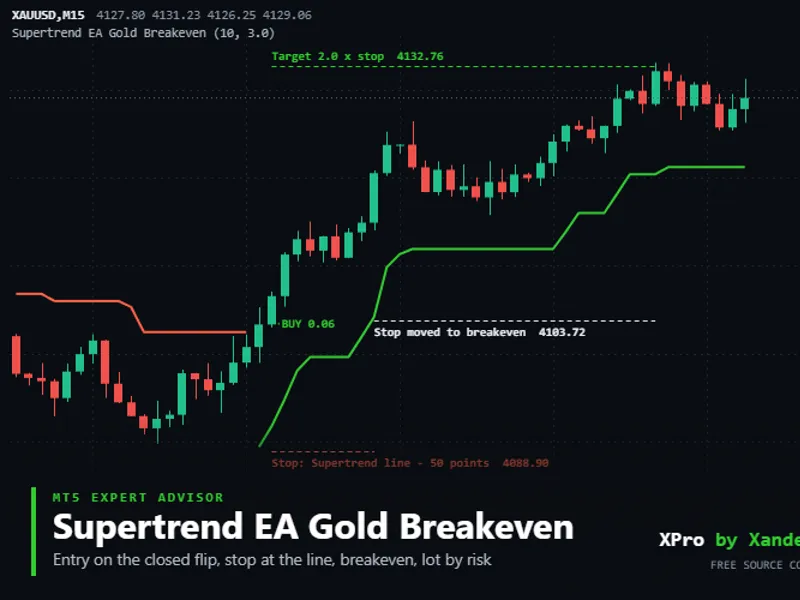
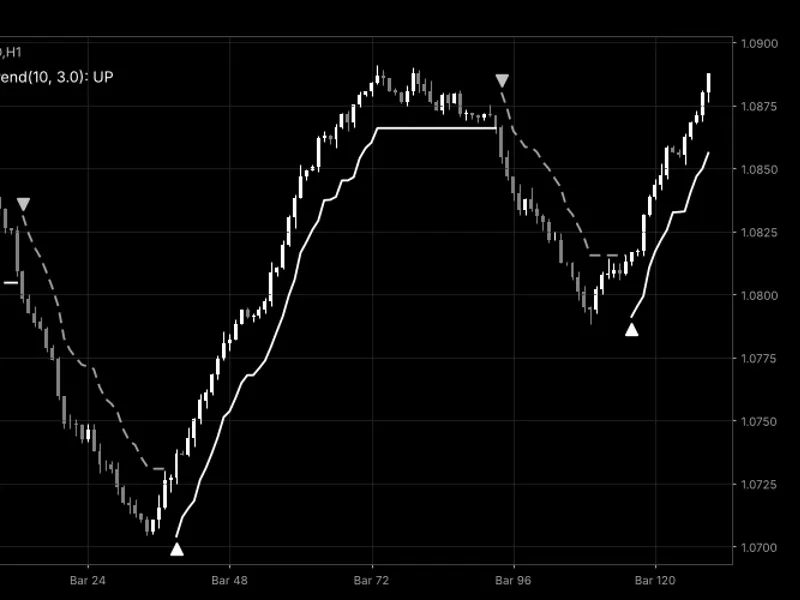
The Supertrend EA for Gold: Automated Trading with Breakeven is a Expert Advisor for MetaTrader 5 that supertrend flip on gold (xauusd) is confirmed only when the candle closes beyond the band. At the start of each new candle, this Expert Advisor (EA) recalculates the Supertrend using closed bars, an ATR period of 10, and a multiplier of 3.
Usage
This tool is typically used for trend following strategies across multiple currency pairs.
Platform
This Expert Advisor works exclusively on MetaTrader 5 (both build 600+ and newer versions).
Setup
Place the downloaded file in MQL5/Experts folder via File ? Open Data Folder in MetaTrader 5.
How to Install and Use Supertrend EA for Gold: Automated Trading with Breakeven
1. Installation: Open the "File" menu, select "Open Data Folder," navigate to MQL/Experts, paste your file, and restart the terminal.
2. Activation: Drag the EA from the Navigator onto a chart, ensure "Allow live trading" is checked in the Common tab, and verify the AutoTrading button is green.
3. Optimization: Right-click your chart, choose "Expert List," click "Properties" to adjust inputs, and save your preferred setup as a set file for future use.
4. Maintenance: Regularly check the "Experts" tab in the terminal window to monitor trade logs and potential execution errors.
Frequently Asked Questions
Q: Why is my EA not opening trades? A: Check the "AutoTrading" button, ensure "Allow live trading" is enabled, and verify your broker allows automated trading on your account type.
Q: Can I run multiple EAs on one chart? A: No, each chart can only host one active EA; however, you can open multiple charts for different currency pairs to run several EAs.
Q: What does the "smiley face" icon mean? A: A smiley face in the top-right corner of the chart indicates the EA is successfully running; a frowny face means it is disabled.
What this tool does
Supertrend flip on Gold (XAUUSD) is confirmed only when the candle closes beyond the band.
Typical Use Case
This Expert Advisor excels in trend following on MetaTrader 5.
Compatible Platform & Setup
This Expert Advisor works on MetaTrader 5. Place the file in the MQL5/Experts folder and restart the terminal.
Description & Settings
Related: Supertrend Scalper with Breakeven Win Rate Panel - another powerful expert for MetaTrader 5 traders.
Supertrend flip on Gold (XAUUSD) is confirmed only when the candle closes beyond the band.Also recommended: Stochastic Daily Breakout for Gold: Backtested Performance to 2026 - similar expert with strong performance on MetaTrader 5.
At the start of each new candle, this Expert Advisor (EA) recalculates the Supertrend using closed bars, an ATR period of 10, and a multiplier of 3.0 by default.It opens a single position when the most recent closed candle indicates a trend change: a buy order for an upward flip and a sell order for a downward flip.
The lot size is determined by the stop distance, allowing the trade to risk a specified percentage of your balance or equity.
Position Management
The stop loss is set at the Supertrend line plus a buffer, or at a fixed distance in points.
The take profit is set as a multiple of the stop distance, with 2.0 as the default.
When the price moves favorably by one times the stop distance, the stop loss is adjusted to the entry price plus an offset.
An opposite trend flip will close the existing position.
Performance in Different Market Conditions
Supertrend is effective in trending markets but can result in losing streaks during sideways or ranging markets due to frequent trend flips.
If the calculated lot size is below the broker's minimum lot size, the EA will use the minimum lot, resulting in a higher risk percentage than intended.
It is strongly recommended to test the EA thoroughly in the Strategy Tester before live trading.
Settings
ATR Period and ATR Multiplier: The default values are 10 and 3.0, respectively.
These parameters define the Supertrend bands, calculated as the candle midpoint ((high + low) / 2) plus or minus the ATR multiplied by the multiplier.
Closed Bars for Supertrend Calculation: The default is 300.
The Supertrend calculation considers data from this many bars back up to the last closed candle.
Allowed Direction: Options include buy and sell (both directions), buy only, or sell only.
Close Position on Opposite Flip: This setting is enabled by default.
Lot Mode: Choose between fixed lot size, risk percentage of balance (default), or risk percentage of equity.
Fixed Lot: Set to 0.01 by default.
Risk Percent per Trade: Set to 1.0 by default.
The EA rounds the lot size down to comply with the volume step and ensures it stays within the symbol's minimum and maximum volume limits.
Stop Loss Mode: Options are at the Supertrend line (default) or a fixed distance.
Extra Distance Beyond Supertrend Line: Set to 50 points by default.
Fixed Stop Loss: Set to 500 points, used only when Fixed Distance mode is selected.
The stop loss will never be placed closer than the broker's minimum stop level plus the current spread.
Take Profit Multiple: Set to 2.0 by default. A value of 0 disables take profit.
Move Stop to Breakeven: This feature is enabled by default.
Breakeven Activation Multiple: Breakeven is activated when the profit reaches this multiple of the stop distance; default is 1.0.
Breakeven Offset: An additional offset in points beyond the entry price; default is 20 points.
Maximum Spread to Open: Set in points; 0 means no limit.
Trades will be skipped if the spread exceeds this limit.
Time Filter: Disabled by default.
Specify start and end hours in server time to restrict new position openings to a specific trading window.
Additional Settings: Magic Number, Order Comment, Maximum Slippage (in points), and Show Status on Chart.
Requirements
This EA is compatible with any symbol and timeframe, and works on both hedging and netting accounts.
All distance values are specified in points; please verify these values based on your broker's digit settings.
The EA manages one open position at a time for a given symbol and magic number. If a trend flip occurs while a position is still open, it will not open a second position.
Before executing any order, the EA checks for sufficient free margin using OrderCalcMargin and skips the order if margin is inadequate.
Trading decisions are made once per candle based on closed bars.
The breakeven stop loss is adjusted on every tick.
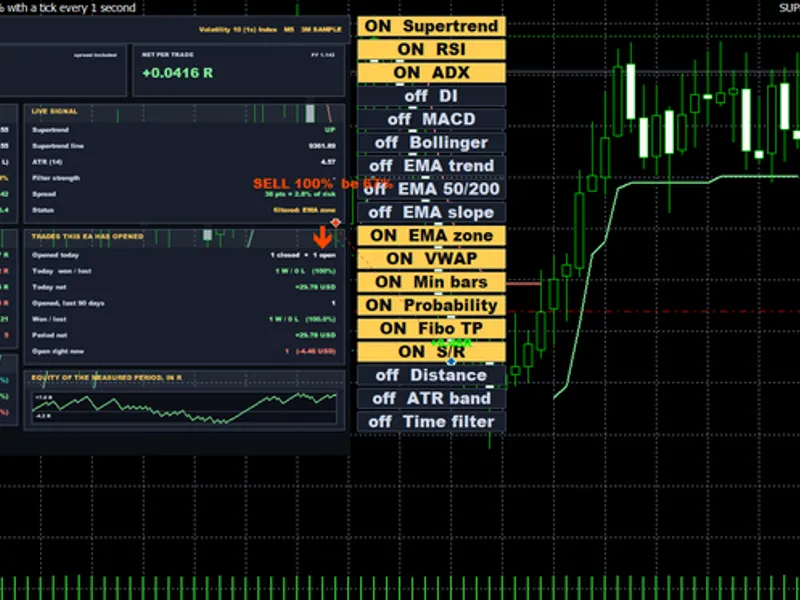
The status is displayed as plain text on the chart.
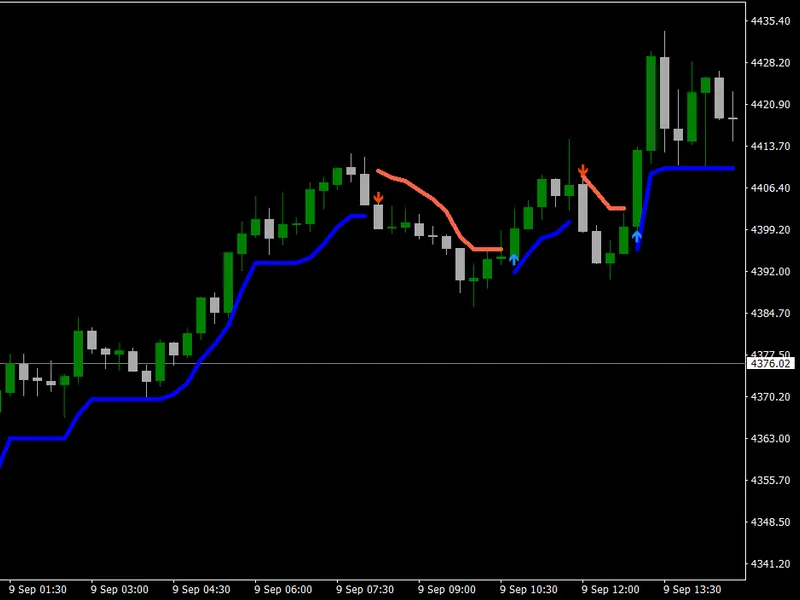
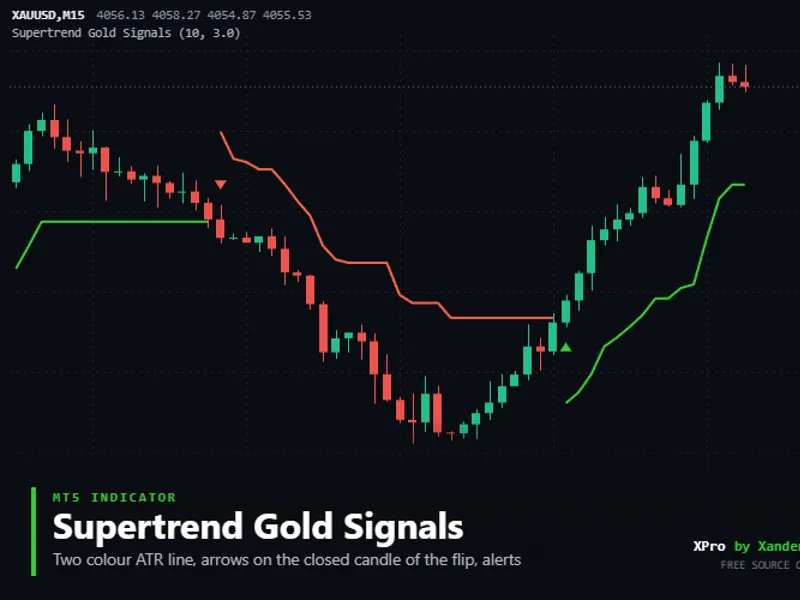
The EA itself does not draw the Supertrend line. To visualize it, add the 'Supertrend Gold Signals' indicator with the same ATR period and multiplier, as it uses the identical calculation.
This initial release has passed the MQL5 Code Base automatic validation.
The default settings are provided as a starting point and are not optimized.
Customization and Testing
Perform your own backtests on symbols such as XAUUSD, XAGUSD, EURUSD, GBPUSD, US30, and NAS100 across M15, H1, and H4 timeframes.
Experiment with different multipliers, including 2.0, 3.0, and 4.0.
The source code is modularized into functions that can be integrated into your own EAs:
XP_Supertrend: Returns the trend and Supertrend line for the last two closed bars.
XP_Lot: Calculates the position size based on price distance.
XP_MarginOk: Checks for sufficient margin.
XP_Breakeven: Manages the breakeven stop loss.
XP_TryOpen: This is the designated area to implement custom filters such as session or news filters, higher timeframe trend analysis, Smart Money Concepts levels, or support and resistance checks before an order is placed.
About the Code
This is an open-source project. Feel free to use it as is, modify it, or build your own versions upon it.
Updates and additional tools are first announced on my MQL5 channel.
Questions, suggestions, and shared backtests are welcome in the Xander Lab group.
More tools are available on my profile.
This software is provided as is, and use is at your own risk.
Related Tools
Supertrend Gold Signals
Trailing Stop Breakeven Manager
Risk Lot Size Calculator Panel
Moving Average Crossover EA Gold
Opening Range Breakout Box
Changelog
v1.0 - 2026-11-14 - Initial release
You may also like: Stormbreaker ADX - Supertrend and DMI Trend EA for MT5 - excellent alternative for expert users on MetaTrader 5.
Source Code
#property copyright "RobotFX"
#property link "https://robotfx.org"
#property version     "1.00"
#property description "This code is educational. Feel free to use, modify and upgrade as you wish. Visit ROBOTFX.ORG for professional trading tools"
#include <Trade\Trade.mqh>
enum ENUM_XP_LOT_MODE
  {
   XP_LOT_FIXED   = 0,
   XP_LOT_BALANCE = 1,
   XP_LOT_EQUITY  = 2
.......
⚠ Limitations & Risk Warning
- This tool is provided for educational and testing purposes only.
- Past performance does not guarantee future results.
- Trading involves substantial risk of loss. Use on a demo account first.
- Results may vary depending on market conditions, broker, and settings.
- We recommend thorough backtesting and forward testing before using with real funds.