
Supertrend Gold Signals
Info
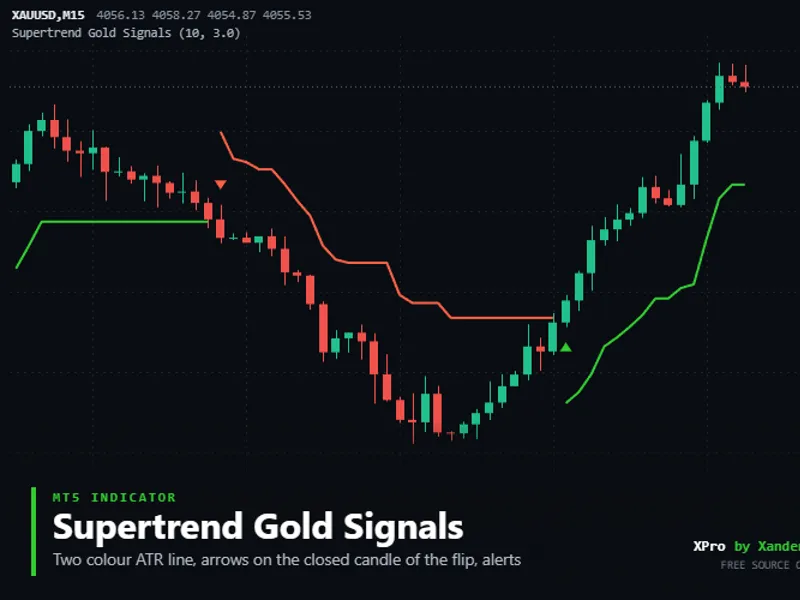
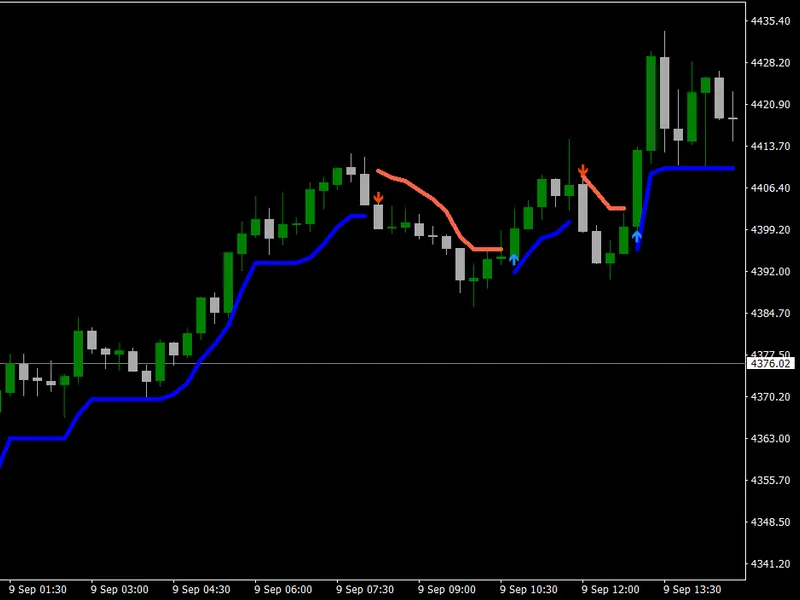
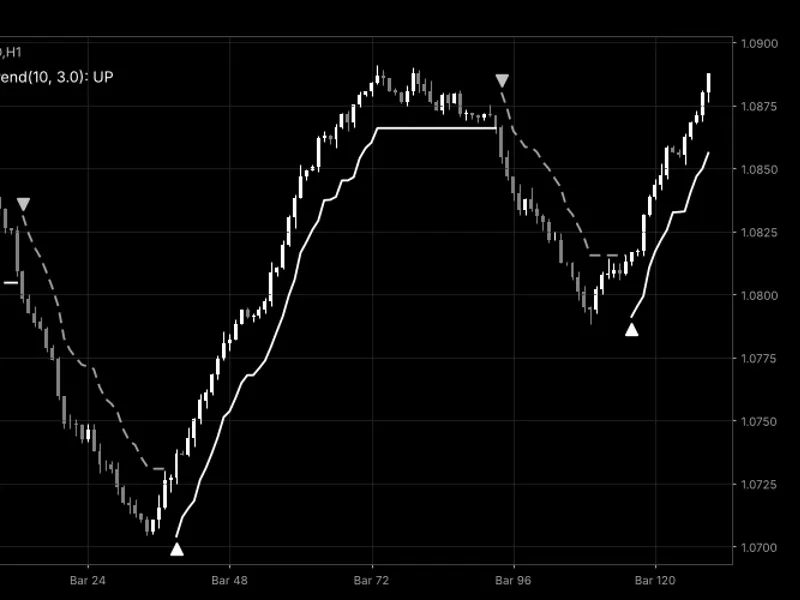
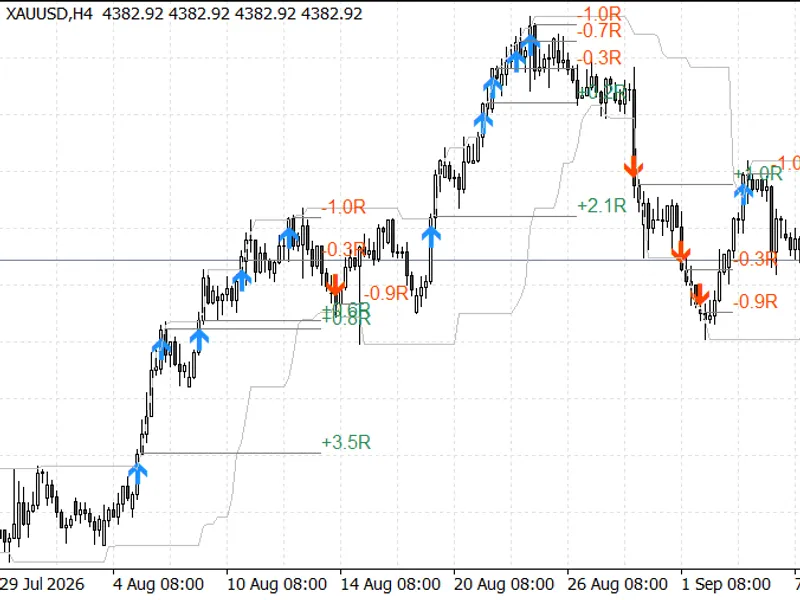
The Supertrend Gold Signals is a Indicator for MetaTrader 5 that the supertrend line on gold (xauusd) or any symbol is constructed using the candle midpoint, calculated as (high + low) / 2, and adjusted by the atr multiplied by a factor. The bands only shift in the direction of the trend, and the trend reverses when a candle closes on the opposite side of the active band.
Usage
This tool is typically used for trend following strategies across multiple currency pairs.
Platform
This Indicator works exclusively on MetaTrader 5 (both build 600+ and newer versions).
Setup
Place the downloaded file in MQL5/Indicators folder via File ? Open Data Folder in MetaTrader 5.
How to Install and Use Supertrend Gold Signals
1. Installation: Place your file in the MQL/Indicators folder via "Open Data Folder" and restart your terminal.
2. Loading: Find the indicator in the Navigator, drag it onto your chart, and configure the input parameters in the popup window.
3. Customization: Press Ctrl+I to open the indicator list, select your tool, and click "Properties" to change colors, levels, or visual styles.
4. Updating: Replace the old file in the Indicators folder with the new version and restart the platform to apply changes.
Frequently Asked Questions
Q: Why is my indicator not showing? A: Verify the file is in the MQL/Indicators folder, or try right-clicking the "Indicators" tree in the Navigator and clicking "Refresh."
Q: Do custom indicators slow down the platform? A: Too many complex indicators can impact performance; remove unused ones via the "Indicator List" (Ctrl+I).
Q: Can I use MT4 indicators on MT5? A: No, MQL4 and MQL5 are distinct languages; ensure the indicator is compiled specifically for your platform version.
What this tool does
The Supertrend line on Gold (XAUUSD) or any symbol is constructed using the candle midpoint, calculated as (high + low) / 2, and adjusted by the ATR multiplied by a factor.
Typical Use Case
This Indicator excels in trend following on MetaTrader 5.
Compatible Platform & Setup
This Indicator works on MetaTrader 5. Place the file in the MQL5/Indicators folder and restart the terminal.
Description & Settings
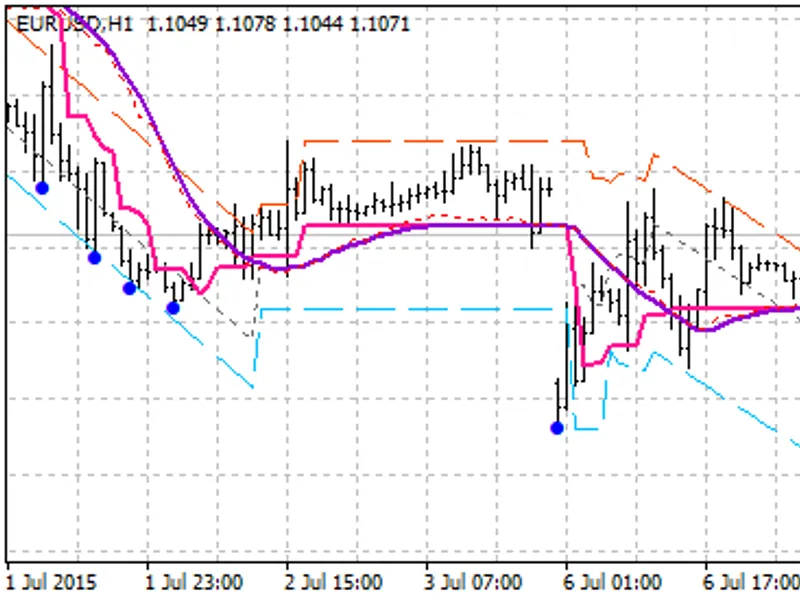
Related: Gold Donchian Breakout Channel (Non-Repainting with HTF Trend Filter) - another powerful indicator for MetaTrader 5 traders.
The Supertrend line on Gold (XAUUSD) or any symbol is constructed using the candle midpoint, calculated as (high + low) / 2, and adjusted by the ATR multiplied by a factor. The bands only shift in the direction of the trend, and the trend reverses when a candle closes on the opposite side of the active band. During an uptrend, the line is green and positioned below the price, while in a downtrend, it turns red and sits above the price.Also recommended: Supertrend Indicator with Trend Color Change - similar indicator with strong performance on MetaTrader 5.
Arrows are drawn only after the flip candle has closed, never on a candle that is still forming. This ensures that once an arrow appears on a closed bar, it remains there. Alerts adhere to the same principle, with one alert generated for each closed candle with a flip, via popup, push notification, or sound.
The line on the forming candle moves with the price and may change sides before the close. A Supertrend flip follows the trend, occurring late in a range and giving back a portion of the move. It is recommended to test the period and multiplier on your chosen symbol and timeframe before trading.
Settings
ATR period
- Bars utilized by the ATR. Default is 10.
ATR multiplier
- Determines the distance of the bands from the candle midpoint in ATR multiples. Default is 3.0.
Show arrows
- Option to display or hide arrows. Up arrow below the low of the flip candle indicates a buy, while a down arrow above the high signifies a sell.
Arrow distance
- Space between the candle and the arrow, measured in ATR multiples. Default is 0.5.
Popup alert
(enabled by default),
push notification
and
sound
(both disabled by default), along with the sound file name. The alert message includes the symbol, timeframe, direction, time of the closed candle, and its close price.
Requirements
The indicator can be used with any symbol and timeframe. It draws two lines and two sets of arrows using standard indicator buffers and does not execute trades. To enable push notifications, your MetaQuotes ID must be set in the terminal options. Invalid inputs (ATR period below 1 or multiplier of 0 or less) will halt the indicator with an error message in the log.
Customization
Test the indicator on various symbols and timeframes such as XAUUSD, XAGUSD, EURUSD, GBPUSD, US30, or NAS100, and compare M5, M15, and H1 with the same period and multiplier. A lower multiplier results in more frequent flips, while a higher multiplier stays in the trend longer. From an EA, you can access the data using iCustom: buffer 0 represents the uptrend line, buffer 1 the downtrend line, buffer 2 the buy arrow, and buffer 3 the sell arrow. The band and flip logic are contained within a single loop in OnCalculate, and the alert text in XP_Notify, both of which can be easily integrated into your code. This is an ideal location to incorporate additional filters or checks, such as a session filter, news filter, higher timeframe trend check, or support and resistance levels, before acting on the signal.
Code Details
This code is open source and can be used as-is, adapted, or extended to create your own version.
New versions and tools are initially announced on the MQL5 channel.
Questions, suggestions, and backtests are welcomed in the Xander Lab group.
Additional tools are available on the author's profile.
Disclaimer: Provided as is, use at your own risk.
Related Tools
Fair Value Gap Zones Tracker
Liquidity Sweep Equal Highs Lows
Risk Lot Size Calculator Panel
Smart Money Concepts BOS CHoCH
Changelog
v1.0 - 2026-11-10 - Initial release
You may also like: Turtle Breakout Indicator Performance Analysis on Gold (2025-2026) - excellent alternative for indicator users on MetaTrader 5.
Source Code
#property copyright "RobotFX"
#property link "https://robotfx.org"
#property version   "1.00"
#property description "This code is educational. Feel free to use, modify and upgrade as you wish. Visit ROBOTFX.ORG for professional trading tools"
#property indicator_chart_window
#property indicator_buffers 8
#property indicator_plots   4
#property indicator_label1  "Supertrend Up"
#property indicator_type1   DRAW_LINE
#property indicator_color1  clrLimeGreen
.......
⚠ Limitations & Risk Warning
- This tool is provided for educational and testing purposes only.
- Past performance does not guarantee future results.
- Trading involves substantial risk of loss. Use on a demo account first.
- Results may vary depending on market conditions, broker, and settings.
- We recommend thorough backtesting and forward testing before using with real funds.