


Risk Based Position Size Calculator
Info
The Risk Based Position Size Calculator is a Indicator for MetaTrader 5 that risk-based position size calculator the idea behind it position sizing is arithmetic, not judgment — but it is arithmetic traders routinely skip or rush under pressure, and the tick-value formula changes from symbol to symbol. This indicator removes both problems.
Usage
This tool is typically used for enhancing chart analysis and decision making.
Platform
This Indicator works exclusively on MetaTrader 5 (both build 600+ and newer versions).
Setup
Place the downloaded file in MQL5/Indicators folder via File ? Open Data Folder in MetaTrader 5.
How to Install and Use Risk Based Position Size Calculator
1. Installation: Place your file in the MQL/Indicators folder via "Open Data Folder" and restart your terminal.
2. Loading: Find the indicator in the Navigator, drag it onto your chart, and configure the input parameters in the popup window.
3. Customization: Press Ctrl+I to open the indicator list, select your tool, and click "Properties" to change colors, levels, or visual styles.
4. Updating: Replace the old file in the Indicators folder with the new version and restart the platform to apply changes.
Frequently Asked Questions
Q: Why is my indicator not showing? A: Verify the file is in the MQL/Indicators folder, or try right-clicking the "Indicators" tree in the Navigator and clicking "Refresh."
Q: Do custom indicators slow down the platform? A: Too many complex indicators can impact performance; remove unused ones via the "Indicator List" (Ctrl+I).
Q: Can I use MT4 indicators on MT5? A: No, MQL4 and MQL5 are distinct languages; ensure the indicator is compiled specifically for your platform version.
What this tool does
Risk-Based Position Size Calculator The idea behind it Position sizing is arithmetic, not judgment — but it is arithmetic traders routinely skip or rush under pressure, and the tick-value formula changes from symbol to symbol.
Typical Use Case
This Indicator excels in automated trading and technical analysis on MetaTrader 5.
Compatible Platform & Setup
This Indicator works on MetaTrader 5. Place the file in the MQL5/Indicators folder and restart the terminal.
Description & Settings
Related: Risk Lot Calculator: Calculate Lot Size Based on Risk and Stop Loss - another powerful indicator for MetaTrader 5 traders.
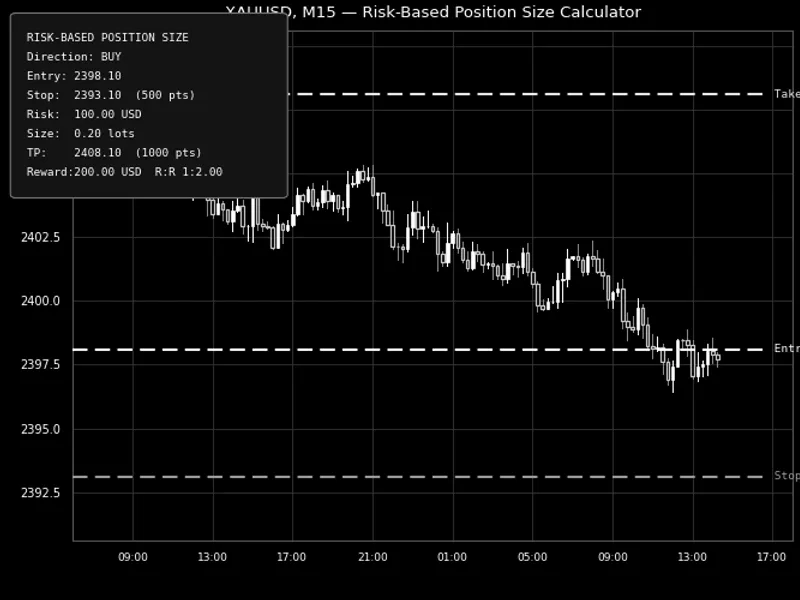
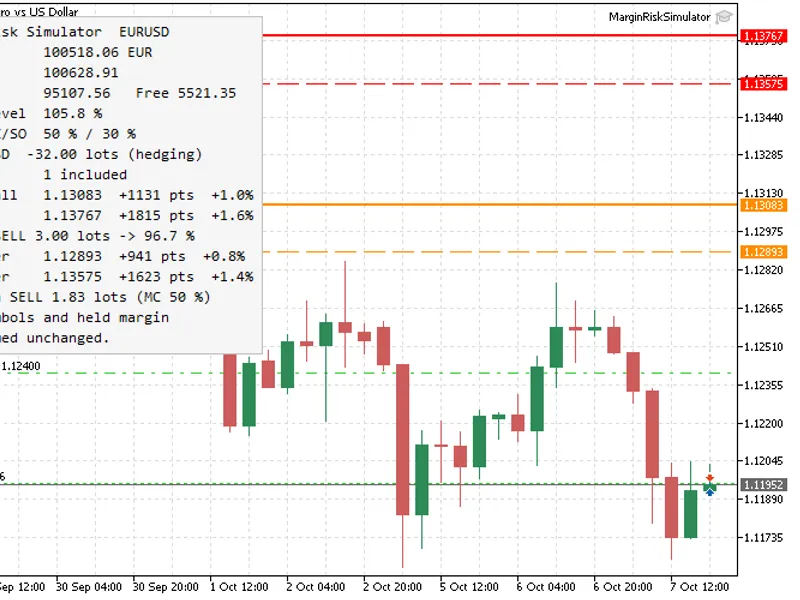
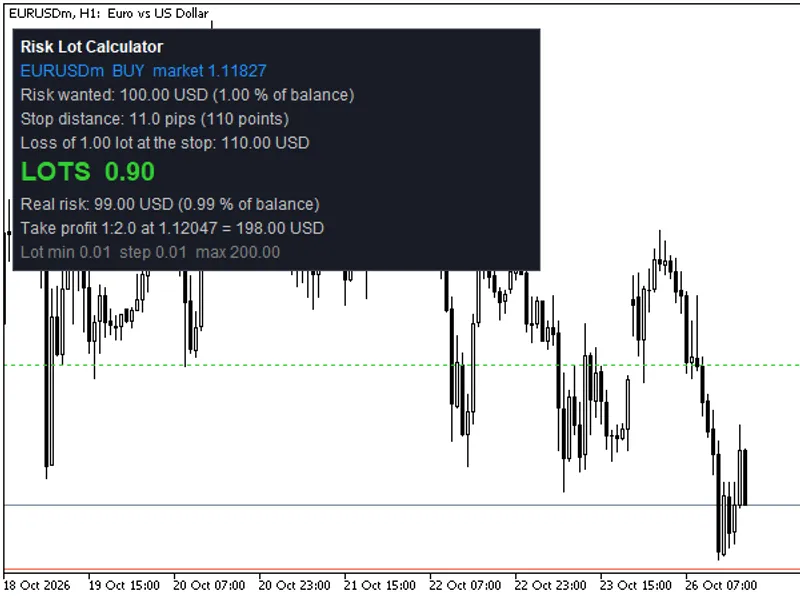
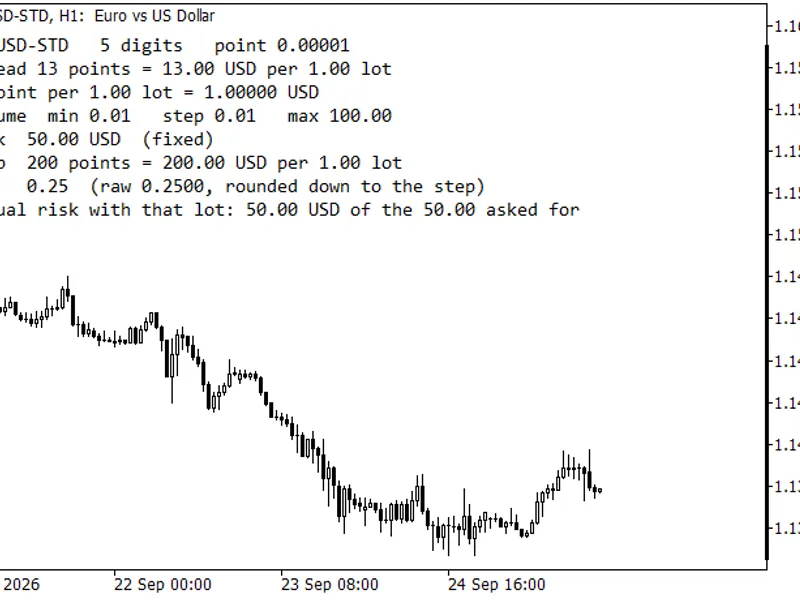
Risk-Based Position Size Calculator The idea behind it Position sizing is arithmetic, not judgment — but it is arithmetic traders routinely skip or rush under pressure, and the tick-value formula changes from symbol to symbol. This indicator removes both problems. It places three draggable horizontal lines — Entry, Stop Loss and an optional Take Profit — directly on the chart. As you drag them to match your actual setup, an on-chart panel recalculates the stop distance, the direction, the exact lot size for your chosen risk, and the reward-to-risk ratio, all live. The lot size is derived from the symbol's own tick value and tick size, so the same indicator gives a correct answer on any symbol without any manual recalibration, and the result is automatically rounded to the symbol's allowed volume step, minimum and maximum. How to interpret it - Entry line — drag to your intended entry price. Its position relative to the Stop line determines whether the panel reads the setup as BUY or SELL. - Stop Loss line — drag to your intended stop. The distance between this and the Entry line, converted through the symbol's tick value, is what the position size is solved for. - Take Profit line (optional) — drag to your target. When shown, the panel also reports the reward in account currency and the resulting reward-to-risk ratio. The info panel — updates instantly while dragging and on every new tick as a fallback, showing Direction, Entry, Stop (in price and points), Risk amount, calculated position Size, and — when Take Profit is enabled — TP, Reward and R:R. Risk basis — the risk amount behind the calculation can be set as a percentage of balance, a percentage of equity, or a fixed money amount, depending on how you manage risk. External variables (inputs) - InpRiskMode — Chooses the risk basis: percent of account Balance, percent of account Equity, or a Fixed Money amount. - InpRiskPercent — Risk percentage used when the basis is Balance or Equity. - InpRiskMoney — Fixed risk amount (in account currency) used when the basis is Fixed Money. - InpDefaultStopPoints — Initial distance (in points) between the Entry and Stop lines the first time the indicator loads. - InpShowTakeProfitLine — Shows a third draggable line for the Take Profit and adds Reward/R:R to the panel. - InpDefaultRewardMultiple — Initial Take Profit distance, expressed as a multiple of the default stop distance, on first load. - InpEntryLineColor / InpStopLineColor / InpTPLineColor — Independent colors for each of the three lines. - InpPanelCorner — Chart corner the info panel is anchored to. - InpPanelXDistance / InpPanelYDistance — Panel offset from the chosen corner, in pixels. - InpPanelFontSize — Font size used for the panel text. - InpPanelTextColor / InpPanelBgColor — Panel text and background colors. Recommended use Works on any symbol and any timeframe — the position-size math is fully symbol-aware, so it does not need separate handling for different symbols. The lines are draggable chart objects only: this indicator calculates a position size, it does not place, modify or manage any order, so it is safe to run on any account type alongside any EA. On symbols with very small tick values relative to account currency, extremely tight stops may produce a lot size above the symbol's maximum allowed volume; the panel always shows the size after it has been clamped to the symbol's minimum and maximum allowed volume, so compare the displayed size against your intended risk if the stop is unusually tight. All chart objects are created under a single internal name prefix and are fully removed when the indicator is detached, so it leaves nothing behind on the chart.Also recommended: Risk Lot Panel for MT5 - similar indicator with strong performance on MetaTrader 5.
You may also like: Margin Call Radar: Account Risk Analysis - excellent alternative for indicator users on MetaTrader 5.
Source Code
#property copyright "RobotFX"
#property link "https://robotfx.org"
#property version   "1.00"
#property description "This code is educational. Feel free to use, modify and upgrade as you wish. Visit ROBOTFX.ORG for professional trading tools"
#property indicator_chart_window
#property indicator_buffers 0
#property indicator_plots   0
#property strict
input group "=== Data Settings ==="
input int    InpWeeksToShow     = 1;
.......
⚠ Limitations & Risk Warning
- This tool is provided for educational and testing purposes only.
- Past performance does not guarantee future results.
- Trading involves substantial risk of loss. Use on a demo account first.
- Results may vary depending on market conditions, broker, and settings.
- We recommend thorough backtesting and forward testing before using with real funds.