



London Breakout Strategy: Asian Range Indicator
Info
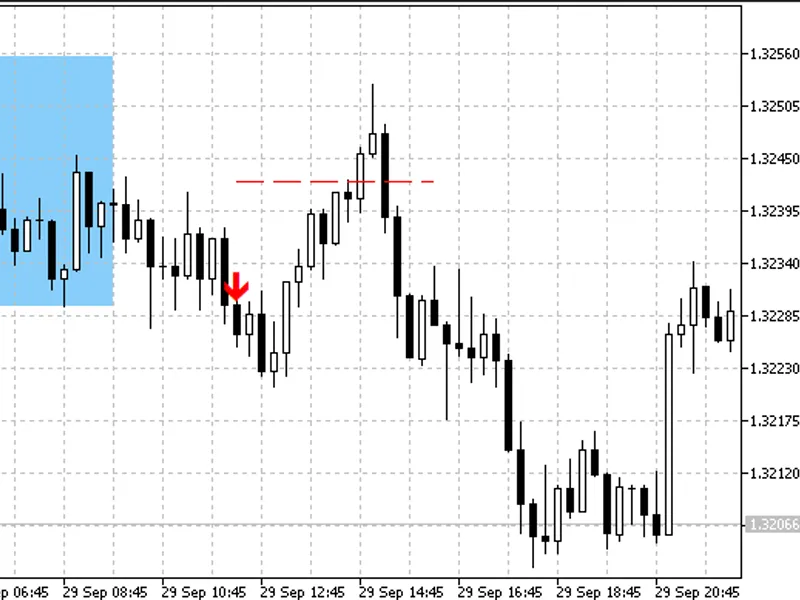
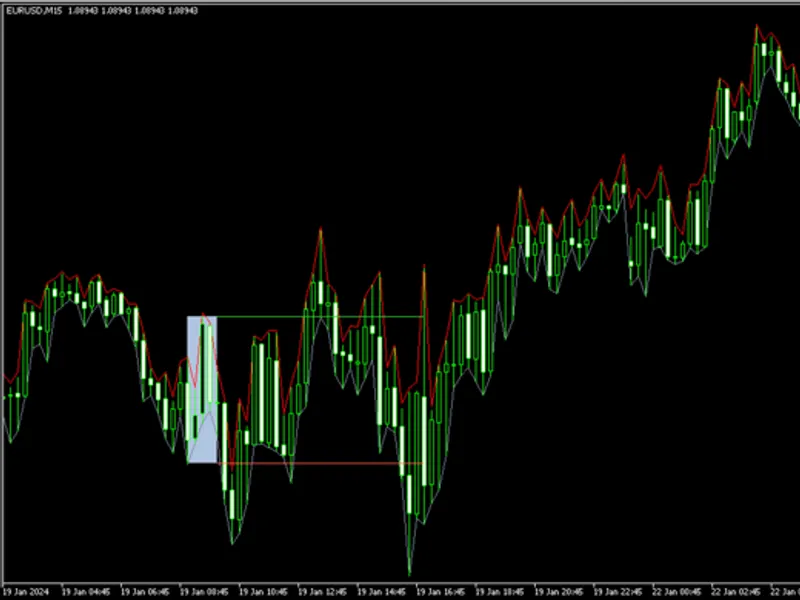
The London Breakout Strategy: Asian Range Indicator is a Indicator for MetaTrader 5 that this indicator identifies trading opportunities by calculating the asian session trading range (default 00:00-07:00 utc) and displaying it as a colored rectangle each day. The core strategy anticipates a breakout from this overnight range upon the opening of the London session.
Usage
This tool is typically used for breakout trading when price moves beyond key support/resistance levels.
Platform
This Indicator works exclusively on MetaTrader 5 (both build 600+ and newer versions).
Setup
Place the downloaded file in MQL5/Indicators folder via File ? Open Data Folder in MetaTrader 5.
How to Install and Use London Breakout Strategy: Asian Range Indicator
1. Installation: Place your file in the MQL/Indicators folder via "Open Data Folder" and restart your terminal.
2. Loading: Find the indicator in the Navigator, drag it onto your chart, and configure the input parameters in the popup window.
3. Customization: Press Ctrl+I to open the indicator list, select your tool, and click "Properties" to change colors, levels, or visual styles.
4. Updating: Replace the old file in the Indicators folder with the new version and restart the platform to apply changes.
Frequently Asked Questions
Q: Why is my indicator not showing? A: Verify the file is in the MQL/Indicators folder, or try right-clicking the "Indicators" tree in the Navigator and clicking "Refresh."
Q: Do custom indicators slow down the platform? A: Too many complex indicators can impact performance; remove unused ones via the "Indicator List" (Ctrl+I).
Q: Can I use MT4 indicators on MT5? A: No, MQL4 and MQL5 are distinct languages; ensure the indicator is compiled specifically for your platform version.
What this tool does
This indicator identifies trading opportunities by calculating the Asian session trading range (default 00:00-07:00 UTC) and displaying it as a colored rectangle each day.
Typical Use Case
This Indicator excels in automated trading and technical analysis on MetaTrader 5.
Compatible Platform & Setup
This Indicator works on MetaTrader 5. Place the file in the MQL5/Indicators folder and restart the terminal.
Description & Settings
Related: Opening Range Breakout Indicator with Statistical Dashboard - another powerful indicator for MetaTrader 5 traders.
This indicator identifies trading opportunities by calculating the Asian session trading range (default 00:00-07:00 UTC) and displaying it as a colored rectangle each day. The core strategy anticipates a breakout from this overnight range upon the opening of the London session.Also recommended: Session Range Breakout Indicator for MT5 - similar indicator with strong performance on MetaTrader 5.
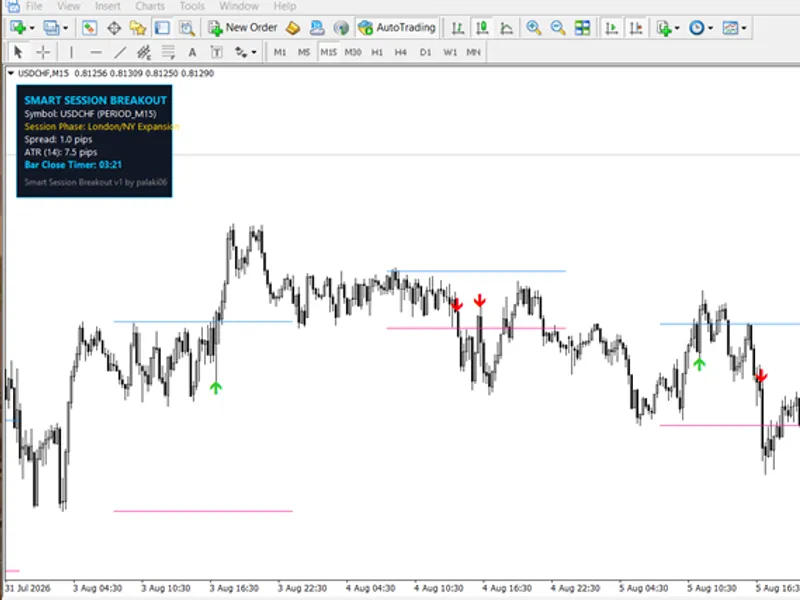
During a defined breakout window (default 07:00-11:00 UTC), the indicator signals a potential BUY or SELL by placing an arrow on the first candlestick that closes outside the Asian range, plus a buffer of 10% of the range.
The indicator then plots the following levels:
- Stop Loss: Positioned at the midpoint of the Asian range or the opposite boundary of the range.
- Take Profit: Calculated as the entry price plus or minus the Asian range multiplied by a specified factor (default 1.5).
Input Parameters:
- InpServerUtcOffset: Adjusts for the difference between the broker's server time and UTC (e.g., 3 in summer, 2 in winter for MetaQuotes-Demo).
- InpRangeStartUtc: The starting hour (UTC) of the Asian trading session.
- InpRangeEndUtc: The ending hour (UTC) of the Asian trading session.
- InpTradeEndUtc: The ending hour (UTC) of the breakout window.
- InpBufferPct: The breakout buffer, expressed as a percentage of the Asian range.
- InpTpMult: The multiplier used to determine the Take Profit level, relative to the range.
- InpStopOpposite: A setting to place the stop loss at the opposite boundary of the range instead of the midpoint.
- InpOneSignal: Limits the indicator to generating only one signal per day.
- InpAlerts: Enables pop-up and push notifications for trading signals.
- InpBoxColor: Sets the color of the plotted Asian range rectangle.
Recommended settings include M5-M15 timeframes and trading instruments such as GBPUSD, EURUSD, and XAUUSD. Signals are generated only on closed candlesticks and are not redrawn. This indicator visualizes a common session breakout strategy and does not guarantee trading profits. All dates are projected to 2026.
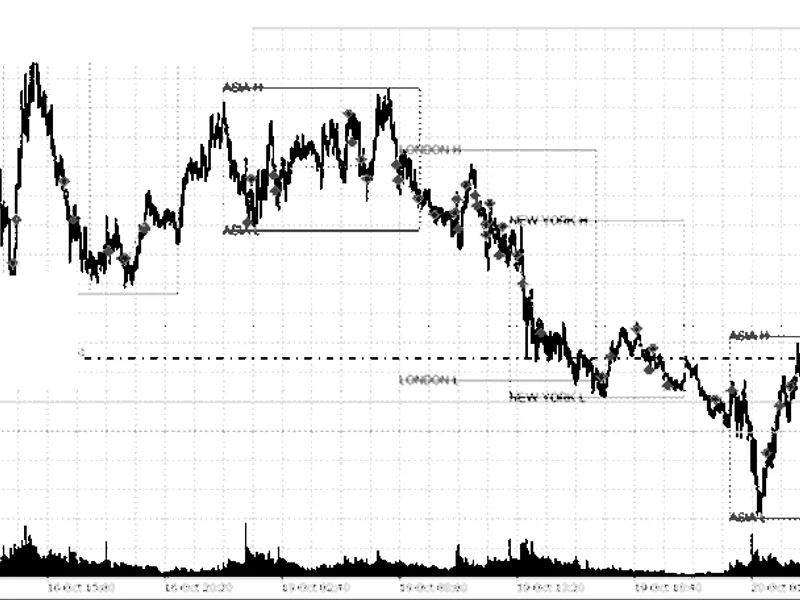
You may also like: Session Range Breakout: Asia, London, and New York High/Low Levels - excellent alternative for indicator users on MetaTrader 5.
Source Code
#property copyright "RobotFX"
#property version   "1.00"
#property indicator_chart_window
#property indicator_buffers 2
#property indicator_plots   2
#property indicator_label1  "Buy"
#property indicator_type1   DRAW_ARROW
#property indicator_color1  clrLime
#property indicator_width1  2
#property indicator_label2  "Sell"
.......
⚠ Limitations & Risk Warning
- This tool is provided for educational and testing purposes only.
- Past performance does not guarantee future results.
- Trading involves substantial risk of loss. Use on a demo account first.
- Results may vary depending on market conditions, broker, and settings.
- We recommend thorough backtesting and forward testing before using with real funds.