Institutional Toxic Flow and Tick Speedometer
This software component for MetaTrader 5 is built to enhance the capabilities of your trading environment. This technical indicator acts as a specialized analysis tool designed to visualize market data. It helps traders identify emerging trends, momentum shifts, and key support or resistance levels by plotting statistical calculations directly onto price charts.
How to Setup and Use Institutional Toxic Flow and Tick Speedometer
1. Installation: Place your file in the MQL/Indicators folder via "Open Data Folder" and restart your terminal.
2. Loading: Find the indicator in the Navigator, drag it onto your chart, and configure the input parameters in the popup window.
3. Customization: Press Ctrl+I to open the indicator list, select your tool, and click "Properties" to change colors, levels, or visual styles.
4. Updating: Replace the old file in the Indicators folder with the new version and restart the platform to apply changes.
Frequently Asked Questions
Q: Why is my indicator not showing? A: Verify the file is in the MQL/Indicators folder, or try right-clicking the "Indicators" tree in the Navigator and clicking "Refresh."
Q: Do custom indicators slow down the platform? A: Too many complex indicators can impact performance; remove unused ones via the "Indicator List" (Ctrl+I).
Q: Can I use MT4 indicators on MT5? A: No, MQL4 and MQL5 are distinct languages; ensure the indicator is compiled specifically for your platform version.
Description & Settings
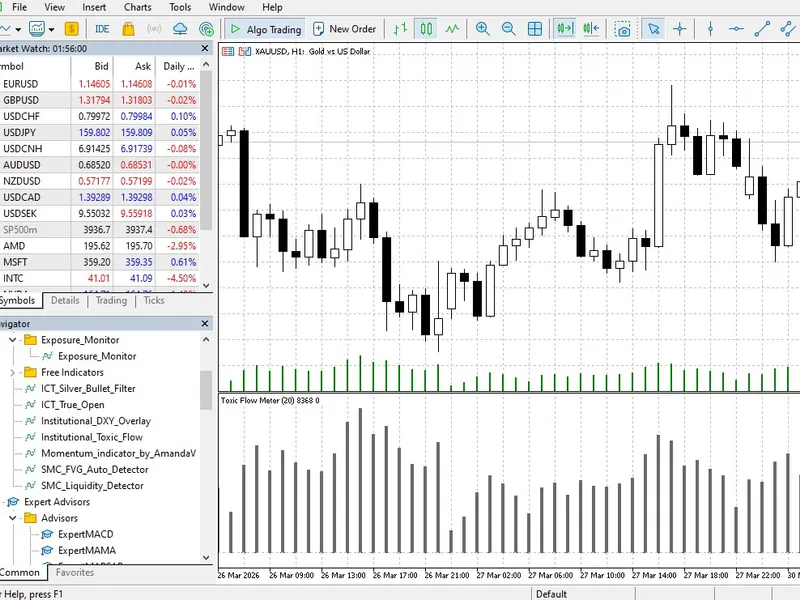
Retail traders are inherently delayed, they rely on closed structural candles to make decisions, while institutional algorithms operate exclusively at the micro-level. When a major bank or quantitative fund executes a massive block order, the very first systemic symptom is rarely an immediate price movement, it is an explosion in tick velocity at the broker's server, the Institutional Toxic Flow Monitor is a specialized order flow tool designed to measure the sheer speed and density of these incoming ticks. Instead of merely looking at cumulative volume—which can be highly misleading during consolidating markets—this engine calculates the rate of data feed updates to identify what high-frequency firms call
toxic flow
.
The underlying mathematical model tracks a moving baseline of the tick volume and dynamically calculates its standard deviation. When the incoming tick speed breaches this strict statistical threshold, the indicator prints a clear anomaly spike on the histogram. You know exactly the millisecond the smart money injects aggressive liquidity, you can use this institutional footprint to confirm genuine breakout momentum, or, more importantly, to avoid getting trapped in fake manipulation moves where the price is pushed without actual tick acceleration backing it up.
The MQL5 code relies on a highly optimized array calculation structure, keeping your trading terminal perfectly responsive even during violent macroeconomic news releases, attach it to a lower timeframe like the M1 or M5 to read the market's absolute baseline pulse exactly the way a proprietary execution algorithm does.