Institutional AT R Trailing Stop and Breakeven Manager
This software component for MetaTrader 4 is built to enhance the capabilities of your trading environment. This Expert Advisor serves as automated trading software. It is utilized to monitor financial markets and execute trades based on predefined algorithmic rules, enabling precise position management without the need for constant manual oversight.
How to Setup and Use Institutional AT R Trailing Stop and Breakeven Manager
1. Installation: Open the "File" menu, select "Open Data Folder," navigate to MQL/Experts, paste your file, and restart the terminal.
2. Activation: Drag the EA from the Navigator onto a chart, ensure "Allow live trading" is checked in the Common tab, and verify the AutoTrading button is green.
3. Optimization: Right-click your chart, choose "Expert List," click "Properties" to adjust inputs, and save your preferred setup as a set file for future use.
4. Maintenance: Regularly check the "Experts" tab in the terminal window to monitor trade logs and potential execution errors.
Frequently Asked Questions
Q: Why is my EA not opening trades? A: Check the "AutoTrading" button, ensure "Allow live trading" is enabled, and verify your broker allows automated trading on your account type.
Q: Can I run multiple EAs on one chart? A: No, each chart can only host one active EA; however, you can open multiple charts for different currency pairs to run several EAs.
Q: What does the "smiley face" icon mean? A: A smiley face in the top-right corner of the chart indicates the EA is successfully running; a frowny face means it is disabled.
Description & Settings
The default MetaTrader 4 trailing stop relies on static pip distances. In a dynamic market environment, static stops are fundamentally flawed. During low volatility, your stop might be too loose, exposing unnecessary risk; during high volatility, it might be too tight, causing premature stop-outs before the real trend begins.
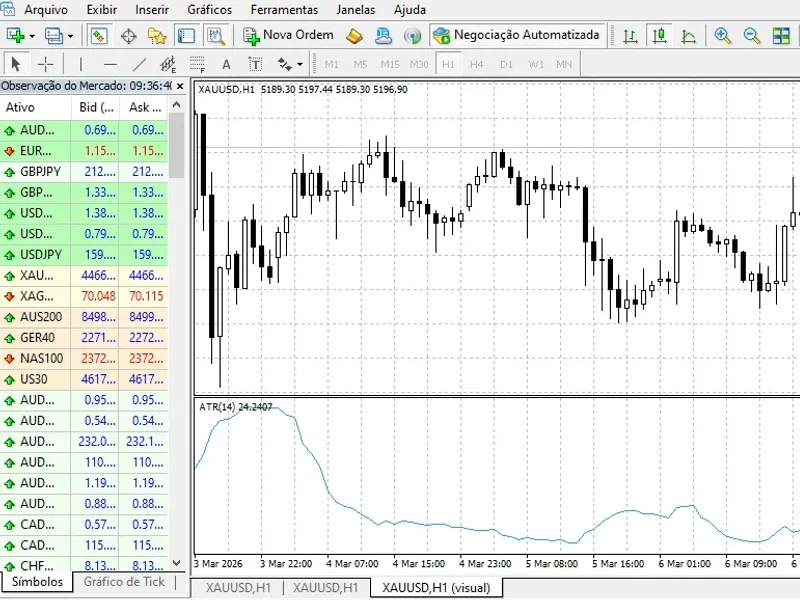
Institutional algorithms solve this by trailing stops based on market volatility, most commonly measured by the Average True Range (ATR). The Institutional ATR Trailing Manager is a plug-and-play utility Expert Advisor designed to take over trade management for manual or EA-opened positions.
Core Protective Features
Dynamic ATR Trailing:
Continuously calculates the current market volatility. As the price moves in your favor, it trails your Stop Loss at a mathematical distance (ATR Value × Multiplier), giving the trade "room to breathe" while locking in maximum profit.
Auto-Breakeven System:
Emotional trading often leads to letting winning trades turn into losers. This EA automatically moves your Stop Loss to your entry price (plus a small profit to cover commissions) the moment the price reaches your defined safety threshold.
Universal Management:
By default, it manages all manual trades on the chart's symbol. You can also assign a specific Magic Number to manage positions opened by other Expert Advisors.
Input Parameters
ATR_Period:
The lookback period for the volatility calculation (Default: 14).
ATR_Multiplier:
How wide you want the trailing stop. 2.0 or 3.0 are standard institutional settings to avoid noise.
Use_Breakeven:
Enable or disable the auto-breakeven feature.
Breakeven_Activation_Pips:
How many pips in profit before moving the stop to entry.
Magic_Number:
Set to 0 to manage manual trades, or specify a number to manage EA trades.