





Fair Value Gap Zones Tracker
Info
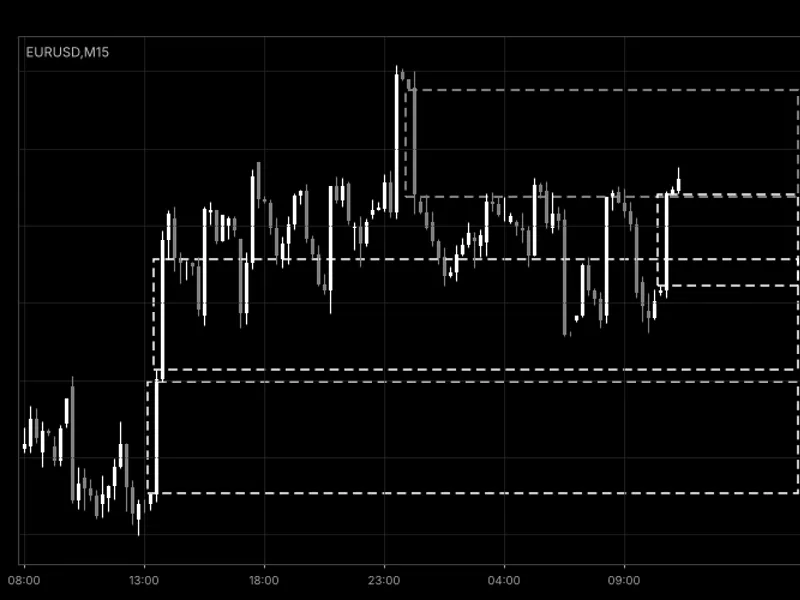
The Fair Value Gap Zones Tracker is a Indicator for MetaTrader 5 that a fair value gap for gold (xauusd) or any symbol is identified based on the close of the third candle. A bullish gap occurs when the low of the third candle is above the high of the first candle.
Usage
This tool is typically used for enhancing chart analysis and decision making.
Platform
This Indicator works exclusively on MetaTrader 5 (both build 600+ and newer versions).
Setup
Place the downloaded file in MQL5/Indicators folder via File ? Open Data Folder in MetaTrader 5.
How to Install and Use Fair Value Gap Zones Tracker
1. Installation: Place your file in the MQL/Indicators folder via "Open Data Folder" and restart your terminal.
2. Loading: Find the indicator in the Navigator, drag it onto your chart, and configure the input parameters in the popup window.
3. Customization: Press Ctrl+I to open the indicator list, select your tool, and click "Properties" to change colors, levels, or visual styles.
4. Updating: Replace the old file in the Indicators folder with the new version and restart the platform to apply changes.
Frequently Asked Questions
Q: Why is my indicator not showing? A: Verify the file is in the MQL/Indicators folder, or try right-clicking the "Indicators" tree in the Navigator and clicking "Refresh."
Q: Do custom indicators slow down the platform? A: Too many complex indicators can impact performance; remove unused ones via the "Indicator List" (Ctrl+I).
Q: Can I use MT4 indicators on MT5? A: No, MQL4 and MQL5 are distinct languages; ensure the indicator is compiled specifically for your platform version.
What this tool does
A fair value gap for Gold (XAUUSD) or any symbol is identified based on the close of the third candle.
Typical Use Case
This Indicator excels in automated trading and technical analysis on MetaTrader 5.
Compatible Platform & Setup
This Indicator works on MetaTrader 5. Place the file in the MQL5/Indicators folder and restart the terminal.
Description & Settings
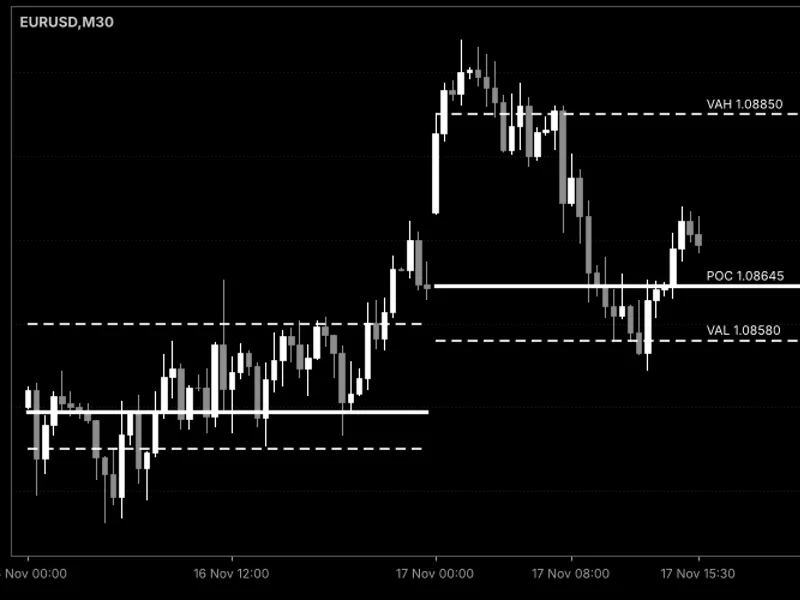
Related: Daily Point of Control (POC) and Value Area Lines - another powerful indicator for MetaTrader 5 traders.
A fair value gap for Gold (XAUUSD) or any symbol is identified based on the close of the third candle. A bullish gap occurs when the low of the third candle is above the high of the first candle. A bearish gap occurs when the high of the third candle is below the low of the first candle.Also recommended: Support/Resistance and Fair Value Gap Zones - similar indicator with strong performance on MetaTrader 5.
Gaps smaller than a defined fraction of the Average True Range (ATR) are excluded to focus on significant imbalances.
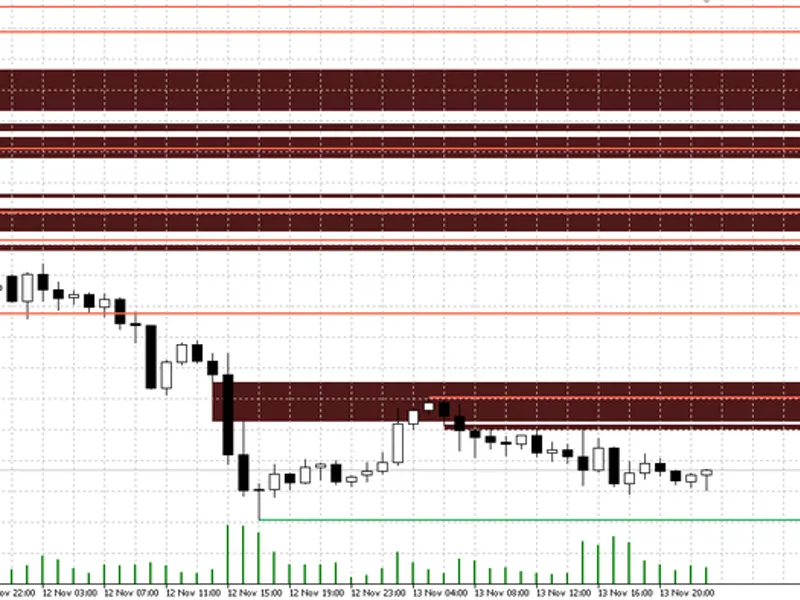
Once a gap forms, the indicator tracks its behavior. When price returns to the gap area, the visual representation of the gap shrinks to encompass only the unfilled portion, highlighting the remaining imbalance.
Mitigation of a gap can be defined by price touching the gap, reaching its midpoint (50 percent line), or fully crossing its opposite boundary. After mitigation, the gap can be visually dimmed or removed based on user preference.
The indicator processes only closed bars, ensuring that the displayed gaps do not repaint. A gap represents a zone where price may react, and it is not a trading signal on its own. It should be used in conjunction with other technical analysis tools and tested on specific symbols before incorporating into trading strategies.
Settings
Minimum gap size: This setting defines a fraction of the ATR. A value of 0.20 will ignore gaps smaller than 20 percent of the ATR. Setting it to 0 will display all gaps.
ATR period: The period used for calculating the ATR for the size filter. The default value is 14.
Mitigation rule: Users can choose how a gap is considered mitigated: Touch (price enters the gap boundary), Midline (price reaches the 50 percent mark of the gap), or Full fill (price crosses the far edge of the gap).
Shrink the box: When enabled ('on'), the visual representation of the gap shrinks to show only the unfilled portion. When disabled ('off'), the gap retains its original size until mitigated.
Bars to scan: This parameter determines the amount of historical data loaded on the chart upon indicator initialization. The default value is 1000.
Additional display and management settings include: Show bullish / bearish, keep mitigated gaps, 50 percent line, maximum open gaps per side, maximum mitigated gaps, and four color selection options.
Alerts: The indicator provides alerts for new gaps and the first touch of an open gap. Alerts can be delivered via popup, push notification, or sound. Alerts are triggered only by the bar that has just closed.
Object prefix: This allows running multiple instances of the indicator with different settings on the same chart by assigning a unique prefix to the objects created by each instance.
Requirements
This indicator is compatible with any symbol, timeframe, and broker. It operates by drawing rectangles and lines on the chart and does not engage in trading activities.
Customization and Application
Users can apply this indicator to symbols like XAUUSD, EURUSD, GBPUSD, US30, or NAS100 and compare results across different timeframes such as M5, M15, and H1. Higher timeframes tend to produce fewer gaps that persist for longer durations. Gaps formed during price movements that break market structure are often considered classic Smart Money Concepts entry zones. This indicator pairs well with tools that identify Break of Structure (BOS) and Change of Character (CHoCH), as well as order blocks. The core logic for gap detection is located in the XP_FindGap function, and the fill logic is in XP_UpdateGaps. Both can be integrated into custom Expert Advisors (EAs) as filters or entry triggers.
Source Code Information
This is an open-source tool. Users are free to use it as is, adapt it, or build upon it to create their own versions.
New versions and additional tools are announced on the author's MQL5 channel.
Questions, suggestions, and user backtests are welcomed in the Xander Lab group.
More tools are available on the author's profile.
The tool is provided as is, and users assume all risks associated with its use.
Related Tools
Order Blocks Zones SMC
Smart Money Concepts BOS CHoCH
Supply Demand Zones
Changelog
v1.0 - 2026-11-02 - Initial release
You may also like: Fair Value Gap (FVG) Detector with Auto-Removal When Filled (2026 Update) - excellent alternative for indicator users on MetaTrader 5.
Source Code
#property copyright "RobotFX"
#property link "https://robotfx.org"
#property version     "1.00"
#property description "This code is educational. Feel free to use, modify and upgrade as you wish. Visit ROBOTFX.ORG for professional trading tools"
#property indicator_chart_window
#property indicator_buffers 0
#property indicator_plots   0
enum ENUM_XP_MITIGATION
  {
   XP_MIT_TOUCH = 0,
.......
⚠ Limitations & Risk Warning
- This tool is provided for educational and testing purposes only.
- Past performance does not guarantee future results.
- Trading involves substantial risk of loss. Use on a demo account first.
- Results may vary depending on market conditions, broker, and settings.
- We recommend thorough backtesting and forward testing before using with real funds.