

Auto Fibonacci Retracement Swing Levels for MT5
Info
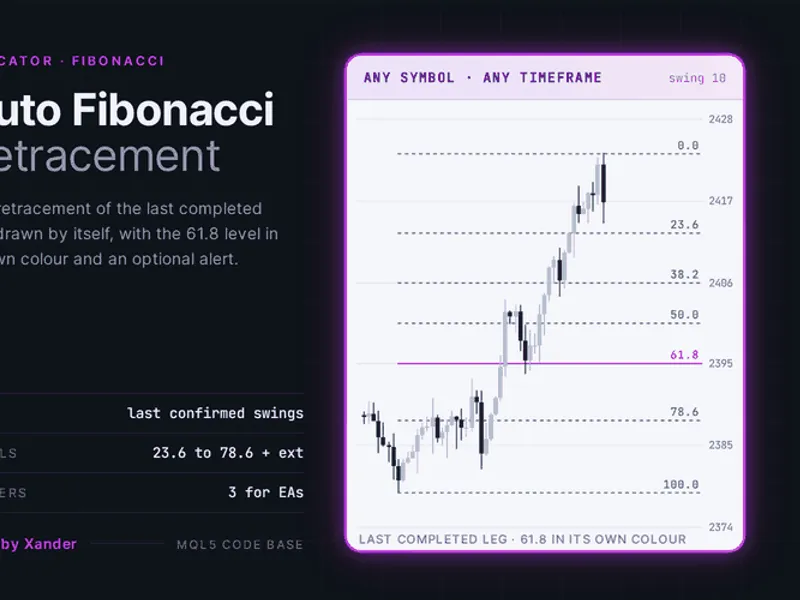
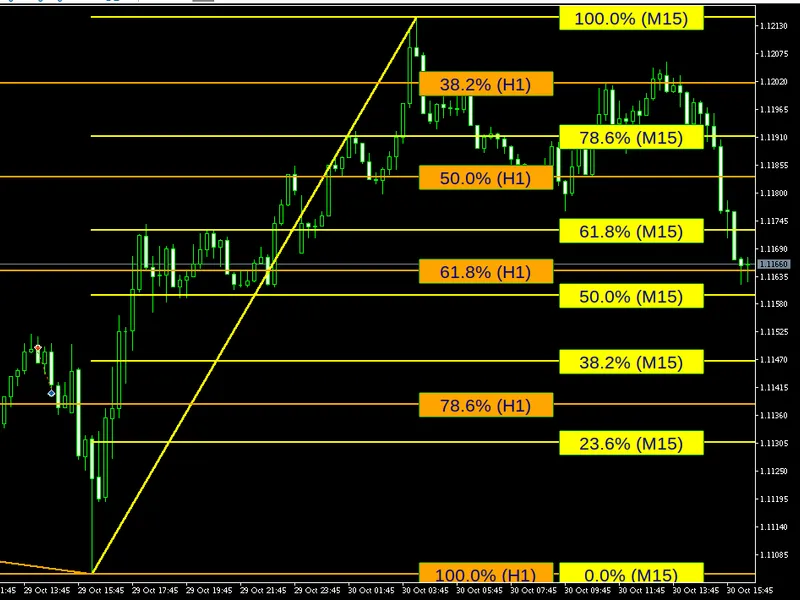
The Auto Fibonacci Retracement Swing Levels for MT5 is a Indicator for MetaTrader 5 that fibonacci retracement indicator for gold (xauusd), forex, and any symbol, automatically drawn on the last completed price leg. The indicator identifies confirmed swings, defined as a high or low with a specified number of lower or higher bars on each side.
Usage
This tool is typically used for enhancing chart analysis and decision making.
Platform
This Indicator works exclusively on MetaTrader 5 (both build 600+ and newer versions).
Setup
Place the downloaded file in MQL5/Indicators folder via File ? Open Data Folder in MetaTrader 5.
How to Install and Use Auto Fibonacci Retracement Swing Levels for MT5
1. Installation: Place your file in the MQL/Indicators folder via "Open Data Folder" and restart your terminal.
2. Loading: Find the indicator in the Navigator, drag it onto your chart, and configure the input parameters in the popup window.
3. Customization: Press Ctrl+I to open the indicator list, select your tool, and click "Properties" to change colors, levels, or visual styles.
4. Updating: Replace the old file in the Indicators folder with the new version and restart the platform to apply changes.
Frequently Asked Questions
Q: Why is my indicator not showing? A: Verify the file is in the MQL/Indicators folder, or try right-clicking the "Indicators" tree in the Navigator and clicking "Refresh."
Q: Do custom indicators slow down the platform? A: Too many complex indicators can impact performance; remove unused ones via the "Indicator List" (Ctrl+I).
Q: Can I use MT4 indicators on MT5? A: No, MQL4 and MQL5 are distinct languages; ensure the indicator is compiled specifically for your platform version.
What this tool does
Fibonacci retracement indicator for Gold (XAUUSD), forex, and any symbol, automatically drawn on the last completed price leg.
Typical Use Case
This Indicator excels in automated trading and technical analysis on MetaTrader 5.
Compatible Platform & Setup
This Indicator works on MetaTrader 5. Place the file in the MQL5/Indicators folder and restart the terminal.
Description & Settings
Related: Auto Fibo Extended: Automated Fibonacci for MT5 - another powerful indicator for MetaTrader 5 traders.
Fibonacci retracement indicator for Gold (XAUUSD), forex, and any symbol, automatically drawn on the last completed price leg.Also recommended: ADX Auto Range: Automated Trend Strength and Consolidation Detection - similar indicator with strong performance on MetaTrader 5.
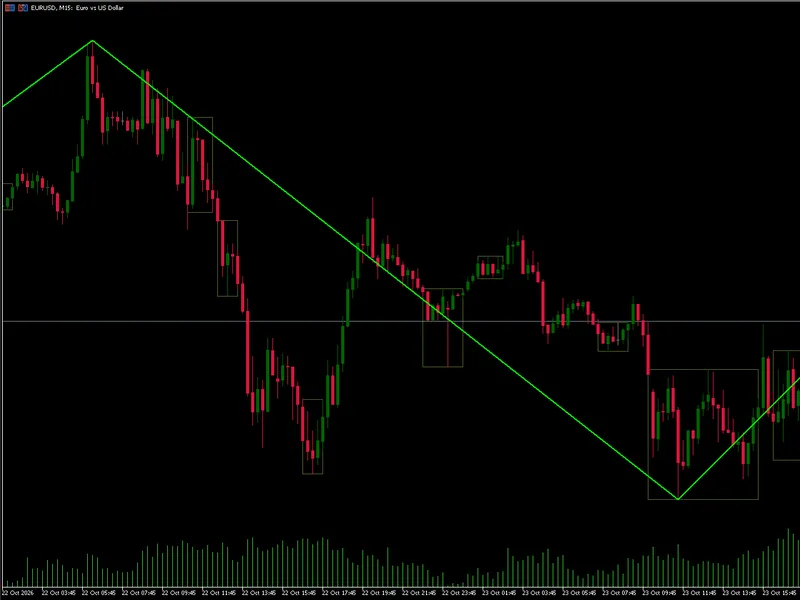
The indicator identifies confirmed swings, defined as a high or low with a specified number of lower or higher bars on each side. It then uses the two most recent confirmed swings to define the price leg.
When the swing low occurs before the swing high, the leg is considered upward, and the Fibonacci levels are measured downwards from the swing high. Conversely, when the swing high occurs before the swing low, the leg is considered downward, and the levels are measured upwards from the swing low.
The indicator displays standard retracement levels: 23.6, 38.2, 50.0, 61.8, and 78.6. The 61.8 level is highlighted with a distinct color. The price value for each level is shown next to its corresponding line. Optional 127.2 and 161.8 extensions are also available.
A swing is only considered confirmed when there are closed bars to its right. Consequently, the price leg and its associated levels are updated only when a new swing is confirmed.
It is important to note that these levels serve as a price map and do not generate trading signals. The indicator itself does not execute trades.
Settings
Swings
Swing length (10): Specifies the number of bars on each side of the swing candle. Lower values will follow smaller price legs, while higher values will only consider larger, more significant swings.
Bars to analyze from the right (600): Determines the number of past bars the indicator will examine to find swings.
Use the last completed leg (true): If set to false, the indicator will draw levels from the absolute highest high to the absolute lowest low within the analyzed bars, rather than from the last confirmed leg.
Levels
Show 23.6, 38.2, 50.0, 61.8, and 78.6 (true): Toggles the display of these standard Fibonacci retracement levels.
Show the 127.2 extension and Show the 161.8 extension (false): Toggles the display of these optional Fibonacci extension levels.
Display
Color when the leg goes up, Color when the leg goes down, and Color of the 61.8 level: Customize the colors for different elements of the indicator.
Line width (1): Adjusts the thickness of the plotted Fibonacci lines.
Line style (dot): Selects the visual style of the Fibonacci lines.
Extend the levels to the right (20 bars): Determines how many bars to the right the Fibonacci levels will be extended.
Show the price of each level (true): Enables or disables the display of the price value next to each Fibonacci level.
Font and Font size (8): Customize the font style and size for level prices and other text.
Alerts
Alert when price touches the 61.8 level (false): Activates alerts when the price reaches the 61.8 Fibonacci level.
Pop-up alert and Sound alert: Enable visual and auditory notifications for the alerts.
Note: Alerts fire at most once per bar.
Indicator settings
Object prefix (XP_FIB_): Allows you to change the prefix used for graphical objects. This is useful for running multiple instances of the indicator, such as comparing swing 5 and swing 20, on the same chart without conflicts.
Requirements
Requires MetaTrader 5, and can be used on any symbol and timeframe.
The indicator recalculates the price leg once per new bar. Alert checks are performed on every tick.
Hidden Buffers for EAs:
The indicator provides three hidden buffers for Expert Advisors (EAs):
- Swing High (Buffer 0)
- Swing Low (Buffer 1)
- Direction (Buffer 2: 1 for up, -1 for down)
These buffers are updated on the last bar and can be accessed using iCustom and CopyBuffer functions.
Customization and Usage
Apply the indicator to symbols like XAUUSD, EURUSD, GBPUSD, US30, and NAS100 across timeframes from M15 to H4. Compare different swing lengths (e.g., swing 5 versus swing 20) on the same chart to observe distinct price legs.
The 61.8 and 78.6 retracement zones are commonly watched by traders for potential pullback entries. This indicator can be effectively combined with support and resistance analysis or Smart Money Concepts order blocks.
For automated trading strategies, EAs can utilize the direction buffer, swing high, and swing low data to build custom entry logic based on Fibonacci retracements.
To incorporate structure break analysis, consider using the companion indicator 'Smart Money Concepts BOS CHoCH'.
About this Code
This is an open-source indicator. Feel free to use it as is, adapt it to your needs, or build upon it to create your own versions.
New versions and additional tools are first announced on the author's MQL5 channel.
Questions, suggestions, and shared backtests are welcomed in the Xander Lab group.
More tools are available on the author's profile.
Provided as is, use at your own risk.
Related Tools
Smart Money Concepts BOS CHoCH
Supply Demand Zones
Forex Session Boxes
Changelog
v1.0 - 2026-10-25 - Initial release
You may also like: Trend Buy/Sell Zones with Automated Lot Sizing and Risk Panel for MT5 - excellent alternative for indicator users on MetaTrader 5.
Source Code
#property copyright "RobotFX"
#property link "https://robotfx.org"
#property version     "1.00"
#property description "This code is educational. Feel free to use, modify and upgrade as you wish. Visit ROBOTFX.ORG for professional trading tools"
#property indicator_chart_window
#property indicator_buffers 3
#property indicator_plots   3
#property indicator_label1  "Swing High"
#property indicator_type1   DRAW_NONE
#property indicator_label2  "Swing Low"
.......
⚠ Limitations & Risk Warning
- This tool is provided for educational and testing purposes only.
- Past performance does not guarantee future results.
- Trading involves substantial risk of loss. Use on a demo account first.
- Results may vary depending on market conditions, broker, and settings.
- We recommend thorough backtesting and forward testing before using with real funds.