
ATR Risk Planner: Trade Planning Made Simple
Info
The ATR Risk Planner: Trade Planning Made Simple is a Indicator for MetaTrader 5 that atr risk planner answers the three critical questions you ask before every trade: where to place the stop loss, where to set targets, and how many units to trade based on your risk tolerance. The tool measures current market volatility using the Average True Range (ATR).
Usage
This tool is typically used for enhancing chart analysis and decision making.
Platform
This Indicator works exclusively on MetaTrader 5 (both build 600+ and newer versions).
Setup
Place the downloaded file in MQL5/Indicators folder via File ? Open Data Folder in MetaTrader 5.
How to Install and Use ATR Risk Planner: Trade Planning Made Simple
1. Installation: Place your file in the MQL/Indicators folder via "Open Data Folder" and restart your terminal.
2. Loading: Find the indicator in the Navigator, drag it onto your chart, and configure the input parameters in the popup window.
3. Customization: Press Ctrl+I to open the indicator list, select your tool, and click "Properties" to change colors, levels, or visual styles.
4. Updating: Replace the old file in the Indicators folder with the new version and restart the platform to apply changes.
Frequently Asked Questions
Q: Why is my indicator not showing? A: Verify the file is in the MQL/Indicators folder, or try right-clicking the "Indicators" tree in the Navigator and clicking "Refresh."
Q: Do custom indicators slow down the platform? A: Too many complex indicators can impact performance; remove unused ones via the "Indicator List" (Ctrl+I).
Q: Can I use MT4 indicators on MT5? A: No, MQL4 and MQL5 are distinct languages; ensure the indicator is compiled specifically for your platform version.
What this tool does
ATR Risk Planner answers the three critical questions you ask before every trade: where to place the stop loss, where to set targets, and how many units to trade based on your risk tolerance.
Typical Use Case
This Indicator excels in automated trading and technical analysis on MetaTrader 5.
Compatible Platform & Setup
This Indicator works on MetaTrader 5. Place the file in the MQL5/Indicators folder and restart the terminal.
Description & Settings
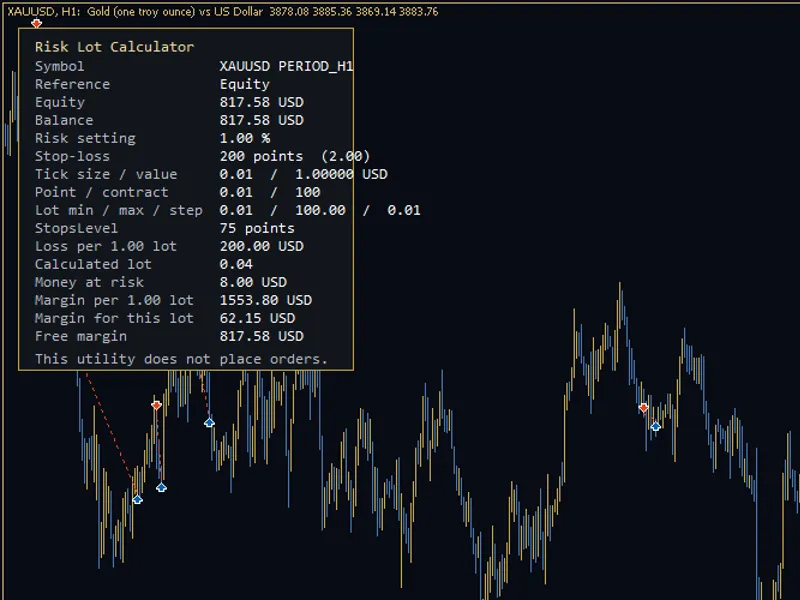
Related: Risk Lot Panel — drag the stop line, read the lot size for your risk percentage - another powerful indicator for MetaTrader 5 traders.
ATR Risk Planner answers the three critical questions you ask before every trade: where to place the stop loss, where to set targets, and how many units to trade based on your risk tolerance.Also recommended: ATR Stop Distance and Risk-Based Lot Size Calculator Panel - similar indicator with strong performance on MetaTrader 5.
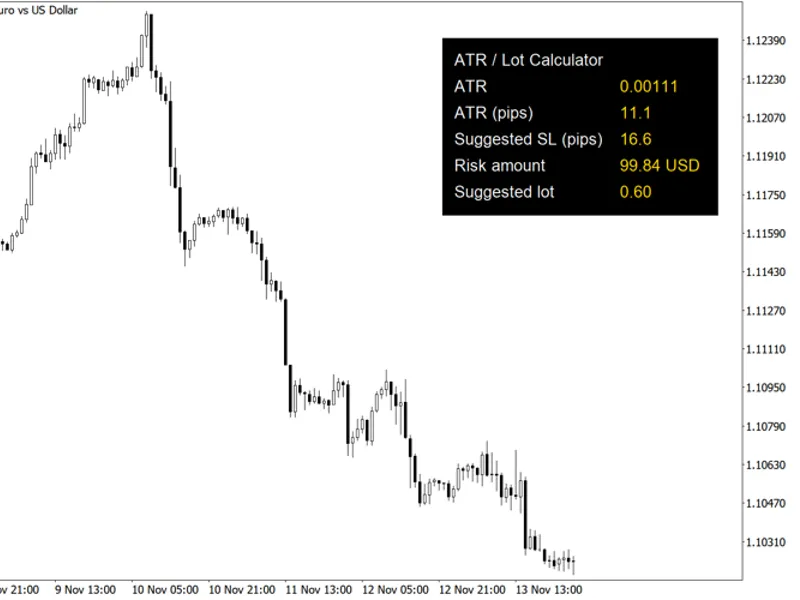
The tool measures current market volatility using the Average True Range (ATR). It then sets your stop loss at a predefined multiple of the ATR away from your entry price. Targets are displayed as multiples of this initial risk (1R, 2R, 3R). Furthermore, it calculates the precise position size by using your broker's specific tick value and tick size for the symbol. This means the same panel is effective for trading gold (XAUUSD), oil (Brent/WTI), forex pairs, and indices without requiring manual calculations for pip values.
Panel Overview
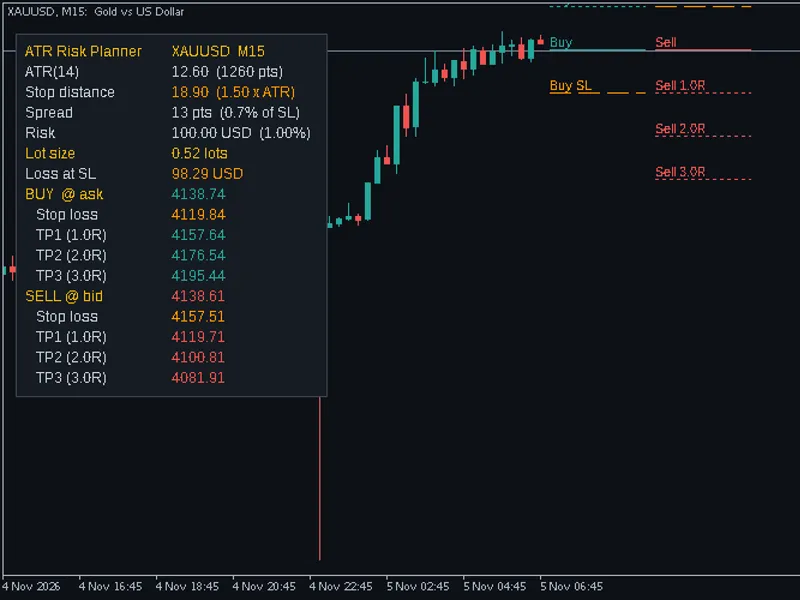
ATR: Displays the Average True Range value in price and points. You can choose to view the ATR on the chart's current timeframe or any other selected timeframe.
Stop Distance: Calculated as ATR multiplied by a user-defined multiplier (default is 1.5).
Spread: Shown in points and as a percentage of the stop loss distance. The spread value turns red if it exceeds a defined threshold (default is 10%), which is particularly useful during volatile news events or rollover periods.
Risk: Expressed in your account currency. You can set risk as a percentage of your balance, a percentage of your equity, or a fixed monetary amount.
Lot Size: The calculated lot size is rounded down to adhere to your broker's minimum volume step. The panel also displays the actual potential loss at the stop loss level for this rounded size. If even the minimum allowable lot size would exceed your defined risk, the panel will indicate this instead of displaying a lot size.
Buy Plan: Outlines a potential buy trade (entry at the Ask price), including the stop loss and up to three profit targets.
Sell Plan: Outlines a potential sell trade (entry at the Bid price), including the stop loss and up to three profit targets.
On-Chart Display
The panel draws short horizontal lines with small tags directly on the chart to mark the entry, stop loss, and target levels for both buy and sell sides. These lines appear to the right of the last candle. Buy lines are displayed first, followed by sell lines, ensuring they do not overlap. You have the option to disable these chart lines or to plan only the buy or sell side.
Notes
By default, the tool uses the ATR value from the last completed bar to ensure that plotted levels remain stable and do not fluctuate within the current, active candle.
The lot size calculation correctly accounts for the broker's specified tick value for loss (SYMBOL_TRADE_TICK_VALUE_LOSS), ensuring accurate calculations for cross currency pairs and accounts not denominated in USD.
The panel updates in real-time with every tick and also refreshes once per second.
If plotted levels are too far from the current price, they may fall outside the visible chart area. In such cases, simply scroll or zoom out to view all lines.
This indicator functions solely as a planning tool. It reads price and account data and draws graphical objects. It does not execute, modify, or close trades. It is designed to aid in trade planning and does not provide any guarantees regarding trading outcomes.
Inputs
Input
Default
Meaning
ATR timeframe
Current
The timeframe used for calculating the ATR.
ATR period
14
The lookback period for the ATR calculation.
Use ATR of last closed bar
true
Set to false to use the ATR from the live, current bar.
Stop loss distance (x ATR)
1.5
Determines the stop loss distance as a multiple of the calculated ATR.
Target 1 / 2 / 3 (R multiple)
1 / 2 / 3
Set to 0 to hide a specific target level.
Risk mode
Percent of balance
Options include: Percent of equity, or a fixed monetary amount.
Risk percent
1.0
The percentage value used when Risk mode is set to a percentage of balance or equity.
Risk amount
50
The fixed monetary amount used when Risk mode is set to a fixed amount, specified in the account currency.
Warn if spread exceeds % of SL
10
The spread display will turn red if it exceeds this percentage of the stop loss distance.
Sides to draw
Buy and sell
Options include: Buy only, or Sell only.
Draw level lines on chart
true
Set to false to disable the drawing of level lines on the chart.
Line length per side
10 bars
Specifies the length of each level line in terms of the number of bars.
Panel corner / X / Y offset
Top left / 10 / 25
Defines the position of the panel on the chart using corner anchor and X/Y offsets.
Font size
9
The panel's text size. The panel scales proportionally with this setting.
Colours
dark theme
Allows customization of panel, text, buy, sell, stop, and warning colors to suit different themes (e.g., dark theme).
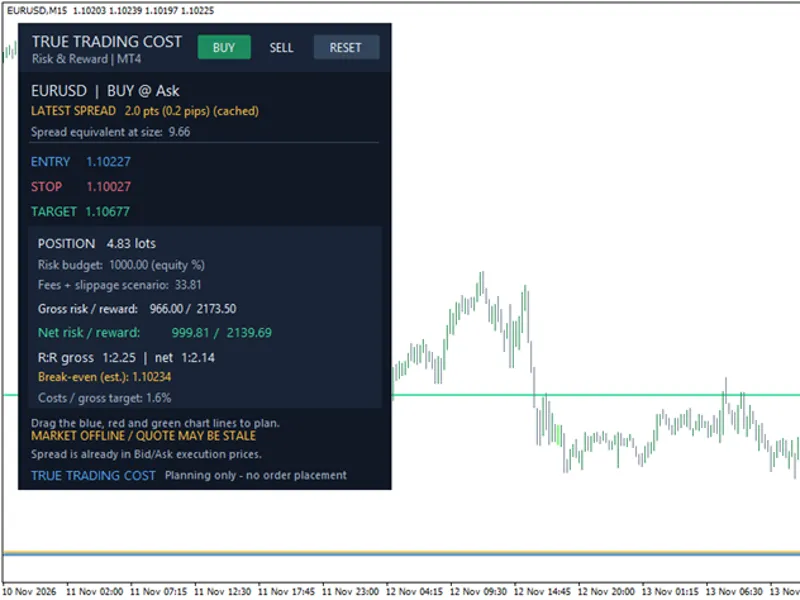
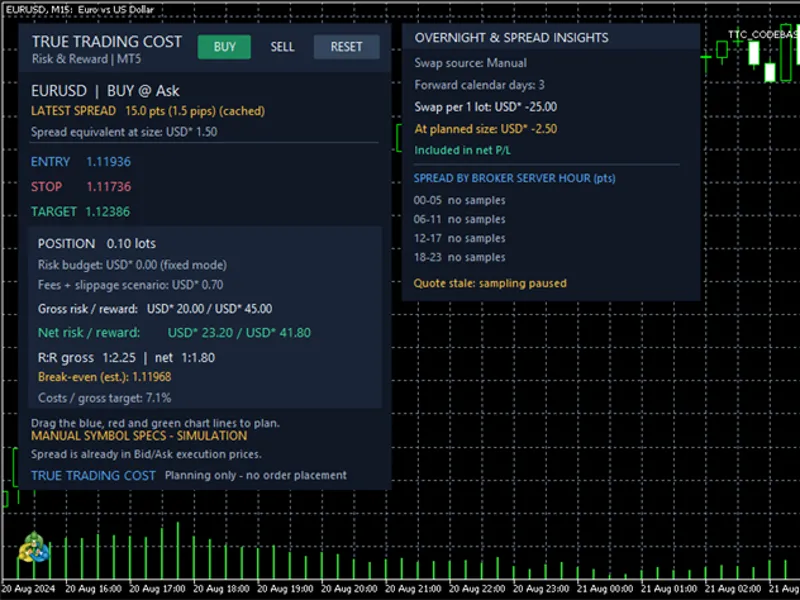
You may also like: True Trading Cost: Net Risk/Reward Calculator for MT5 - excellent alternative for indicator users on MetaTrader 5.
Source Code
#property copyright "RobotFX"
#property version   "1.00"
#property description "This code is educational. Feel free to use, modify and upgrade as you wish. Visit ROBOTFX.ORG for professional trading tools"
#property indicator_chart_window
#property indicator_buffers 0
#property indicator_plots   0
enum ENUM_RISK_MODE
  {
   RISK_PERCENT_BALANCE = 0,
   RISK_PERCENT_EQUITY  = 1,
.......
⚠ Limitations & Risk Warning
- This tool is provided for educational and testing purposes only.
- Past performance does not guarantee future results.
- Trading involves substantial risk of loss. Use on a demo account first.
- Results may vary depending on market conditions, broker, and settings.
- We recommend thorough backtesting and forward testing before using with real funds.