








asq divergence detector
Info
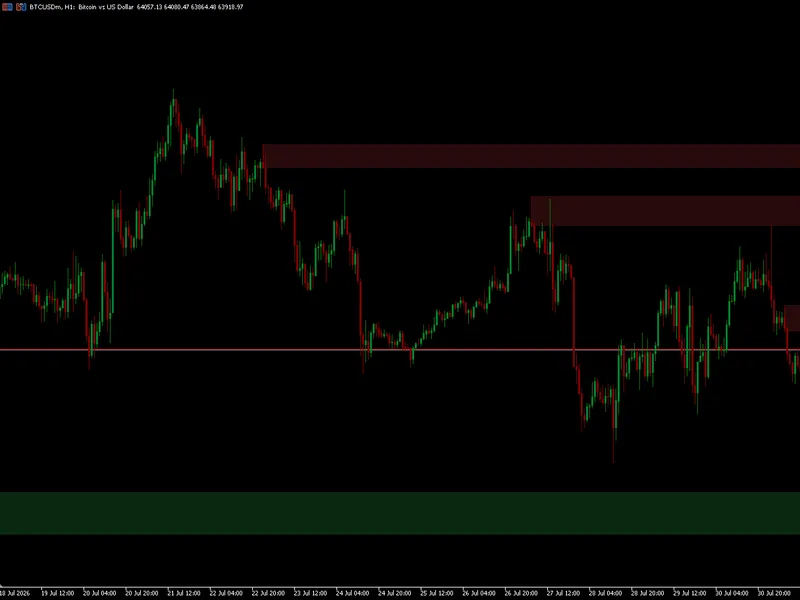
The asq divergence detector is a Indicator for MetaTrader 5 that asq divergence detector — spot reversals before they happen algosphere quant — precision before profit. this indicator scans your chart for regular and hidden rsi divergences, providing a powerful tool for traders to anticipate potential reversals.
Usage
This tool is typically used for enhancing chart analysis and decision making.
Platform
This Indicator works exclusively on MetaTrader 5 (both build 600+ and newer versions).
Setup
Place the downloaded file in MQL5/Indicators folder via File ? Open Data Folder in MetaTrader 5.
How to Install and Use asq divergence detector
1. Installation: Place your file in the MQL/Indicators folder via "Open Data Folder" and restart your terminal.
2. Loading: Find the indicator in the Navigator, drag it onto your chart, and configure the input parameters in the popup window.
3. Customization: Press Ctrl+I to open the indicator list, select your tool, and click "Properties" to change colors, levels, or visual styles.
4. Updating: Replace the old file in the Indicators folder with the new version and restart the platform to apply changes.
Frequently Asked Questions
Q: Why is my indicator not showing? A: Verify the file is in the MQL/Indicators folder, or try right-clicking the "Indicators" tree in the Navigator and clicking "Refresh."
Q: Do custom indicators slow down the platform? A: Too many complex indicators can impact performance; remove unused ones via the "Indicator List" (Ctrl+I).
Q: Can I use MT4 indicators on MT5? A: No, MQL4 and MQL5 are distinct languages; ensure the indicator is compiled specifically for your platform version.
What this tool does
asq divergence detector — spot reversals before they happen algosphere quant — precision before profit.
Typical Use Case
This Indicator excels in automated trading and technical analysis on MetaTrader 5.
Compatible Platform & Setup
This Indicator works on MetaTrader 5. Place the file in the MQL5/Indicators folder and restart the terminal.
Description & Settings
Related: SMC Order Block Detector with Alert for MT5 - another powerful indicator for MetaTrader 5 traders.
asq divergence detector — spot reversals before they happenAlso recommended: rsi divergence and higher timeframe (htf) power of 3 (po3) indicator - similar indicator with strong performance on MetaTrader 5.
algosphere quant — precision before profit.
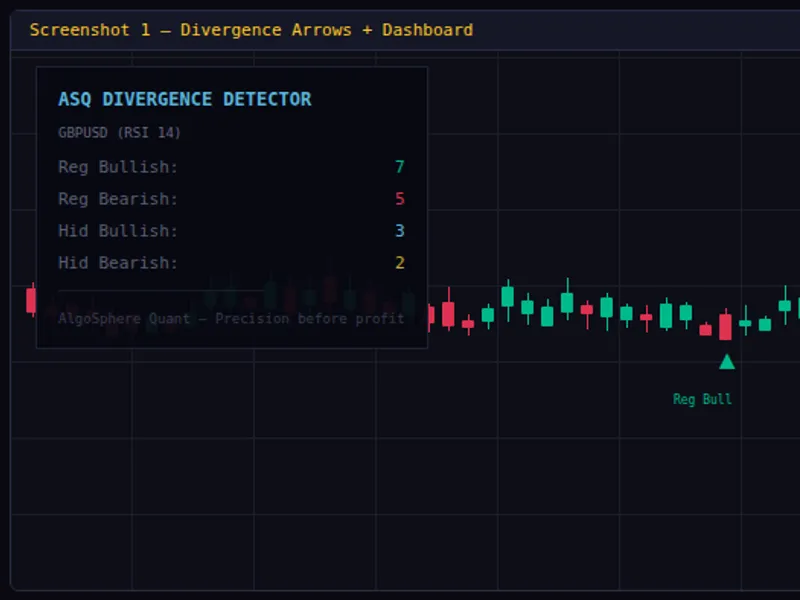
this indicator scans your chart for regular and hidden rsi divergences, providing a powerful tool for traders to anticipate potential reversals. it marks these divergences with clear, color-coded arrows, ensuring a straightforward and intuitive visualization.
key features:
- non-repaint divergence arrows displayed directly on the main chart.
- four divergence types: regular bullish, regular bearish, hidden bullish, and hidden bearish.
- color-coded arrows for easy identification: green (regular bullish), red (regular bearish), blue (hidden bullish), and gold (hidden bearish).
- text labels accompanying each divergence arrow, clearly indicating the divergence type.
- a real-time stats dashboard that tracks the count of each divergence type, offering a statistical perspective on bullish and bearish signals.
- customizable settings: adjust swing length, lookback depth, and rsi period to suit your trading strategy.
- alert system with popup, sound, and push notification to notify you of new divergences.
- efficient cpu usage with a single-file design and no external dependencies.
parameters:
- detection: configure swing length, lookback bars, rsi period, and toggle the display of regular and hidden divergences and labels.
- alerts: enable or disable popup, sound, and push notifications.
- dashboard: show or hide the dashboard, adjust its position, font size, and colors.
installation:
1. download asq_divergencedetector.mq5.
2. place the file in mql5/indicators/.
3. compile the indicator in metaeditor.
4. drag and drop onto any chart in metatrader 5.
compatible with all brokers, instruments, and timeframes. free and open-source.
You may also like: institutional fractal dimension index (regime detector) - excellent alternative for indicator users on MetaTrader 5.
Source Code
#property copyright "robotfx"
#property link "https://robotfx.org"
#property version     "3.00"
#property description "This code is provided AS IS and intended for educational purposes only. Professional trading EAs and indicators - robotfx www.robotfx.org"
#property description "This code is provided AS IS and intended for educational purposes only. Professional trading EAs and indicators - robotfx www.robotfx.org"
#property description "This code is provided AS IS and intended for educational purposes only. Professional trading EAs and indicators - robotfx www.robotfx.org"
#property description "This code is provided AS IS and intended for educational purposes only. Professional trading EAs and indicators - robotfx www.robotfx.org"
#property description "This code is provided AS IS and intended for educational purposes only. Professional trading EAs and indicators - robotfx www.robotfx.org"
#property description "This code is provided AS IS and intended for educational purposes only. Professional trading EAs and indicators - robotfx www.robotfx.org"
#property indicator_chart_window
.......
⚠ Limitations & Risk Warning
- This tool is provided for educational and testing purposes only.
- Past performance does not guarantee future results.
- Trading involves substantial risk of loss. Use on a demo account first.
- Results may vary depending on market conditions, broker, and settings.
- We recommend thorough backtesting and forward testing before using with real funds.