






Non-Repainting Fair Value Gap Detector for MT5
Info
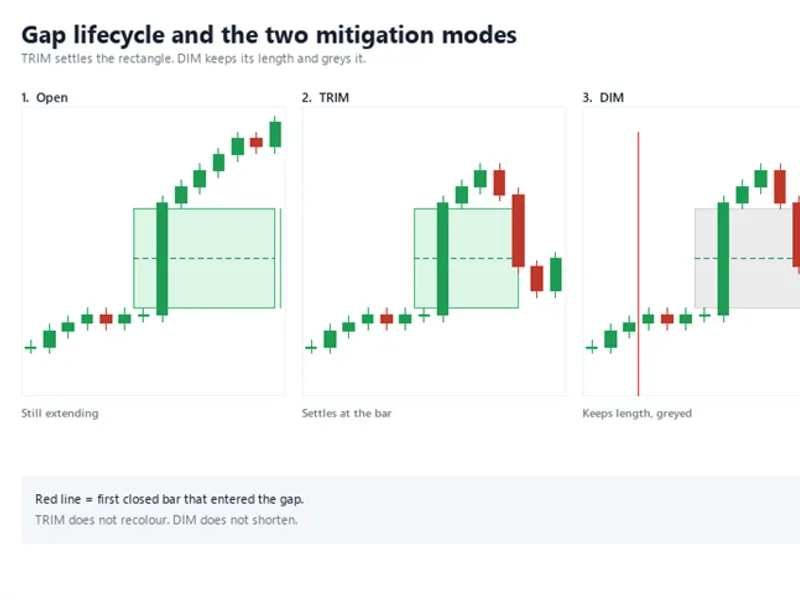
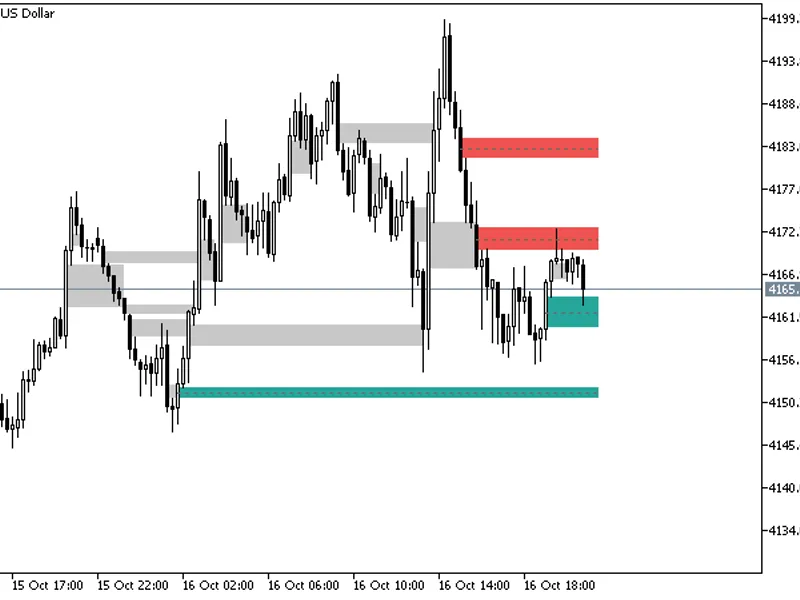
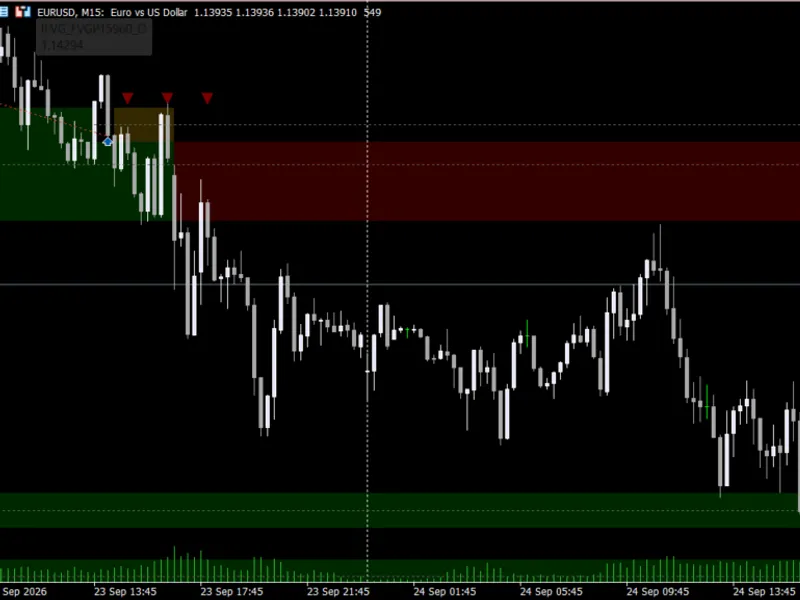
The Non-Repainting Fair Value Gap Detector for MT5 is a Indicator for MetaTrader 5 that non-repainting three-bar fair value gap detector for metatrader 5. It draws every three-bar imbalance as a rectangle, marks the 50% Consequent Encroachment level, and, in TRIM mode, settles the rectangle on the first closed bar that trades into the gap.
Usage
This tool is typically used for enhancing chart analysis and decision making.
Platform
This Indicator works exclusively on MetaTrader 5 (both build 600+ and newer versions).
Setup
Place the downloaded file in MQL5/Indicators folder via File ? Open Data Folder in MetaTrader 5.
How to Install and Use Non-Repainting Fair Value Gap Detector for MT5
1. Installation: Place your file in the MQL/Indicators folder via "Open Data Folder" and restart your terminal.
2. Loading: Find the indicator in the Navigator, drag it onto your chart, and configure the input parameters in the popup window.
3. Customization: Press Ctrl+I to open the indicator list, select your tool, and click "Properties" to change colors, levels, or visual styles.
4. Updating: Replace the old file in the Indicators folder with the new version and restart the platform to apply changes.
Frequently Asked Questions
Q: Why is my indicator not showing? A: Verify the file is in the MQL/Indicators folder, or try right-clicking the "Indicators" tree in the Navigator and clicking "Refresh."
Q: Do custom indicators slow down the platform? A: Too many complex indicators can impact performance; remove unused ones via the "Indicator List" (Ctrl+I).
Q: Can I use MT4 indicators on MT5? A: No, MQL4 and MQL5 are distinct languages; ensure the indicator is compiled specifically for your platform version.
What this tool does
Non-repainting three-bar Fair Value Gap detector for MetaTrader 5.
Typical Use Case
This Indicator excels in automated trading and technical analysis on MetaTrader 5.
Compatible Platform & Setup
This Indicator works on MetaTrader 5. Place the file in the MQL5/Indicators folder and restart the terminal.
Description & Settings
Related: Fair Value Gaps: Identifying and Tracking Imbalances with Alerts - another powerful indicator for MetaTrader 5 traders.
Non-repainting three-bar Fair Value Gap detector for MetaTrader 5. It draws every three-bar imbalance as a rectangle, marks the 50% Consequent Encroachment level, and, in TRIM mode, settles the rectangle on the first closed bar that trades into the gap.Also recommended: Inversion Fair Value Gaps Indicator with Bounce Signals - similar indicator with strong performance on MetaTrader 5.
Detection is closed-bar only. A gap is derived from three closed bars - the bar before the impulse, the impulse bar itself, and the bar that leaves the imbalance behind - and the stored price levels are never rewritten afterwards. The gap lifecycle is an explicit state machine, so that in TRIM mode a gap that was filled long ago is drawn back to the bar that filled it instead of protruding into the future as though it were still open. Incremental scanning means only the bars that have just closed are tested, so a long history is not rebuilt on every tick.
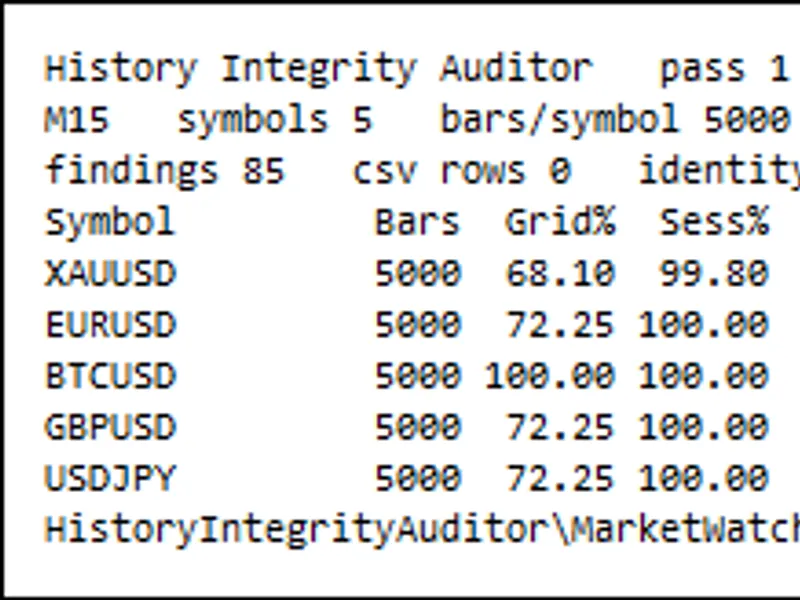
Mitigation presentation is selectable: TRIM shortens the rectangle to the mitigation bar, DELETE removes it, DIM greys it, and NONE leaves it at full length. A built-in self-audit re-derives the gaps from the closed-bar series when the indicator is attached and compares the stored levels against the fresh ones, reporting the number of bars re-checked and any level that no longer matches. The audit runs on attach, and again whenever the chart history is rebuilt; set InpAuditDepth to 0 to switch it off.
Inputs, all documented in the source: InpLookbackBars (bars scanned on attach), InpMinGapPoints (0 = auto), InpMitigationMode, InpShowBullish, InpShowBearish, InpShowCE, InpExtendBars (forward extension of open gaps), InpAlertTouch, InpAuditDepth (0 = off) and eight colour inputs.
Pure native MQL5. No DLLs, no external dependencies, no include files.
Gap lifecycle: an open gap extends to the right, TRIM settles the rectangle at the first closed bar that entered the gap, and DIM keeps its length and greys it.
You may also like: ATS Confirmed Swings: Non-Repainting Swing Highs and Lows - excellent alternative for indicator users on MetaTrader 5.
Source Code
#property copyright "RobotFX"
#property link "https://robotfx.org"
#property version     "1.10"
#property description "This code is educational. Feel free to use, modify and upgrade as you wish. Visit ROBOTFX.ORG for professional trading tools"
#property indicator_chart_window
#property indicator_plots 0
enum ENUM_MITIGATION_MODE
  {
   MITIGATION_TRIM,
   MITIGATION_DELETE,
.......
⚠ Limitations & Risk Warning
- This tool is provided for educational and testing purposes only.
- Past performance does not guarantee future results.
- Trading involves substantial risk of loss. Use on a demo account first.
- Results may vary depending on market conditions, broker, and settings.
- We recommend thorough backtesting and forward testing before using with real funds.