


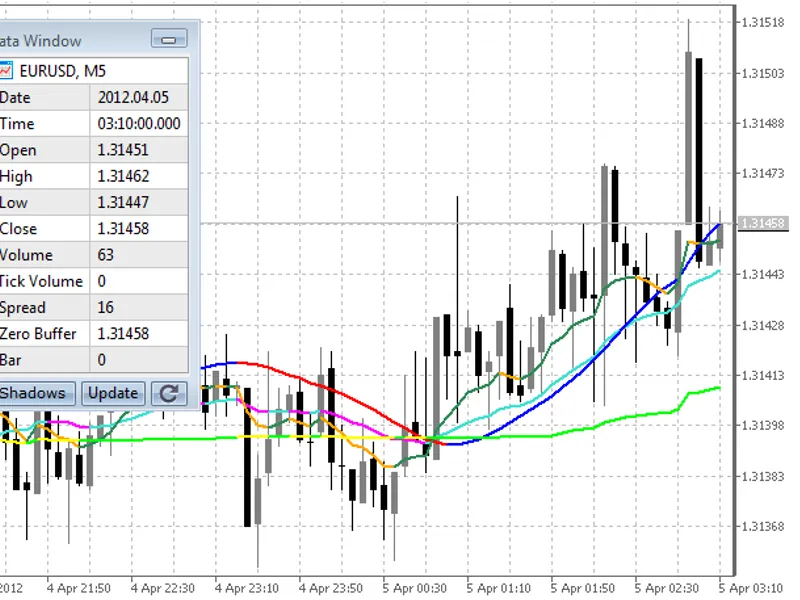
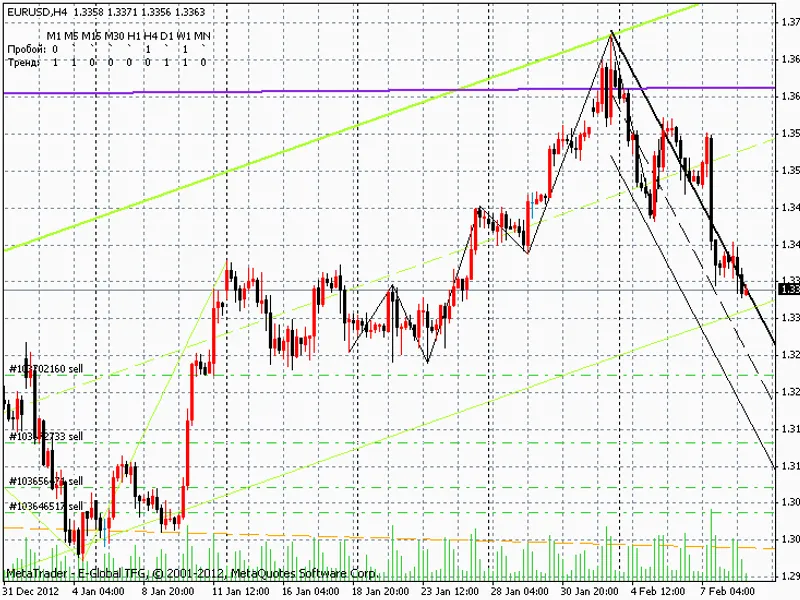

History Integrity Auditor for MT4/MT5
Info
The History Integrity Auditor for MT4/MT5 is a Expert Advisor for MetaTrader 5 that the integrity of historical bar data is crucial for accurate backtesting, indicator analysis, and optimization results in metatrader 4 and 5. The History Integrity Auditor tool addresses this by examining the bar data available to your terminal, identifying six classes of potential defects.
Usage
This tool is typically used for automated trading on major forex pairs and gold.
Platform
This Expert Advisor works exclusively on MetaTrader 5 (both build 600+ and newer versions).
Setup
Place the downloaded file in MQL5/Experts folder via File ? Open Data Folder in MetaTrader 5.
How to Install and Use History Integrity Auditor for MT4/MT5
1. Installation: Open the "File" menu, select "Open Data Folder," navigate to MQL/Experts, paste your file, and restart the terminal.
2. Activation: Drag the EA from the Navigator onto a chart, ensure "Allow live trading" is checked in the Common tab, and verify the AutoTrading button is green.
3. Optimization: Right-click your chart, choose "Expert List," click "Properties" to adjust inputs, and save your preferred setup as a set file for future use.
4. Maintenance: Regularly check the "Experts" tab in the terminal window to monitor trade logs and potential execution errors.
Frequently Asked Questions
Q: Why is my EA not opening trades? A: Check the "AutoTrading" button, ensure "Allow live trading" is enabled, and verify your broker allows automated trading on your account type.
Q: Can I run multiple EAs on one chart? A: No, each chart can only host one active EA; however, you can open multiple charts for different currency pairs to run several EAs.
Q: What does the "smiley face" icon mean? A: A smiley face in the top-right corner of the chart indicates the EA is successfully running; a frowny face means it is disabled.
What this tool does
The integrity of historical bar data is crucial for accurate backtesting, indicator analysis, and optimization results in MetaTrader 4 and 5.
Typical Use Case
This Expert Advisor excels in automated trading and technical analysis on MetaTrader 5.
Compatible Platform & Setup
This Expert Advisor works on MetaTrader 5. Place the file in the MQL5/Experts folder and restart the terminal.
Description & Settings
Related: Accurate Broker GMT Offset and Daylight Saving Time Rules from Price History - another powerful expert for MetaTrader 5 traders.
The integrity of historical bar data is crucial for accurate backtesting, indicator analysis, and optimization results in MetaTrader 4 and 5. The History Integrity Auditor tool addresses this by examining the bar data available to your terminal, identifying six classes of potential defects.Also recommended: CLiveTradeInfo - CHistoryTradeInfo - similar expert with strong performance on MetaTrader 5.
These defects include impossible OHLC values, incorrect bar times, missing bars despite broker quotes, bars with no ticks or range, discrepancies with the broker's M1 data, and invalid spreads (zero or exceeding a set limit).
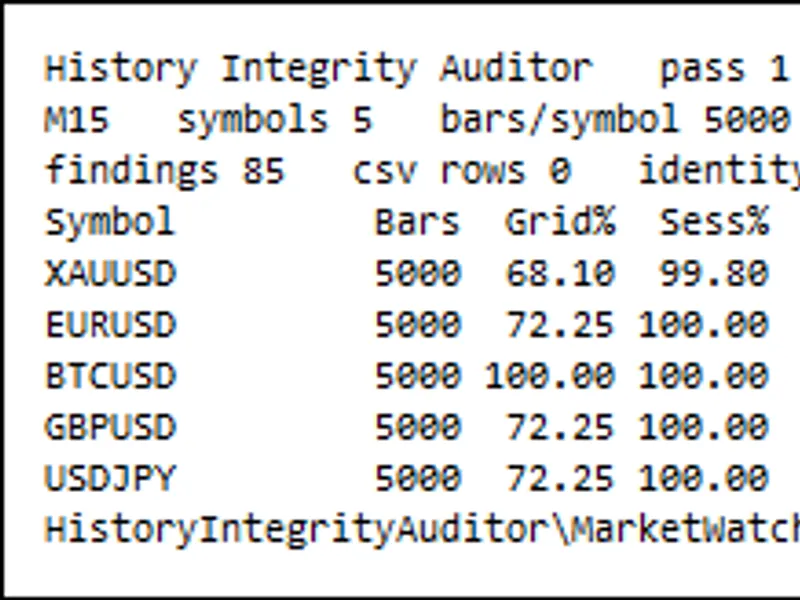
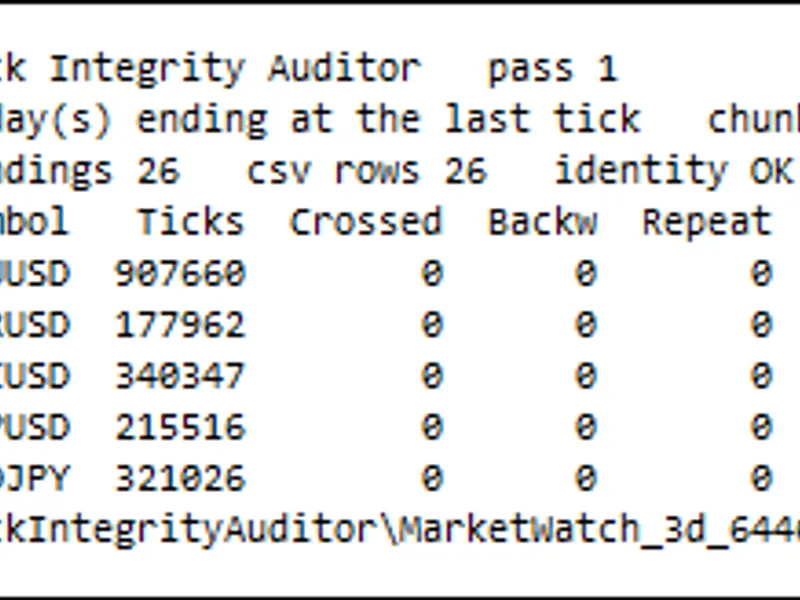
The audit process is swift; for example, checking five Market Watch symbols with 5,000 closed bars each takes approximately one second. The 'Sess%' column is a key indicator, showing session coverage, while 'Grid%' reflects the proportion of all possible time slots, including weekends and nights.
The Problem: Missing bars are not visually apparent on charts; gaps in history appear as quiet market periods. The Strategy Tester does not flag these, leading to backtests that run on incomplete data, potentially missing periods where losses would have occurred.
Defects like inverted OHLC values (close above high), duplicate bar times, zero-tick bars, or timeframes that do not align with M1 data can significantly skew trading strategies and indicator calculations. Traditional visual inspection of charts is insufficient for detecting these subtle data integrity issues.
What the Auditor Measures: The tool performs six independent checks on a specified number of closed bars for a given symbol and timeframe. Each finding is recorded in a CSV file with the bar time, allowing for manual verification.
The checks include:
- OHLC Consistency: Detects inverted bars (high < low), prices outside the bar's range, or non-positive price values.
- Bar Times: Identifies duplicate, out-of-order, or off-grid bar opening times.
- Missing Bars vs. Quote Sessions: Compares actual bar openings against the broker's declared trading sessions, flagging unexplained gaps within active trading hours.
- Empty and Flat Bars: Counts bars with zero tick volume (empty) or bars with no price movement despite having ticks (flat).
- M1 Cross-check: Rebuilds each higher timeframe bar from its constituent M1 bars and compares it against the broker-provided data, measuring deviations.
- Spread Sanity: Records the number of bars with zero spread, bars exceeding a user-defined limit, and calculates the maximum and average spread.
The primary metrics are 'Session Coverage' (the percentage of expected trading openings that have a corresponding bar) and 'Grid Coverage' (the percentage of all time slots, including non-trading hours, that have a bar).
Measured Example: An audit of five symbols (XAUUSD, EURUSD, BTCUSD, GBPUSD, USDJPY) on M15 timeframe using the last 5,000 closed bars on 2026.10.02 revealed varying degrees of session coverage. For instance, XAUUSD showed 99.80% session coverage, indicating a small number of missing bars within trading sessions, while other forex pairs and BTCUSD achieved 100.00%. The detailed findings file can pinpoint the exact times and nature of these gaps.
The example report details a specific gap found in XAUUSD M15 data: 14 consecutive openings missing between 18:30 and 21:45 on Monday, September 7, 2026, with 10 of these falling within declared trading sessions. This highlights how periods of missing data can be silently overlooked in backtests.
Independent Verification: The audit results can be independently verified. A Python script can recompute the same metrics using the raw bar and session data generated by the tool. Across multiple audits, this independent recount reported zero mismatches, confirming the tool's accuracy.
The tool also includes self-checks for its arithmetic and data processing, providing detailed logs that can be audited without external scripts.
Inputs: The tool is configurable with various inputs, including the symbols to audit, timeframe, number of bars, and which checks to enable. Notably, the M1 cross-check (C5) can be resource-intensive on longer historical periods and may be optionally disabled for initial passes.
The Report: Comprehensive results are logged to the Experts journal and saved to CSV files. These include an overview, detailed findings per defect, symbol-specific summaries, session data, and optionally, the raw audited bars for deep analysis.
Output Files:
- overview.csv: Summary for each audited symbol.
- findings.csv: Detailed log of each detected defect.
-
-
-
How to Use: Attach the auditor to a chart of your trading timeframe and set the number of bars to cover your backtest range. Focus initially on 'Session Coverage' and 'Missing in Session' to gauge the reliability of your historical data. Investigate specific gaps by sorting the findings file by time. Refreshing terminal history and re-auditing can identify locally missing data. Enabling the M1 cross-check for your trading timeframe can reveal discrepancies in the broker's data series.
Data quality is specific to your terminal's data at a given time. Re-running the audit after changing brokers, servers, or data download methods is recommended.
Limitations:
- The auditor examines the history held by your terminal, not necessarily the complete history available from the broker's server.
- Gaps classified as 'explained' by the session table may still represent actual data gaps.
- The M1 cross-check is limited to the range of available M1 history.
- Tick data is not audited.
- The tool reports findings but does not repair data.
- It operates without trading functions, DLLs, network access, or external file manipulation beyond its own output CSVs.
You may also like: Tick Integrity Auditor - excellent alternative for expert users on MetaTrader 5.
Source Code
#property copyright "RobotFX"
#property link "https://robotfx.org"
#property version     "1.00"
#property description "This code is educational. Feel free to use, modify and upgrade as you wish. Visit ROBOTFX.ORG for professional trading tools"
#define HIA_NAME            "HistoryIntegrityAuditor"
#define HIA_TITLE           "History Integrity Auditor"
#define HIA_FOLDER          "HistoryIntegrityAuditor"
#define HIA_MAX_SYMBOLS     128
#define HIA_MAX_BARS        500000
#define HIA_MAX_SESSIONS    8
.......
⚠ Limitations & Risk Warning
- This tool is provided for educational and testing purposes only.
- Past performance does not guarantee future results.
- Trading involves substantial risk of loss. Use on a demo account first.
- Results may vary depending on market conditions, broker, and settings.
- We recommend thorough backtesting and forward testing before using with real funds.