







Multi-Indicator Divergence Detector for MT4/MT5
Info
The Multi-Indicator Divergence Detector for MT4/MT5 is a Indicator for MetaTrader 5 that multi-indicator divergence detectorthis indicator identifies when multiple oscillators disagree with price movements, providing a more robust signal than a single oscillator's divergence. It analyzes ten different oscillators against price pivots on every bar.
Usage
This tool is typically used for enhancing chart analysis and decision making.
Platform
This Indicator works exclusively on MetaTrader 5 (both build 600+ and newer versions).
Setup
Place the downloaded file in MQL5/Indicators folder via File ? Open Data Folder in MetaTrader 5.
How to Install and Use Multi-Indicator Divergence Detector for MT4/MT5
1. Installation: Place your file in the MQL/Indicators folder via "Open Data Folder" and restart your terminal.
2. Loading: Find the indicator in the Navigator, drag it onto your chart, and configure the input parameters in the popup window.
3. Customization: Press Ctrl+I to open the indicator list, select your tool, and click "Properties" to change colors, levels, or visual styles.
4. Updating: Replace the old file in the Indicators folder with the new version and restart the platform to apply changes.
Frequently Asked Questions
Q: Why is my indicator not showing? A: Verify the file is in the MQL/Indicators folder, or try right-clicking the "Indicators" tree in the Navigator and clicking "Refresh."
Q: Do custom indicators slow down the platform? A: Too many complex indicators can impact performance; remove unused ones via the "Indicator List" (Ctrl+I).
Q: Can I use MT4 indicators on MT5? A: No, MQL4 and MQL5 are distinct languages; ensure the indicator is compiled specifically for your platform version.
What this tool does
Multi-Indicator Divergence DetectorThis indicator identifies when multiple oscillators disagree with price movements, providing a more robust signal than a single oscillator's divergence.
Typical Use Case
This Indicator excels in automated trading and technical analysis on MetaTrader 5.
Compatible Platform & Setup
This Indicator works on MetaTrader 5. Place the file in the MQL5/Indicators folder and restart the terminal.
Description & Settings
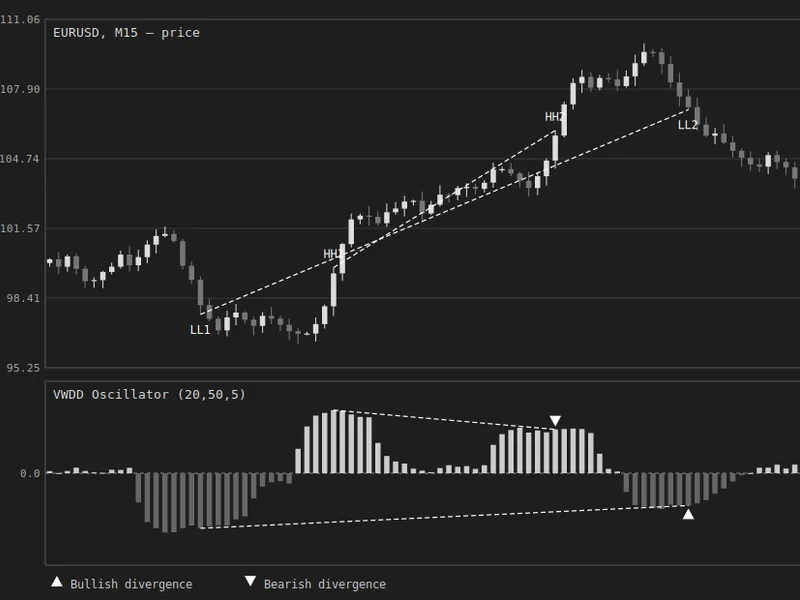
Related: Volume-Weighted Delta Divergence Oscillator - another powerful indicator for MetaTrader 5 traders.
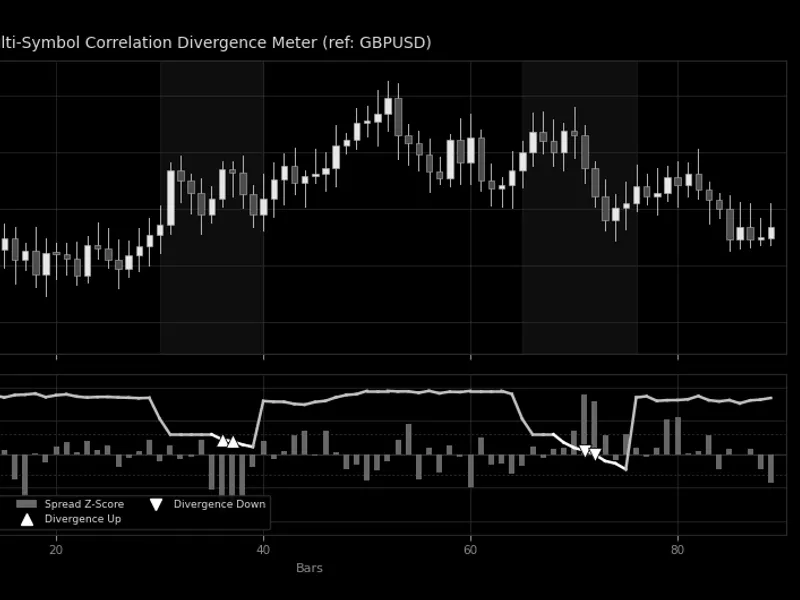
Multi-Indicator Divergence DetectorAlso recommended: Multi-Symbol Correlation Divergence Meter - similar indicator with strong performance on MetaTrader 5.
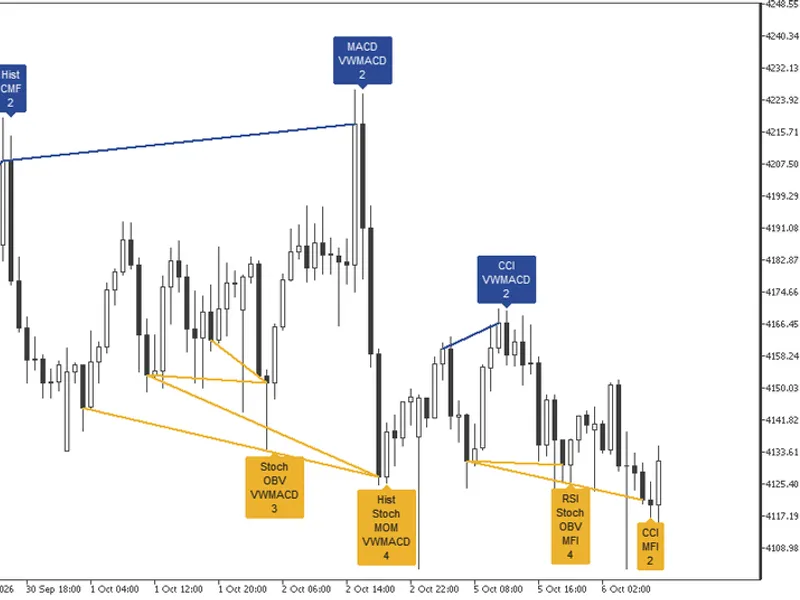
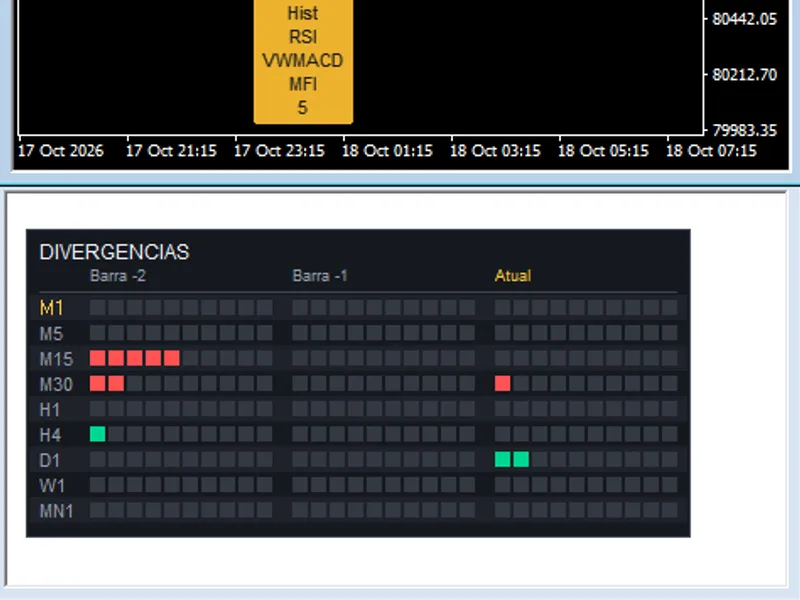
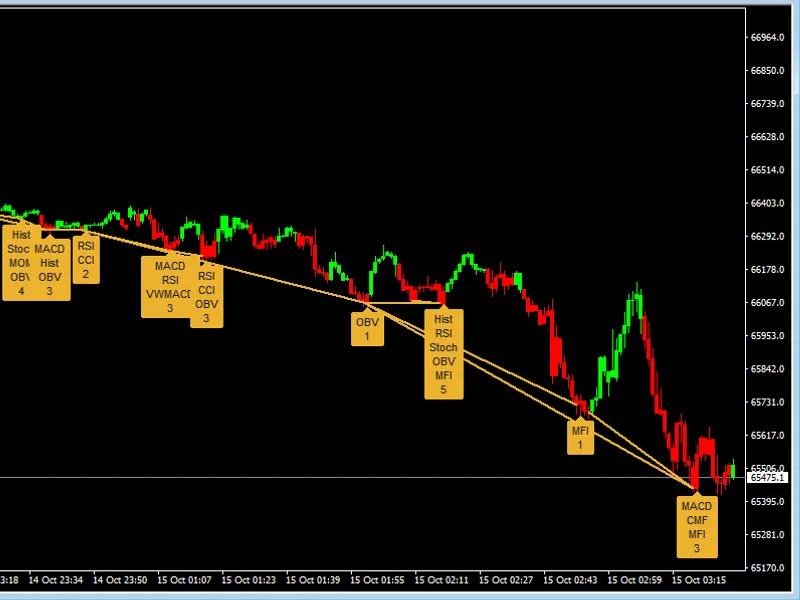
This indicator identifies when multiple oscillators disagree with price movements, providing a more robust signal than a single oscillator's divergence.It analyzes ten different oscillators against price pivots on every bar. Divergences are drawn directly on the price chart, and each bar is labeled with a box indicating which oscillators are in agreement and their total count.
Included Oscillators (Classic Settings):
- MACD (12, 26, 9) and its histogram
- RSI (14)
- Stochastic (14, smoothed over 3 bars)
- CCI (10)
- Momentum (10)
- On-Balance Volume (OBV)
- VWMACD (12, 26)
- Chaikin Money Flow (CMF, 21)
- Money Flow Index (MFI, 14)
All oscillators are calculated internally and can be individually disabled. The four volume-based oscillators (OBV, VWMACD, CMF, MFI) utilize tick volume.
Understanding the Chart Displays:
Boxes:
Bullish divergence boxes appear below the signal bar and point upwards. Bearish divergence boxes appear above the signal bar and point downwards. The box lists all diverging oscillators and shows their total count. For example, a box reading 'Hist, Stoch, MOM, VWMACD, 4' indicates four distinct oscillators confirming a potential turn.
Lines:
Each divergence is illustrated on the price chart, extending from the earlier pivot to the signal bar. Regular divergences are marked with solid lines, hidden divergences with dashed lines. When multiple oscillators indicate the same pivot, a single line is used for clarity instead of multiple stacked lines.
Colors:
Divergence colors are configurable: amber for bullish regular, blue for bearish regular, green for bullish hidden, and red for bearish hidden. The box adopts the color of its associated divergence. All colors are customizable.
Divergence Types:
- Regular Divergence: Classic reversal pattern where price makes a lower low while the oscillator makes a higher low, or price makes a higher high while the oscillator makes a lower high.
- Hidden Divergence: Continuation pattern where price maintains a higher low while the oscillator forms a lower low, or the opposite at market tops.
Conditions for Drawing Divergence Boxes:
Pivots are defined as tops and bottoms with five bars on either side, analyzed based on closing prices or high/low values. For each oscillator, the signal bar is compared against up to ten recent pivots within the last 100 bars, excluding pivots closer than five bars. A divergence pair is only considered valid if the path between the two pivot points is clear, meaning no bar in between crosses the straight line connecting them, neither on the oscillator nor on the price close. Divergences that are invalidated halfway do not appear on the chart.
The 'minimum divergences on a bar' setting acts as a filter. With a setting of 1, all divergences are displayed. With a setting of 3, a bar must exhibit three or more divergences before any indication is shown, highlighting only strong confluence.
Bar Confirmation and History:
When 'wait for the next bar to confirm' is enabled (default setting), only completed bars are analyzed. The divergence is measured on the preceding bar, and the just-closed bar must show a reversal in price or oscillator movement consistent with the divergence signal. The box appears upon the closing of this confirmation bar. The calculation of historical bars remains fixed. A newer divergence will replace a previous one on the same swing until a new pivot forms on that side, ensuring each swing reflects its latest signal. If confirmation is disabled, the current, in-progress bar is previewed and updated in real-time.
Alerts:
Separate alerts are available for bullish and bearish divergences, with options for 'off,' 'regular,' 'hidden,' or 'both.' Alerts trigger once per bar and side at the close of the confirmation bar. The alert message includes the symbol, timeframe, and type of divergence. A dedicated switch allows sending alerts as push notifications to the MetaTrader mobile application.
Input Parameters:
Pivots:
- Pivot Period: Number of bars on each side of a top or bottom (default 5).
- Pivot Source: Close price, or High/Low (affects pivot point placement on wicks).
Divergence:
- Divergence Type: Regular, Hidden, or Both (default Regular).
- Minimum Divergences on Bar: Filter for confluence (default 1).
- Pivots Checked Back: Number of past pivots to consider (default 10, max 20).
- Bars Checked Back: Lookback period for pivots (default 100, range 30-200).
- Wait for Next Bar to Confirm: Enable/disable confirmation (default On).
- Keep Only Latest Divergence: Show only the most recent divergence per swing (default Off).
- Bars Scanned on Load: Historical bars processed upon indicator loading (default 2000).
Display:
- Oscillator Names: Full text, first letter, or hidden.
- Divergence Count: Show/hide the count of diverging oscillators.
- Divergence Lines: Show/hide divergence lines.
- H and L Marks on Pivots: Mark pivot highs and lows (default Off).
- 50 and 200 Simple Moving Averages: Display SMAs (default Off).
Oscillators:
- Individual switches for each of the ten oscillators (all On by default).
Colors:
- Customizable colors for each divergence type and box text (bullish/bearish).
Alerts:
- Bullish Divergence Alert (default Off).
- Bearish Divergence Alert (default Off).
- Push Notification Switch.
This indicator operates on any symbol and timeframe. All drawn elements are removed when the indicator is deleted from the chart.
You may also like: rsi divergence and higher timeframe (htf) power of 3 (po3) indicator - excellent alternative for indicator users on MetaTrader 5.
Source Code
#property copyright "RobotFX"
#property link "https://robotfx.org"
#property version   "1.00"
#property description "This code is educational. Feel free to use, modify and upgrade as you wish. Visit ROBOTFX.ORG for professional trading tools"
#property indicator_chart_window
#property indicator_buffers 18
#property indicator_plots   2
#property indicator_label1  "SMA 50"
#property indicator_type1   DRAW_LINE
#property indicator_color1  C'46,160,110'
.......
⚠ Limitations & Risk Warning
- This tool is provided for educational and testing purposes only.
- Past performance does not guarantee future results.
- Trading involves substantial risk of loss. Use on a demo account first.
- Results may vary depending on market conditions, broker, and settings.
- We recommend thorough backtesting and forward testing before using with real funds.