
Anchored VWAP with Draggable Anchor Point (2026 Update)
Info
The Anchored VWAP with Draggable Anchor Point (2026 Update) is a Indicator for MetaTrader 5 that anchored vwap with draggable anchor pointthe idea behind anchored vwapthe volume weighted average price (vwap) represents the average price at which a security has traded throughout a period, with trading volume taken into consideration. Standard VWAP typically resets at fixed intervals, such as daily.
Usage
This tool is typically used for enhancing chart analysis and decision making.
Platform
This Indicator works exclusively on MetaTrader 5 (both build 600+ and newer versions).
Setup
Place the downloaded file in MQL5/Indicators folder via File ? Open Data Folder in MetaTrader 5.
How to Install and Use Anchored VWAP with Draggable Anchor Point (2026 Update)
1. Installation: Place your file in the MQL/Indicators folder via "Open Data Folder" and restart your terminal.
2. Loading: Find the indicator in the Navigator, drag it onto your chart, and configure the input parameters in the popup window.
3. Customization: Press Ctrl+I to open the indicator list, select your tool, and click "Properties" to change colors, levels, or visual styles.
4. Updating: Replace the old file in the Indicators folder with the new version and restart the platform to apply changes.
Frequently Asked Questions
Q: Why is my indicator not showing? A: Verify the file is in the MQL/Indicators folder, or try right-clicking the "Indicators" tree in the Navigator and clicking "Refresh."
Q: Do custom indicators slow down the platform? A: Too many complex indicators can impact performance; remove unused ones via the "Indicator List" (Ctrl+I).
Q: Can I use MT4 indicators on MT5? A: No, MQL4 and MQL5 are distinct languages; ensure the indicator is compiled specifically for your platform version.
What this tool does
Anchored VWAP with Draggable Anchor PointThe Idea Behind Anchored VWAPThe Volume Weighted Average Price (VWAP) represents the average price at which a security has traded throughout a period, with trading volume taken into consideration.
Typical Use Case
This Indicator excels in automated trading and technical analysis on MetaTrader 5.
Compatible Platform & Setup
This Indicator works on MetaTrader 5. Place the file in the MQL5/Indicators folder and restart the terminal.
Description & Settings
Related: Session VWAP with Standard Deviation Bands - another powerful indicator for MetaTrader 5 traders.
Anchored VWAP with Draggable Anchor PointAlso recommended: ORB Box + VWAP Stats: Opening Range, Targets, and Historical Break Analysis - similar indicator with strong performance on MetaTrader 5.
The Idea Behind Anchored VWAP
The Volume Weighted Average Price (VWAP) represents the average price at which a security has traded throughout a period, with trading volume taken into consideration. Standard VWAP typically resets at fixed intervals, such as daily. In contrast, Anchored VWAP allows you to select a specific starting bar, often a significant point like a swing high or low, a news event, a gap, a breakout, or the beginning of a trend.
From this chosen anchor bar, the indicator calculates the cumulative product of price and volume, divided by the cumulative volume. This provides the average entry price for all participants since the selected event. When the price trades above the AVWAP, it suggests that buyers who entered after the anchor point are, on average, in profit; conversely, when the price is below, sellers are in profit. The AVWAP line frequently functions as dynamic support or resistance.
The anchor is visualized as a vertical line on the chart. You can drag this line with your mouse, and the entire indicator recalculates instantly without requiring you to open the properties dialog or wait for the next tick. The calculation is incremental, storing running sums for each bar. On a new tick, only the most recent bar is recomputed, and a full recalculation occurs only when the anchor is moved or historical data is altered.
Interpreting Anchored VWAP
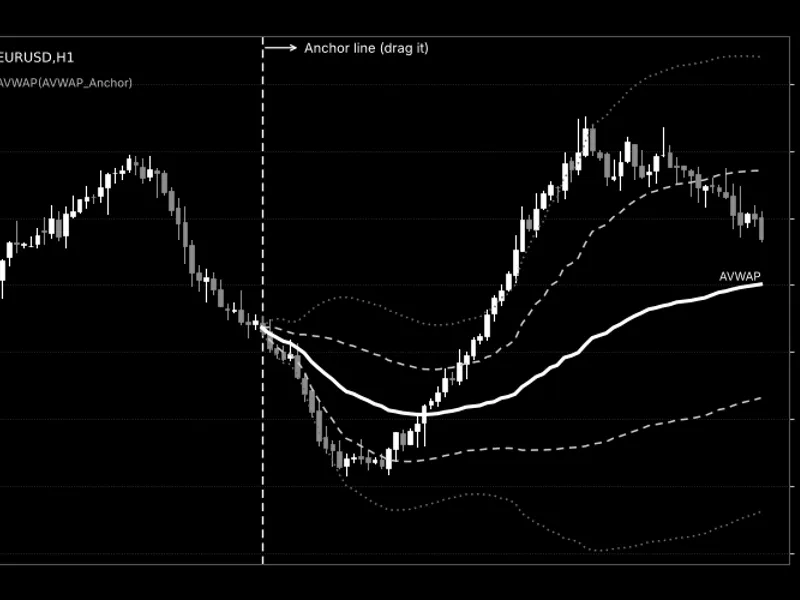
Anchor Line (Dashed Vertical Line):
This marks the starting bar for the AVWAP calculation. No data is displayed to the left of this line.
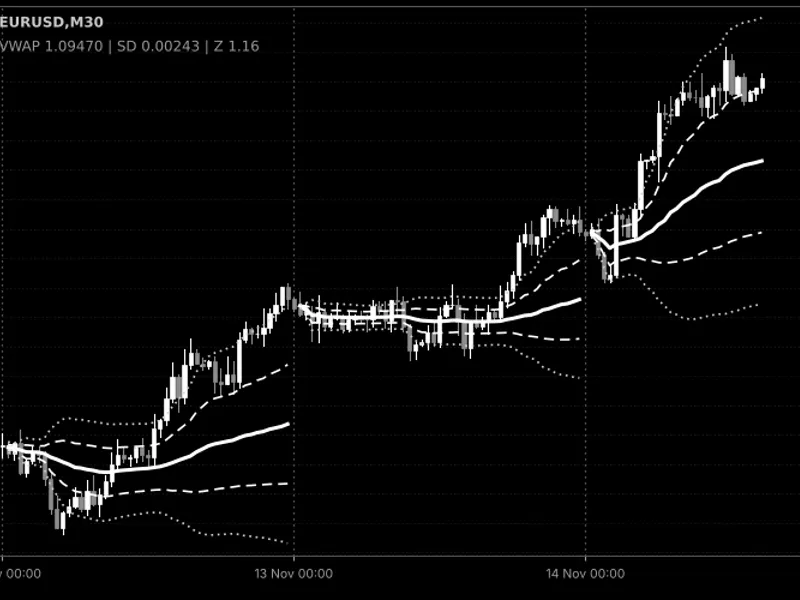
AVWAP (Solid Thick Line):
This represents the volume-weighted average price accumulated from the anchor bar to the current bar.
Deviation Bands (Dashed Lines - Upper 1 / Lower 1):
These bands are calculated as AVWAP ± (Band 1 multiplier × volume-weighted standard deviation of price since the anchor).
Extreme Deviation Bands (Dotted Lines - Upper 2 / Lower 2):
These bands are calculated similarly to the first set but use the Band 2 multiplier. They indicate statistically stretched or extreme price levels relative to the anchored average.
Trading Insights:
Price above AVWAP and AVWAP is rising: Indicates bullish control by buyers who entered after the anchor.
Price below a falling AVWAP: Suggests bearish control by sellers.
A pullback to the AVWAP or the first deviation band that holds can signal opportunities for trend continuation.
A close beyond the second deviation band may indicate an extended price move.
The width of the bands is dynamic: they widen when prices have been dispersed significantly since the anchor and narrow when prices have remained close to the average.
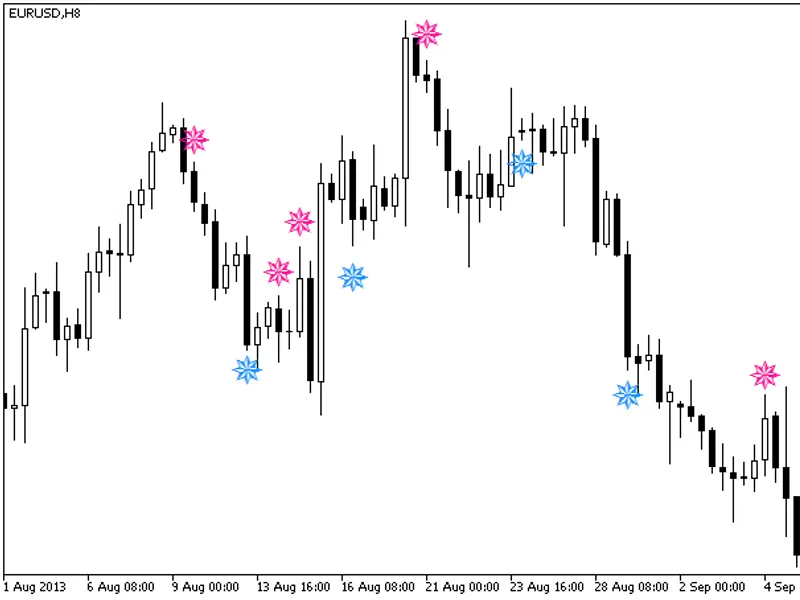
Fig. 1. Anchored VWAP on EURUSD H1: anchor line (dashed vertical), AVWAP (solid), deviation bands (dashed and dotted). The image is black & white according to the Code Base image guidelines; the line colors on a real chart are configurable.
External Variables (Inputs)
Input Name
Default Value
Purpose
Anchor Name (InpAnchorName)
AVWAP_Anchor
Specifies the name of the anchor line object. Use a unique name for each indicator instance on the same chart.
Initial Bars Back (InpInitialBarsBack)
100
Determines the initial placement of the anchor, counted in bars back from the most recent bar. If a line with the same name already exists, it will be reused.
Snap To Bar (InpSnapToBar)
true
When enabled, automatically moves the anchor line to the nearest bar's open time after dragging, ensuring precise alignment.
Anchor Color (InpAnchorColor)
clrOrange
Sets the color of the anchor line.
Anchor Style (InpAnchorStyle)
STYLE_DASH
Defines the visual style of the anchor line (e.g., dashed).
Anchor Width (InpAnchorWidth)
1
Sets the thickness of the anchor line (range from 1 to 5).
Calculation Settings
Price Type (InpPriceType)
AVWAP_PRICE_TYPICAL
Specifies the price used for each bar in the average calculation. Options include Typical (H+L+C)/3, Close, Open, High, Low, Median (H+L)/2, or Weighted (H+L+2C)/4.
Volume Type (InpVolumeType)
AVWAP_VOL_TICK
Determines the volume data used for weighting. Options are tick volume or real volume. If real volume is unavailable for a bar, tick volume is used as a fallback.
Band Settings
Show Bands (InpShowBands)
true
Toggles the visibility of the four deviation bands.
Band Multiplier 1 (InpBandMult1)
1.0
The multiplier for the volume-weighted standard deviation used in the first pair of bands. Must be greater than 0.
Band Multiplier 2 (InpBandMult2)
2.0
The multiplier for the volume-weighted standard deviation used in the second pair of bands. Must be greater than 0.
Recommended Usage and Tips
Moving the Anchor:
The anchor line is selected by default upon creation. If not selected, double-click it to enable dragging. With 'Snap To Bar' enabled, the line will automatically align to the nearest bar upon release. Dragging beyond the last bar will position it on the current bar. If the anchor line is deleted, the indicator will recreate it at its last position on the next tick.
Multiple Anchors:
You can apply the indicator multiple times to the same chart, assigning a unique 'InpAnchorName' to each instance. This allows you to set anchors on different significant points, such as a swing low and a swing high simultaneously.
Volume Source:
For Forex and CFD symbols, the terminal typically provides only tick volume, which serves as a proxy for trading activity rather than actual traded lots. In such cases, the AVWAP calculation is an approximation. For exchange-traded symbols that provide real volume data, set 'InpVolumeType' to AVWAP_VOL_REAL for a more accurate calculation.
Timeframes:
This indicator functions across all timeframes. You can set an anchor on a higher timeframe and observe its impact on a lower timeframe for entry signals, as the anchor retains its time context across different timeframes. If the anchor point is set prior to the earliest available bar on the chart, the calculation will commence from the first available bar.
Anchor in the Future:
If the anchor's time is set later than the current bar (e.g., through manual object property edits with snapping disabled), the indicator will not display any data until that future bar becomes the current bar.
Removing the Indicator:
Removing the indicator from the chart will delete the anchor line. However, the anchor line is preserved if the indicator is merely reloaded (e.g., due to a timeframe or symbol change, input modification, recompilation, template application, or terminal restart).
Account Types:
This is a visual indicator and does not perform automated trading. It does not require DLLs and operates identically on both netting and hedging account types.
Important Note:
The AVWAP is a contextual tool and should not be used as a standalone trading signal. Always integrate it with your established entry rules and robust risk management strategies.
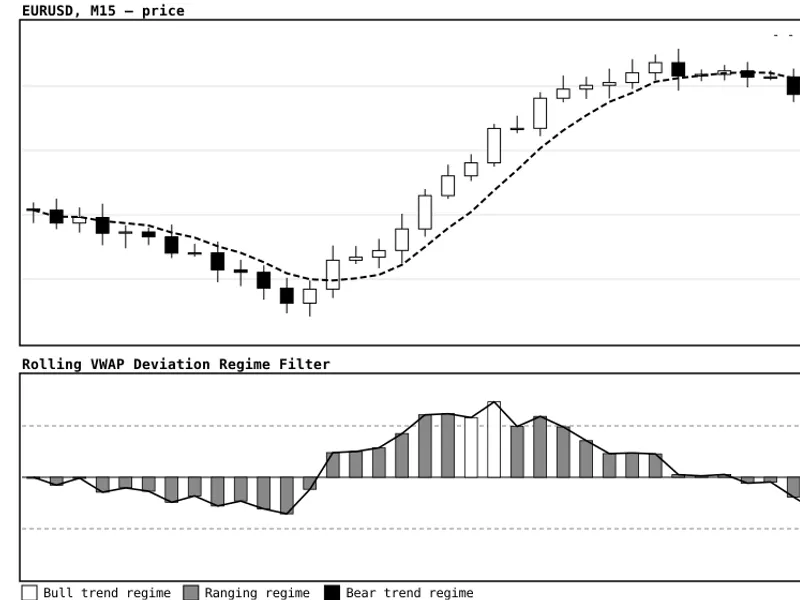
You may also like: Rolling VWAP Deviation Regime Filter - excellent alternative for indicator users on MetaTrader 5.
Source Code
#property copyright "RobotFX"
#property link "https://robotfx.org"
#property version   "1.00"
#property description "This code is educational. Feel free to use, modify and upgrade as you wish. Visit ROBOTFX.ORG for professional trading tools"
#property indicator_chart_window
#property indicator_buffers 8
#property indicator_plots   5
#property indicator_label1  "AVWAP"
#property indicator_type1   DRAW_LINE
#property indicator_color1  clrGold
.......
⚠ Limitations & Risk Warning
- This tool is provided for educational and testing purposes only.
- Past performance does not guarantee future results.
- Trading involves substantial risk of loss. Use on a demo account first.
- Results may vary depending on market conditions, broker, and settings.
- We recommend thorough backtesting and forward testing before using with real funds.