Download ALL MT5 experts (1734)

Similar MetaTrader Tools










V1N1 LONNY MT5: Asian Range Breakout Day Trader
Info
The V1N1 LONNY MT5: Asian Range Breakout Day Trader is a Expert Advisor for MetaTrader 5 that v1n1 lonny is a multi-symbol asian range breakout day-trading expert advisor. How it worksDuring the London session, the EA looks for breakout setups and places pending stop orders (BuyStop / SellStop).
Usage
This tool is typically used for breakout trading when price moves beyond key support/resistance levels.
Platform
This Expert Advisor works exclusively on MetaTrader 5 (both build 600+ and newer versions).
Setup
Place the downloaded file in MQL5/Experts folder via File ? Open Data Folder in MetaTrader 5.
How to Install and Use V1N1 LONNY MT5: Asian Range Breakout Day Trader
1. Installation: Open the "File" menu, select "Open Data Folder," navigate to MQL/Experts, paste your file, and restart the terminal.
2. Activation: Drag the EA from the Navigator onto a chart, ensure "Allow live trading" is checked in the Common tab, and verify the AutoTrading button is green.
3. Optimization: Right-click your chart, choose "Expert List," click "Properties" to adjust inputs, and save your preferred setup as a set file for future use.
4. Maintenance: Regularly check the "Experts" tab in the terminal window to monitor trade logs and potential execution errors.
Frequently Asked Questions
Q: Why is my EA not opening trades? A: Check the "AutoTrading" button, ensure "Allow live trading" is enabled, and verify your broker allows automated trading on your account type.
Q: Can I run multiple EAs on one chart? A: No, each chart can only host one active EA; however, you can open multiple charts for different currency pairs to run several EAs.
Q: What does the "smiley face" icon mean? A: A smiley face in the top-right corner of the chart indicates the EA is successfully running; a frowny face means it is disabled.
What this tool does
V1N1 LONNY is a multi-symbol Asian Range Breakout day-trading Expert Advisor.
Typical Use Case
This Expert Advisor excels in automated trading and technical analysis on MetaTrader 5.
Compatible Platform & Setup
This Expert Advisor works on MetaTrader 5. Place the file in the MQL5/Experts folder and restart the terminal.
Description & Settings
Related: Prop Guard Lite: Daily and Max Loss Protection for Prop Firm Accounts - another powerful expert for MetaTrader 5 traders.
V1N1 LONNY is a multi-symbol Asian Range Breakout day-trading Expert Advisor.Also recommended: Position Peak Logger: Measuring Trade Range in R - similar expert with strong performance on MetaTrader 5.
How it works
During the London session, the EA looks for breakout setups and places pending stop orders (BuyStop / SellStop).
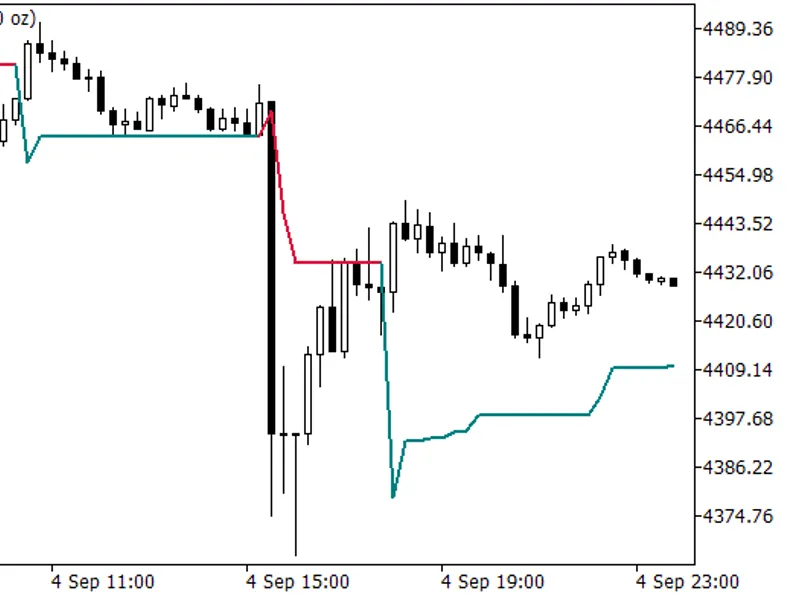
Entries are anchored on the most recent Parabolic SAR swing plus a small buffer (a fraction of ATR). The pre-London Asian range (measured in real H1 bars) acts as a no-trade zone: BuyStops are only allowed above the Asian high and SellStops only below the Asian low.
Signals combine three classic tools on the trading timeframe: Parabolic SAR (swing/trend), MACD (direction) and Stochastic (avoiding overbought/oversold entries).
A size filter ignores Asian ranges that are too tight or too wide relative to the Average Daily Range (ADR).
Risk and trade management
Structural stop loss placed at the opposite PSAR swing, clamped to a sane min/max fraction of the ADR. Take profit is derived from the stop distance (golden-ratio factor).
Position management includes a MACD reversal exit, plus trailing stop and break-even.
All orders and positions are flattened near the New York close or near the symbol's own session close, whichever comes first.
Daily profit and daily loss limits (percentage based) close everything once reached.
Sessions and timeframes
Trades M15, M30 and H1 simultaneously (one magic number per timeframe).
Automatic London and New York Daylight Saving Time handling; the broker GMT offset and DST convention are set via inputs.
Symbols and parameters
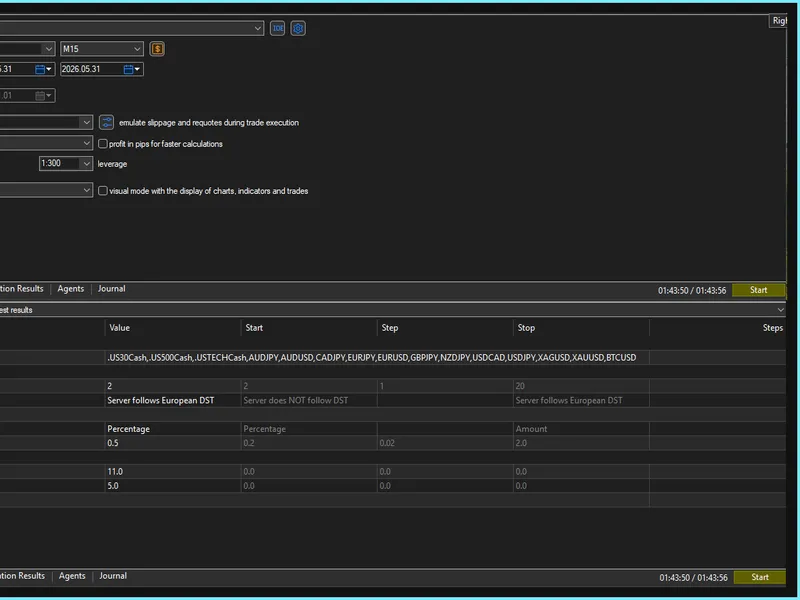
Multi-symbol from a single chart (comma-separated list). Fifteen symbols are pre-configured as an example (US indices, forex majors/crosses, metals and BTCUSD).
Each symbol carries its own set of parameters (ADR period, period in hours, PSAR step, MACD signal in hours, Asian-range bars). The bundled defaults were optimized with cross-broker robustness checks on three different brokers.
Important: the default per-symbol values were optimized. Other symbols or timeframes should be re-optimized. You can freely add symbols that perform well on your own broker by editing the per-symbol table.
Main inputs
Symbol list, server GMT offset and DST convention.
Risk mode (percentage / fixed lot / fixed amount) and risk size.
Daily profit and daily loss limits (0 = disabled).
You may also like: Grid Trading Expert Advisor - excellent alternative for expert users on MetaTrader 5.
Source Code
#property copyright "RobotFX"
#property description "This code is educational. Feel free to use, modify and upgrade as you wish. Visit ROBOTFX.ORG for professional trading tools"
#property link "https://robotfx.org"
#property version     "7.300"
#property strict
#include <Trade\Trade.mqh>
#define EA_COMMENT                   "[LONNY]"
#define MAX_ATR_VARIATION            0.618
#define STOCHASTIC_FACTOR            0.618
#define STOCHASTIC_RANGE_MIN         38.20
.......
⚠ Limitations & Risk Warning
- This tool is provided for educational and testing purposes only.
- Past performance does not guarantee future results.
- Trading involves substantial risk of loss. Use on a demo account first.
- Results may vary depending on market conditions, broker, and settings.
- We recommend thorough backtesting and forward testing before using with real funds.