

News Straddle EA for Economic Calendar Events
Info
The News Straddle EA for Economic Calendar Events is a Expert Advisor for MetaTrader 5 that the news straddle ea is designed to capitalize on the significant price movements that occur around high-impact economic news releases. Instruments like Gold (XAUUSD) and USD-denominated pairs can experience price swings of hundreds of points within seconds of these events.
Usage
This tool is typically used for automated trading on major forex pairs and gold.
Platform
This Expert Advisor works exclusively on MetaTrader 5 (both build 600+ and newer versions).
Setup
Place the downloaded file in MQL5/Experts folder via File ? Open Data Folder in MetaTrader 5.
How to Install and Use News Straddle EA for Economic Calendar Events
1. Installation: Open the "File" menu, select "Open Data Folder," navigate to MQL/Experts, paste your file, and restart the terminal.
2. Activation: Drag the EA from the Navigator onto a chart, ensure "Allow live trading" is checked in the Common tab, and verify the AutoTrading button is green.
3. Optimization: Right-click your chart, choose "Expert List," click "Properties" to adjust inputs, and save your preferred setup as a set file for future use.
4. Maintenance: Regularly check the "Experts" tab in the terminal window to monitor trade logs and potential execution errors.
Frequently Asked Questions
Q: Why is my EA not opening trades? A: Check the "AutoTrading" button, ensure "Allow live trading" is enabled, and verify your broker allows automated trading on your account type.
Q: Can I run multiple EAs on one chart? A: No, each chart can only host one active EA; however, you can open multiple charts for different currency pairs to run several EAs.
Q: What does the "smiley face" icon mean? A: A smiley face in the top-right corner of the chart indicates the EA is successfully running; a frowny face means it is disabled.
What this tool does
The News Straddle EA is designed to capitalize on the significant price movements that occur around high-impact economic news releases.
Typical Use Case
This Expert Advisor excels in automated trading and technical analysis on MetaTrader 5.
Compatible Platform & Setup
This Expert Advisor works on MetaTrader 5. Place the file in the MQL5/Experts folder and restart the terminal.
Description & Settings
Related: News Day Blocker: Prevent Trading on High-Impact US Economic Events - another powerful expert for MetaTrader 5 traders.
The News Straddle EA is designed to capitalize on the significant price movements that occur around high-impact economic news releases. Instruments like Gold (XAUUSD) and USD-denominated pairs can experience price swings of hundreds of points within seconds of these events.Also recommended: News Lines Utility: Economic Calendar On Your Chart - similar expert with strong performance on MetaTrader 5.
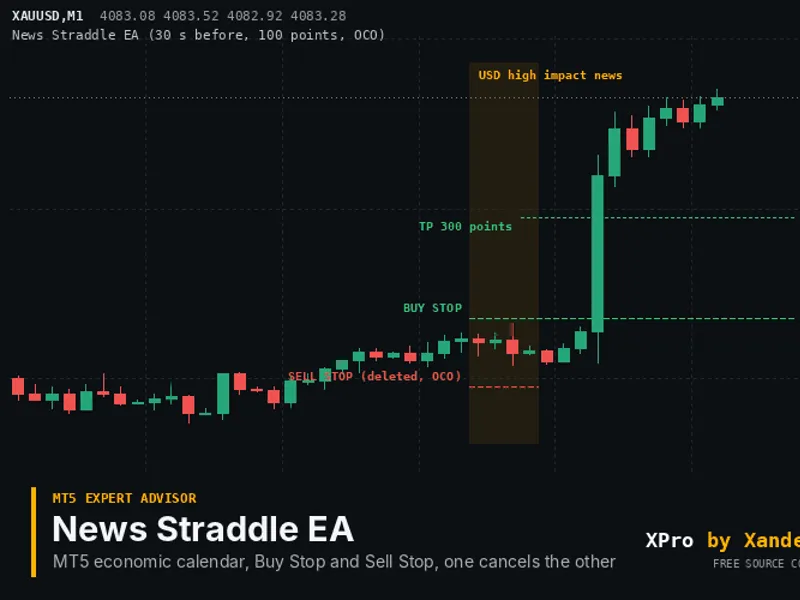
This Expert Advisor integrates with the MetaTrader 5 economic calendar. A few seconds prior to the release of specified news events, it strategically places a Buy Stop order above the current price and a Sell Stop order below it. The default distance for these pending orders is 100 points.
Once one of the pending orders is triggered (filled), the other order is automatically canceled, employing a one-cancels-the-other mechanism. If neither order is filled within 60 seconds after the news release, both pending orders are deleted.
Each trade executed by the EA is configured with its own stop loss and take profit levels, specified in points. Additionally, a trailing stop feature is implemented to protect profits once a trade moves into a favorable position.
It is important to be aware of news slippage, which is a common occurrence during fast-moving news events. Stop orders may fill at prices significantly different from their initial placement, and spreads can widen considerably. Therefore, thorough testing on a demo account with your broker is strongly recommended before deploying this EA in a live trading environment.
Settings
News Currencies: Defaults to CAD, AUD, NZD, GBP, and USD. The EA considers news from currencies relevant to the chart's symbol. For instance, on XAUUSD, it will monitor USD news, and on GBPUSD, it will track both GBP and USD news.
Order Placement Delay: The number of seconds before the news release to place the pending orders (default is 30 seconds).
Unfilled Order Deletion: The number of seconds after the news release to delete any unfilled orders (default is 60 seconds).
Impact Level Filter: Trades high and medium impact news by default; low impact news can be enabled or disabled.
Pending Order Distance: The distance in points from the current price for placing the Buy Stop and Sell Stop orders (default is 100 points).
One Cancels Other: This functionality is enabled by default.
Lot Size: Fixed lot size trading (default is 0.01).
Take Profit: Set in points (default is 300 points). A value of 0 disables Take Profit.
Stop Loss: Set in points (default is 200 points). A value of 0 disables Stop Loss.
Trailing Stop: Configured with a distance (default 100 points) and a start level in profit (default 150 points). It moves in increments of 20 points. A value of 0 disables the Trailing Stop.
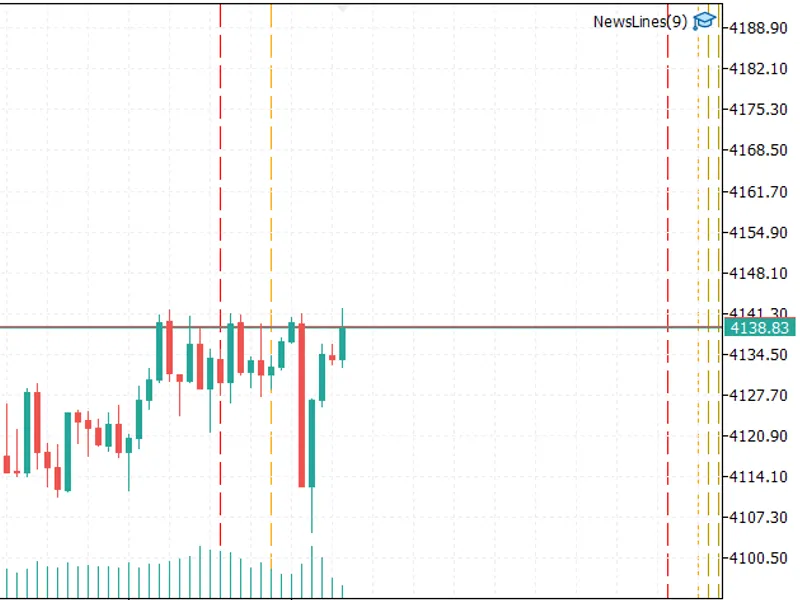
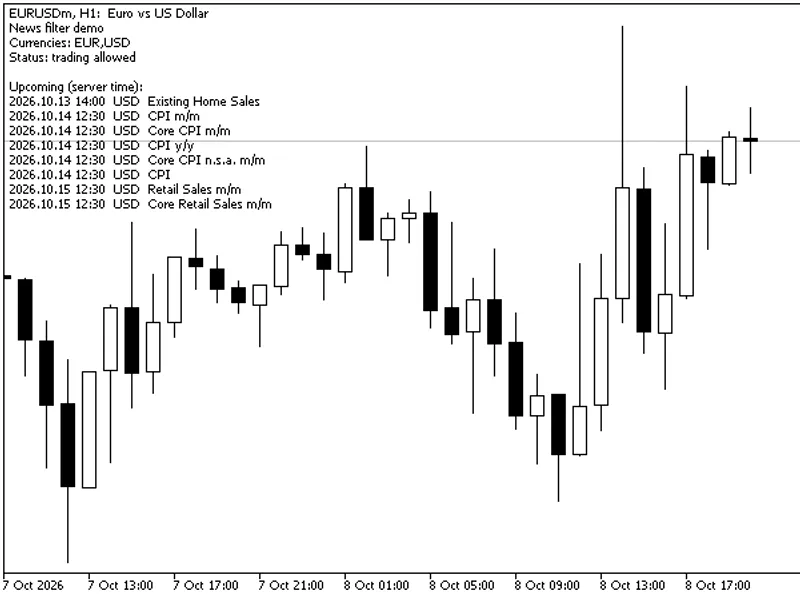
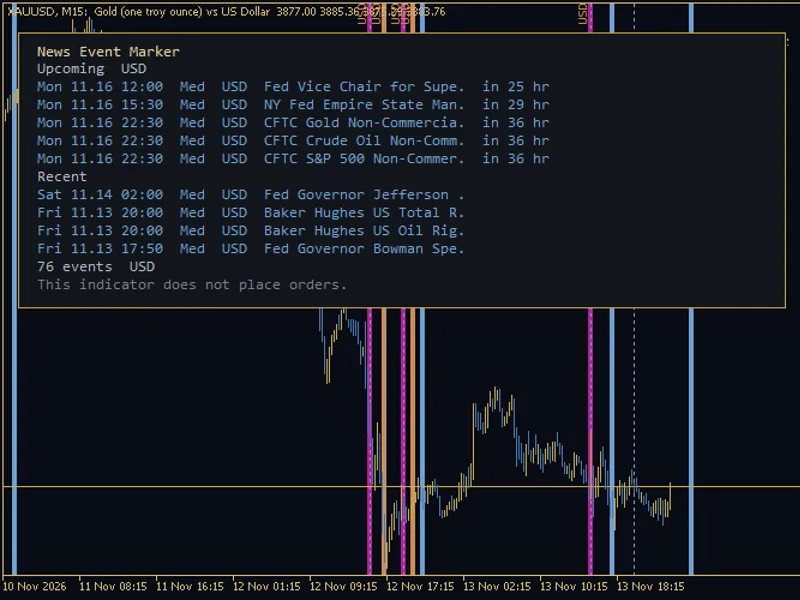
Additional Settings: Includes Magic Number for order identification, order comment, slippage control, and the option to display vertical lines on the chart indicating upcoming news events, with color-coding based on impact level.
Requirements
The EA requires an active connection to the internet for the MT5 economic calendar to function. The economic calendar does not operate within the Strategy Tester, meaning the EA will not place orders in backtests. Consequently, testing must be conducted on a demo account.
The EA will trade any symbol where its base or quote currency is included in the configured news currency list.
Distances, stop loss, and take profit levels are automatically adjusted to meet the broker's minimum stop level if they are set below it.
The EA checks for sufficient free margin before placing any orders. If the available margin is insufficient, the news event will be skipped.
Upon restarting the terminal, the EA will automatically retrieve its previously placed pending orders based on the magic number, preventing duplicate order placement for the same news event.
Customization and Usage Recommendations
It is highly recommended to test this EA on a demo account using currency pairs like XAUUSD, EURUSD, GBPUSD, or indices such as US30 or NAS100, particularly around significant events like NFP, CPI, or interest rate decisions. Observe the actual fill prices and spreads provided by your broker during these critical seconds. Based on these observations, you can then fine-tune the pending order distance and stop loss levels specific to each symbol.
Potential enhancements include implementing risk-based lot sizing, a daily loss limit, or a filter to trade only specific event names.
The EA includes reusable functions such as PlaceSet, ManageSets, and Trailing, which can be incorporated into your own custom Expert Advisors. The LoadCurrency function serves as a clear example of how to read CalendarValueHistory data.
About this Code
This is open-source code. You are free to use it as is, modify it, or build upon it to create your own versions. Announcements for new versions and additional tools are typically made first on the author's MQL5 channel. Questions, suggestions, and shared test results are welcome in the Xander Lab group. More tools can be found on the author's profile.
This software is provided as is, and its use is at your own risk.
Related Tools:
Daily Loss and Profit Lock
Opening Range Breakout EA Gold
Trailing Stop Breakeven Manager
Risk Lot Size Calculator Panel
Changelog
v1.0 (2026-11-20): Initial release.
You may also like: Calendar News Filter for MT5: Avoid Trading During High-Impact News Events - excellent alternative for expert users on MetaTrader 5.
Source Code
.......
⚠ Limitations & Risk Warning
- This tool is provided for educational and testing purposes only.
- Past performance does not guarantee future results.
- Trading involves substantial risk of loss. Use on a demo account first.
- Results may vary depending on market conditions, broker, and settings.
- We recommend thorough backtesting and forward testing before using with real funds.