

multi divergence ea
Info
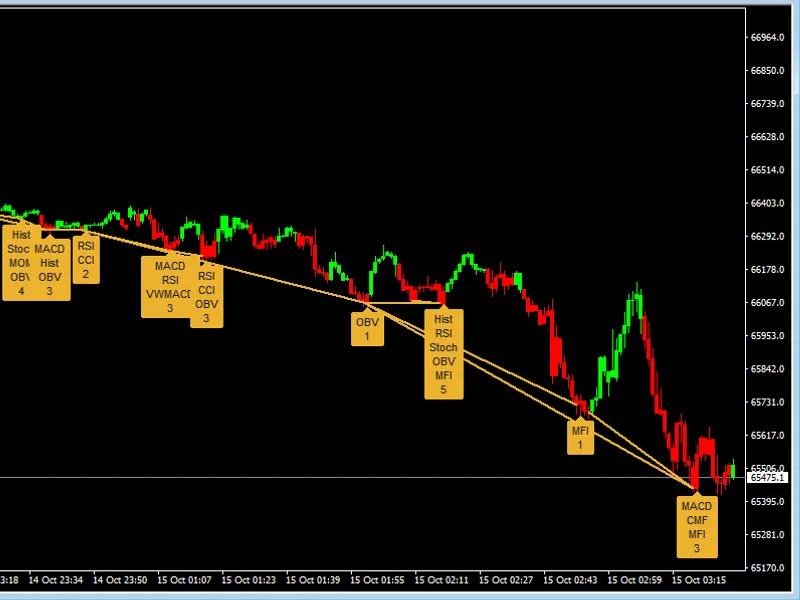
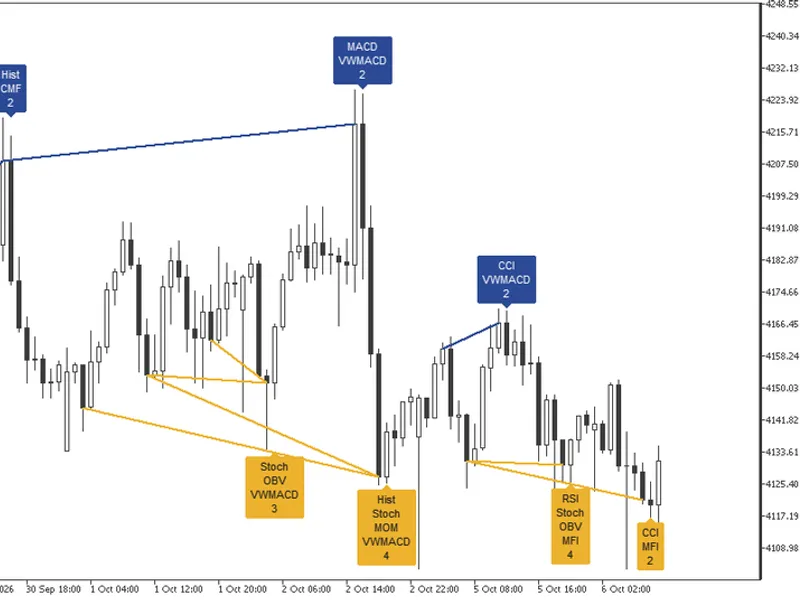
The multi divergence ea is a Expert Advisor for MetaTrader 5 that multi-divergence ea with confluence and filters this expert advisor is designed to automate a sophisticated trading strategy based on market divergence. the core idea is to identify high-probability reversal points by finding a confluence of signalsfrom three of the most widely used oscillators: the relative strength index (rsi), moving average convergence divergence (macd), and the stochastic oscillator.
Usage
This tool is typically used for automated trading on major forex pairs and gold.
Platform
This Expert Advisor works exclusively on MetaTrader 5 (both build 600+ and newer versions).
Setup
Place the downloaded file in MQL5/Experts folder via File ? Open Data Folder in MetaTrader 5.
How to Install and Use multi divergence ea
1. Installation: Open the "File" menu, select "Open Data Folder," navigate to MQL/Experts, paste your file, and restart the terminal.
2. Activation: Drag the EA from the Navigator onto a chart, ensure "Allow live trading" is checked in the Common tab, and verify the AutoTrading button is green.
3. Optimization: Right-click your chart, choose "Expert List," click "Properties" to adjust inputs, and save your preferred setup as a set file for future use.
4. Maintenance: Regularly check the "Experts" tab in the terminal window to monitor trade logs and potential execution errors.
Frequently Asked Questions
Q: Why is my EA not opening trades? A: Check the "AutoTrading" button, ensure "Allow live trading" is enabled, and verify your broker allows automated trading on your account type.
Q: Can I run multiple EAs on one chart? A: No, each chart can only host one active EA; however, you can open multiple charts for different currency pairs to run several EAs.
Q: What does the "smiley face" icon mean? A: A smiley face in the top-right corner of the chart indicates the EA is successfully running; a frowny face means it is disabled.
What this tool does
multi-divergence ea with confluence and filters this expert advisor is designed to automate a sophisticated trading strategy based on market divergence.
Typical Use Case
This Expert Advisor excels in automated trading and technical analysis on MetaTrader 5.
Compatible Platform & Setup
This Expert Advisor works on MetaTrader 5. Place the file in the MQL5/Experts folder and restart the terminal.
Description & Settings
Related: Partial Close Multi TP Manager for MetaTrader 5 - another powerful expert for MetaTrader 5 traders.
multi-divergence ea with confluence and filtersAlso recommended: Neon Desk: Manual Trading Panel with Multi-Timeframe Bias for MT5 - similar expert with strong performance on MetaTrader 5.
this expert advisor is designed to automate a sophisticated trading strategy based onmarket divergence
. the core idea is to identify high-probability reversal points by finding a
confluence of signals
from three of the most widely used oscillators: the relative strength index (rsi), moving average convergence divergence (macd), and the stochastic oscillator.
how the strategy works
the ea's logic is built upon a multi-layered confirmation process to ensure high-quality trade signals and filter out market noise.
divergence detection:
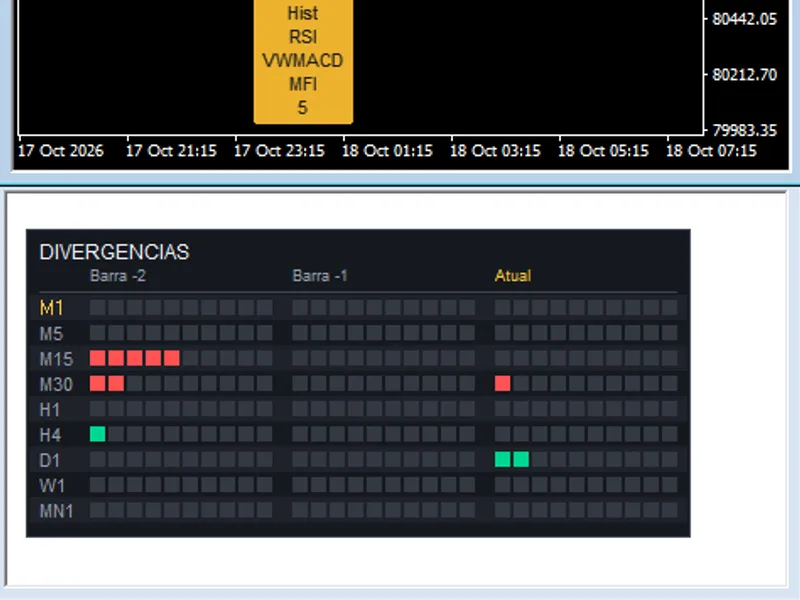
the ea constantly scans the price action and the three indicators to find divergences.
bullish divergence (potential buy signal):
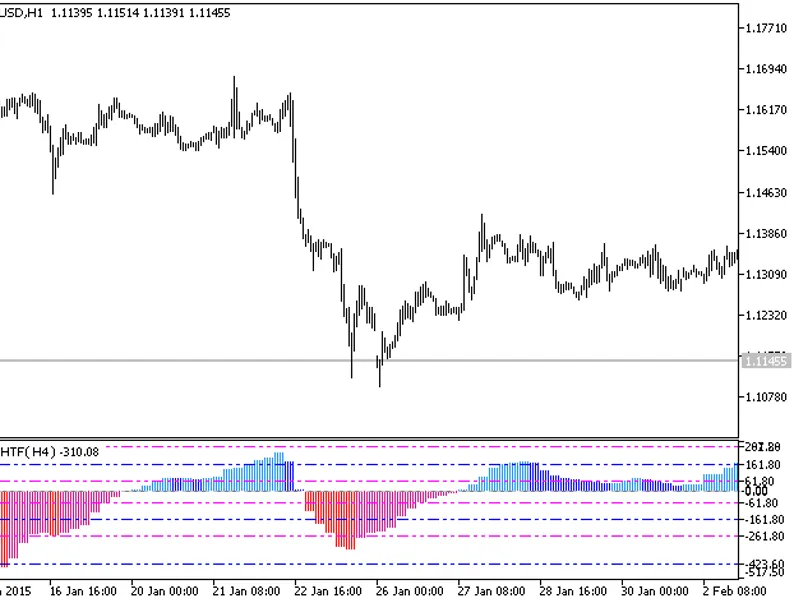
occurs when the price makes a new lower low, but an indicator fails to do so, instead making a higher low. this suggests that the bearish momentum is weakening and a bullish reversal may be imminent.
bearish divergence (potential sell signal):
occurs when the price makes a new higher high, but an indicator makes a lower high. this indicates that the bullish momentum is fading, signaling a potential bearish reversal.
the power of confluence:
the ea's unique strength is that it does not rely on a single indicator. instead, it waits for a user-defined number of indicators (minconfirmations) to show divergence simultaneously. for example, a trade will only be triggered if at least 2 out of the 3 indicators confirm the same divergence, significantly increasing the signal's reliability.
advanced signal filtering (optional):
to further improve accuracy, two additional filters can be enabled:
trend filter:
uses a 50-period ema to determine the overall market trend. if enabled, the ea will only enter buy trades when the price is above the ema and sell trades when the price is below it. this helps to avoid trading against the dominant market momentum.
volume filter:
a trade signal is only considered valid if the volume of the signal bar is significantly higher than the average volume of the preceding bars. this confirms that there is strong market interest and conviction behind the potential reversal.
input parameters explained
all external variables are fully customizable to allow you to tailor the strategy to your preferences.
=== risk management ===
lotsize: sets the fixed trading volume if usemoneymanagement is false.
stoploss: the stop loss in points.
takeprofit: the take profit in points.
maxspread: the maximum allowed spread in points for opening a new position.
usemoneymanagement: if true, the ea automatically calculates the lot size based on riskpercent.
riskpercent: the percentage of your account equity to risk per trade.
=== divergence settings ===
rsi_period, macd_fast, macd_slow, macd_signal, stoch_k, stoch_d, stoch_slowing: these are the standard input parameters for the rsi, macd, and stochastic indicators.
=== divergence detection ===
barstocheck: the number of recent bars the ea will scan for divergence patterns.
minbarsdistance: the minimum number of bars on each side of a peak/trough to validate it. this helps ignore minor price fluctuations.
mindivergencestrength: a filter for the minimum required strength of the divergence signal (0-1).
minconfirmations: a crucial parameter. sets the minimum number of indicators (from 1 to 3) that must show divergence for a trade to be opened.
usevolumefilter: set to true to enable the volume confirmation filter.
usetrendfilter: set to true to enable the ema-based trend filter.
=== trading settings ===
allowbuy / allowsell: enable or disable long or short trades.
maxtrades: the maximum number of concurrent trades allowed.
magicnumber: a unique identifier for the ea's trades, preventing interference with other robots.
recommended usage
symbols:
the strategy is universal and can be applied to any major currency pairs (e.g., eurusd, gbpusd) and other liquid instruments.
timeframe:
divergence signals are generally more reliable on higher timeframes. it is recommended to use this ea on
h1, h4, or d1
charts to filter out market noise and capture more significant market moves.
You may also like: Preventing Multiple Expert Advisor Trades on the Same Symbol - excellent alternative for expert users on MetaTrader 5.
Source Code
#property copyright "robotfx"
#property link "https://robotfx.org"
#property version   "1.00"
#include <trade\trade.mqh>
input group "=== risk management ==="
input double lotsize = 0.1;                // lot size
input int stoploss = 100;                  // stop loss in points
input int takeprofit = 200;                // take profit in points
input int maxspread = 30;                  // maximum spread allowed
input bool usemoneymanagement = false;     // use money management
.......
⚠ Limitations & Risk Warning
- This tool is provided for educational and testing purposes only.
- Past performance does not guarantee future results.
- Trading involves substantial risk of loss. Use on a demo account first.
- Results may vary depending on market conditions, broker, and settings.
- We recommend thorough backtesting and forward testing before using with real funds.