
MSNR Key Levels MultiTF: Advanced Support & Resistance Analysis
Info
The MSNR Key Levels MultiTF: Advanced Support & Resistance Analysis is a Indicator for MetaTrader 5 that malaysian snr offers a direct method for chart reading, relying solely on price action at market turning points without lagging indicators. The primary challenge has historically been the manual identification and tracking of these levels across multiple timeframes.
Usage
This tool is typically used for enhancing chart analysis and decision making.
Platform
This Indicator works exclusively on MetaTrader 5 (both build 600+ and newer versions).
Setup
Place the downloaded file in MQL5/Indicators folder via File ? Open Data Folder in MetaTrader 5.
How to Install and Use MSNR Key Levels MultiTF: Advanced Support & Resistance Analysis
1. Installation: Place your file in the MQL/Indicators folder via "Open Data Folder" and restart your terminal.
2. Loading: Find the indicator in the Navigator, drag it onto your chart, and configure the input parameters in the popup window.
3. Customization: Press Ctrl+I to open the indicator list, select your tool, and click "Properties" to change colors, levels, or visual styles.
4. Updating: Replace the old file in the Indicators folder with the new version and restart the platform to apply changes.
Frequently Asked Questions
Q: Why is my indicator not showing? A: Verify the file is in the MQL/Indicators folder, or try right-clicking the "Indicators" tree in the Navigator and clicking "Refresh."
Q: Do custom indicators slow down the platform? A: Too many complex indicators can impact performance; remove unused ones via the "Indicator List" (Ctrl+I).
Q: Can I use MT4 indicators on MT5? A: No, MQL4 and MQL5 are distinct languages; ensure the indicator is compiled specifically for your platform version.
What this tool does
Malaysian SNR offers a direct method for chart reading, relying solely on price action at market turning points without lagging indicators.
Typical Use Case
This Indicator excels in automated trading and technical analysis on MetaTrader 5.
Compatible Platform & Setup
This Indicator works on MetaTrader 5. Place the file in the MQL5/Indicators folder and restart the terminal.
Description & Settings
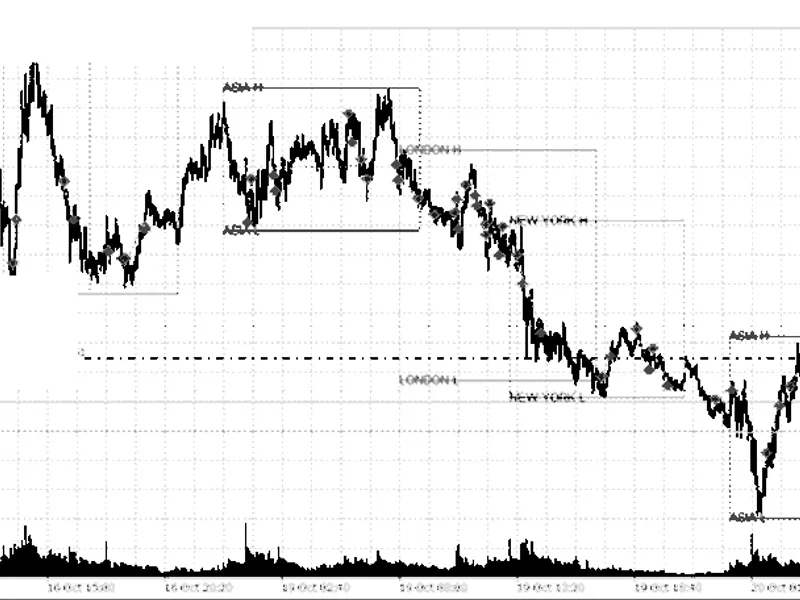
Related: Session Range Breakout: Asia, London, and New York High/Low Levels - another powerful indicator for MetaTrader 5 traders.
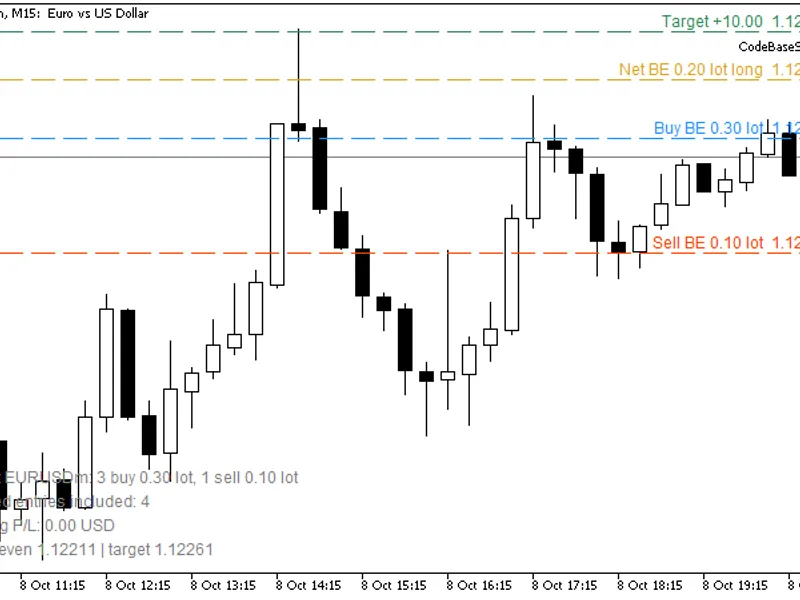
Malaysian SNR offers a direct method for chart reading, relying solely on price action at market turning points without lagging indicators.Also recommended: Basket Break-Even Levels: Buy, Sell, and Net with Target Price - similar indicator with strong performance on MetaTrader 5.
The primary challenge has historically been the manual identification and tracking of these levels across multiple timeframes. MSNR KeyLevels MultiTF automates this process, analyzing six timeframes simultaneously.
Indicator Features
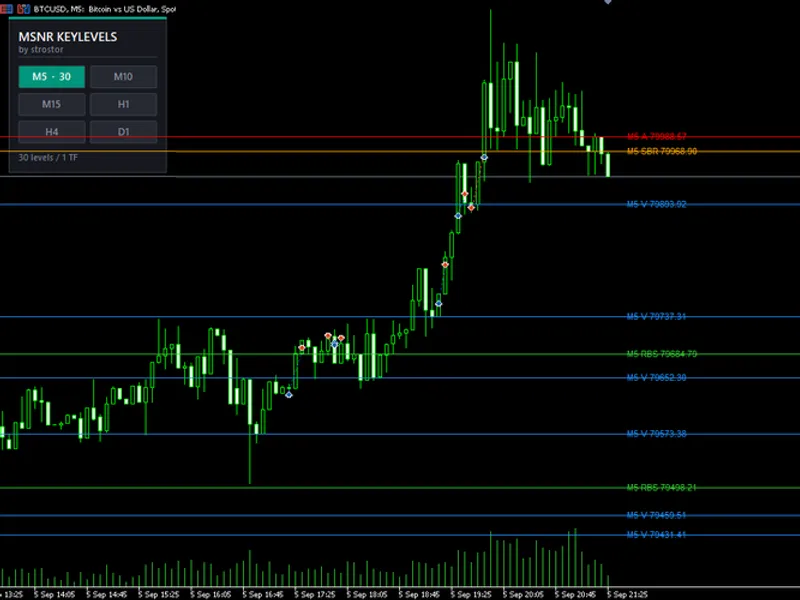
The indicator identifies four distinct MSNR level types based on closed candles:
A Levels: Formed by a bullish candle followed by a bearish candle. The closing price of the bullish candle marks the resistance level.
V Levels: Formed by a bearish candle followed by a bullish candle. The closing price of the bearish candle marks the support level.
SBR (Support Broken into Resistance): A support level that has been breached and subsequently acts as resistance.
RBS (Resistance Broken into Support): A resistance level that has been breached and subsequently acts as support.
Each level is monitored from its inception. Upon a price close beyond a level, its type flips, and it becomes 'fresh' again. Levels that are touched but not breached lose their freshness and are typically hidden by default, leaving only active, untested levels visible.
Control Panel
A Heads-Up Display (HUD) integrated directly onto the chart allows for intuitive control. Six buttons, each representing a timeframe, display the current number of active levels. Users can toggle timeframes on or off to filter noise or focus on key reaction zones. The chart updates instantly without requiring restarts or re-attachment.
User preferences for button states are saved per symbol, ensuring a consistent layout across trading sessions.
Designed for Practical Trading
The indicator operates independently of the chart's primary timeframe. It can be attached to any chart, from M1 to Daily, and calculates levels based on the data of each respective timeframe.
Readability is enhanced through color-coding for level types and distinct line styles for each timeframe (M5 solid, M10/M15 dotted, H1/H4 dashed, D1 dash-dot). Tooltips and price labels, prefixed with the timeframe (e.g., H1 A 1.09442), provide immediate information.
Customization options include separate history depth and maximum level counts for each timeframe, allowing for detailed analysis on shorter timeframes and selective views on longer ones.
Levels are generated exclusively from closed candles, ensuring accuracy and consistency with manual charting practices.
The indicator features a self-healing mechanism to automatically restore objects if they are lost due to chart issues or indicator re-attachments. Objects are namespaced to prevent conflicts and ensure a clean state.
Efficiency is maintained with a design that avoids indicator buffers and tick-by-tick recalculations. Levels are updated only when a candle closes.
Comprehensive Configuration Options
Enable or disable A, V, SBR, and RBS levels independently.
Define the 'freshness' rule: invalidate levels on any wick touch or only on a candle body close.
Choose to display only fresh levels or retain tested levels on the chart.
Customize colors for each level type, line width, and line style per timeframe.
Set history depth and the maximum number of visible levels for each timeframe.
Configure price labels: toggle on/off, adjust font size, and set horizontal offset.
Customize HUD appearance: position, grid layout (2x3, single column, or one row), button size, fonts, panel colors, accent colors, and custom panel titles.
Target Audience
Ideal for traders focused on support and resistance, supply and demand, or price action who require multi-timeframe context without managing multiple charts. Applicable to all markets (forex, indices, metals, crypto, futures). Scalpers can utilize M5/M15 levels, swing traders H4/D1, and all traders benefit from observing confluence between different timeframe levels.
Important Notes
This tool is for analysis only and does not provide trading signals or automated execution. It objectively marks levels, leaving entry, exit, and risk management decisions to the trader. Ensure sufficient historical data is downloaded for the enabled timeframes before initial use.
MSNR KeyLevels MultiTF: Mark levels once, view comprehensive analysis, and trade based on untouched zones.
MSNR Logic Parameters
FreshOnly: Displays only untested levels. If false, tested levels remain visible.
WickMakesUnfresh: If true, any wick touching a level invalidates it. If false, only a candle body close invalidates it.
ShowA, ShowV, ShowSBR, ShowRBS: Toggles the visibility of each level type.
Level Type Colors
AColor, VColor, SBRColor, RBSColor: Sets the color for each respective level type.
LineWidth: Controls the thickness of the lines. Set to 1 for optimal rendering of dotted and dashed styles.
Line Style per Timeframe
StyleM5, StyleM10, StyleM15, StyleH1, StyleH4, StyleD1: Assigns a line style to each timeframe layer.
History Depth per Timeframe (Bars)
LookbackM5, LookbackM10, LookbackM15, LookbackH1, LookbackH4, LookbackD1: Specifies the number of candles to scan for each timeframe.
Max Visible Levels per Timeframe
MaxLevelsM5, MaxLevelsM10, MaxLevelsM15, MaxLevelsH1, MaxLevelsH4, MaxLevelsD1: Determines the maximum number of recent levels displayed, dropping older ones.
Price Labels
ShowLabels: Enables or disables the display of text labels next to levels.
LabelFontSize: Sets the font size for the price labels.
LabelShiftBars: Adjusts the horizontal position of labels relative to the last candle.
HUD: Position and Size
HudX, HudY: Sets the pixel coordinates for the HUD's top-left corner.
HudColumns: Configures the HUD layout: 2 for a 2x3 grid, 1 for a single column, 6 for a single row.
HudBtnWidth, HudBtnHeight, HudGap, HudPadding: Adjusts button dimensions, spacing, and panel padding.
HUD: Text
HudTitle, HudSubTitle: Customizes the panel's title and subtitle.
HudFont, HudTitleSize, HudSubSize, HudBtnFontSize: Specifies font family and sizes for various text elements.
HUD: Colors
HudPanelColor, HudBorderColor, HudAccentColor: Sets background, border, and accent bar colors for the panel.
HudTitleColor, HudSubColor, HudFooterColor: Defines colors for header and footer text.
HudOnColor, HudOnTextColor, HudOffColor, HudOffTextColor: Sets colors for active/inactive buttons and their text.
Button Start-up State
StartM5, StartM10, StartM15, StartH1, StartH4, StartD1: Determines which layers are active upon initial launch.
RememberState: Enables saving button states per symbol across sessions.
Stability
CleanupOldObjects: Removes any lingering objects from previous indicator instances.
SelfHealSeconds: Sets the interval for the self-check that rebuilds the panel and lines if they are removed from the chart.
You may also like: Stop Distance Indicator: Bar Range and Suggested Stop Levels - excellent alternative for indicator users on MetaTrader 5.
Source Code
#property copyright "RobotFX"
#property link "https://robotfx.org"
#property version   "3.00"
#property description "This code is educational. Feel free to use, modify and upgrade as you wish. Visit ROBOTFX.ORG for professional trading tools"
#property indicator_chart_window
#property indicator_plots 0
#define TF_COUNT 6
input group "=== MSNR logic ==="
input bool     FreshOnly           = true;
input bool     WickMakesUnfresh    = true;
.......
⚠ Limitations & Risk Warning
- This tool is provided for educational and testing purposes only.
- Past performance does not guarantee future results.
- Trading involves substantial risk of loss. Use on a demo account first.
- Results may vary depending on market conditions, broker, and settings.
- We recommend thorough backtesting and forward testing before using with real funds.