









msnr plus aeu ea
Info
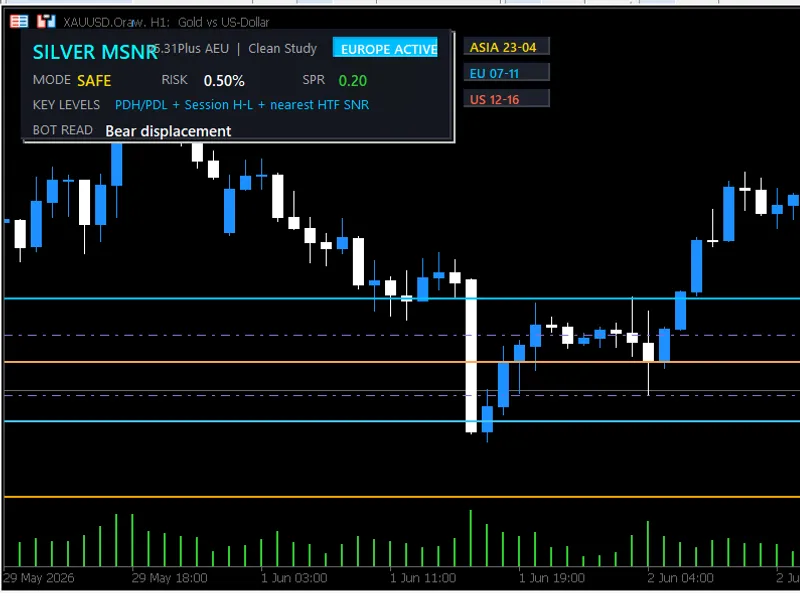
The msnr plus aeu ea is a Expert Advisor for MetaTrader 5 that msnr v5. 31 plus aeu ea is an expert advisor for metatrader 5, incorporating malaysian snr body-level analysis, smart money reaction logic, liquidity sweep, miss, engulfing confirmation, trendline confluence, qml, crt, and dol target projection.
Usage
This tool is typically used for automated trading on major forex pairs and gold.
Platform
This Expert Advisor works exclusively on MetaTrader 5 (both build 600+ and newer versions).
Setup
Place the downloaded file in MQL5/Experts folder via File ? Open Data Folder in MetaTrader 5.
How to Install and Use msnr plus aeu ea
1. Installation: Open the "File" menu, select "Open Data Folder," navigate to MQL/Experts, paste your file, and restart the terminal.
2. Activation: Drag the EA from the Navigator onto a chart, ensure "Allow live trading" is checked in the Common tab, and verify the AutoTrading button is green.
3. Optimization: Right-click your chart, choose "Expert List," click "Properties" to adjust inputs, and save your preferred setup as a set file for future use.
4. Maintenance: Regularly check the "Experts" tab in the terminal window to monitor trade logs and potential execution errors.
Frequently Asked Questions
Q: Why is my EA not opening trades? A: Check the "AutoTrading" button, ensure "Allow live trading" is enabled, and verify your broker allows automated trading on your account type.
Q: Can I run multiple EAs on one chart? A: No, each chart can only host one active EA; however, you can open multiple charts for different currency pairs to run several EAs.
Q: What does the "smiley face" icon mean? A: A smiley face in the top-right corner of the chart indicates the EA is successfully running; a frowny face means it is disabled.
What this tool does
msnr v5.
Typical Use Case
This Expert Advisor excels in automated trading and technical analysis on MetaTrader 5.
Compatible Platform & Setup
This Expert Advisor works on MetaTrader 5. Place the file in the MQL5/Experts folder and restart the terminal.
Description & Settings
Related: mt c neural network plus ma c d - another powerful expert for MetaTrader 5 traders.
msnr v5.31 plus aeu ea is an expert advisor for metatrader 5, incorporating malaysian snr body-level analysis, smart money reaction logic, liquidity sweep, miss, engulfing confirmation, trendline confluence, qml, crt, and dol target projection.Also recommended: exp color jfatl digit tm plus - similar expert with strong performance on MetaTrader 5.
this ea is tailored for xauusd on the m5 timeframe, scanning higher timeframes (w1, d1, h4, h1) to identify critical support and resistance zones, subsequently awaiting price action confirmation on the execution timeframe.
main features:
- malaysian snr body-level detection.
- higher-timeframe support and resistance scan.
- liquidity sweep, miss, and engulfing confirmation.
- trendline, qml, breakout-retest, and crt logic.
- confluence cluster system.
- session filters for asia, europe, and the us.
- risk management based on account percentage.
- partial close and break-even strategies.
- safety mechanisms for losing streaks and drawdown control.
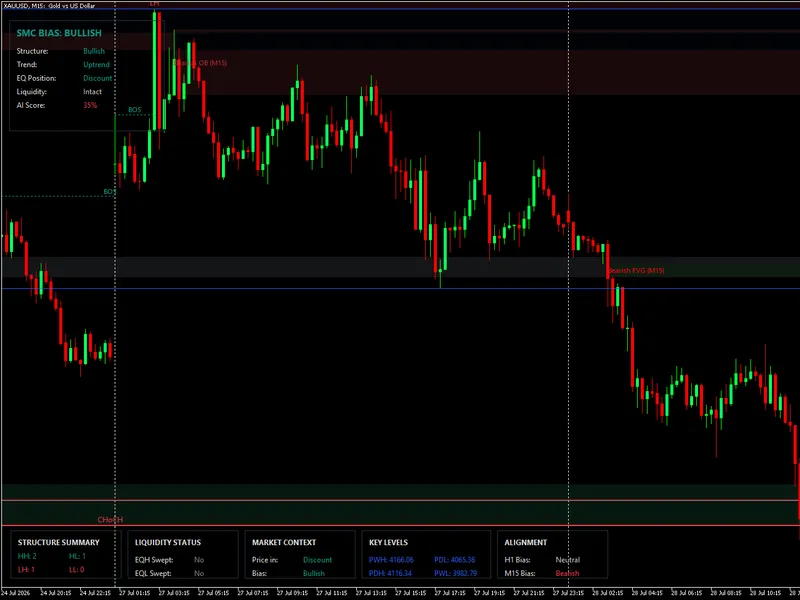
- intuitive dashboard with key level display.
- csv export for backtest deals, signal logs, and closed trades.
recommended settings:
- symbol: xauusd or broker-specific gold symbol (e.g., xauusdm).
- timeframe: m5.
- account type: hedging or netting.
- risk: 0.5% to 1.00% per trade.
- spread: choose a broker with stable gold spread and reliable execution.
trading strategy:
the ea employs a multi-layered confirmation approach, awaiting multiple signals around the same price zone. valid setups may include snr touch, liquidity sweep, miss, engulfing candle, trendline reaction, gap snr, qml, or crt confirmation.
take profit strategy:
the ea utilizes dol targets, such as previous day/week highs and lows, and recent swing liquidity. if dol targets are unavailable, it defaults to a risk-reward projection.
risk warning:
this expert advisor is designed for research, strategy testing, and educational purposes. backtest results may vary based on broker spread, symbol specifications, execution model, and historical data quality. it is recommended to test the ea on a demo account before live trading.
You may also like: exp color jj r s x tm plus - excellent alternative for expert users on MetaTrader 5.
Source Code
#property strict
#property version   "5.31"
#include <trade/trade.mqh>
ctrade trade;
input string          inpsymbol                 = "";       // blank = use tester/chart symbol, e.g. xauusdm
input enum_timeframes inpexectf                 = period_m5;    // v5.17: trade m5
input enum_timeframes inphtf_weekly             = period_w1;
input enum_timeframes inphtf_daily              = period_d1;
input enum_timeframes inphtf_h4                 = period_h4;
input enum_timeframes inphtf_h1                 = period_h1;
.......
⚠ Limitations & Risk Warning
- This tool is provided for educational and testing purposes only.
- Past performance does not guarantee future results.
- Trading involves substantial risk of loss. Use on a demo account first.
- Results may vary depending on market conditions, broker, and settings.
- We recommend thorough backtesting and forward testing before using with real funds.