







Ilan 1.6 Dynamic HT
Info
The Ilan 1.6 Dynamic HT is a Expert Advisor for MetaTrader 5 that the underlying algorithm of ilan dynamic 1. 6 HT is simple, based on price averaging with a gradual increase in trade volume.
Usage
This tool is typically used for automated trading on major forex pairs and gold.
Platform
This Expert Advisor works exclusively on MetaTrader 5 (both build 600+ and newer versions).
Setup
Place the downloaded file in MQL5/Experts folder via File ? Open Data Folder in MetaTrader 5.
How to Install and Use Ilan 1.6 Dynamic HT
1. Installation: Open the "File" menu, select "Open Data Folder," navigate to MQL/Experts, paste your file, and restart the terminal.
2. Activation: Drag the EA from the Navigator onto a chart, ensure "Allow live trading" is checked in the Common tab, and verify the AutoTrading button is green.
3. Optimization: Right-click your chart, choose "Expert List," click "Properties" to adjust inputs, and save your preferred setup as a set file for future use.
4. Maintenance: Regularly check the "Experts" tab in the terminal window to monitor trade logs and potential execution errors.
Frequently Asked Questions
Q: Why is my EA not opening trades? A: Check the "AutoTrading" button, ensure "Allow live trading" is enabled, and verify your broker allows automated trading on your account type.
Q: Can I run multiple EAs on one chart? A: No, each chart can only host one active EA; however, you can open multiple charts for different currency pairs to run several EAs.
Q: What does the "smiley face" icon mean? A: A smiley face in the top-right corner of the chart indicates the EA is successfully running; a frowny face means it is disabled.
What this tool does
The underlying algorithm of Ilan Dynamic 1.
Typical Use Case
This Expert Advisor excels in automated trading and technical analysis on MetaTrader 5.
Compatible Platform & Setup
This Expert Advisor works on MetaTrader 5. Place the file in the MQL5/Experts folder and restart the terminal.
Description & Settings
Related: ATR Trend Guard MT5: Dynamic EMA Crossover Expert Advisor with Integrated Risk Management - another powerful expert for MetaTrader 5 traders.
The underlying algorithm of Ilan Dynamic 1.6 HT is simple, based on price averaging with a gradual increase in trade volume.Also recommended: Universal Pip Value and Dynamic Lot Size Calculator for MQL5 - similar expert with strong performance on MetaTrader 5.
For instance, if the price drops after opening the first long position and exceeds a set range in points, a new long position with a larger volume is opened.
This keeps the average entry price close to the current market price, allowing for a small price rollback and profitable closure of all open positions using TakeProfit.
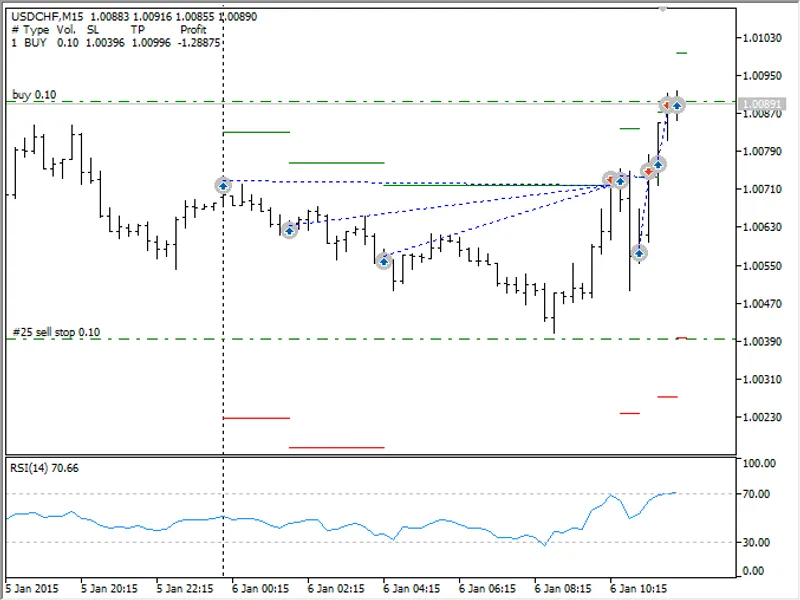
Ilan 1.6 Dynamic Entry
As shown in the screenshot, the price moved against three buy positions, but a small rollback closed all positions with a significant profit. The screenshot also displays TakeProfit levels (green horizontal lines) and StopLoss levels (red horizontal lines).
The expert advisor dynamically calculates price levels for averaging based on the price range between the high and low prices within the last few bars, as indicated by the word 'dynamic' in its name.
In addition to TakeProfit, Ilan 1.6 Dynamic offers classical StopLoss, Trailing Stop, exit by time, exit by CCI indicator, and exit by specified equity level of all trades.
Test Results
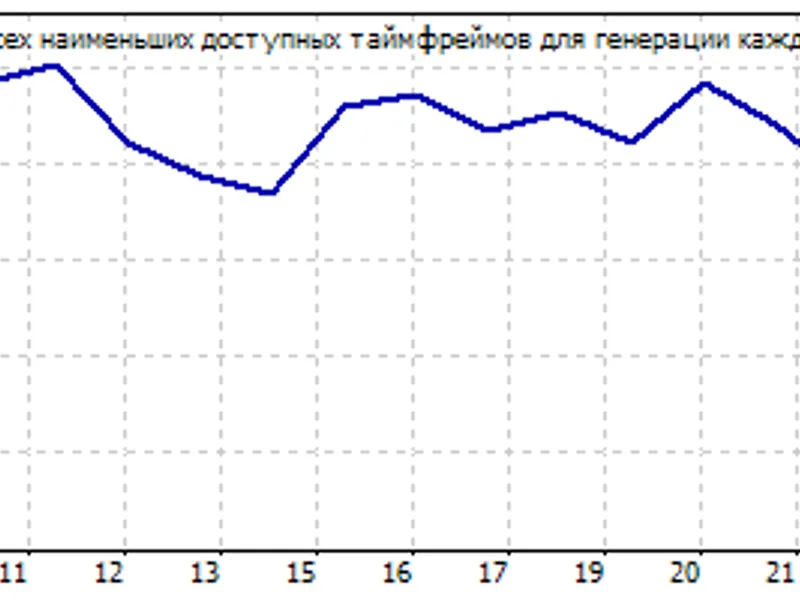
Test results of Ilan 1.6 Dynamic can vary significantly depending on the timeframe, testing period, instrument, broker, and initial conditions. Therefore, careful parameter selection and market choice are essential. However, consistent results are achievable even on a short history using default settings, as demonstrated by the typical equity and balance chart.
Warning: Floating profit/loss or equity of Ilan 1.6 Dynamic can differ from the balance shown on the chart. If the price moves without rollbacks, the equity drops, potentially leading to a margin call and deposit loss. Use Ilan 1.6 Dynamic only during flat periods and exercise caution with the lot exponent.
Inputs and Parameters
Ilan 1.6 Dynamic is optimally configured by default, with most parameters unused in this mode. However, customization is possible using the provided table.
Testing Modes, Optimal Instruments, and Timeframes
Ilan 1.6 Dynamic is designed for short-term price movements, with an optimal timeframe of 15 minutes (M15). Default settings are for 5-digit quotes, and testing can be done in the following modes:
- Every Tick: For accurate exit by TakeProfit, CCI Stop, and EquityStop, especially when using trailing stop.
- 1 Minute OHLC: A compromise between testing speed and signal accuracy.
- Open Prices Only: The fastest mode, where virtualization causes TakeProfit, CCI Stop, and EquityStop to trigger only at bar openings, sometimes yielding better results than 'Every Tick' mode.
The algorithm performs well in both normal and random delay modes.
Recommended Symbols
Ilan 1.6 Dynamic is suggested for currency pairs with long flat (no trend) periods, such as EURUSD, USDJPY, GBPUSD, USDCHF, EURCHF, and other majors. The settings are optimized for 5-digit quotes. For 4-digit pairs, reduce the following parameters tenfold:
- DefaultPips - 12
- TakeProfit - 10
- Slippage - 3
- StopLoss - 50
Compilation and Usage Instructions
Ilan 1.6 Dynamic utilizes a grid of orders and individual position management, requiring special virtualization to operate in the MetaTrader 5 environment like MetaTrader 4. This is achieved through calls to the HedgeTerminalAPI library functions, as explained in the linked article. To modify the EA's trading logic, refer to the provided article for understanding the code.
Before starting, download the library and copy the required software modules to your computer. The details of these modules are as follows:
- ilan_1.6_dynamic_ht.mq5: Contains the EA's trading logic. The 'ht' tag indicates the need for the HedgeTerminalAPI library. Save this file to terminal_data_folder\mql5\experts\.
- prototypes.mqh: Prototypes for library interaction.
- drawhedgeposition.mqh: Traces EA trades similar to MetaTrader 4, opening bi-directional positions parallel to each other.
- environment.mqh: Collects trading information, providing insights into open positions, profit/loss, and other details.
- testertable.mqh: Displays a table of all open positions in the strategy tester. For real-time visualization, use the panel.
- indicators.mqh: Provides an interface to access indicator data.
- tradestate.mqh: Manages the EA's trading state, addressing the delay in order history updates in MetaTrader 5.
To visualize and control the EA's operation, install the demo panel, which displays the EA's positions and provides access to management.
You may also like: Pro Auto SL Dynamic TP: Institutional Risk Manager - excellent alternative for expert users on MetaTrader 5.
Source Code
#property copyright "robotfx"
#property link "https://robotfx.org"
#property version "1.60"
#include <prototypes.mqh>
#include <trade\trade.mqh>
#include <tradestate.mqh>
#include <environment.mqh>
#include <indicators.mqh>
#include <testertable.mqh>
#include <drawhedgeposition.mqh>
.......
⚠ Limitations & Risk Warning
- This tool is provided for educational and testing purposes only.
- Past performance does not guarantee future results.
- Trading involves substantial risk of loss. Use on a demo account first.
- Results may vary depending on market conditions, broker, and settings.
- We recommend thorough backtesting and forward testing before using with real funds.