
Decision Watchdog: Safeguarding Against Stale Trading Decisions
Info
The Decision Watchdog: Safeguarding Against Stale Trading Decisions is a Expert Advisor for MetaTrader 5 that a daily process is intended to write the current trading decision (which strategy to run, or flat) to a file that expert advisors read at the market open. On one occasion, this writer process failed to execute.
Usage
This tool is typically used for automated trading on major forex pairs and gold.
Platform
This Expert Advisor works exclusively on MetaTrader 5 (both build 600+ and newer versions).
Setup
Place the downloaded file in MQL5/Experts folder via File ? Open Data Folder in MetaTrader 5.
How to Install and Use Decision Watchdog: Safeguarding Against Stale Trading Decisions
1. Installation: Open the "File" menu, select "Open Data Folder," navigate to MQL/Experts, paste your file, and restart the terminal.
2. Activation: Drag the EA from the Navigator onto a chart, ensure "Allow live trading" is checked in the Common tab, and verify the AutoTrading button is green.
3. Optimization: Right-click your chart, choose "Expert List," click "Properties" to adjust inputs, and save your preferred setup as a set file for future use.
4. Maintenance: Regularly check the "Experts" tab in the terminal window to monitor trade logs and potential execution errors.
Frequently Asked Questions
Q: Why is my EA not opening trades? A: Check the "AutoTrading" button, ensure "Allow live trading" is enabled, and verify your broker allows automated trading on your account type.
Q: Can I run multiple EAs on one chart? A: No, each chart can only host one active EA; however, you can open multiple charts for different currency pairs to run several EAs.
Q: What does the "smiley face" icon mean? A: A smiley face in the top-right corner of the chart indicates the EA is successfully running; a frowny face means it is disabled.
What this tool does
A daily process is intended to write the current trading decision (which strategy to run, or FLAT) to a file that Expert Advisors read at the market open.
Typical Use Case
This Expert Advisor excels in automated trading and technical analysis on MetaTrader 5.
Compatible Platform & Setup
This Expert Advisor works on MetaTrader 5. Place the file in the MQL5/Experts folder and restart the terminal.
Description & Settings
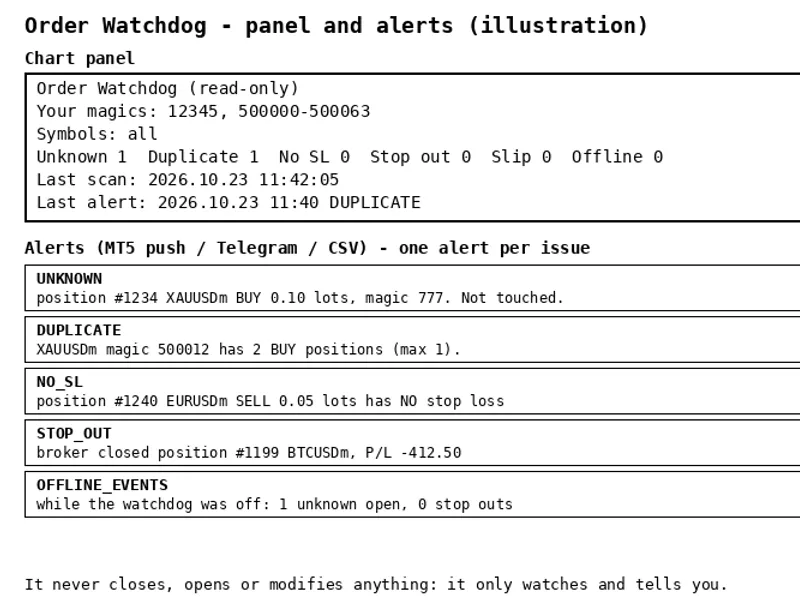
Related: Order Watchdog: Account Anomaly Alerts for MT5 - another powerful expert for MetaTrader 5 traders.
A daily process is intended to write the current trading decision (which strategy to run, or FLAT) to a file that Expert Advisors read at the market open. On one occasion, this writer process failed to execute. Consequently, the EAs read the decision file from the previous day. They compared its date with the server time (TimeCurrent()), which had reset to the previous day overnight. Finding a match, the EAs proceeded to trade all morning based on a 24-hour-old decision. No errors were logged, and a critical safety gate that should have enforced a closed state failed to do so.Also recommended: Real-Time Market Intelligence for Informed Trading Decisions - similar expert with strong performance on MetaTrader 5.
This incident led to the development of two core rules, both implemented within this class:
1. Staleness is determined by comparing against TimeLocal(), which consistently increments. TimeCurrent() reflects the timestamp of the last tick, can freeze if there are no new ticks, and may revert to a previous time upon reconnection or symbol change.
2. When in doubt, default to FLAT. Any failure in reading or interpreting the decision file—such as a missing file, a malformed date, an incorrect day, an empty decision line—will result in a default action of 'do nothing' (FLAT). Each such instance will be logged exactly once when the state changes. This prevents log flooding that occurs with per-tick logging and avoids the 'never logged' scenario that allowed the aforementioned bug to persist for a full day.
File Format
The decision file consists of two lines, stored either in the MQL5\Files directory or the common folder:
- Line 1: The decision date in ISO format (yyyy-mm-dd).
- Line 2: The decision itself, which can be any string. The specific string "FLAT" indicates that the system should stand aside.
Any content beyond the second line is disregarded, allowing the writer process to append notes if necessary.
How to Use
Include this file in your project. Instantiate the DecisionWatchdog class, like so: DecisionWatchdog wd("decision.txt"). If the file is located in the common folder, pass true as the second argument: DecisionWatchdog wd("decision.txt", true). Call the wd.Read(why) method in place of your direct file reading logic. This method returns the trading decision string or "FLAT". The optional 'why' parameter receives a textual explanation of the decision, which can be used for your own logs or displayed on an information panel.
Demo Script Input
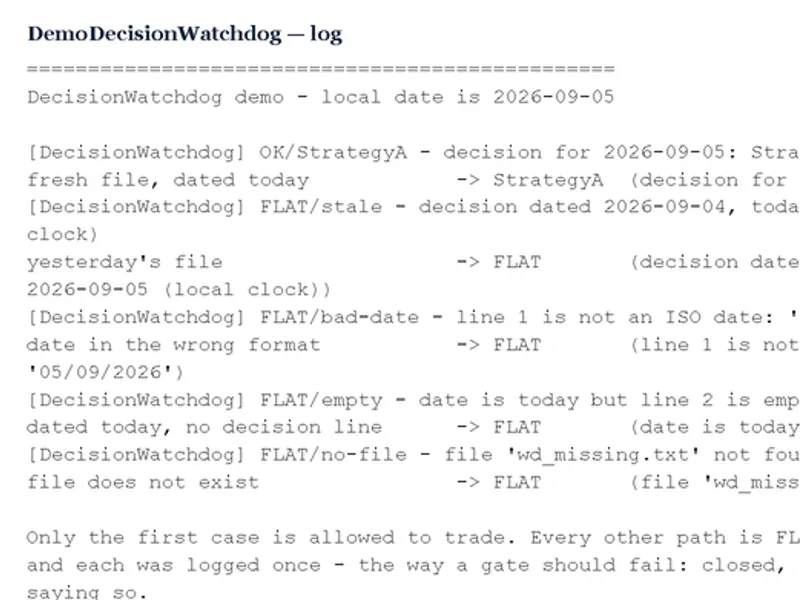
The demo script uses an input variable, InpDecision, to specify the initial trading decision (e.g., "StrategyA"). It then creates five test files: one dated today, one dated yesterday, one with an incorrectly formatted date, one dated today but lacking a decision line, and one file that does not exist. The script reads each of these files through the watchdog, prints the returned decision and the reason, and subsequently deletes the test files. Only the first scenario (a correctly formatted file with today's date) is permitted to proceed with trading. All other scenarios correctly result in a FLAT decision and are logged once. No actual trading occurs during the demo script execution.
You may also like: Automated Trading with Line Crossovers - excellent alternative for expert users on MetaTrader 5.
Source Code
#property copyright "RobotFX"
#property link "https://robotfx.org"
#property version   "1.00"
#property script_show_inputs
#include "DecisionWatchdog.mqh"
input string InpDecision = "StrategyA";
string Iso(datetime t)
  {
   MqlDateTime d; TimeToStruct(t, d);
   return StringFormat("%04d-%02d-%02d", d.year, d.mon, d.day);
.......
⚠ Limitations & Risk Warning
- This tool is provided for educational and testing purposes only.
- Past performance does not guarantee future results.
- Trading involves substantial risk of loss. Use on a demo account first.
- Results may vary depending on market conditions, broker, and settings.
- We recommend thorough backtesting and forward testing before using with real funds.