

Daily Drawdown Guard for MetaTrader 5
Info
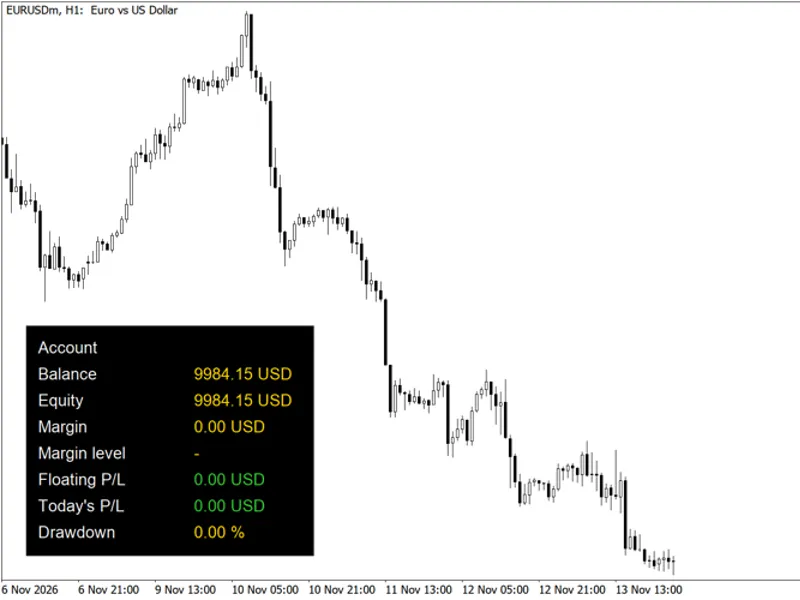
The Daily Drawdown Guard for MetaTrader 5 is a Expert Advisor for MetaTrader 5 that daily drawdown guard is a metatrader 5 utility designed to monitor your account's daily trading loss. It provides warnings and critical alerts when predefined loss limits are reached.
Usage
This tool is typically used for automated trading on major forex pairs and gold.
Platform
This Expert Advisor works exclusively on MetaTrader 5 (both build 600+ and newer versions).
Setup
Place the downloaded file in MQL5/Experts folder via File ? Open Data Folder in MetaTrader 5.
How to Install and Use Daily Drawdown Guard for MetaTrader 5
1. Installation: Open the "File" menu, select "Open Data Folder," navigate to MQL/Experts, paste your file, and restart the terminal.
2. Activation: Drag the EA from the Navigator onto a chart, ensure "Allow live trading" is checked in the Common tab, and verify the AutoTrading button is green.
3. Optimization: Right-click your chart, choose "Expert List," click "Properties" to adjust inputs, and save your preferred setup as a set file for future use.
4. Maintenance: Regularly check the "Experts" tab in the terminal window to monitor trade logs and potential execution errors.
Frequently Asked Questions
Q: Why is my EA not opening trades? A: Check the "AutoTrading" button, ensure "Allow live trading" is enabled, and verify your broker allows automated trading on your account type.
Q: Can I run multiple EAs on one chart? A: No, each chart can only host one active EA; however, you can open multiple charts for different currency pairs to run several EAs.
Q: What does the "smiley face" icon mean? A: A smiley face in the top-right corner of the chart indicates the EA is successfully running; a frowny face means it is disabled.
What this tool does
Daily Drawdown Guard is a MetaTrader 5 utility designed to monitor your account's daily trading loss.
Typical Use Case
This Expert Advisor excels in automated trading and technical analysis on MetaTrader 5.
Compatible Platform & Setup
This Expert Advisor works on MetaTrader 5. Place the file in the MQL5/Experts folder and restart the terminal.
Description & Settings
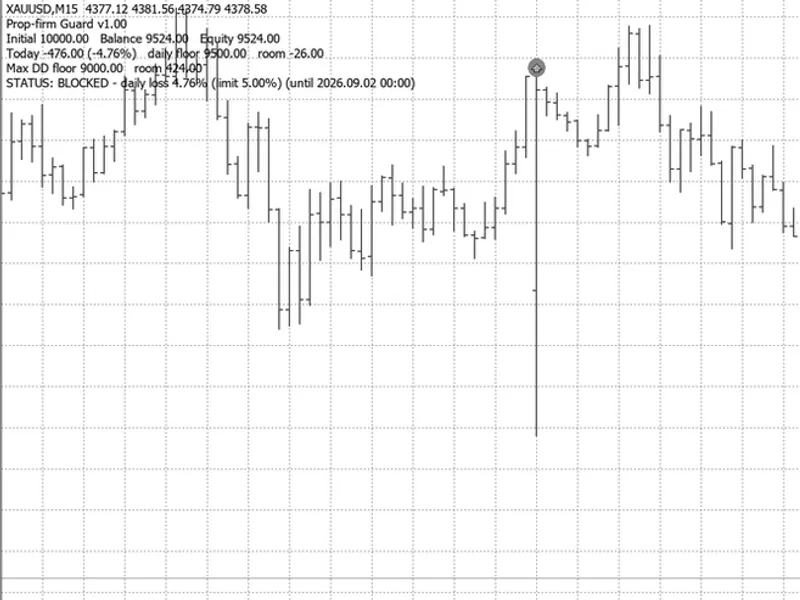
Related: Prop Firm Equity Guard: Daily and Maximum Drawdown Protection - another powerful expert for MetaTrader 5 traders.
Daily Drawdown Guard is a MetaTrader 5 utility designed to monitor your account's daily trading loss.Also recommended: Prop Firm Guardian: Manage Daily Loss, Max Loss, and Profit Target - similar expert with strong performance on MetaTrader 5.
It provides warnings and critical alerts when predefined loss limits are reached.This utility does not execute trades, modify orders, or interfere with other Expert Advisors.
Monitoring Mechanism
At the beginning of each trading day (configurable server time, defaulting to midnight), the utility records the account's equity and balance.
Throughout the day, it tracks the highest equity level achieved since the day's start.
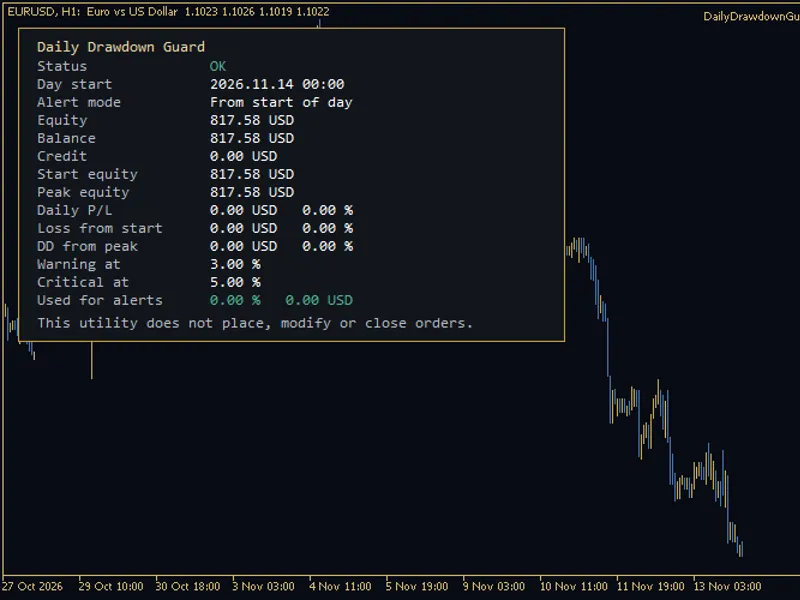
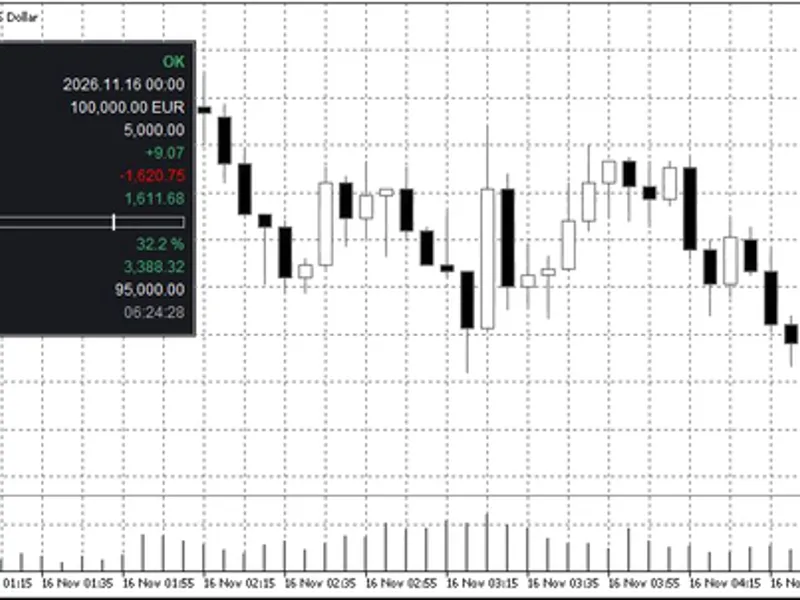
Panel Information:
- Status: Indicates OK, WARNING, or CRITICAL.
- Day Start: Displays the time of the trading day reset in server time.
- Alert Mode: Shows the currently active alert configuration.
- Current Equity, Balance, and Credit: Displays real-time account financial figures.
- Start-of-Day Equity and Intraday Equity Peak: Shows the equity value at the start of the day and the highest equity reached during the day.
- Daily Profit or Loss: Presented in both monetary value and as a percentage of the start-of-day equity.
- Loss from Day Start: Shown in money and percentage.
- Drawdown from Intraday Peak: Shown in money and percentage.
- Warning and Critical Limits: Displays the set thresholds for alerts.
- Current Alert Value: Indicates the figure currently being evaluated against the limits.
Credit Handling:
Credit is displayed separately. Broker credit bonuses affect equity but are not cash. When credit is present, it is advisable to monitor daily loss against both equity and balance, as a percentage of equity might appear smaller than the same monetary value relative to the cash balance.
Alert Modes
You can select how the limits are applied:
- Daily loss from the start of the day (default): This is the standard daily loss cap measurement.
- Drawdown from the intraday equity peak.
- The greater of the two percentage-based losses.
Each mode can utilize a percentage limit, an optional monetary limit, or both.
The warning limit must be set lower than the critical limit if both are configured.
Alerts are triggered only once per trading day.
If the terminal restarts on the same day, the start-of-day equity, peak equity, and alert flags are restored from global variables to prevent repeat alerts.
Alerts can be delivered via terminal alert windows, custom sound files, and optional push notifications to a MetaQuotes ID.
The utility strictly avoids sending orders or closing positions. Manual intervention is required for actions like flattening positions.
Input Parameters
Limits:
- Alert mode selection (from start, from peak, or either).
- Warning and critical percentage limits (defaults: 3.0% and 5.0%).
- Optional warning and critical monetary limits (set to 0 to disable).
Day Reset:
- Hour and minute for the trading-day reset, specified in server time (default: 00:00).
Alerts:
- Options for terminal alerts, sound file playback, and push notifications.
Panel Display:
- Options to show or hide the panel, select its corner position, adjust offsets, font size, and colors.
System Requirements
- Platform: MetaTrader 5.
- Installation: Attach the Expert Advisor to any chart. The monitoring is account-wide, not specific to any trading symbol.
- Dependencies: No DLL calls, WebRequest, or internet connection required.
- Compatibility: Can be used on the same chart as other trading Expert Advisors without interfering with their operations.
- AutoTrading: Not required for this utility to function.
You may also like: Prop-firm Guard: Daily Loss and Max Drawdown Protection for Challenge Accounts - excellent alternative for expert users on MetaTrader 5.
Source Code
#property copyright "RobotFX"
#property version     "1.00"
#property description "This code is educational. Feel free to use, modify and upgrade as you wish. Visit ROBOTFX.ORG for professional trading tools"
#define DDG_PREFIX  "DDG_"
#define DDG_ROWS    14
#define DDG_GV      "GSX_DDG_"
enum ENUM_DDG_MODE
  {
   DDG_FROM_START=0,
   DDG_FROM_PEAK =1,
.......
⚠ Limitations & Risk Warning
- This tool is provided for educational and testing purposes only.
- Past performance does not guarantee future results.
- Trading involves substantial risk of loss. Use on a demo account first.
- Results may vary depending on market conditions, broker, and settings.
- We recommend thorough backtesting and forward testing before using with real funds.